1. المقدمة
The Laserliner DigiLevel Laser G80 is a digital electronic spirit level designed for precise horizontal and vertical alignment, as well as accurate angle transfer. This device features an integrated green laser line for extending the measuring surface, a magnetic base for hands-free operation on metallic structures, and acoustic guidance for convenient use. Its 80 cm length makes it suitable for a wide range of applications in various trades.
2. تعليمات السلامة
Please read these safety instructions carefully before using the device. Failure to follow these instructions may result in injury or damage to the device.
- أشعة الليزر: This device uses a Class 2 laser. Do not look directly into the laser beam or direct it towards other people. Eye protection is recommended when working with lasers.
- البطاريات: Ensure correct battery polarity when inserting. Do not mix old and new batteries or different types of batteries. Remove batteries if the device will not be used for an extended period.
- صيانة: لا تحاول فتح الجهاز أو تعديله. يجب أن تتم عمليات الإصلاح فقط بواسطة فنيين معتمدين.
- بيئة: Use the device within the specified operating temperature range (0°C to 40°C). Avoid exposure to extreme temperatures, moisture, or strong vibrations.
3. انتهى المنتجview
3.1 مكونات
The DigiLevel Laser G80 consists of the following main components:
- شاشة رقمية
- Control Buttons (UNIT, REF, CAL, HOLD, Power/Backlight)
- Horizontal and Vertical Vials
- Green Laser Output
- قاعدة مغناطيسية
- حجرة البطارية

الشكل 1: انتهىview of the Laserliner DigiLevel Laser G80.

Figure 2: The DigiLevel Laser G80, its protective carrying bag, and AAA batteries.
3.2 الشاشة والأزرار
The digital display provides clear readings and indicators. The buttons allow for various functions and settings.

Figure 3: Close-up of the backlit digital display, showing angle measurement and battery status.

Figure 4: The automatic 180° flip display feature for convenient overhead measurements.
- زر الوحدة: Press to cycle through measurement units (degrees, %, mm/m).
- زر المرجع: Press to set the current angle as a reference (0°) for relative measurements.
- زر CAL: Press and hold to enter calibration mode for maintaining accuracy.
- زر الأنتظار: Press to freeze the current measurement on the display.
- زر الطاقة (⑂): Press to turn the device on/off. Short press to activate/deactivate backlight.
4. الإعداد
4.1 تركيب البطارية
- حدد مكان غطاء حجرة البطارية على الجهاز.
- افتح الغطاء.
- Insert two (2) 1.5V LR03 (AAA) batteries, ensuring correct polarity (+/-).
- أغلق غطاء حجرة البطارية جيدًا.
5. تعليمات التشغيل
5.1 تشغيل/إيقاف التشغيل
Press the Power button (⑂) to turn the device on. Press and hold the Power button to turn it off.
5.2 القياس الأساسي
Place the DigiLevel Laser G80 on the surface to be measured. The digital display will show the angle of inclination. The display automatically rotates 180° for overhead measurements.
5.3 اختيار الوحدة
اضغط على وحدة button to switch between different measurement units: degrees (°), percentage (%), and mm/m.
5.4 Reference Function (REF)
To measure relative angles, place the device on a surface and press the مرجع button. The display will show 0.0°, and subsequent measurements will be relative to this set reference angle. Press مرجع again to return to absolute measurement.
5.5 Calibration (CAL)
For sustained accuracy, periodic calibration is recommended. Refer to the full user manual for detailed calibration steps. Generally, this involves placing the device on a level surface, initiating calibration, rotating 180°, and confirming.
5.6 وظيفة الليزر
The integrated green laser line extends the measuring surface, allowing for precise alignment over longer distances. Activate the laser by pressing the dedicated laser button (often integrated with the power button or a separate button). The laser module is located at one end of the level.

Figure 5: The green laser module projecting a line for extended measurement.

Figure 6: The DigiLevel Laser G80 in use, projecting a green laser line onto a wall for alignment.
5.7 Acoustic Guidance
The device provides acoustic signals to assist with alignment at specific angles (0°, 45°, 90°). Three different tones indicate these angles, allowing for hands-free alignment without constantly watching the display.
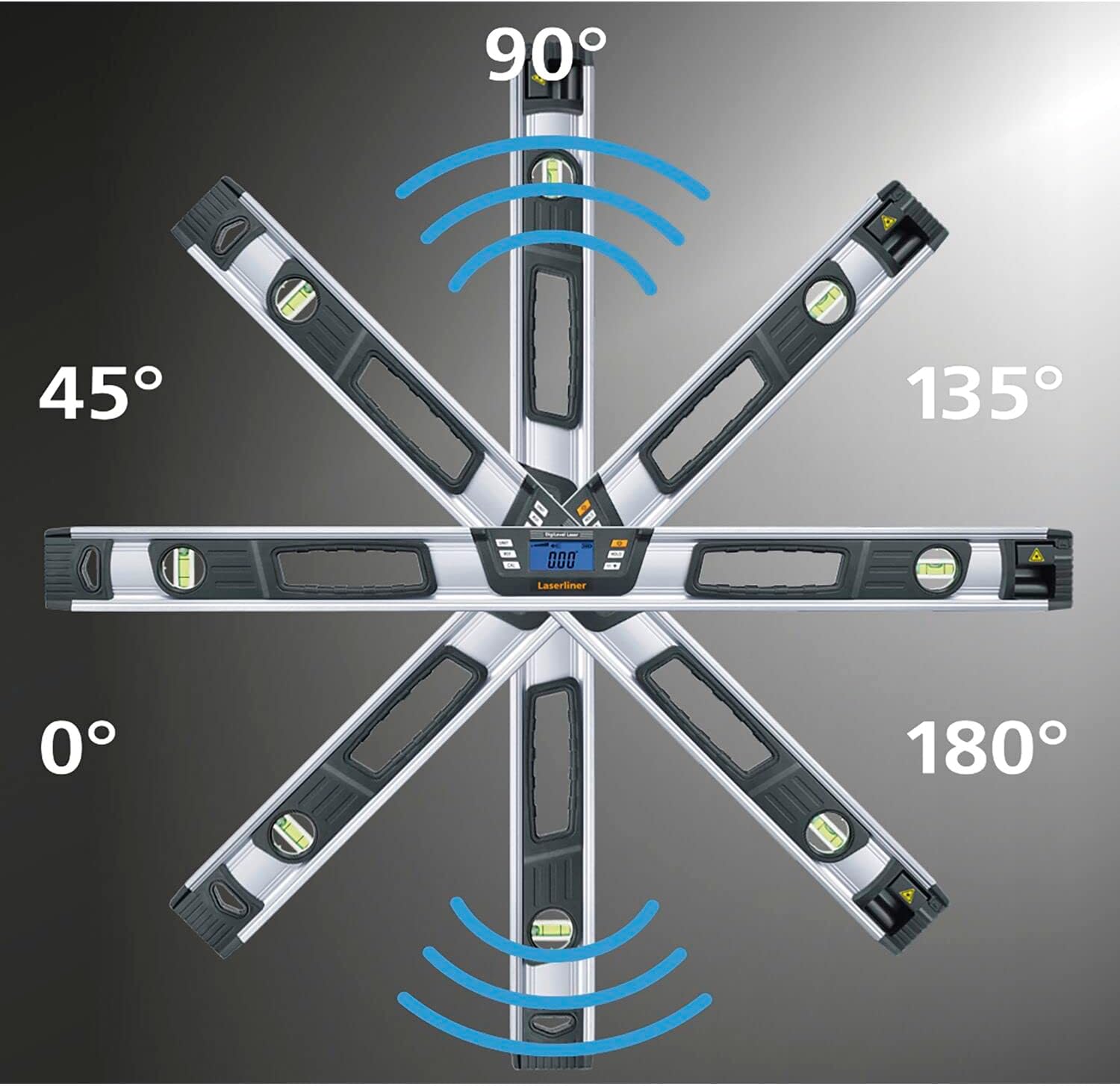
Figure 7: Illustration of 360° angle measurement and acoustic signals at key angles (0°, 45°, 90°, 135°, 180°).
5.8 وظيفة الانتظار
اضغط على يمسك button to freeze the current measurement on the display. This is useful for taking readings in difficult-to-view المواقف. اضغط يمسك again to release the measurement.

Figure 8: The 'Hold Angle' function, allowing the current measurement to be frozen on the display.
5.9 قاعدة مغناطيسية
The integrated magnetic base allows the device to be securely attached to metallic surfaces, enabling hands-free operation for increased convenience and precision.

Figure 9: The magnetic base provides secure attachment to metal surfaces.
6. التطبيقات
The Laserliner DigiLevel Laser G80 is suitable for a variety of professional and DIY applications, including:
- Carpentry and Joinery: Precise alignment of wooden structures, frames, and furniture.
- تركيب الحوائط الجافة: Ensuring level and plumb surfaces for wall and ceiling panels.
- تسقيف: Measuring and transferring roof pitches and angles.
- تلوين: Establishing level lines for decorative elements or wall preparation.
- بناء عام: Any task requiring accurate horizontal, vertical, or angle measurements.

Figure 10: Using the laser line to align multiple picture frames on a wall.
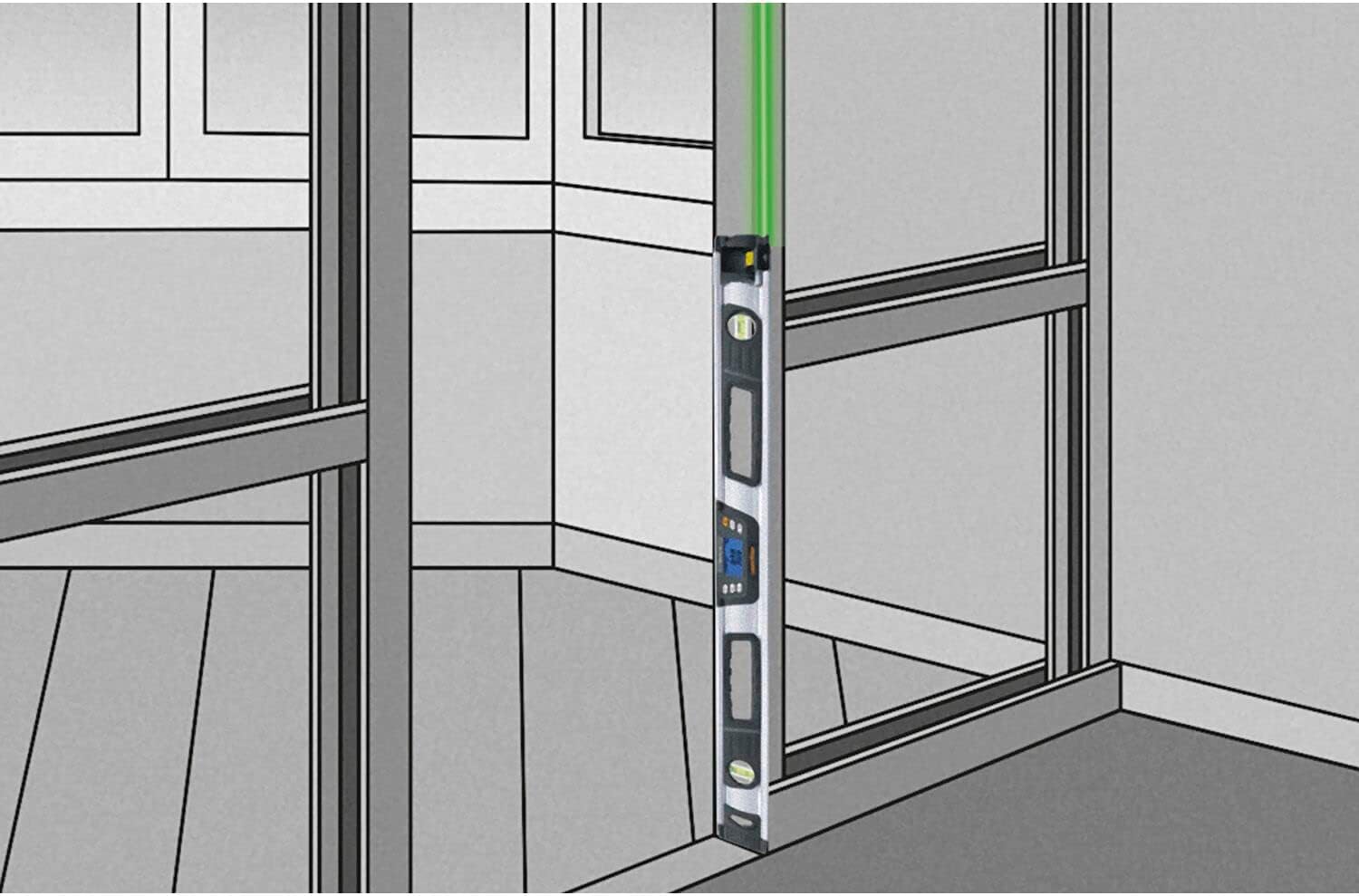
Figure 11: The spirit level used for vertical alignment, ensuring plumb surfaces.

Figure 12: Measuring and aligning on an angled ceiling or sloped surface.

Figure 13: Acoustic guidance assists in leveling shelves, indicated by sound waves.

Figure 14: Acoustic feedback helps in precisely aligning cabinets during installation.
7. الصيانة
- تنظيف: امسح الجهاز بقطعة ناعمة ، دamp القماش. لا تستخدم المنظفات أو المذيبات الكاشطة.
- تخزين: Store the device in its carrying bag in a dry, dust-free environment when not in use. Remove batteries if storing for extended periods.
- تقتيش: قم بفحص الجهاز بانتظام بحثًا عن أي علامات تلف.
8. استكشاف الأخطاء وإصلاحها
- الجهاز لا يعمل: تحقق من تركيب البطارية وتأكد من عدم نفاذ شحنها. استبدلها إذا لزم الأمر.
- قراءات غير دقيقة: Perform a calibration as described in the full user manual. Ensure the device is placed on a stable surface.
- الليزر غير مرئي: Check battery level. Ensure the laser output is not obstructed.
9. المواصفات
| رقم الموديل | 081.257 أمبير |
| طول | 80 سم |
| نوع الليزر | Green Line Laser, Class 2, <1 mW |
| طول موجة الليزر | 515 نانومتر |
| Electronic Measurement Accuracy | ± 0.1° at 0°…1° and 89°…90°, ± 0.2° at 1°…89° |
| دقة القارورة | ± 0.5 مم/م |
| دقة العرض | 1 منزلة عشرية |
| مزود الطاقة | 2 x 1.5V LR03 (AAA) batteries |
| درجة حرارة التشغيل | 0 درجة مئوية إلى 40 درجة مئوية |
| مادة | الألومنيوم |
| وزن | 966 جرام |
10. محتويات العبوة
The Laserliner DigiLevel Laser G80 package includes:
- DigiLevel Laser G80 Digital Electronic Spirit Level
- 2 بطاريات LR03 (AAA) بجهد 1.5 فولت
- حقيبة الحمل
11. الضمان والدعم
Warranty information for the Laserliner DigiLevel Laser G80 is typically provided with the product at the time of purchase or can be obtained directly from the manufacturer, Laserliner. For technical support, please refer to the contact information provided in your product packaging or visit the official Laserliner webموقع.


