1. انتهى المنتجview
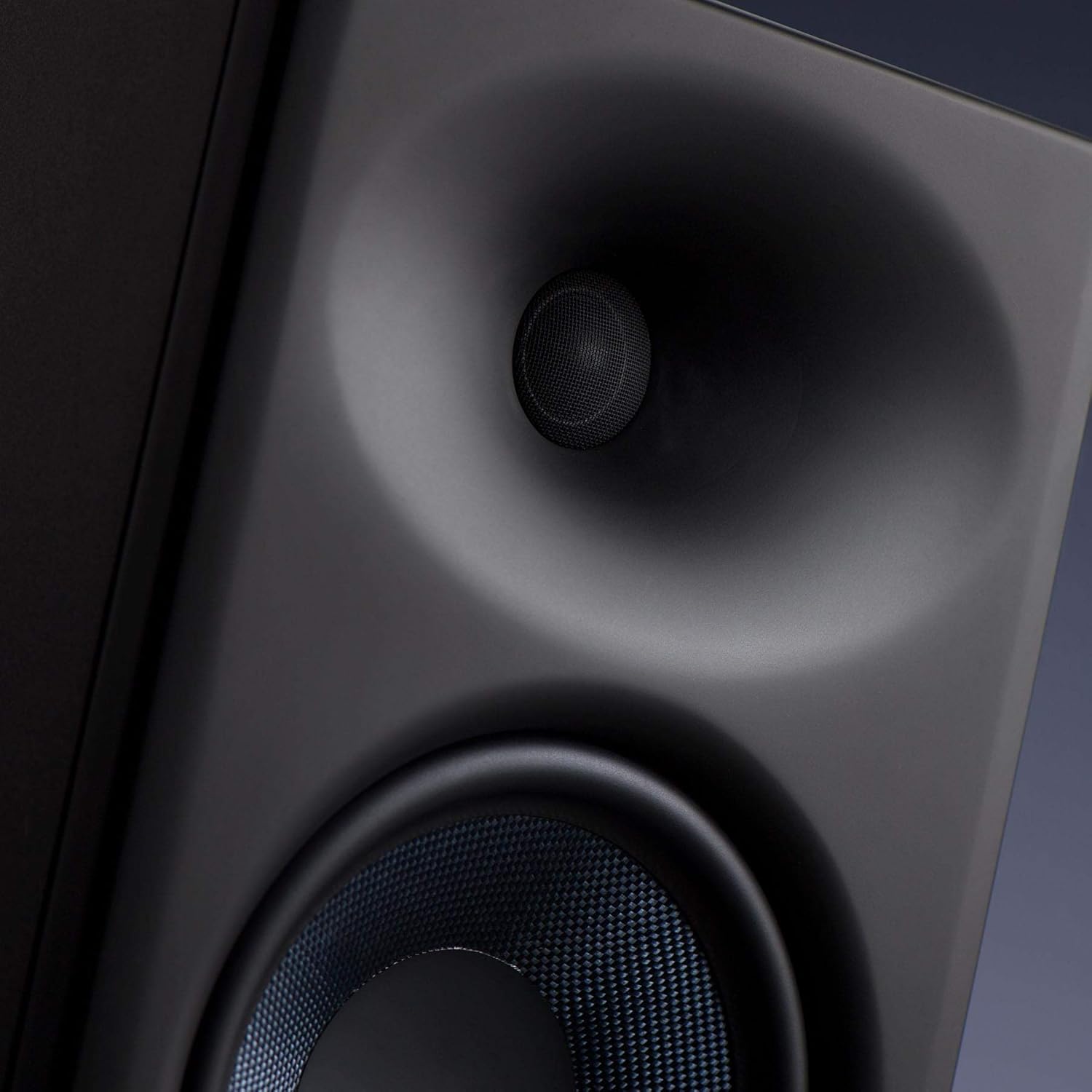
The PreSonus Eris E8 XT studio monitor is an advanced 2-way near field studio monitor designed for accurate audio reproduction in professional and home studio environments. It features a robust 8-inch woven composite low-frequency transducer for deep lows and a 1.25-inch silk-dome, high-frequency transducer for smooth highs. The monitor incorporates a Hugh Sarvis-designed EBM waveguide, which provides a wider and more controlled sweet spot, enhancing group listening and collaboration. Its larger, ported enclosure extends bass response without introducing muddiness. Acoustic tuning controls allow users to tailor the frequency response to their specific mix environment.
- 8-inch Woven Composite Low-Frequency Transducer: Delivers deep and clear bass frequencies.
- 1.25-inch Silk-Dome High-Frequency Transducer: Provides smooth and detailed high-frequency reproduction.
- EBM Waveguide: Innovative 100°(H)x60°(V) EBM waveguide horn ensures a wide sweet spot and minimized vertical reflections.
- Front-Ported Enclosure: State-of-the-art design for tight and extended bass response.
- ضوابط الضبط الصوتي: Includes Level, HPF (High-Pass Filter), LF Trim (Low-Frequency Trim), HF Trim (High-Frequency Trim), and Acoustic Space controls to optimize sound for any room.
- 140 Watt Class AB Bi-ampالتصريح: Delivers up to 105 dB SPL for powerful and clear sound.
- اتصال متعدد الاستخدامات: Balanced XLR, TRS (1/4-inch), and unbalanced RCA inputs for compatibility with various audio sources.
- الحماية المتكاملة: Features protection against RF interference, extreme output current, over-temperature, external mains fuse, subsonic, and transient issues.
2. معلومات السلامة
Please read and follow all safety instructions before operating your PreSonus Eris E8 XT studio monitor. Failure to do so may result in electric shock, fire, or other hazards. Keep this manual for future reference.
- مصدر الطاقة: Connect the unit to a power supply of the type specified in the operating instructions or as marked on the appliance.
- تهوية: لا تقم بسد أي فتحات تهوية. قم بالتركيب وفقًا لتعليمات الشركة المصنعة.
- الماء والرطوبة: لا تستخدم هذا الجهاز بالقرب من الماء أو الرطوبة.
- حرارة: لا تقم بالتثبيت بالقرب من أي مصادر للحرارة مثل المشعات أو فتحات التدفئة أو المواقد أو أي أجهزة أخرى (بما في ذلك ampالمُضخِّمات) التي تنتج الحرارة.
- تنظيف: نظف فقط بقطعة قماش جافة.
- الخدمة: أحل جميع أعمال الصيانة إلى موظفي الصيانة المؤهلين. يلزم إجراء الصيانة عند تعرض الجهاز للتلف بأي شكل من الأشكال، مثل تلف سلك مصدر الطاقة أو القابس، أو انسكاب السوائل أو سقوط الأشياء داخل الجهاز، أو تعرض الجهاز للمطر أو الرطوبة، أو عدم تشغيله بشكل طبيعي، أو سقوطه.
- حماية السمع: This loudspeaker is capable of delivering sound pressure levels of more than 85 dB, which may cause permanent hearing damage. Use hearing protection when operating at high volumes.
3. الإعداد
3.1 فك الصندوق والفحص الأولي
Carefully remove the monitor from its packaging. Inspect the unit for any signs of damage that may have occurred during shipping. If any damage is found, contact your dealer immediately.
3.2 التنسيب
Proper placement of your studio monitors is crucial for accurate monitoring. Position the monitors to form an equilateral triangle with your listening position. The tweeters should be at ear level. Avoid placing monitors directly against walls or in corners, as this can exaggerate bass frequencies. Utilize the Acoustic Space controls on the rear panel to compensate for boundary effects.

3.3 الاتصالات
The Eris E8 XT offers flexible input options. Ensure all audio connections are made before powering on the speakers.
- مدخلات XLR: For balanced connections from professional audio interfaces or mixers.
- TRS (1/4-inch) Input: For balanced or unbalanced connections from audio interfaces, mixers, or other audio equipment.
- إدخال RCA: For unbalanced connections from consumer audio devices.

3.4 تشغيل/إيقاف التشغيل
After making all audio connections, plug the power cables into the power inputs on the back of the speakers. Then, flip the power switches to the 'On' position. The PreSonus logo on the front will illuminate.
4. التشغيل
4.1 ضبط مستوى الصوت
Adjust the overall output level of the monitor using the 'Level' knob on the rear panel. Start with a low volume and gradually increase it to your desired listening level.
4.2 ضوابط الضبط الصوتي
The Eris E8 XT features several acoustic tuning controls on the rear panel to help you optimize the monitor's response for your specific listening environment.
- مرشح التمرير العالي (HPF): Cuts frequencies below a selected point (Flat, 80 Hz, or 100 Hz) to integrate with a subwoofer.
- Low-Frequency Trim (LF Trim): Adjusts frequencies below 1 kHz by -6 dB, -3 dB, or 0 dB to compensate for room acoustics.
- High-Frequency Trim (HF Trim): Adjusts frequencies above 10 kHz by -6 dB, -3 dB, or 0 dB to fine-tune the high-end response.
- المساحة الصوتية: Compensates for bass buildup that can occur when monitors are placed near walls or in corners. Options include 0 dB (flat), -2 dB (middle of room), and -4 dB (close to wall/corner).
5. الصيانة
To ensure the longevity and optimal performance of your PreSonus Eris E8 XT monitors, follow these maintenance guidelines:
- تنظيف: Use a soft, dry, lint-free cloth to clean the exterior of the monitors. Avoid using abrasive cleaners, waxes, or solvents.
- تراب: Regularly dust the speaker cones and ports to prevent accumulation that could affect sound quality.
- بيئة: Keep the monitors in a clean, dry environment away from extreme temperatures, direct sunlight, and excessive humidity.
- تهوية: Ensure adequate airflow around the rear panel to prevent overheating.
- مواصلات: When moving the monitors, use original packaging or suitable protective materials to prevent damage.
6. استكشاف الأخطاء وإصلاحها
If you encounter issues with your Eris E8 XT monitors, refer to the following common troubleshooting steps:
- لا يوجد صوت:
- Check if the power cable is securely connected and the power switch is ON.
- Verify that the audio input cables are correctly connected to both the monitor and the audio source.
- Ensure the volume knob on the monitor and your audio source is turned up.
- قم بإجراء اختبار باستخدام مصدر صوت أو كابل مختلف لاستبعاد وجود أي خلل في المعدات.
- الصوت المشوه:
- Reduce the input level from your audio source or the monitor's volume knob to prevent clipping.
- التحقق من وجود كابلات صوتية تالفة.
- Ensure the acoustic tuning controls are not set to extreme values that might cause distortion in your room.
- همهمة أو طنين:
- Ensure all audio cables are balanced (XLR or TRS) if possible, especially for longer runs.
- Try connecting the monitors to a different power outlet or a power conditioner.
- Move audio cables away from power cables or other electrical interference sources.
7. المواصفات
| ميزة | قيمة |
|---|---|
| اسم الموديل | Eris E8 XT |
| نوع التركيب | يقف الكلمة |
| مادة | Composite, Plastic |
| نوع السماعة | الوسائط المتعددة |
| الاستخدامات الموصى بها للمنتج | موسيقى |
| الأجهزة المتوافقة | سطح المكتب، الكمبيوتر المحمول |
| قطر مكبر الصوت | 8 بوصة |
| قطر مكبر الصوت عالي التردد | 1.25 بوصة |
| عدد الوحدات | 1.0 عدد |
| لون | أسود |
| المكونات المضمنة | 1 Eris E8 XT Monitor |
| أبعاد المنتج | 11 بوصة عمق × 9 بوصة عرض × 8 بوصة ارتفاع |
| وزن العنصر | 24.8 رطل |
| مقاوم للماء | خطأ شنيع |
| عدد العناصر | 1 |
| طريقة التحكم | يلمس |
| تكنولوجيا الاتصالات اللاسلكية | موجة تردد الراديو |
| الحد الأقصى لقوة خرج السماعة | 140 واط |
| استجابة التردد | 20 KHz (Note: This is likely the upper limit, actual range is wider) |
| تكنولوجيا الاتصال | XLR، TRS، RCA |
| وضع إخراج الصوت | كثرة الوحيدات |
8. الضمان والدعم
The PreSonus Eris E8 XT Studio Monitor comes with a Limited Warranty. For specific terms and conditions, please refer to the warranty card included with your product or visit the official PreSonus webموقع.
For technical support, product registration, or service inquiries, please visit the PreSonus support page or contact their customer service directly. Keep your purchase receipt and serial number (located on the rear panel of the monitor) handy for any warranty claims.


