1. المقدمة
Thank you for choosing the ZIPRO Neon Magnetic Elliptical Trainer. This elliptical is designed for effective home workouts, allowing you to train endurance and strengthen muscles. Its compact size makes it ideal for smaller living spaces. The user-friendly computer tracks key workout parameters such as speed, distance, calories, and pulse. Featuring a robust construction, anti-slip footrests, and ergonomic handles, it ensures a comfortable and safe exercise experience. The internal magnetic mechanism provides smooth and quiet operation with 8 adjustable resistance levels to suit your individual training needs.

Image: The ZIPRO Neon Magnetic Elliptical Trainer, showcasing its sleek black design with green accents.
2. معلومات هامة حول السلامة
Please read all instructions carefully before using this product. Failure to follow these instructions may result in injury or damage to the equipment.
- استشر طبيباً قبل البدء بأي برنامج رياضي، خاصة إذا كنت تعاني من حالات صحية سابقة.
- أبقِ الأطفال والحيوانات الأليفة بعيدًا عن الجهاز أثناء التشغيل.
- ضع جهاز التمارين البيضاوية على سطح مستوٍ وثابت مع وجود مساحة كافية حوله.
- Wear appropriate exercise clothing and athletic footwear. Avoid loose clothing that could get caught in moving parts.
- Before each use, ensure all bolts, nuts, and connections are securely tightened.
- لا تتجاوز الحد الأقصى لوزن المستخدم وهو 120 كجم (264 رطلاً).
- If you experience dizziness, chest pain, or any other abnormal symptoms, stop your workout immediately and consult a physician.
- Do not attempt to service the elliptical trainer beyond the maintenance steps described in this manual. Contact customer support for assistance.
3. محتويات العبوة
تأكد من وجود جميع المكونات قبل البدء بالتجميع. في حال وجود أي أجزاء مفقودة أو تالفة، يرجى التواصل مع خدمة العملاء.
| غرض | كمية |
|---|---|
| تجميع الإطار الرئيسي | 1 |
| قضيب التثبيت الأمامي | 1 |
| قضيب الموازن الخلفي | 1 |
| تتحرك المقاود | 2 |
| Fixed Handlebar Post | 1 |
| دواسات القدم | 2 |
| وحدة كونسول | 1 |
| حامل زجاجة المياه | 1 |
| مجموعة أدوات (مسامير، غسالات، صواميل، أدوات) | مجموعة واحدة |
| دليل المستخدم | 1 |
4. التجميع والإعداد
4.1 فك التعبئة
Carefully remove all components from the packaging. Lay them out on a clean, flat surface to ensure all parts are accounted for and to prevent scratching.
4.2 خطوات التجميع
- قم بتثبيت قضبان التثبيت: Secure the front and rear stabilizer bars to the main frame using the provided bolts and washers. Ensure they are firmly tightened for stability.
- Install Pedal Arms and Moving Handlebars: Connect the pedal arms to the main crank assembly and then attach the moving handlebars to the pedal arms. Pay attention to left and right markings.
- Mount Console Post and Fixed Handlebars: Attach the console post to the main frame. Then, secure the fixed handlebars to the console post. Ensure all wiring for the console is routed correctly and connected.
- Attach Console Unit: Carefully connect the sensor wires from the console post to the back of the console unit. Then, mount the console onto its designated bracket on the console post.
- تركيب دواسات القدم: Secure the foot pedals to the pedal arms. Ensure they are oriented correctly and tightened to prevent wobbling during use.
- قم بتركيب حامل زجاجة الماء: Mount the water bottle holder to the designated spot on the frame.
- التحقق النهائي: Review all connections and ensure all bolts are tightened. Test the elliptical for smooth movement and stability. Adjust the leveling caps on the stabilizer bars if the unit is uneven.
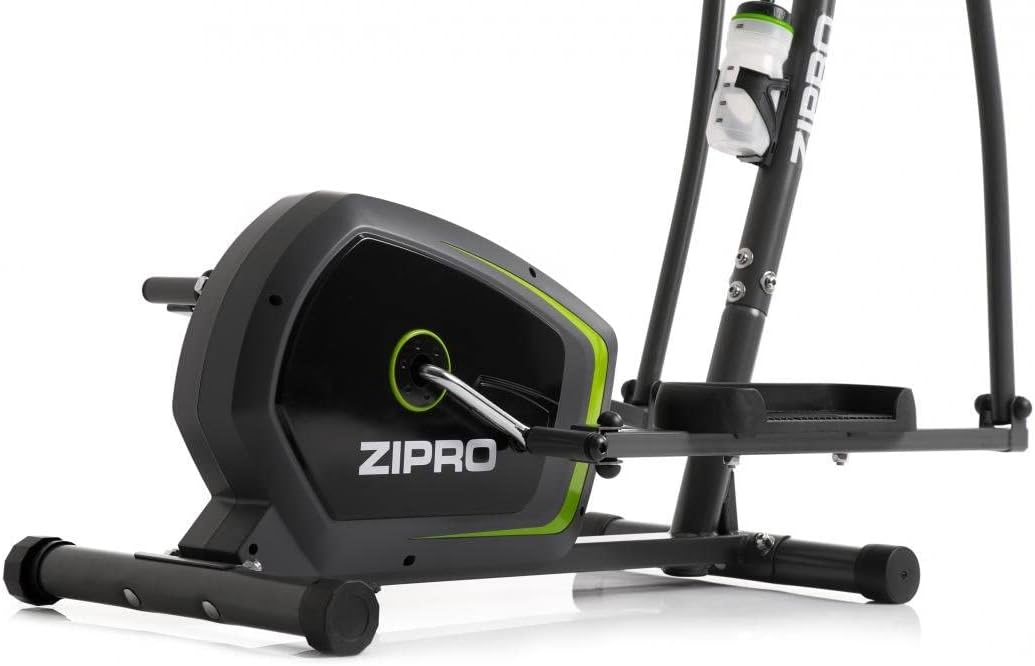
Image: Detail of the sturdy base and flywheel housing.

الصورة: الجانب المحترفfile of the elliptical, showing the pedal arms and handlebars.

الصورة: الجبهة view, highlighting the console post and handlebars.
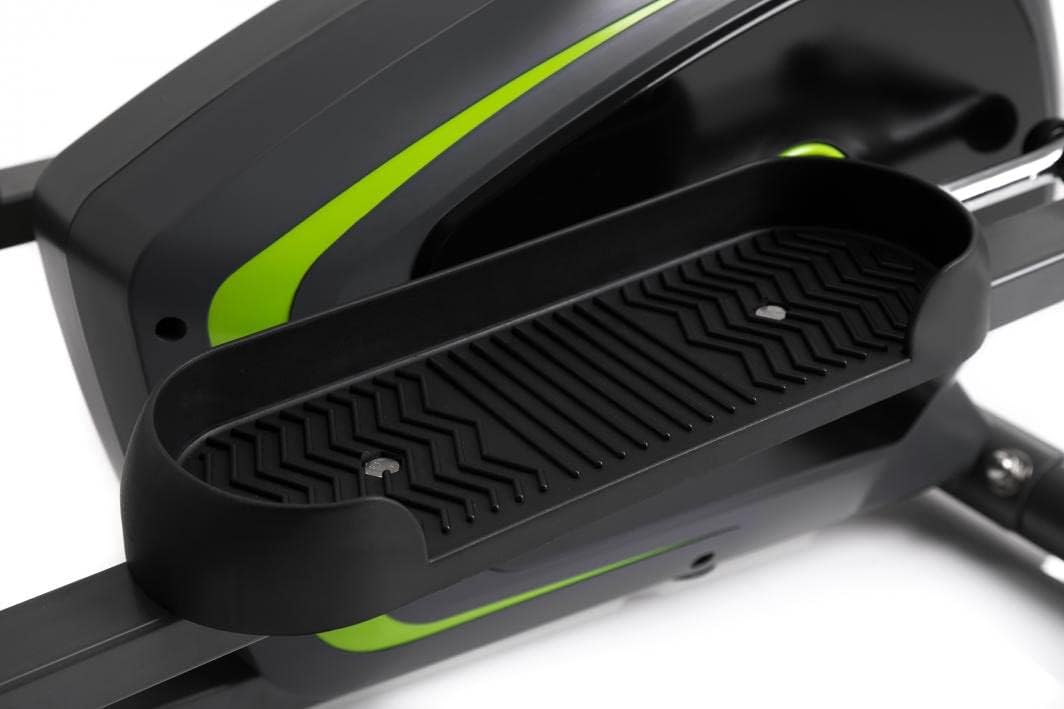
Image: Detail of the textured, anti-slip foot pedal surface.

Image: The integrated water bottle holder on the elliptical frame.

Image: The rear stabilizer bar with built-in transport wheels for easy relocation.
5. تعليمات التشغيل
5.1 وظائف وحدة التحكم
The integrated console provides real-time feedback on your workout. It typically displays:
- وقت: مدة التمرين الخاص بك.
- سرعة: Current speed in km/h or mph.
- مسافه: بعد: المسافة الإجمالية المقطوعة أثناء التمرين.
- سعرات حراريه: حرق السعرات الحرارية المقدرة.
- نبض: Your heart rate (measured via hand pulse sensors on fixed handlebars).
- مسح: يتم التبديل تلقائيًا بين جميع وظائف العرض.
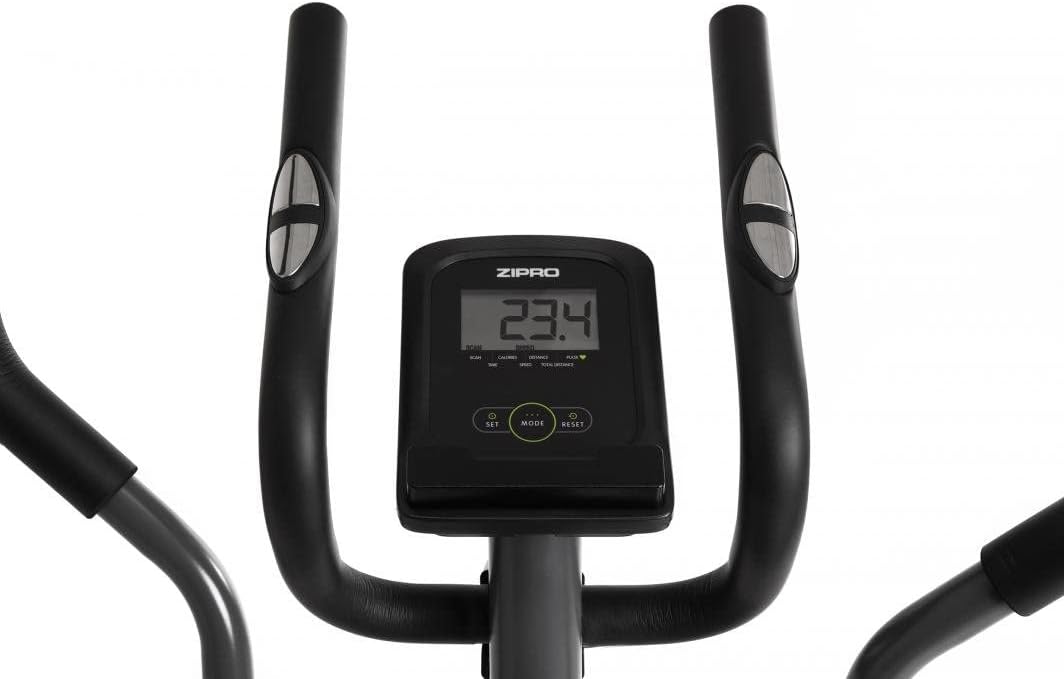
Image: The digital console displaying workout metrics.
Use the 'MODE' button to select a specific display function or 'SCAN' mode. 'RESET' will clear all workout data.
5.2 ضبط المقاومة
The ZIPRO Neon Elliptical Trainer features 8 levels of magnetic resistance. To adjust the resistance, turn the tension control knob located on the main frame. Turn clockwise to increase resistance for a more challenging workout, and counter-clockwise to decrease resistance for an easier workout.

Image: The resistance control knob with settings from 1 to 8.
5.3 استخدام حامل الجهاز
The elliptical is equipped with a convenient shelf for mobile devices, allowing you to place your smartphone or tablet while exercising. This is located just below the console.

Image: The device holder, capable of holding a tablet or smartphone for entertainment during workouts.
5.4 Workout Guidelines
- تسخين: Begin each workout with 5-10 minutes of light exercise and stretching.
- اكتشف - حل: Maintain a steady pace and resistance level for 20-30 minutes, or as recommended by your fitness plan.
- ترطيب: Finish with 5-10 minutes of slower pedaling and stretching.
- الترطيب: Use the integrated bottle holder to keep water accessible and stay hydrated during your workout.
6. الصيانة والعناية
Regular maintenance will extend the life of your elliptical trainer.
- تنظيف: امسح المعدات بالإعلانamp امسح بقطعة قماش بعد كل استخدام لإزالة العرق والغبار. لا تستخدم منظفات أو مذيبات كاشطة.
- تشحيم: Periodically check moving parts for friction. Apply a silicone-based lubricant to pivot points and joints if squeaking occurs.
- شد المثبتات: Regularly inspect all bolts, nuts, and screws to ensure they are tight. Tighten as necessary to prevent noise and ensure stability.
- تخزين: Store the elliptical in a dry, cool place away from direct sunlight and extreme temperatures.
7. استكشاف الأخطاء وإصلاحها
If you encounter issues with your elliptical trainer, refer to the table below for common problems and solutions.
| مشكلة | السبب المحتمل | حل |
|---|---|---|
| صوت صرير أو طحن | Loose bolts; lack of lubrication; worn parts. | Tighten all visible bolts. Apply silicone lubricant to pivot points. If noise persists, contact support. |
| وحدة التحكم لا تعرض البيانات | Batteries low or dead; loose sensor connection. | Replace console batteries. Check all sensor cables are securely connected. |
| المقاومة لا تتغير | كابل المقاومة غير متصل أو تالف. | Inspect the resistance cable connection to the knob and the flywheel mechanism. Reconnect if loose. |
| Elliptical feels unstable/wobbly | Uneven surface; loose stabilizer bar bolts. | Adjust the leveling caps on the stabilizer bars. Ensure all stabilizer bar bolts are tightened. |
8. المواصفات الفنية
| ميزة | مواصفة |
|---|---|
| اسم الموديل | نيون |
| ماركة | زيبرو |
| لون | أسود |
| أبعاد المنتج (الطول × العرض × الارتفاع) | 107 x 67 x 152 cm (42.1 x 26.4 x 59.8 inches) |
| وزن العنصر | 29.8 كجم (65.7 رطل) |
| مادة | Durable Steel Frame, Plastic Components |
| آلية المقاومة | مغناطيسي |
| توصية الوزن الأقصى | 120 كجم (264 رطل) |
| الحد الأقصى لطول الخطوة | 27 سم (10.6 بوصة) |
| عدد مستويات المقاومة | 8 |
| المكونات المضمنة | Elliptical Trainer, Water Bottle Holder |
| البطاريات المتضمنة | نعم |
| الشركة المصنعة | Morele.net Sp. حديقة حيوان |
| رقم الموديل | 1592673 |
9. الضمان والدعم
Your ZIPRO Neon Magnetic Elliptical Trainer comes with a standard manufacturer's warranty covering defects in materials and workmanship. Please refer to the warranty card included in your package for specific terms and conditions, including the warranty period.
For technical support, replacement parts, or warranty claims, please contact ZIPRO customer service. Have your model number (1592673) and proof of purchase ready when contacting support.
معلومات الاتصال:
يرجى زيارة موقع ZIPRO الرسمي webقم بزيارة الموقع للاطلاع على أحدث بيانات الاتصال الخاصة بمنطقتك.


