مقدمة
This manual provides essential instructions for the safe and efficient operation of your Hama TH50 Thermo/Hygrometer. This device is designed to accurately measure and display indoor temperature and humidity levels. Please read this manual thoroughly before using the device and keep it for future reference.
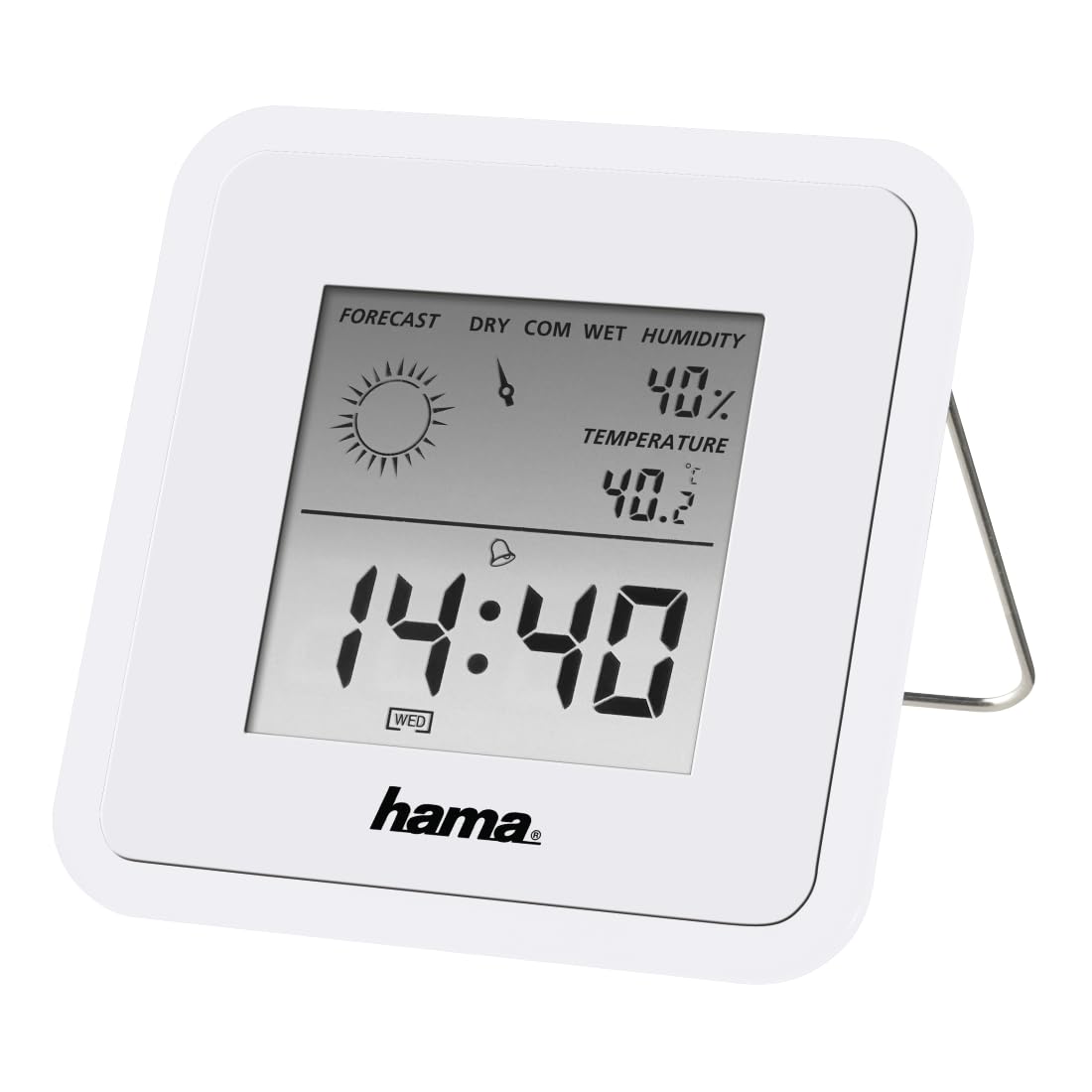
Image: The Hama TH50 Thermo/Hygrometer, a compact white device displaying digital temperature and humidity readings.
تعليمات السلامة
- لا تعرض الجهاز لدرجات حرارة عالية، أو أشعة الشمس المباشرة، أو الرطوبة العالية.
- تجنب إسقاط الجهاز أو تعريضه لصدمات قوية.
- لا تفتح الجهازasing or attempt to repair it yourself. Refer all servicing to qualified personnel.
- احتفظ بالجهاز بعيدًا عن متناول الأطفال.
- التخلص من البطاريات وفقا للقوانين المحلية.
محتويات الحزمة
يرجى التأكد من أن جميع العناصر موجودة وفي حالة جيدة:
- Hama TH50 Thermo/Hygrometer
- 1 Lithium Metal Battery (pre-installed or separate)
- دليل التعليمات هذا
يثبت
1. تركيب البطارية
The Hama TH50 requires one Lithium Metal battery for operation. If the battery is not pre-installed, follow these steps:
- حدد مكان غطاء حجرة البطارية على الجزء الخلفي للجهاز.
- افتح غطاء حجرة البطارية.
- Insert the Lithium Metal battery, ensuring the correct polarity (+/-) as indicated inside the compartment.
- أغلق غطاء حجرة البطارية جيدًا.
2. تحديد مستوى
The Hama TH50 is designed for tabletop mounting. For accurate readings, place the device in a central location within the room, away from direct heat sources, air conditioning vents, or open windows that could affect temperature and humidity measurements.

Image: The Hama TH50 Thermo/Hygrometer displayed on a small table in a modern living room setting, demonstrating typical placement.
تشغيل الجهاز
عرض المعلومات
Once the battery is installed, the device will automatically power on and begin displaying the current temperature and humidity. The display typically shows:
- درجة حرارة: Measured in degrees Celsius (°C). The accuracy is ±1°C.
- رطوبة: Measured as a percentagهـ (٪).
- وقت: The current time may also be displayed, depending on the model's features.
There are no user-adjustable settings or buttons on this model for changing units or modes. The device operates automatically.
صيانة
تنظيف
To clean the device, use a soft, dry, lint-free cloth. Do not use abrasive cleaners, solvents, or chemical agents, as these can damage the display or casing. Avoid getting moisture into the device.
استبدال البطارية
When the display becomes dim or the readings appear inaccurate, it may be time to replace the battery. Follow the battery installation steps outlined in the "Setup" section to replace the Lithium Metal battery. Ensure proper disposal of the old battery.
استكشاف الأخطاء وإصلاحها
| مشكلة | السبب المحتمل | حل |
|---|---|---|
| Device does not power on / Display is blank. | Battery is not installed or is depleted. Incorrect battery polarity. | Check battery installation and polarity. Replace with a new Lithium Metal battery if necessary. |
| قراءات غير دقيقة لدرجة الحرارة والرطوبة. | Device placed near heat sources, vents, or in direct sunlight. Battery low. | Relocate the device to a more central and stable environment. Replace the battery. |
| الشاشة قاتمة. | انخفاض طاقة البطارية. | استبدل بطارية الليثيوم المعدنية. |
تحديد
- رقم الموديل: 00186371
- ماركة: حماه
- أبعاد المنتج: 10.5 × 8.6 × 3.2 سم
- وزن السلعة: 66 جرام
- لون: أبيض
- نوع التركيب: سطح الطاولة
- دقة قراءة درجة الحرارة: ±1 درجة مئوية
- البطاريات: 1 بطارية ليثيوم معدنية (متضمنة)
الضمان والدعم
Hama provides a limited warranty for this product. For detailed warranty information, technical support, or service inquiries, please refer to the official Hama webالموقع أو تواصل مع قسم خدمة العملاء. احتفظ بإيصال الشراء كإثبات للشراء.
ملاحظة: مواصفات المنتج ومظهره عرضة للتغيير دون إشعار مسبق.


