مقدمة
Thank you for choosing the Astrum ET200 Earphone. This in-ear Bluetooth 4.0 earphone is designed to provide clear sound for both voice calls and music playback. Featuring dual pairing capability and a comfortable hook design, it offers up to 5 hours of talk time. Its high-performance speakers deliver rich bass and precise treble, ensuring a premium audio experience.
المنتج انتهىview

الشكل 1: الجبهة view of the Astrum ET200 Earphone in white, showcasing its compact design and ear hook.
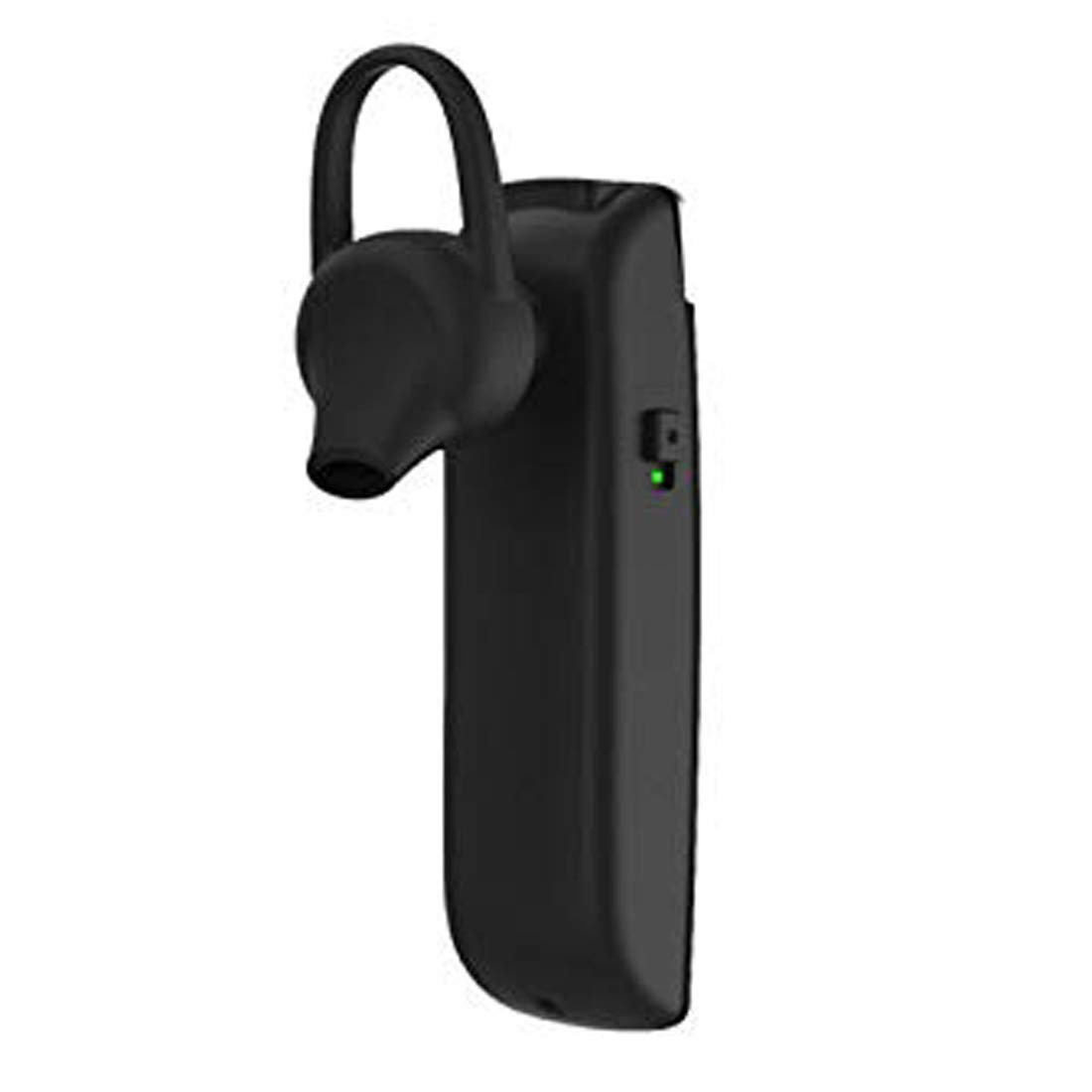
الشكل 2: الجانب view of the Astrum ET200 Earphone, highlighting the indicator light and control button area.

Figure 3: Both white and black versions of the Astrum ET200 Earphone, illustrating the overall form factor.
يثبت
1. شحن سماعة الأذن
Before first use, fully charge the earphone. Connect the charging cable (not specified, assuming standard micro-USB) to the charging port on the earphone and the other end to a USB power source (e.g., computer USB port, wall adapter). The indicator light will typically show red during charging and turn blue or off when fully charged.
2. اقتران بلوتوث
- تشغيل الطاقة: Press and hold the Multi-function Button (MFB) until the indicator light flashes blue and red alternately. This indicates the earphone is in pairing mode.
- تفعيل البلوتوث: On your mobile device or computer, enable Bluetooth.
- بحث عن الأجهزة: Scan for available Bluetooth devices. You should see "Astrum ET200" or a similar name appear in the list.
- يتصل: Select "Astrum ET200" from the list to connect. Once successfully paired, the indicator light will typically flash blue slowly or turn off.
- الاقتران المزدوج: To pair a second device, disconnect the earphone from the first device, put it back into pairing mode, and connect to the second device. Then, reconnect to the first device from its Bluetooth settings. The earphone will now be connected to both devices simultaneously.
تعليمات التشغيل
- تشغيل الطاقة: اضغط مع الاستمرار على زر MFB لمدة 3 ثوانٍ تقريبًا حتى يومض ضوء المؤشر الأزرق.
- إيقاف التشغيل: اضغط مع الاستمرار على زر MFB لمدة 5 ثوانٍ تقريبًا حتى يومض ضوء المؤشر الأحمر ثم ينطفئ.
- الرد/إنهاء المكالمة: Press the MFB once to answer an incoming call. Press the MFB once again to end an active call.
- رفض المكالمة: Press and hold the MFB for approximately 2 seconds to reject an incoming call.
- إعادة الاتصال بالرقم الأخير: Double-press the MFB to redial the last dialed number.
- تشغيل/إيقاف الموسيقى: Press the MFB once to play or pause music playback.
- التحكم في مستوى الصوت: (Assuming volume buttons are present, as is common for BT earphones) Use the volume up (+) and volume down (-) buttons on the earphone to adjust the volume. If no dedicated buttons, adjust volume from your connected device.
- المسار التالي / السابق: (Assuming track control buttons are present) Use the next track (>>) and previous track (<<) buttons on the earphone to skip tracks. If no dedicated buttons, control from your connected device.
صيانة
- تنظيف: استخدم قطعة قماش ناعمة وجافة لتنظيف سماعة الأذن. لا تستخدم المنظفات الكاشطة أو المذيبات.
- تخزين: قم بتخزين سماعة الأذن في مكان بارد وجاف بعيدًا عن أشعة الشمس المباشرة ودرجات الحرارة العالية.
- العناية بالبطارية: To prolong battery life, avoid fully discharging the battery frequently. Charge the earphone regularly, even if not in use for extended periods.
- مقاومة الماء: هذه السماعة ليست مقاومة للماء. تجنب تعريضها للماء أو الرطوبة الزائدة.
استكشاف الأخطاء وإصلاحها
| مشكلة | السبب المحتمل | حل |
|---|---|---|
| سماعة الأذن لا تعمل. | بطارية منخفضة. | اشحن سماعة الأذن بالكامل. |
| لا يمكن الاقتران بالجهاز. | Earphone not in pairing mode; Bluetooth off on device; too far from device. | Ensure earphone is in pairing mode (flashing blue/red). Turn on Bluetooth on your device. Move earphone closer to device (within 10 meters). |
| لا يوجد صوت أو مستوى الصوت منخفض. | Volume too low on earphone or device; earphone not connected properly. | Increase volume on both the earphone and your connected device. Reconnect the earphone to your device. |
| اتصال متقطع. | تداخل؛ بعيد جدًا عن الجهاز؛ انخفاض مستوى البطارية. | Move closer to your device. Avoid strong electromagnetic interference. Charge the earphone. |
تحديد
| رقم الموديل | 1046 |
| نسخة البلوتوث | 4.0 |
| عامل الشكل | In-Ear with Hook |
| وقت التحدث | تصل إلى 5 ساعة |
| سمات | Voice + Music, Dual Pairing, Clear Sound, Rich Bass, Precise Treble |
| الأبعاد (الطول × العرض × الارتفاع) | 3.5 × 3.5 × 12.8 سم |
| وزن العنصر | 10 جرام |
| لون | أبيض |
| الشركة المصنعة | Astrum Electronics India Pvt. Ltd. |
الضمان والدعم
معلومات الضمان
The Astrum ET200 Earphone comes with a ضمان لمدة سنة واحدة من تاريخ الشراء. يغطي هذا الضمان عيوب التصنيع. يُرجى الاحتفاظ بإيصال الشراء للمطالبة بالضمان.
دعم العملاء
For any technical assistance, troubleshooting, or warranty claims, please contact Astrum customer support through their official website or the retailer from whom you purchased the product. Please have your product model number (1046) and proof of purchase ready when contacting support.


