مقدمة
Thank you for choosing the Coredy R750 Robot Vacuum Cleaner. This manual provides essential information for the safe operation, maintenance, and troubleshooting of your device. Please read it thoroughly before use and keep it for future reference.

Figure 1: Coredy R750 Robot Vacuum Cleaner, showing the main unit, a smartphone displaying the control app, and the detachable mopping water tank with a cloth.
محتويات الحزمة
تأكد من وجود جميع العناصر في العبوة:
- 1x R750 Robotic Vacuum Cleaner
- 1x Water Tank (with included mop cloth)
- فرشتان جانبيتان
- فلتر هيبا واحد
- 1 × جهاز التحكم عن بعد
- 1x قاعدة شحن
- شنومكس أس محول الطاقة
- أداة تنظيف واحدة
يثبت
1. فك التعبئة والتركيب
Remove all packaging materials and protective films from the robot and its accessories. Place the charging dock against a wall on a hard, level surface, ensuring there are no obstacles within 3 feet (1 meter) to the front and 1.5 feet (0.5 meters) to the sides.
2. شحن الروبوت
Connect the AC power adapter to the charging dock and plug it into a wall outlet. Place the R750 onto the charging dock, ensuring the charging pins align. The indicator light on the robot will show charging status. Fully charge the robot before first use (approximately 5-6 hours).

Figure 2: The Coredy R750 robot vacuum automatically returning to its charging dock when power is low or after completing a cleaning cycle.
3. تركيب الفرش الجانبية
قم بتثبيت الفرش الجانبية على الأعمدة المقابلة في الجزء السفلي من الروبوت حتى تستقر في مكانها.
4. ربط التطبيق (اختياري)
Download the Coredy app from your smartphone's app store. Follow the in-app instructions to connect your R750 to your home Wi-Fi network. This enables advanced control and scheduling features.
تعليمات التشغيل
1. Starting/Pausing Cleaning
Press the power button on the robot or use the remote control/app to start a cleaning cycle. Press again to pause.
2. أوضاع التنظيف
The R750 offers various cleaning modes:
- نظام آلي: يقوم الروبوت بالتنقل والتنظيف في منزلك بذكاء.
- تنظيف البقعة: يركز على منطقة قذرة محددة.
- تنظيف الحواف: تنظيف على طول الجدران وحواف الأثاث.
- وضع المسح: Attaches the water tank for wet cleaning.

Figure 3: The Coredy R750 robot vacuum in mopping mode, illustrating the intelligent mopping system with adjustable water levels (Low, Medium, High) and corresponding runtimes (150, 120, 90 minutes).

Figure 4: Illustration of the Coredy R750's 3-Point Cleaning System, featuring 2200 Pa suction, 3-level suction adjustment, and bilateral side brushes for comprehensive cleaning.
3. Boost-Intellect Technology
The R750 automatically increases suction power when it detects carpet, ensuring a deeper clean. Suction returns to normal on hard surfaces.

Figure 5: The Coredy R750 robot vacuum demonstrating Boost-Intellect Technology, automatically increasing suction when moving from a hard floor to a carpeted area.
4. Virtual Boundary (Sold Separately)
Use virtual boundary strips to create off-limit areas for the robot, preventing it from entering specific rooms or disturbing delicate items.

Figure 6: The Coredy R750 robot vacuum adhering to a virtual boundary, which prevents it from entering designated areas. Boundary strips are sold separately.
5. Voice and App Control
Control your R750 using voice commands via Amazon Alexa or Google Assistant, or manage it remotely through the Coredy smartphone app. The app allows for real-time monitoring, scheduling, and mode customization.
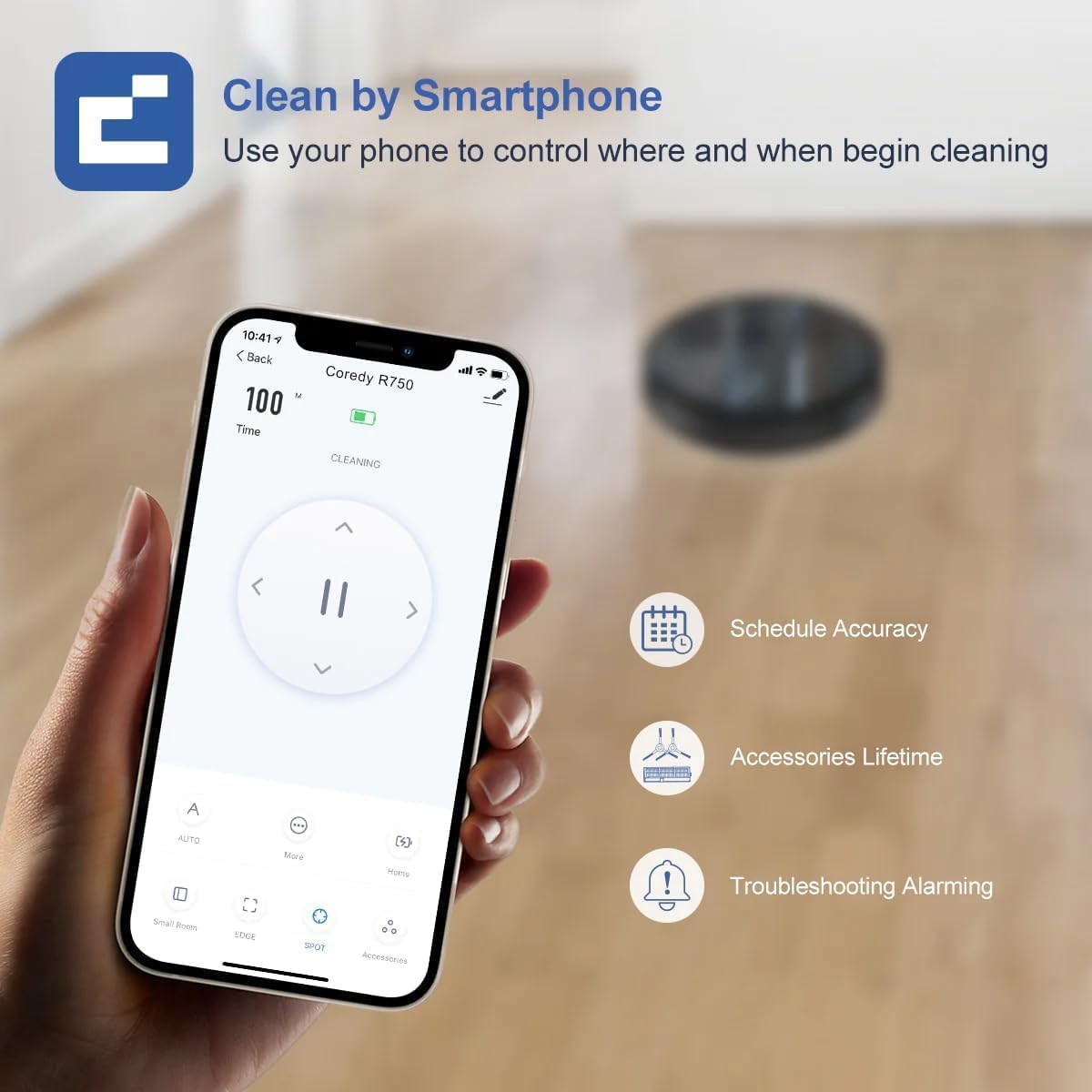
Figure 7: A smartphone screen showing the Coredy R750 control app interface, which allows users to start/stop cleaning, set schedules, and monitor the robot's status.

Figure 8: The Coredy R750 robot vacuum being controlled via voice command through a smart speaker, demonstrating compatibility with Amazon Alexa and Google Assistant for hands-free operation.
صيانة
Regular maintenance ensures optimal performance of your Coredy R750.
1. إفراغ سلة المهملات
Empty the 500ml dust bin after each cleaning cycle or when full. Press the release button to remove the bin, open it, and discard debris.

Figure 9: The Coredy R750 robot vacuum, highlighting its 500ml dust bin capacity, which allows for extended cleaning sessions up to 120 minutes before needing to be emptied.
2. Cleaning the Main Brush and Side Brushes
Regularly remove hair and debris from the main brush and side brushes using the provided cleaning tool. This prevents tangles and maintains cleaning efficiency.
3. تنظيف فلتر HEPA
Tap the HEPA filter to remove dust. Do not wash the HEPA filter with water. Replace the filter every 2-3 months, depending on usage.
4. Maintaining the Water Tank (for Mopping)
After mopping, empty any remaining water from the tank and clean the mop cloth. The mop cloth can be hand-washed or machine-washed.
استكشاف الأخطاء وإصلاحها
If your Coredy R750 encounters an issue, refer to the following common solutions:
- الروبوت لا يشحن: تأكد من تشغيل قاعدة الشحن وأن نقاط توصيل الشحن الخاصة بالروبوت نظيفة ومحاذية بشكل صحيح مع القاعدة.
- الروبوت يتعطل بشكل متكرر: Clear obstacles from the cleaning path. Ensure virtual boundary strips are correctly placed if used. The robot features comprehensive protection technology to navigate around obstacles and avoid falls.
- أداء تنظيف ضعيف: Empty the dust bin, clean the main brush, side brushes, and HEPA filter. Check if the suction mode is set appropriately for the floor type.
- المسح غير فعال: Ensure the water tank is filled and the mop cloth is properly attached. Check the water flow setting in the app (Low, Medium, High).
- مشاكل الاتصال بالتطبيق: تأكد من استقرار شبكة الواي فاي لديك ووجود الروبوت ضمن نطاق التغطية. أعد تشغيل الروبوت وجهاز التوجيه إذا لزم الأمر.
لمزيد من التفاصيل حول استكشاف الأخطاء وإصلاحها، يرجى الرجوع إلى الموقع الرسمي دليل استكشاف الأخطاء وإصلاحها (PDF).
تحديد
| ماركة | كوريدي |
| اسم الموديل | Coredy R750 Robotic Vacuum Cleaner |
| ميزة خاصة | 2200pa Strong Suction Power, Virtual Boundary Capability, Wi-Fi Compatible, Works with Alexa |
| لون | ر750 |
| أبعاد المنتج | 12.8 بوصة طول × 12.7 بوصة عرض × 2.72 بوصة ارتفاع |
| نوع الفلتر | Ultra High Efficiency Filters |
| عمر البطارية | 120 دقائق |
| المجلدtage | 240 فولت |
| السعة (صندوق الغبار) | 500 مليلتر |
| مصدر الطاقة | تعمل بالبطارية |
| طريقة التحكم | App, Remote Control, Voice |
| الأجهزة المتوافقة | Smartphones, Amazon Alexa, Google Assistant |
| وزن العنصر | 10.06 رطل |
| الشركة المصنعة | كوريدي |
| رقم موديل السلعة | ر750 |
| البطاريات المطلوبة | 1 بطاريات ليثيوم أيون (متضمنة) |

Figure 10: Detailed dimensions of the Coredy R750 robot vacuum cleaner, showing its diameter of 12.8 inches and height of 2.72 inches.
الضمان والدعم
The Coredy R750 Robot Vacuum Cleaner comes with a ضمان الشركة المصنعة لمدة عامين.
For product support, technical assistance, or warranty claims, please visit the official Coredy webالموقع أو الرجوع إلى معلومات الاتصال المقدمة في عبوة المنتج الخاص بك.
الموارد الإضافية:


