1. المقدمة
This manual provides detailed instructions for the setup, operation, and maintenance of your Tera Wireless Barcode Scanner, Model 8541733886. Please read this manual thoroughly before using the device to ensure proper functionality and to prevent damage.
The Tera Wireless Barcode Scanner offers versatile connectivity and efficient scanning capabilities for various barcode types, both printed and digital.
2. انتهى المنتجview
2.1 مكونات
تتضمن الحزمة عادةً ما يلي:
- Tera Wireless Barcode Scanner
- Hands-Free Stand
- دونجل USB لاسلكي بتردد 2.4 جيجاهرتز
- كابل شحن/بيانات USB
- دليل التعليمات (هذا المستند)

Image: Tera Wireless Barcode Scanner, showing the scanner unit, flexible stand, 2.4GHz USB dongle, and USB cable.
2.2 الميزات الرئيسية
- 3 أوضاع للاتصال: Supports Bluetooth, 2.4GHz wireless, and USB 2.0 wired connections.
- توافق واسع: Works with POS systems, iOS, Android, Windows, Mac OS, and Linux. Supports Bluetooth HID, SPP, and BLE protocols.
- المسح السريع والدقيق: Equipped with an ARM32Bit Cortex CPU and a Japan-manufactured scanner head, achieving decoding speeds up to 500 scans per second.
- Dual Upload Modes:
- وضع التحميل الفوري: Barcodes are transmitted to your device immediately upon scanning.
- وضع التخزين غير المتصل: Stores up to 50,000 barcodes internally when out of range, allowing for later upload.
- Multi-Language Barcode Support: Capable of scanning barcodes in English, Spanish, German, French, Italian, and Japanese. Ensure your keyboard language matches the selected language for correct input.
- Versatile Barcode Symbologies:
- 1D: UPC-A, UPC-E, EAN-8, EAN-13, Code 128, Code 39, Code 93, Code 11, Interleaved 2 of 5, Matrix 2 of 5, Standard 2 of 5, Coda bar, MSI Plessey, RSS, etc.
- 2D: رمز الاستجابة السريعة، ومصفوفة البيانات، وPDF417، ورمز الأزتيك، وMaxicode، وما إلى ذلك.
- متانة: Designed to withstand impacts from drops of up to 1.5 meters (5 feet) onto concrete.
- عمر بطارية طويل: Built-in 2200mAh battery supports approximately 57,000 scans on a full charge, with up to 15 days of standby time.
3. الإعداد
3.1 شحن الماسح الضوئي
Before first use, fully charge the scanner. Connect the USB charging cable to the scanner's charging port and to a USB power source (e.g., computer USB port, USB wall adapter). The indicator light will show charging status.

Image: Illustration showing the scanner's 2200mAh battery capacity and its ability to withstand a 1.5-meter drop.
3.2 أوضاع الاتصال
يدعم الماسح الضوئي ثلاث طرق للاتصال:

Image: Visual representation of the three connection modes: Bluetooth, 2.4G Wireless via USB dongle, and USB Wired connection.
3.2.1 USB Wired Mode (Plug & Play)
- Connect the scanner directly to your computer using the provided USB cable.
- The computer will typically recognize the device automatically without requiring driver installation.
- الماسح الضوئي جاهز للاستخدام.

Image: The scanner connected to a laptop, illustrating its plug-and-play functionality and compatibility with various operating systems including Windows, Mac OS, Linux, and Android.
3.2.2 الوضع اللاسلكي 2.4 جيجاهرتز
- Insert the 2.4GHz USB dongle into an available USB port on your computer or device.
- قم بتشغيل ماسح الباركود. من المفترض أن يقترن تلقائياً بجهاز الدونجل.
- عادة ما يتم الإشارة إلى نجاح الاتصال من خلال صوت أو ضوء معين على الماسح الضوئي.
3.2.3 وضع Bluetooth
- Ensure your device (smartphone, tablet, computer) has Bluetooth enabled.
- Put the scanner into Bluetooth pairing mode (refer to the scanner's quick start guide for specific instructions, usually by scanning a special barcode).
- On your device, search for available Bluetooth devices and select "Tera Barcode Scanner" (or similar name).
- قم بتأكيد الاقتران إذا طُلب منك ذلك.
ملحوظة: Wireless range varies. Indoors with obstacles, Bluetooth range is approximately 33ft, and 2.4GHz wireless is approximately 98ft. Outdoors in barrier-free environments, Bluetooth range is approximately 65ft, and 2.4GHz wireless is approximately 328ft.
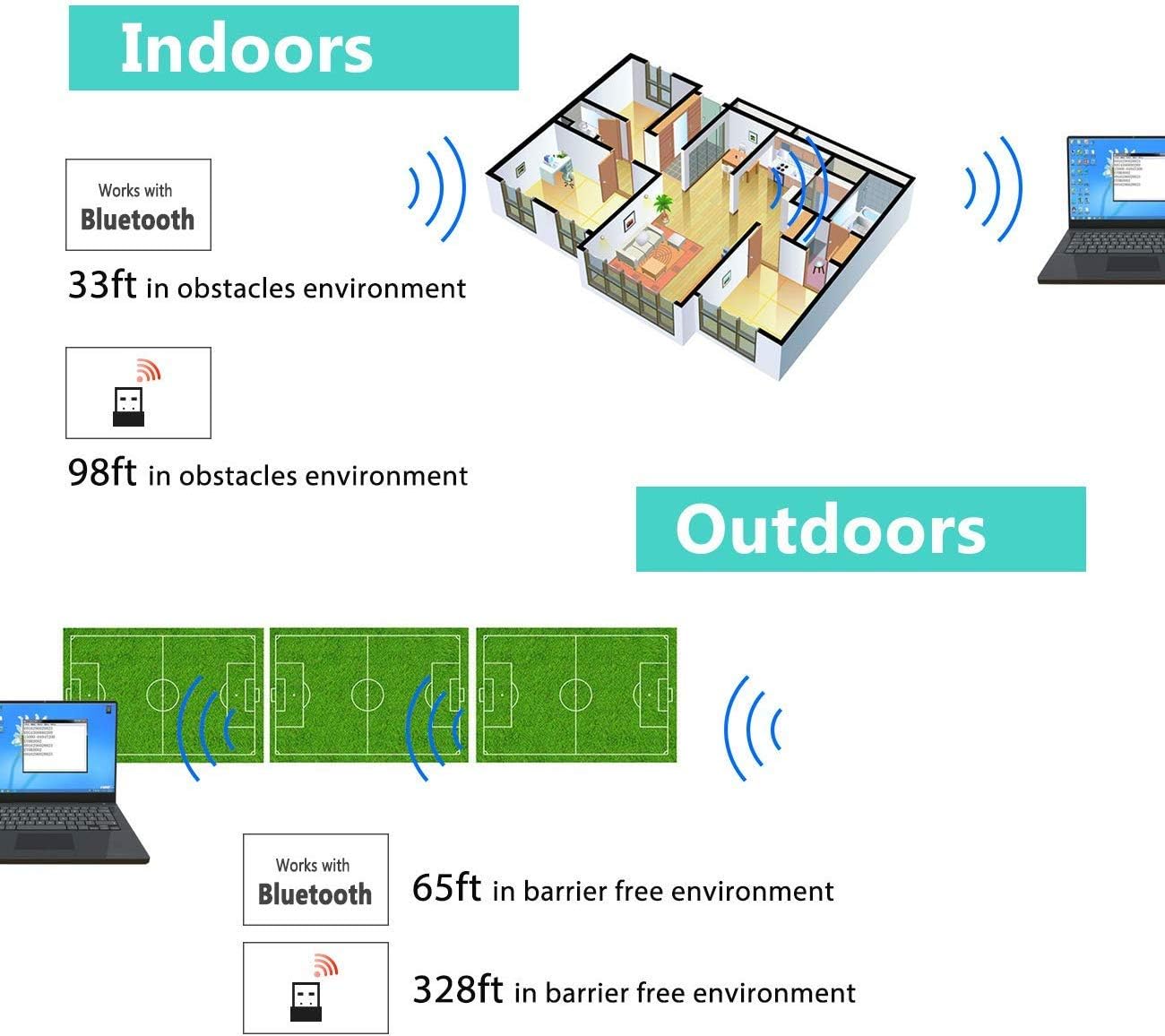
Image: Diagram illustrating the effective wireless range of the scanner in both indoor (with obstacles) and outdoor (barrier-free) environments for Bluetooth and 2.4GHz connections.
4. تعليمات التشغيل
4.1 مسح الباركود
The scanner can read both 1D and 2D barcodes, including QR codes, from printed materials and digital screens.
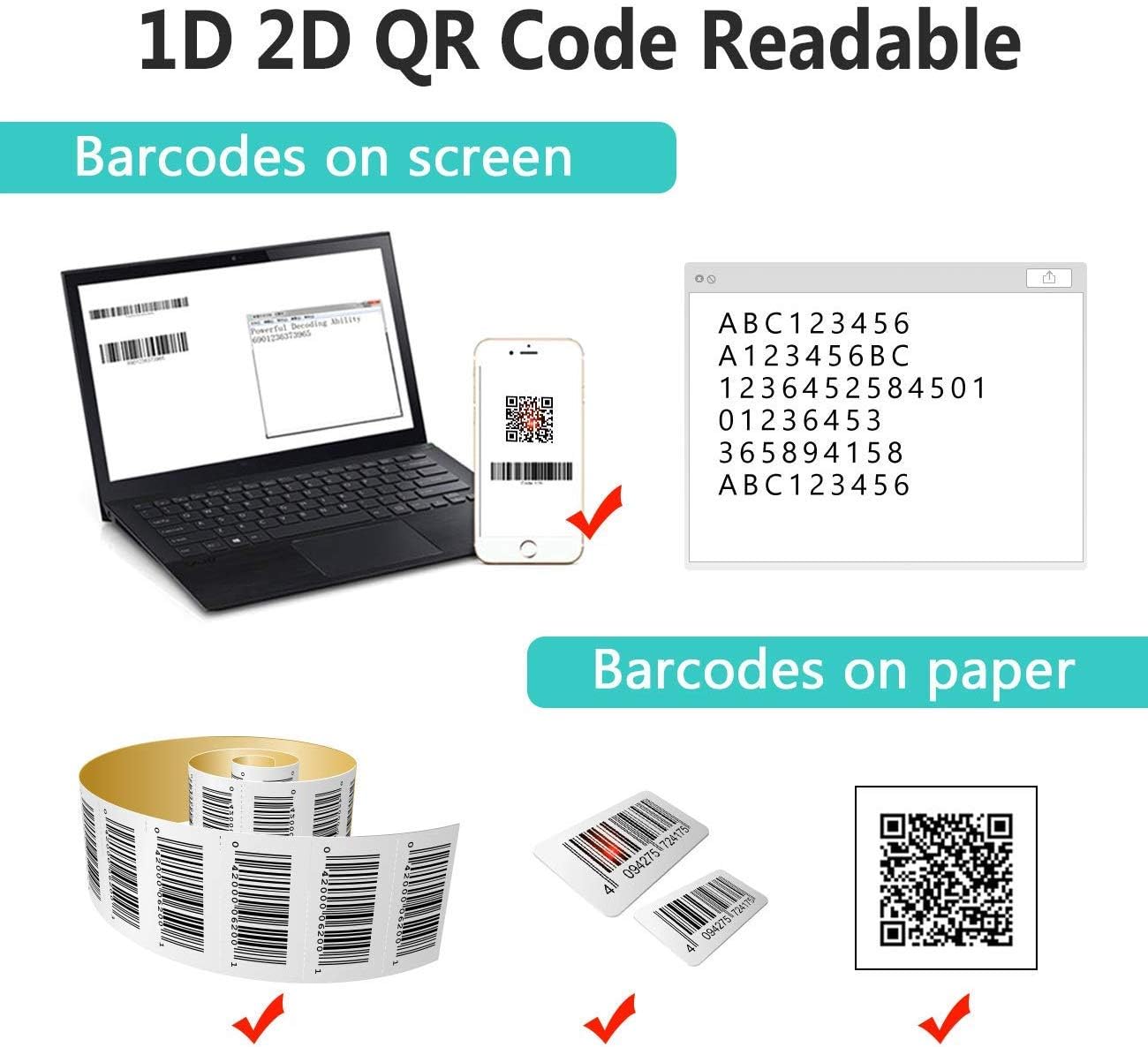
Image: The scanner demonstrating its ability to read 1D and 2D barcodes from both digital screens (laptop, smartphone) and physical printed labels.
لمسح الباركود:
- Point the scanner's window at the barcode.
- Press the trigger button (or allow the sensor to activate in automatic modes).
- A successful scan is indicated by a beep and/or a green light.
4.2 أوضاع المسح
يدعم الماسح الضوئي ثلاثة أوضاع مسح أساسية:

Image: The barcode scanner mounted on its stand, highlighting its 360-degree rotation capability and the three available scanning modes: Key Trigger Mode, Sensor Activated Mode, and Continuous Scan Mode.
- وضع الزناد الرئيسي: Scan by manually pressing the trigger button for each barcode.
- Sensor Activated Mode: يتم تنشيط الماسح الضوئي تلقائيًا عند اكتشاف رمز شريطي في مجاله. view.
- وضع المسح المستمر: The scanner continuously emits a scan beam, reading any barcode that passes through it.
Refer to the quick start guide or programming barcodes for instructions on how to switch between these modes.
4.3 أوضاع تحميل البيانات
يوفر الماسح الضوئي طريقتين لتحميل البيانات الممسوحة ضوئياً:
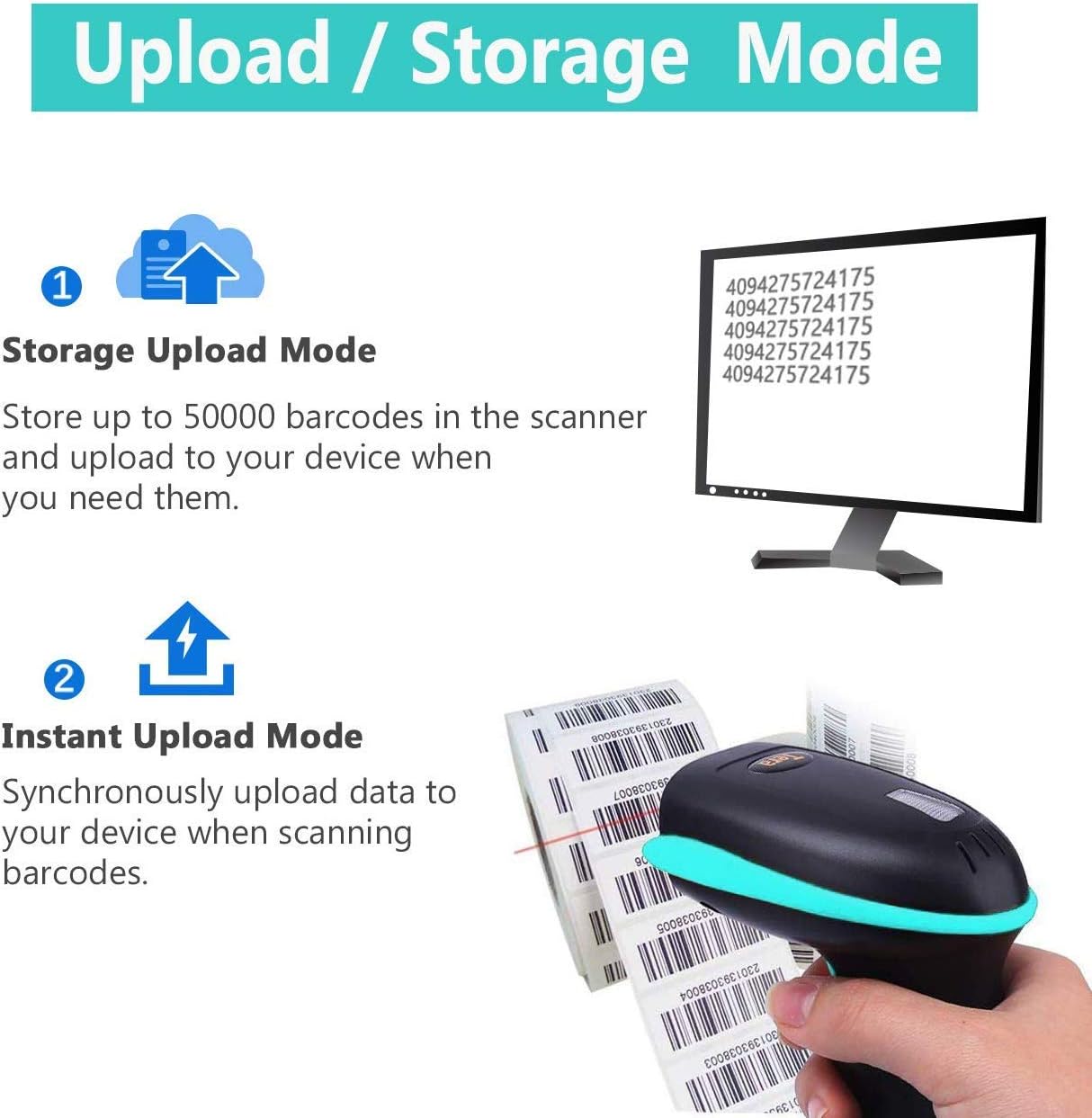
Image: Illustration of the two data upload modes: Storage Upload Mode, where barcodes are stored internally and uploaded later, and Instant Upload Mode, where data is transmitted immediately.
- وضع التحميل الفوري: Barcodes are sent to your connected device immediately after scanning. This is suitable for real-time data entry.
- وضع التخزين غير المتصل: If the scanner is out of range or not connected, it will store scanned barcodes internally. Up to 50,000 barcodes can be stored. Once reconnected, you can upload the stored data to your device.
To switch between upload modes, scan the appropriate programming barcode found in the quick start guide.
5. الصيانة
5.1 التنظيف
- Use a soft, clean cloth slightly dampened with water or a mild cleaning solution to wipe the scanner's exterior.
- Do not use abrasive cleaners, solvents, or excessive liquid, as these can damage the device.
- Keep the scanning window clean and free of dust or smudges to ensure optimal reading performance.
5.2 العناية بالبطارية
- اشحن الماسح الضوئي بانتظام، خاصة إذا كان سيتم تخزينه لفترة طويلة.
- تجنب تفريغ البطارية بالكامل بشكل متكرر، لأن هذا يمكن أن يقلل من عمرها الافتراضي.
- قم بتخزين الماسح الضوئي في مكان بارد وجاف عند عدم استخدامه.
5.3 التخزين
When not in use, store the scanner in a safe place to prevent physical damage. The included stand can be used for convenient storage and hands-free operation.
6. استكشاف الأخطاء وإصلاحها
| مشكلة | السبب المحتمل | حل |
|---|---|---|
| الماسح الضوئي لا يعمل. | بطارية منخفضة. | Charge the scanner for at least 2-3 hours. |
| الماسح الضوئي لا يقرأ الباركود. |
|
|
| No data transmitted to device. |
|
|
| Scanner beeps continuously or behaves erratically. | Configuration error or internal issue. | Perform a factory reset (refer to the quick start guide for the reset barcode). If the issue persists, contact support. |
7. المواصفات
- رقم الموديل: 8541733886
- أبعاد المنتج: 6.1 × 2.55 × 3.54 بوصة
- وزن السلعة: 1.05 رطل
- بطارية: بطارية ليثيوم أيون واحدة (2200 مللي أمبير/ساعة)
- الاتصال: Bluetooth, 2.4GHz Wireless, USB 2.0 Wired
- الأجهزة المتوافقة: Desktop, Laptop, Smartphone (POS, iOS, Android, Windows, Mac OS, Linux)
- مصدر الطاقة: كهربائي سلكي (للشحن)
- الشركة المصنعة: تيرا
- أول متاح: 7 مايو 2019
8. الضمان والدعم
8.1 معلومات الضمان
For specific warranty details, please refer to the warranty card included with your product or visit the official Tera webالموقع. احتفظ بإيصال الشراء الخاص بك كإثبات للشراء في حالة مطالبات الضمان.
8.2 دعم العملاء
If you encounter any issues not covered in this manual or require further assistance, please contact Tera customer support. Contact information can typically be found on the product packaging, the official Tera webالموقع، أو من خلال بائع التجزئة الخاص بك.
عند الاتصال بالدعم، يرجى تجهيز رقم طراز المنتج (8541733886) وتفاصيل الشراء.


Image: Illustrations representing customer service and technical support teams available to assist users.


