مقدمة
This manual provides essential information for the safe and efficient operation of your LG 32LM620BPUA 32-inch HDR Smart LED HD TV. Please read it thoroughly before using the product and retain it for future reference. This television combines a 32-inch HD display with Smart TV capabilities, powered by WebOS, offering access to various streaming services and enhanced picture quality with Active HDR.
معلومات السلامة
اتبع دائمًا احتياطات السلامة الأساسية التالية لتقليل خطر الحريق أو الصدمة الكهربائية أو الإصابة:
- لا تعرض التلفزيون للمطر أو الرطوبة.
- تأكد من التهوية المناسبة؛ ولا تسد فتحات التهوية.
- ضع التلفاز على سطح مستوٍ وثابت لمنعه من السقوط.
- استخدم فقط سلك الطاقة المرفق مع التلفزيون.
- افصل التلفاز أثناء العواصف الرعدية أو عند عدم استخدامه لفترات طويلة.
- لا تفتح خزانة التلفاز؛ قم بإحالة جميع أعمال الصيانة إلى أشخاص مؤهلين.
محتويات الحزمة
تأكد من وجود جميع العناصر في الصندوق:
- LG 32LM620BPUA 32-inch HDR Smart LED HD TV
- جهاز التحكم عن بعد
- سلك الطاقة
- حامل تلفزيون (مع مسامير)
- دليل المستخدم (هذا المستند)
يثبت
1. فك التعبئة
أخرج التلفاز وجميع ملحقاته من العبوة بعناية. يُنصح بالاحتفاظ بالعبوة الأصلية لاستخدامها في النقل أو الصيانة مستقبلاً.
2. تركيب الحامل
إذا لم تكن ستثبت التلفزيون على الحائط، فقم بتثبيت الحامل المرفق:
- ضع شاشة التلفزيون على سطح ناعم ومسطح لمنع الخدوش.
- قم بمحاذاة قاعدة الحامل مع فتحات التثبيت الموجودة في الجزء السفلي من التلفزيون.
- ثبّت الحامل باستخدام البراغي المرفقة. تأكد من تثبيت الحامل بإحكام.
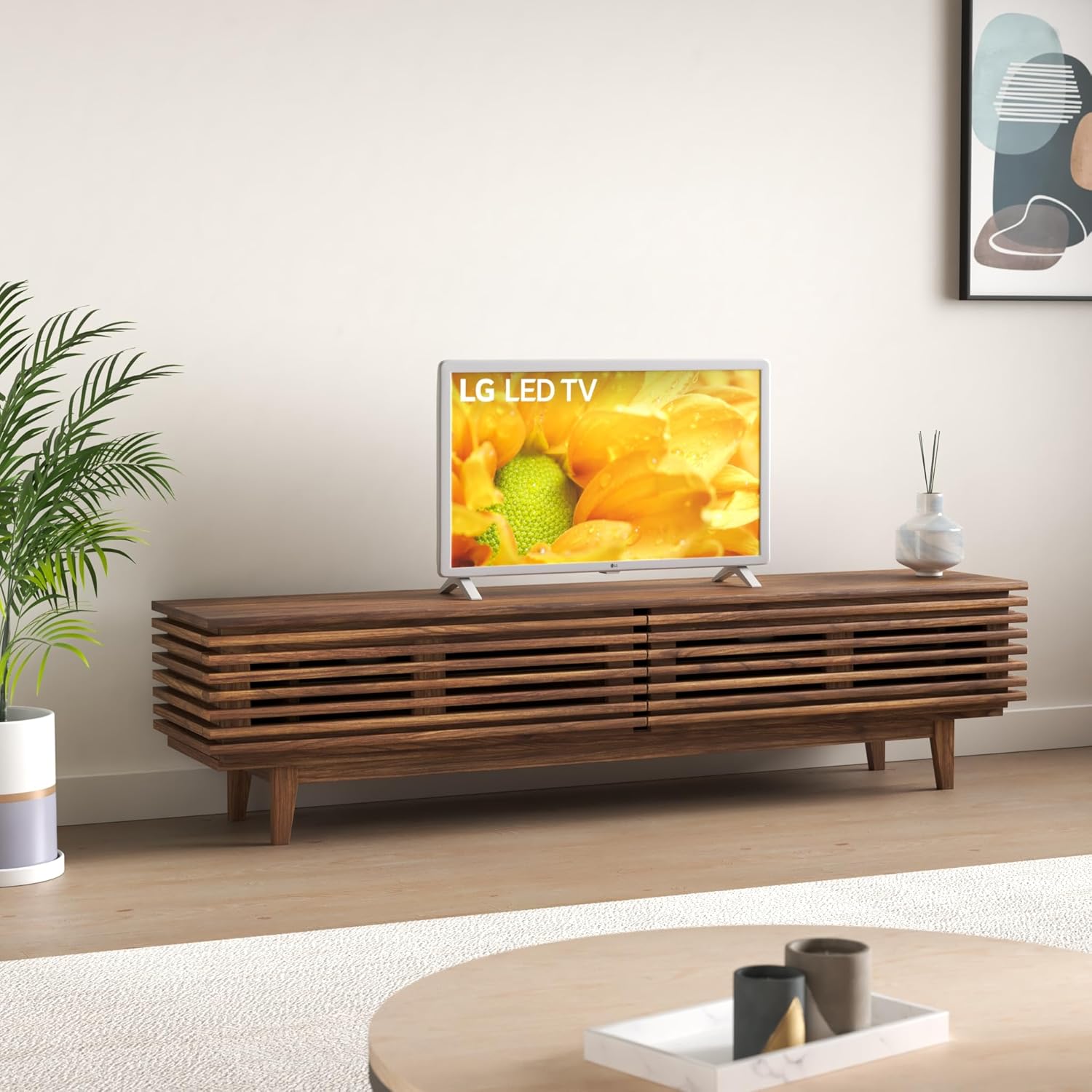
Image: The LG 32LM620BPUA TV, featuring a white bezel, displayed on a wooden media console in a living room setting. This illustrates the TV's appearance when placed on its stand.
3. التركيب على الحائط (اختياري)
If you choose to wall-mount your TV, use a VESA-compatible wall mount kit (sold separately). Refer to the wall mount kit's instructions for proper installation. Ensure the wall can support the weight of the TV.
4. توصيل الأجهزة الطرفية
قم بتوصيل أجهزتك الخارجية بمنافذ التلفزيون:
- HDMI: لأجهزة تشغيل أقراص بلو راي، وأجهزة ألعاب الفيديو، وأجهزة استقبال الكابلات/الأقمار الصناعية.
- USB: For USB drives to view الصور، ومقاطع الفيديو، أو الاستماع إلى الموسيقى.
- هوائي / كابل: قم بتوصيل هوائي أو كابل تغذية التلفزيون للقنوات البث.
5. التشغيل الأولي والإعداد الأولي
Plug the power cord into an electrical outlet. Press the power button on the remote control or the TV. Follow the on-screen instructions to complete the initial setup, including language selection, network connection, and channel scanning.
التشغيل
1. وظائف التحكم عن بعد
The included remote control allows you to navigate the TV's features. Common buttons include Power, Volume Up/Down, Channel Up/Down, Input Selection, Home (for Smart TV menu), and Navigation (arrow keys, OK).
2 إبحار Webنظام التشغيل التلفزيون الذكي
يعمل تلفزيون إل جي الخاص بك على WebOS operating system. Press the Home button on your remote to access the Launcher Bar, which displays your installed apps, inputs, and settings. Use the arrow keys to navigate and the OK button to select.

الصورة: لقطة مقربة view of the LG 32LM620BPUA TV screen, showcasing its vibrant display with rich colors. This highlights the visual quality of the television.
3. الاتصال بشبكة Wi-Fi
To access Smart TV features, connect your TV to a wireless network:
- Press the Home button on the remote.
- Navigate to the Settings icon (gear icon).
- Select 'Network' > 'Wi-Fi Connection'.
- اختر شبكة الواي فاي الخاصة بك من القائمة وأدخل كلمة المرور.
4. Using Smart Features and Voice Control
Once connected to the internet, you can access pre-installed apps like Netflix and Amazon Prime Video. The TV also supports voice control; press the microphone button on your remote (if available) and speak commands.
5. إعدادات الصورة والصوت
Adjust picture and sound to your preference:
- أوضاع الصورة: Select from modes like Standard, Vivid, Cinema, Game, or adjust individual settings (brightness, contrast, color).
- أوضاع الصوت: Choose from Standard, Cinema, Music, Sports, or customize equalizer settings.
صيانة
1. Cleaning the Screen and Exterior
لتنظيف الشاشة، امسحها برفق بقطعة قماش ناعمة وجافة وخالية من الوبر. لإزالة البقع الصعبة، امسحها برفق بقطعة قماش ناعمة وجافة وخالية من الوبر.ampen the cloth with water or a specialized screen cleaner. Avoid harsh chemicals. For the exterior, use a soft, dry cloth.
2. تحديثات البرامج
Your TV may receive software updates to improve performance and add features. Ensure your TV is connected to the internet. You can check for updates manually via Settings > General > About This TV > Check for Updates.
3. التخزين
If storing the TV for an extended period, unplug it, remove the stand (if applicable), and pack it in its original packaging in a dry, dust-free environment.
استكشاف الأخطاء وإصلاحها
راجع ما يلي للاطلاع على المشكلات الشائعة:
- لا يوجد طاقة: تأكد من توصيل سلك الطاقة بإحكام بالتلفزيون ومقبس الكهرباء. جرّب مقبسًا آخر.
- لا صورة/صوت: تأكد من اختيار مصدر الإدخال الصحيح. تحقق من جميع توصيلات الكابلات (HDMI، الهوائي).
- جهاز التحكم عن بعد لا يعمل: استبدل البطاريات. تأكد من عدم وجود عوائق بين جهاز التحكم عن بُعد ومستشعر التلفزيون.
- مشكلات الاتصال بشبكة Wi-Fi: Restart your router and the TV. Re-enter the Wi-Fi password in the TV's network settings.
- تطبيقات التلفزيون الذكي لا يتم تحميلها: Check your internet connection. Try restarting the TV.
إعادة ضبط المصنع
If problems persist, a factory reset may resolve them. This will erase all personalized settings and data. Navigate to Settings > General > Reset to Initial Settings.
تحديد
| ميزة | مواصفة |
|---|---|
| رقم الموديل | 32LM620BPUA |
| حجم الشاشة | 32 بوصة |
| تكنولوجيا العرض | شاشة الكريستال السائل |
| دقة | 720 بكسل |
| معدل التحديث | 60 هرتز |
| نظام التشغيل | WebOS |
| يدعم تنسيق HDR | HDR10، HLG |
| تكنولوجيا الاتصال | واي فاي |
| مدخل الصوت | اتش دي ام اي، يو اس بي |
| إجمالي منافذ USB | 2 (USB 2.0) |
| Viewزاوية جي | 170 درجة |
| وزن العنصر | 11.2 رطل |
| سنة الموديل | 2019 |
معلومات الضمان
Your LG 32LM620BPUA TV comes with a limited manufacturer's warranty. Please refer to the warranty card included in your product packaging or visit the official LG webللاطلاع على الشروط والأحكام التفصيلية، بما في ذلك فترة التغطية وإجراءات الخدمة، يرجى زيارة الموقع الإلكتروني. احتفظ بإثبات الشراء لتقديم مطالبات الضمان.
يدعم
For technical assistance, product registration, or further inquiries, please contact LG Customer Support:
- Webموقع: يزور www.lg.com/us/support للاطلاع على الأسئلة الشائعة، والتنزيلات، وطلبات الخدمة.
- هاتف: Refer to the LG support webالموقع للحصول على أحدث أرقام الاتصال لمنطقتك.