1. المقدمة
Thank you for choosing the Anker PowerPort Strip 2 mini. This compact power strip is designed to provide convenient power and charging solutions for your electronic devices at home, in the office, or while traveling. It features two AC outlets and two PowerIQ-enabled USB ports, allowing you to power and charge up to four devices simultaneously.
Please read this manual carefully before using the product to ensure proper operation and safety. Keep this manual for future reference.
2. انتهى المنتجview
The Anker PowerPort Strip 2 mini is a versatile charging solution with a compact design. Key features include:
- Two AC Outlets: Provides power for standard electronic devices.
- Two PowerIQ USB Ports: Intelligently identifies your device to deliver the fastest possible charge up to 2.4A per port, 24W total.
- تصميم صغير الحجم وقابل للحمل: مثالية للسفر والمساحات الصغيرة.
- سلك الطاقة بطول 5 أقدام: Offers flexibility in placement.
- المكونات المسطحة: Designed to keep other wall outlets accessible.
- مميزات السلامة: Includes an internal safety shutter and fire-retardant casing.
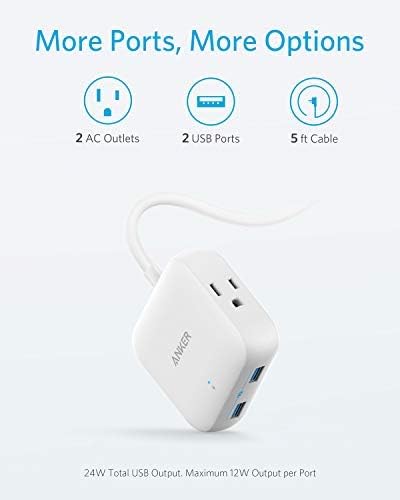
Image: The Anker PowerPort Strip 2 mini, highlighting its two AC outlets, two USB ports, and the integrated 5-foot power cable.
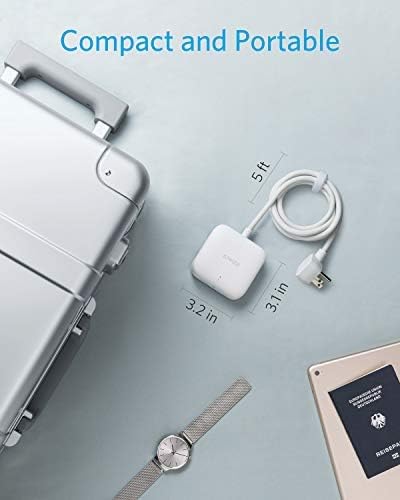
Image: The compact size of the PowerPort Strip 2 mini is demonstrated next to a travel suitcase and a wristwatch, emphasizing its portability.
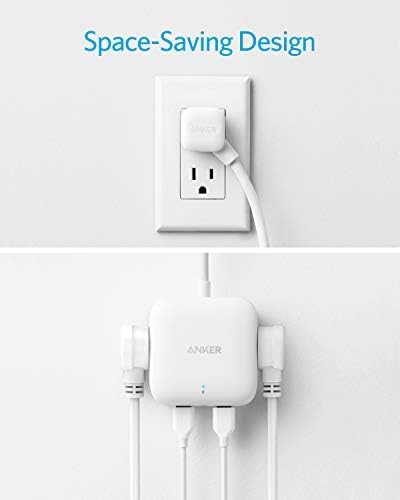
Image: The PowerPort Strip 2 mini plugged into a wall outlet, showcasing its flat plug design that allows other outlets to remain unobstructed, and its side-facing ports for a tidy setup.
3. الإعداد
Follow these steps to set up your Anker PowerPort Strip 2 mini:
- أفرغ: قم بإزالة شريط الطاقة من عبوته بعناية.
- الاتصال بالطاقة: Plug the power strip's flat plug into a standard 125V AC wall outlet. Ensure the outlet is easily accessible.
- ربط الأجهزة: Plug your electronic devices into the available AC outlets or USB ports.
The power strip is now ready for use.
4. تعليمات التشغيل
The Anker PowerPort Strip 2 mini is designed for simple operation:
- استخدام منافذ التيار المتردد: Insert the power plugs of your devices into the two AC outlets. Ensure the total power consumption of connected AC devices does not exceed 1250W.
- باستخدام منافذ USB: Connect your USB-powered devices (e.g., smartphones, tablets) to the two USB ports using their respective charging cables. The PowerIQ technology will automatically detect your device and deliver an optimized, high-speed charge. Note that this product does not support Qualcomm Quick Charge.
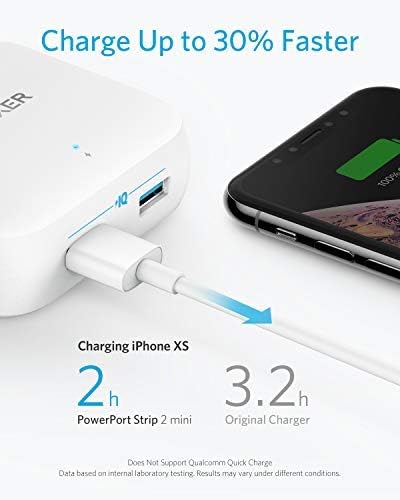
Image: The PowerPort Strip 2 mini charging an iPhone XS, demonstrating its ability to charge devices faster than a standard charger.
5. معلومات السلامة
لضمان التشغيل الآمن ومنع الضرر، يرجى مراعاة إرشادات السلامة التالية:
- للاستخدام الداخلي فقط: This power strip is intended for indoor use in dry locations only. Do not expose to rain, moisture, or liquids.
- تجنب التحميل الزائد: Do not exceed the maximum power rating of 1250W for AC outlets or 24W total for USB ports. Overloading can cause overheating and fire hazards.
- Safety Shutter: The internal safety shutter prevents foreign objects from being inserted into the AC outlets, enhancing safety, especially around children.
- Fire-Retardant Casing: The product features a fire-retardant plastic casing for enhanced safety, offering flame protection up to 1382°F.
- المجلدtagالتوافق ه: The power strip is designed for 125V AC input and output for its AC outlets. The USB ports are compatible with devices requiring 5V USB power. While the unit itself may be compatible with worldwide input voltages (100V-240V), ensure your connected AC devices are also compatible with the local voltage if traveling internationally.
- صديقة للسفن السياحية: This power strip is designed without surge protection, making it generally acceptable for use on cruise ships. Always confirm with your specific cruise line's policies regarding electrical devices.
- التعامل السليم: Do not disassemble, modify, or attempt to repair the device. Do not use if the cord or plug is damaged.
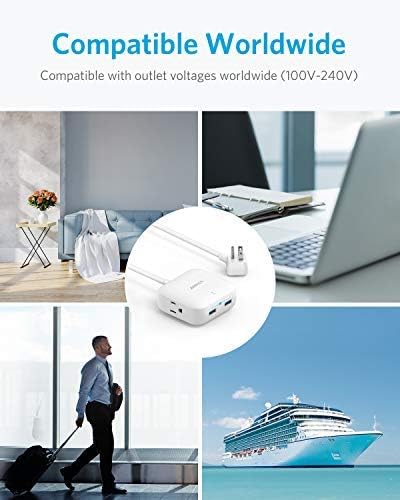
Image: The PowerPort Strip 2 mini shown in different travel environments, illustrating its global voltage compatibility (100V-240V input) and suitability for use on cruise ships.
6. الصيانة
To maintain your Anker PowerPort Strip 2 mini in optimal condition:
- تنظيف: افصل شريط الطاقة عن مقبس الحائط قبل التنظيف. استخدم قطعة قماش ناعمة وجافة لمسح السطح. لا تستخدم المنظفات السائلة أو البخاخات.
- تخزين: When not in use, store the power strip in a cool, dry place away from direct sunlight and extreme temperatures.
- تقتيش: افحص سلك الطاقة والقابس بشكل دوري بحثًا عن أي علامات تلف. في حال وجود أي تلف، توقف عن الاستخدام واتصل بخدمة العملاء.
7. استكشاف الأخطاء وإصلاحها
If you encounter issues with your Anker PowerPort Strip 2 mini, refer to the following common solutions:
- لا يوجد طاقة/شحن:
- تأكد من توصيل شريط الطاقة بشكل آمن بمأخذ الحائط العامل.
- Check if the connected devices are properly plugged into the power strip.
- Verify that the devices themselves are functioning correctly.
- Confirm that the total power draw does not exceed the maximum rating.
- الشحن البطيء عبر USB:
- تأكد من استخدام كابل شحن عالي الجودة.
- The PowerIQ technology optimizes charging speed, but some devices may have specific charging requirements or limitations.
- Note that this product does not support Qualcomm Quick Charge, so devices requiring this technology will charge at standard PowerIQ speeds.
- ارتفاع درجة الحرارة:
- Immediately unplug the power strip and all connected devices.
- Check for overloading. Reduce the number of connected devices or their power consumption.
- Ensure adequate ventilation around the power strip.
إذا استمرت المشكلة، يرجى الاتصال بدعم عملاء أنكر.
8. المواصفات
| ميزة | مواصفة |
|---|---|
| رقم الموديل | أ9121 |
| منافذ التيار المتردد | 2 |
| منافذ USB | 2 (PowerIQ enabled) |
| إدخال / إخراج التيار المترددtage | 125 فولت |
| مخرج يو اس بي | 24W Max (5V/2.4A per port) |
| Max AC Power Rating | 1250 واط |
| أبعاد المنتج | 3.11 × 3.15 × 1.34 بوصة |
| وزن العنصر | 10.6 أونصات |
| طول السلك | 5 قدم |
| المميزات الخاصة | Compact, Portable, Flat Plug, Safety Door |
9. الضمان والدعم
Anker provides the following warranty and support for the PowerPort Strip 2 mini:
- الضمان المحدود: This product is covered by an 18-month worry-free warranty from the date of purchase.
- ضمان المعدات المتصلة: A lifetime* $25,000 connected equipment warranty is provided. *For the purpose of this connected equipment warranty, "lifetime" is defined as the lifetime of the product.
- خدمة العملاء: للحصول على الدعم الفني، أو لتقديم مطالبات الضمان، أو للاستفسارات العامة، يرجى زيارة موقع أنكر الرسمي. webالموقع أو الاتصال بفريق خدمة العملاء.


