1. المقدمة
The Osmo Genius Starter Kit for iPad & iPhone transforms your device into a hands-on learning tool, combining physical play with digital interaction. Designed for children aged 6-10, this kit offers five educational games that cover subjects like math, spelling, creativity, and problem-solving. Children interact with physical game pieces, and the Osmo Base and Reflector allow the device to 'see' and react to their real-life movements, bringing their creations and actions to life on screen.
Official Osmo overview video demonstrating the interactive learning experience.
2. ماذا يوجد في الصندوق
Your Osmo Genius Starter Kit includes the following components:
- Osmo Base & Reflector for iPad
- Tangram pieces
- Numbers tiles
- Words tiles
- Stackable storage for each game
- Access to 5 Game Apps: Numbers, Tangram, Words, Newton, and Masterpiece
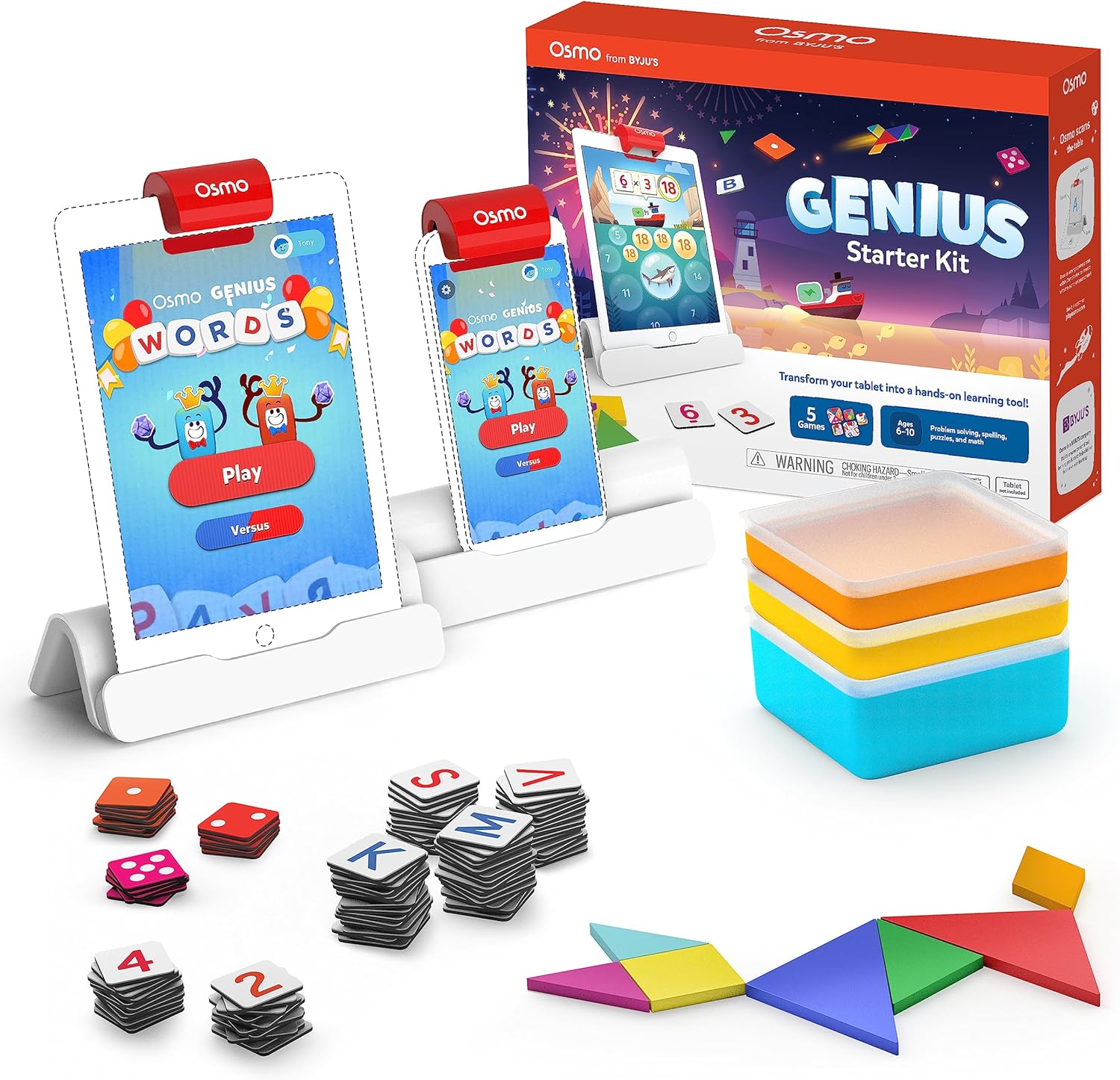
Image showing the Osmo Genius Starter Kit packaging, base, and included game pieces.
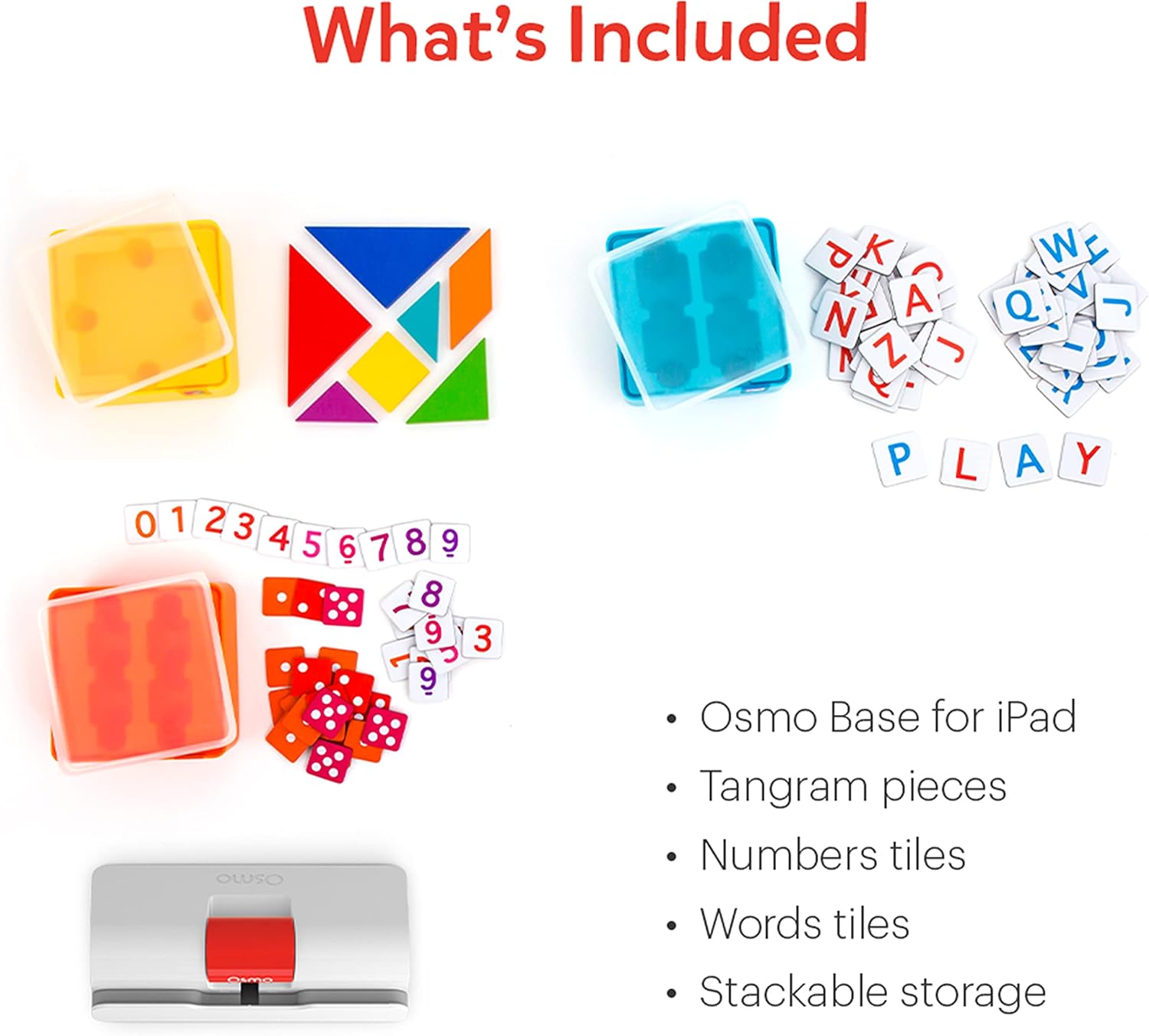
مفصل view of the physical game pieces and their convenient stackable storage containers.
3. التوافق
The Osmo Genius Starter Kit is compatible with most iPad and iPhone models. Please verify your device's compatibility before use.
- التوافق مع أجهزة iPad: All iPads except Generation 1-4, Air Gen 1, & iPad Mini Gen 1-3. The new iPad 10th Gen, iPad Pro 11” (4th Gen), & iPad Pro 12.9” (6th Gen) are not currently compatible; compatibility coming later in 2023. iPad Reflector 2021 required for: iPad Mini 6, iPad Air 4-5, iPad Pro 11-inch & iPad Pro 12.9-inch. The minimum iOS version needed is iOS 15.
- التوافق مع iPhone: متوافق مع أجهزة iPhone 12، و12 Pro، و12 Pro Max، و13، و13 Pro، و13 Pro Max، و14، و14 Plus. لا يتوافق مع أي أجهزة iPhone أخرى. يتطلب قاعدة Osmo لجهاز iPad وجهاز عاكس 2021. الحد الأدنى المطلوب لنظام iOS هو 14.0.

Visual guide to compatible iPhone and iPad models for the Osmo system.
4. تعليمات الإعداد
Follow these steps to set up your Osmo Genius Starter Kit:
- Place your device in the Osmo Base: Ensure your iPad or iPhone is securely seated in the white Osmo Base. The device should be positioned vertically.
- قم بتثبيت العاكس: Gently place the red Osmo Reflector over the top edge of your device, ensuring it covers the front-facing camera. The reflector is crucial for the Osmo system to 'see' the physical game pieces on your table.
- قم بتنزيل تطبيقات Osmo: بحث عن
المستندات ذات الصلة - 901-00011

دليل مستخدم Osmo Numbers و Osmo Newton
دليل شامل لاستخدام Osmo Numbers وOsmo Newton، يوضح بالتفصيل آليات اللعبة والنصائح وأفضل الممارسات للحصول على تجربة تعليمية ممتعة.
البدء باستخدام كلمات Osmo
دليل شامل لكلمات Osmo، يغطي إعدادات اللعبة، وأسلوب اللعب، وأوضاع اللعب، وإنشاء ألبومات مخصصة، وأفضل الممارسات لتحقيق الأداء الأمثل. تعلّم كيفية استخدام مربعات الحروف لتهجئة الكلمات بناءً على الصور، واستكشف أوضاع اللعب المختلفة مثل المغامرة، والتحدي، والزن، واكتشف كيفية إنشاء ألبومات كلماتك الخاصة ومشاركتها.
دليل إعداد Osmo لأجهزة Fire Tablets
يوفر هذا الدليل تعليمات خطوة بخطوة لإعداد ألعاب Osmo التعليمية باستخدام أجهزة Amazon Fire اللوحية، بما في ذلك توافق الأجهزة، وإعداد القاعدة، وإنشاء الحساب، وتنزيلات الألعاب، والمحترفين.file إدارة.
دليل إعداد Osmo لجهاز iPad وFire Tablet
دليل إعداد شامل لمنتجات Osmo، بما في ذلك مجموعة Osmo Creative Set وOsmo Newton، يوضح التوافق وخطوات الإعداد وتعليمات اللعبة واستكشاف الأخطاء وإصلاحها.
البدء باستخدام أرقام Osmo
دليل لأرقام أوزمو، لعبة تعليمية للأطفال في المراحل المبكرة تُركز على مفاهيم الرياضيات كالعد والجمع والطرح والضرب. تعلم كيفية اللعب، وأتقن أوضاع اللعب، واكتشف نصائح لتحقيق أقصى درجات ممكنة واكتشاف محتوى جديد.
البدء باستخدام أوسمو تانجرام
دليل شامل للعبة Osmo Tangram، يشرح بالتفصيل ميزات اللعبة، ومستوياتها، وإنجازاتها، وأفضل الممارسات للحصول على تجربة مثالية. تعرّف على كيفية اللعب، والتنقل بين القوائم، وتخزين قطع التانغرام.