1. المقدمة
The MARATHON 100 Hour Direct Entry Digital Tabletop Timer is designed to assist with precise time management for various tasks. Featuring a large, easy-to-read LCD display and a direct entry keypad, this timer offers both countdown and count-up functionalities, a clock mode, and memory presets for repetitive events. Its robust design includes a magnetic back and an integrated kickstand for versatile placement.
2. انتهى المنتجview
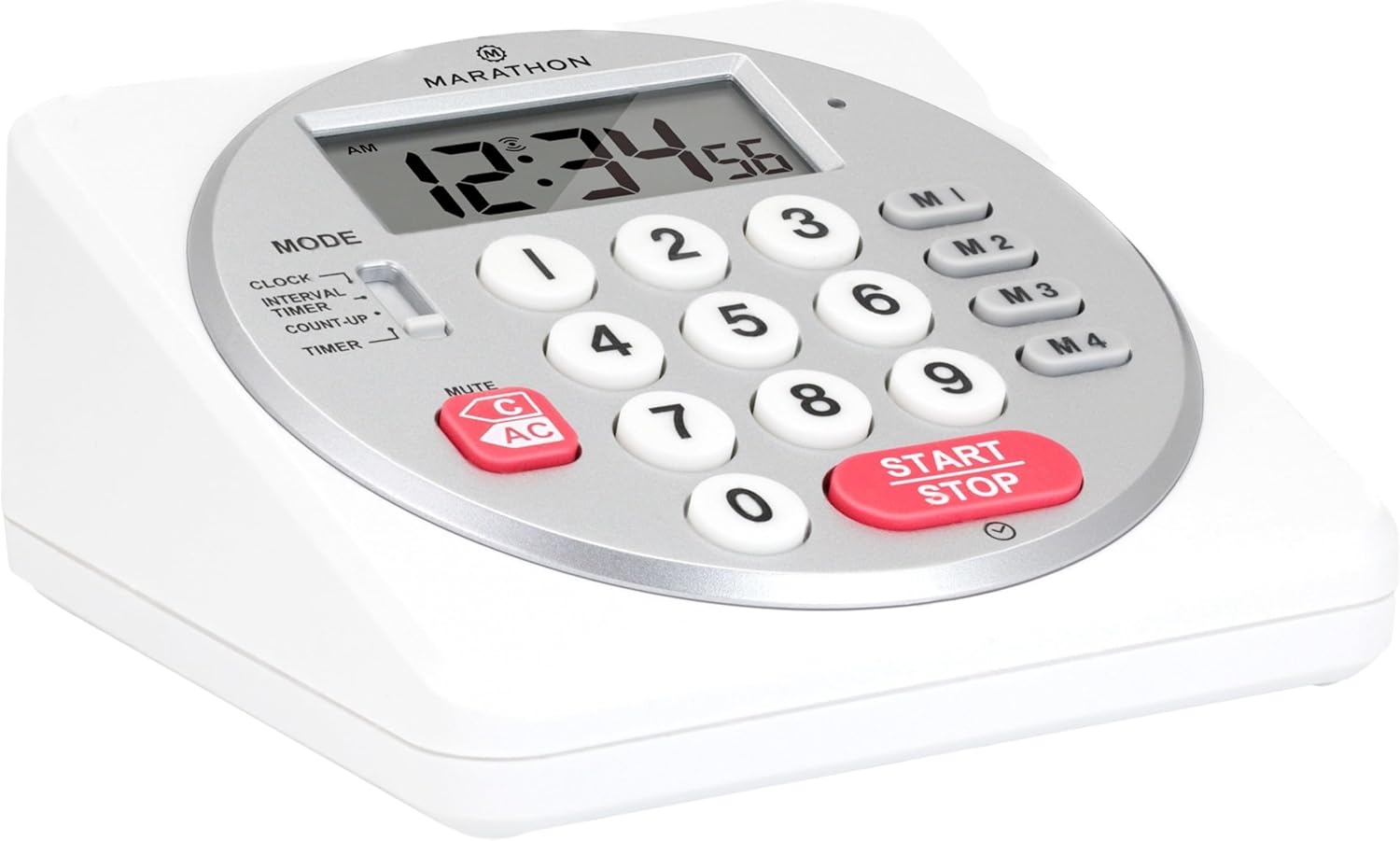
الشكل 1: الجبهة view of the Marathon Digital Timer.
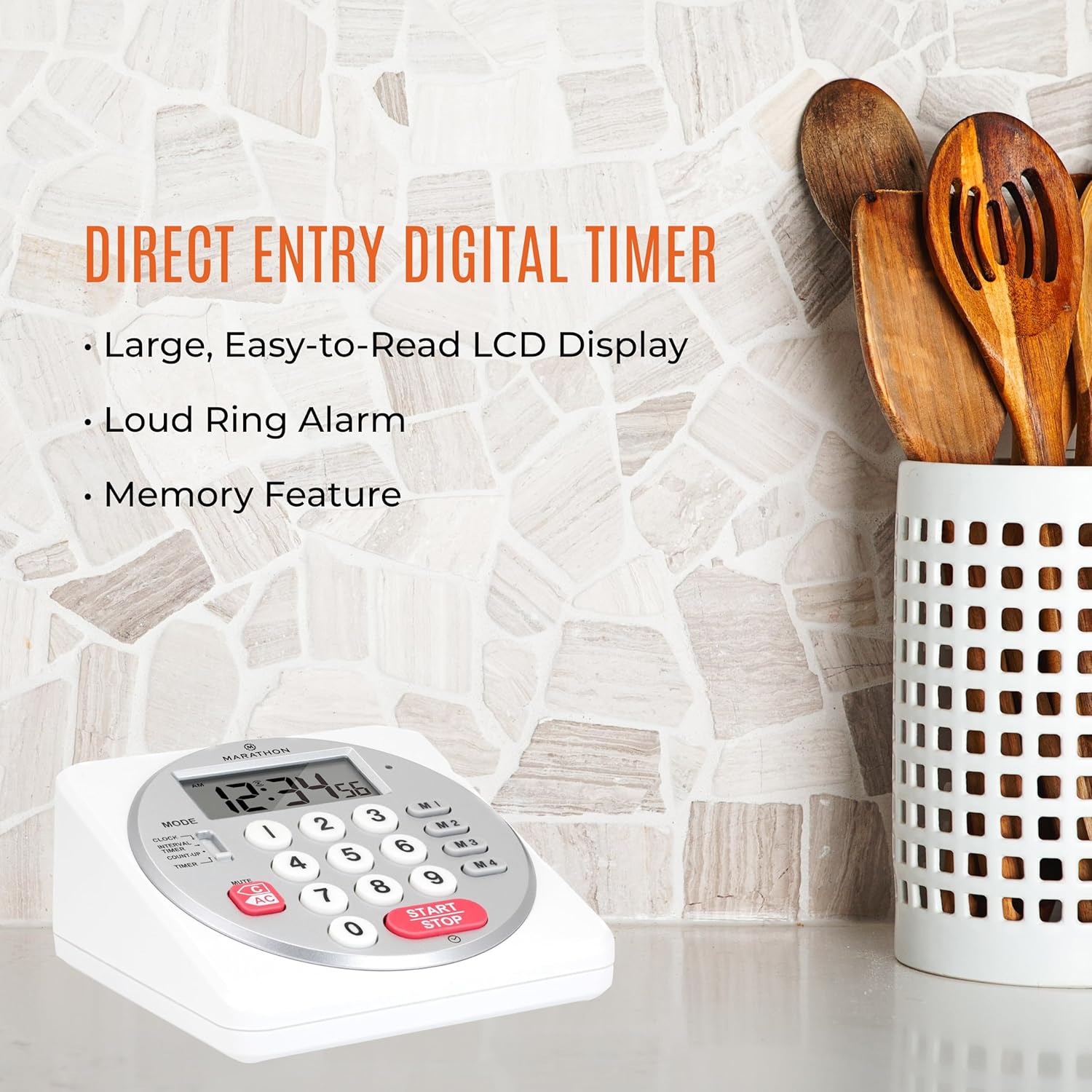
Figure 2: Timer on a kitchen counter, highlighting large display and loud alarm.

Figure 3: Timer showcasing dual function, included batteries, and versatile memory.
المميزات الرئيسية:
- Direct Entry Keypad: For quick and precise time setting.
- شاشة LCD كبيرة: Easy-to-read numbers for clear visibility.
- Dual Function Alarm: Supports both countdown and count-up timing up to 99 hours, 59 minutes, and 59 seconds.
- Loud Ring Alarm: Audible across a room.
- مؤشر LED: Flashing light for silent alarm or hearing impairment assistance.
- Clock Feature: Displays time in 12-hour or 24-hour format when not in timer mode.
- Built-in Memory Function: Stores up to four consecutive times for interval timing and four memory presets for repetitive events.
- التنسيب متعدد الاستخدامات: Integrated kickstand for tabletop use and magnetic back for attachment to metal surfaces.
- البطاريات المتضمنة: تأتي مع 2 بطاريات AA.
3. الإعداد
3.1. تركيب البطارية
- Locate the battery compartment cover on the back of the timer.
- حرك الغطاء لفتحه.
- Insert two (2) AA batteries, ensuring correct polarity (+/-) as indicated inside the compartment. The timer comes with batteries included.
- أعد تركيب غطاء حجرة البطارية بشكل آمن.

الشكل 4: العودة view with battery compartment and kickstand.
4. تعليمات التشغيل
4.1. اختيار الوضع
استخدم وضع switch located on the side of the timer to select between different functions:
- ساعة: يعرض الوقت الحالي.
- INTERVAL TIMER: For setting multiple consecutive timers.
- COUNT-UP: Functions as a stopwatch.
- المُؤقت: For setting a single countdown timer.

Figure 5: MODE switch for function selection.
4.2. ضبط الساعة
- حرك وضع التبديل إلى ساعة.
- اضغط مع الاستمرار على تعيين button until the time digits begin to flash.
- Use the number keypad (0-9) to enter the desired time (HH:MM).
- يضعط تعيين again to confirm and exit clock setting mode.
- للتبديل بين تنسيق 12 ساعة وتنسيق 24 ساعة، اضغط على 12/24ساعة button (if available, or refer to specific model instructions).
4.3. Setting a Countdown Timer (TIMER Mode)
- حرك وضع التبديل إلى المؤقت.
- Use the number keypad (0-9) to directly enter the desired countdown time (HH:MM:SS). The timer supports up to 99 hours, 59 minutes, 59 seconds.
- اضغط على البدء/التوقف اضغط على الزر لبدء العد التنازلي.
- لإيقاف المؤقت مؤقتًا، اضغط البدء/التوقف مرة أخرى. اضغط عليه مرة أخرى للاستئناف.
- When the countdown reaches zero, the alarm will sound, and the LED indicator will flash. The timer will then automatically begin counting up to show elapsed time since the alarm.
- To stop the alarm and clear the display, press the واضح زر.
4.4. Using the Count-Up Timer (COUNT-UP Mode)
- حرك وضع التبديل إلى ابدأ العد.
- Ensure the display shows 00:00:00. If not, press واضح.
- اضغط على البدء/التوقف اضغط على الزر لبدء العد التصاعدي.
- To pause the count-up, press البدء/التوقف مرة أخرى. اضغط عليه مرة أخرى للاستئناف.
- To reset the count-up timer to zero, press واضح.
4.5. Using Memory Functions (M1-M4 Presets)
The timer features four memory buttons (M1, M2, M3, M4) for storing and recalling frequently used times or for interval timing.
- In المؤقت mode, enter the desired time using the number keypad.
- Press and hold one of the memory buttons (M1-M4) until the display confirms the time has been saved.
- To recall a saved time, simply press the corresponding memory button (M1-M4). The saved time will appear on the display, ready to start.
- For interval timing, set the first interval, save it to M1. Then set the second interval, save it to M2, and so on. You can then cycle through these presets as needed.
4.6. ضبط مستوى صوت المنبه
The timer features a volume switch, typically located on the side or back, allowing you to select between different alarm levels (e.g., High, Low, Mute) or a flashing LED indicator for silent operation.
5. الصيانة
- تنظيف الموقت مع لينة، دamp لا تستخدم منظفات كاشطة أو تغمر الوحدة في الماء.
- Avoid exposing the timer to extreme temperatures or direct sunlight for prolonged periods.
- If the display becomes dim or the alarm weakens, replace the batteries promptly.
6. استكشاف الأخطاء وإصلاحها
| مشكلة | السبب المحتمل | حل |
|---|---|---|
| Timer not turning on. | البطاريات فارغة أو تم تركيبها بشكل غير صحيح. | تحقق من قطبية البطارية أو استبدلها ببطاريات AA جديدة. |
| الشاشة قاتمة. | انخفاض طاقة البطارية. | استبدال البطاريات. |
| لا يصدر جهاز الإنذار صوتاً. | Alarm volume is set to mute or low. | Check the alarm volume switch and adjust as needed. |
| Timer not responding to button presses. | Unit may be in a locked state (if applicable) or requires a reset. | Remove and reinsert batteries to perform a hard reset. Check for any lock switches. |
7. المواصفات
- نموذج: TI030018WH
- ماركة: ماراثون
- مادة: بلاستيك
- أبعاد: 4.45 × 2.64 × 4.45 بوصة
- وزن السلعة: 7.1 أونصات
- مصدر الطاقة: 2 × بطاريات AA (مضمنة)
- Max Timer Duration: 99 ساعة و 59 دقيقة و 59 ثانية
- سمات: Direct Entry, Dual Function (Count-up/Count-down), Clock, Memory Presets, LED Indicator, Magnetic Back, Kickstand
- رمز المنتج العالمي: 063442000342

الشكل 6: أبعاد المنتج.
8. الضمان والدعم
للحصول على معلومات الضمان أو الدعم الفني، يرجى الرجوع إلى الموقع الرسمي للشركة المصنعة webالموقع أو تواصل مع قسم خدمة العملاء. احتفظ بإيصال الشراء كإثبات للشراء.


