مقدمة
This manual provides essential instructions for the safe and effective use of your Turtlebox Speaker Replacement Charger (Gen 1). Please read this manual thoroughly before use and retain it for future reference.
معلومات السلامة
- Use only the specified charger for your Turtlebox Gen 1 speaker.
- لا تعرض الشاحن لدرجات حرارة شديدة أو لأشعة الشمس المباشرة.
- Keep the charger away from water or liquids. Ensure the speaker's charging port cover is securely closed when not charging to maintain its waterproof integrity.
- لا تحاول فك أو تعديل الشاحن.
- افصل الشاحن عن مأخذ الطاقة عندما لا يكون قيد الاستخدام أو أثناء العواصف الكهربائية.
محتويات الحزمة
- 1 x Turtlebox Replacement Charger (Gen 1)
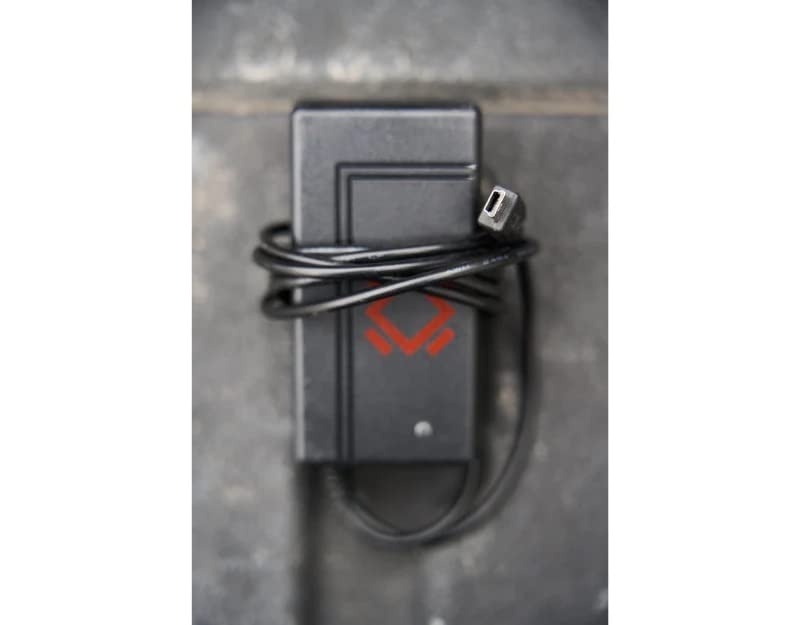
This image displays the Turtlebox Gen 1 Replacement Charger, a compact black power adapter with an attached cable ending in a barrel connector. The charger features the Turtlebox logo.
يثبت
- حدد موقع منفذ الشحن: On your Turtlebox Gen 1 speaker, find the waterproof cover on the side or back panel. Open this cover to reveal the charging port.
- قم بتوصيل الشاحن: Insert the barrel connector of the replacement charger into the charging input port on your Turtlebox speaker.
- قم بتوصيل الطاقة: Plug the charger's power adapter into a standard 110V AC wall outlet.
This video demonstrates the physical characteristics of the charger and how it connects to the speaker. It highlights the barrel connector and the power adapter, showing the process of plugging it into a wall outlet.
التشغيل
Once connected to power, the charging indicator lights on your Turtlebox speaker will illuminate, typically showing green LEDs to indicate the battery level and charging status. Allow the speaker to charge until all indicator lights are solid green, signifying a full charge.
After charging, disconnect the charger from the speaker and the wall outlet. Ensure the waterproof cover on the speaker's charging port is securely closed to maintain its IP67 rating.
صيانة
- حافظ على الشاحن نظيفاً وخالياً من الغبار والأوساخ. استخدم قطعة قماش جافة وناعمة للتنظيف.
- قم بتخزين الشاحن في مكان بارد وجاف عند عدم استخدامه.
- Regularly inspect the charger cable and connector for any signs of damage. If damaged, discontinue use and replace with an official Turtlebox charger.
استكشاف الأخطاء وإصلاحها
| مشكلة | السبب المحتمل | حل |
|---|---|---|
| مكبر الصوت لا يشحن | Charger not properly connected; Power outlet issue; Damaged charger. | Ensure the charger is fully inserted into the speaker and wall outlet. Test the outlet with another device. Inspect the charger for damage and replace if necessary. |
| الشحن البطيء | Using a non-standard charger; Power fluctuations. | Ensure you are using the official Turtlebox Gen 1 Replacement Charger. Try a different power outlet. |
تحديد
- ماركة: Turtlebox
- نموذج: Gen 1 Replacement Charger
- حجم إخراج الشاحنtage: 14 فولت
- مدخل الشاحن: Standard AC Wall Outlet
- مادة: بلاستيك
- وزن السلعة: 6.7 ounces (Note: This weight is likely for the speaker, not the charger itself.)
- أبعاد المنتج: 11.5 x 6.5 x 8.75 inches (Note: These dimensions are likely for the speaker, not the charger itself.)
- رمز المنتج العالمي: 861053002621
- الشركة المصنعة: Turtlebox Audio, LLC
الضمان والدعم
The Turtlebox Speaker Replacement Charger (Gen 1) comes with a Limited Warranty. For specific warranty details, claims, or technical support, please refer to the official Turtlebox Audio, LLC webالموقع أو اتصل بخدمة العملاء الخاصة بهم مباشرة.
لمزيد من المساعدة، قم بزيارة Turtlebox Store on Amazon.


