مقدمة
This user manual provides comprehensive instructions for the setup, operation, maintenance, and troubleshooting of your Alienware M15 Gaming Laptop. Please read this manual thoroughly to ensure optimal performance and longevity of your device. For additional support, refer to the official Alienware support resources.
المنتج انتهىview
الميزات الرئيسية
- 8th Generation Intel Core i7-8750H (6-Core, 9MB Cache, up to 4.1GHz w/ Turbo Boost)
- 15.6" FHD (1920 x 1080) 60Hz Anti-glare IPS, 300-nits 72% Color gamut, narrow-border Display
- 16GB, 2x8GB, DDR4, 2666MHz RAM
- 128GB PCIe M.2 SSD + 1TB (+8GB SSHD) Hybrid Drive
- Nvidia GeForce GTX 1060 with 6GB GDDR5 Graphics Card
- نظام التشغيل Windows 10 Home
المكونات المادية

الشكل 1: أمام view of the Alienware M15 laptop, showcasing the display with the Alienware logo.

الشكل 2: من أعلى إلى أسفل view of the open Alienware M15 laptop, highlighting the keyboard layout and touchpad.

الشكل 3: الجانب الأيسر view of the Alienware M15 laptop, showing various ports such as USB 3.0.
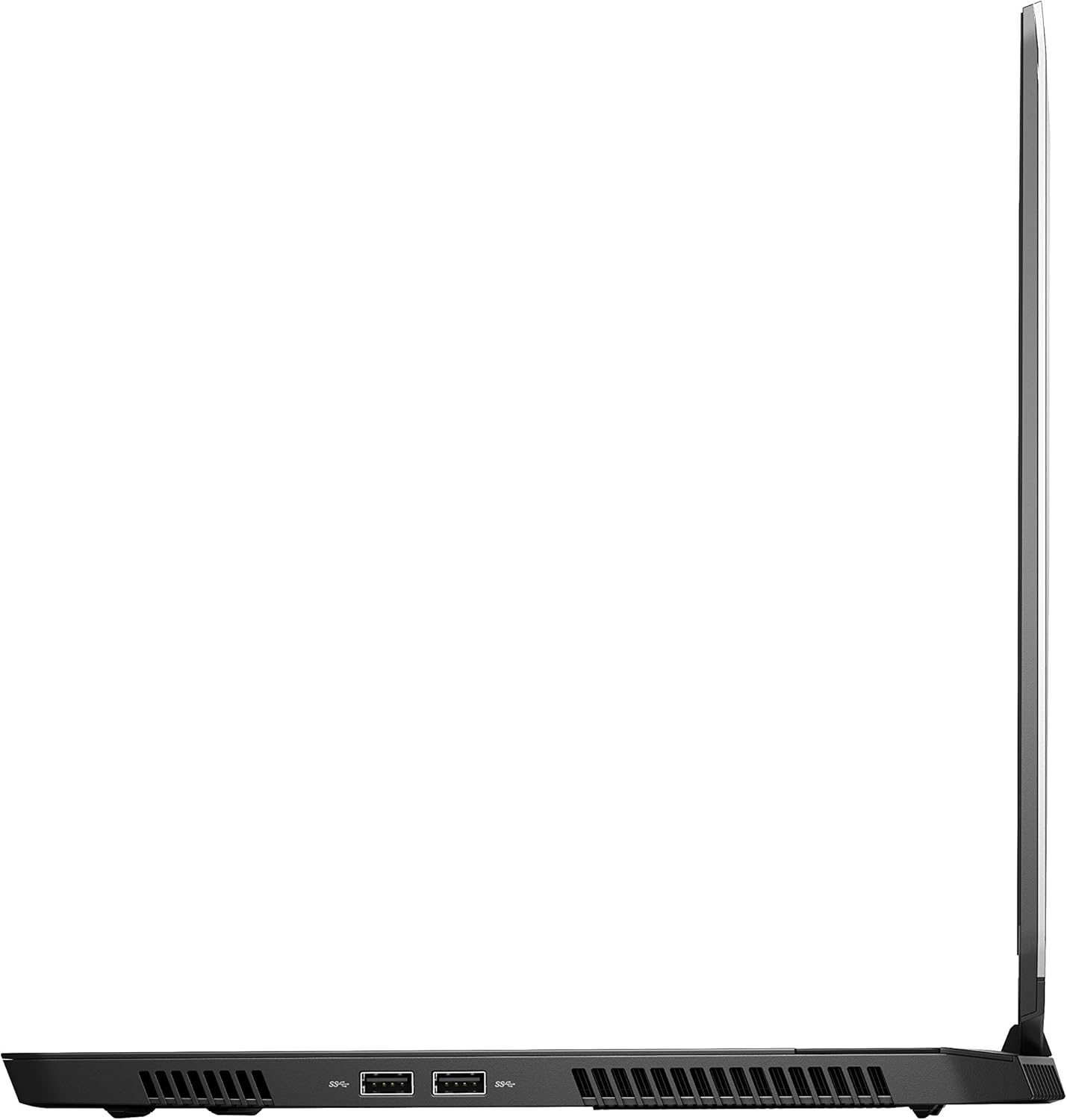
الشكل 4: الجانب الأيمن view of the Alienware M15 laptop, displaying additional ports and ventilation.

الشكل 5: انفجرت view illustrating the internal cooling system of the Alienware M15 laptop, including fans and heat sinks.
يثبت
فك التعبئة
أزل جميع المكونات من العبوة بعناية. تأكد من وجود العناصر التالية:
- Alienware M15 Gaming Laptop
- سلك الطاقة
- محول الطاقة 180W
التشغيل الأولي
- قم بتوصيل محول الطاقة بمنفذ إدخال الطاقة الخاص بالكمبيوتر المحمول.
- قم بتوصيل سلك الطاقة بمأخذ الحائط.
- Open the laptop lid and press the power button, typically located on the top right of the keyboard deck or a dedicated button on the chassis.
- اتبع التعليمات التي تظهر على الشاشة لإكمال عملية إعداد Windows 10 Home، بما في ذلك اختيار اللغة، والاتصال بالشبكة، وإنشاء حساب المستخدم.
تعليمات التشغيل
التشغيل الأساسي
Your Alienware M15 laptop runs on Windows 10 Home. Familiarize yourself with the operating system's interface. The keyboard features customizable backlighting via Alienware's software. The touchpad supports multi-touch gestures for navigation.
أداء الألعاب
The Alienware M15 is designed for high-performance gaming. For optimal gaming experience, ensure the laptop is connected to the power adapter. This allows the system to utilize its full power capabilities for the CPU and GPU. While gaming, the laptop may generate significant heat; this is normal for high-performance hardware. Consider using a cooling pad for extended gaming sessions to enhance thermal management.
صيانة
تنظيف
- شاشة: استخدم قطعة قماش ناعمة وخالية من الوبر وامسحها برفق.ampاغسلها بالماء أو بمنظف الشاشة. تجنب المواد الكيميائية القاسية.
- لوحة المفاتيح والهيكل: Use a soft brush or compressed air to remove dust from keys and vents. Wipe surfaces with a microfiber cloth.
- الموانئ: Use compressed air to clear dust from USB, HDMI, and other ports.
تحديثات البرامج
Regularly update your Windows operating system, graphics drivers (NVIDIA GeForce), and Alienware software. Updates often include performance improvements, security patches, and bug fixes. Access Windows updates through Settings > Update & Security. Graphics drivers can be updated via the NVIDIA GeForce Experience application.
العناية بالبطارية
To maximize battery lifespan, avoid consistently discharging the battery completely. For prolonged use while plugged in, consider using battery management features (if available in Alienware Command Center) to limit charging to 80-90% capacity.
استكشاف الأخطاء وإصلاحها
This section addresses common issues you might encounter with your Alienware M15 laptop.
| مشكلة | السبب المحتمل / الحل |
|---|---|
| Laptop gets excessively hot during use. | High-performance components generate heat. Ensure ventilation vents are clear. Use a cooling pad. Update graphics drivers. |
| "No media present" error or SSD/HDD not detected. | This can sometimes be a temporary software glitch. Try restarting the laptop. If persistent, ensure the power cable is securely connected and try a hard reboot (unplug power, hold power button for 15 seconds, then reconnect and power on). If the issue persists, contact support. |
| Wi-Fi connection drops frequently. | Ensure Wi-Fi drivers are up to date. Check for interference from other devices. Restart your router and the laptop. If the issue persists, consider reinstalling Wi-Fi drivers or contacting support. |
| System performance is slow or lagging. | Ensure the laptop is plugged into power for full performance. Close unnecessary background applications. Check for malware. Ensure sufficient free space on the SSD/HDD. |
تحديد
Detailed technical specifications for the Alienware M15 Gaming Laptop (Model: AWM15-7830SLV-PUS).
| ميزة | التفاصيل |
|---|---|
| حجم عرض الشاشة الدائمة | 15.6 بوصة |
| دقة الشاشة | 1920 × 1080 بكسل |
| أقصى دقة للشاشة | 1920 × 1080 بكسل |
| المعالج | 4.1 GHz core_i7_8750h |
| كبش | 16 جيجا بايت DDR4 |
| سرعة الذاكرة | 2666 ميجا هرتز |
| القرص الصلب | 1000 GB 128GB PCIe M.2 SSD + 1TB (+8GB SSHD) Hybrid Drive |
| معالج الرسوميات المساعد | بطاقة الرسوميات NVIDIA GeForce GTX 1060 |
| شرائح العلامة التجارية | نفيديا |
| وصف البطاقة | مخلص |
| حجم ذاكرة الوصول العشوائي لبطاقة الرسوميات | 6 جيجا بايت |
| نوع لاسلكي | 802.11a/b/g/n |
| عدد منافذ USB 3.0 | 3 |
| ماركة | ألين وير |
| مسلسل | AWm15-7830SLV-PUS |
| رقم موديل السلعة | AWM15-7830SLV-PUS |
| نظام التشغيل | ويندوز 10 هوم |
| وزن العنصر | 4.8 رطل |
| أبعاد المنتج | 10.8 × 14.3 × 0.8 بوصة |
| لون | أسود |
| ماركة المعالج | إنتل |
| عدد المعالجات | 6 |
| نوع ذاكرة الكمبيوتر | ذاكرة الوصول العشوائية DDR4 SDRAM |
| حجم ذاكرة الفلاش | 16 |
| واجهة القرص الصلب | الحالة الصلبة |
| سرعة دوران القرص الصلب | 5400 دورة في الدقيقة |
| نوع محرك الأقراص الضوئية | لا يوجد محرك بصري |
| المجلدtage | 240 فولت |
| البطاريات | 1 بطارية ليثيوم معدنية مطلوبة. (متضمنة) |
| تاريخ أول توفر | 5 يناير 2019 |
| اسم الموديل | AWm15-7830SLV-PUS |
| حجم الشاشة | 15.6 بوصة |
| حجم القرص الصلب | 1000 جيجا بايت |
| نموذج وحدة المعالجة المركزية | كور اي 7 8750H |
| حجم ذاكرة الوصول العشوائي المثبتة | 16 جيجا بايت |
| ميزة خاصة | طلاء مضاد للتوهج |
الضمان والدعم
For detailed warranty information, please refer to the documentation included with your purchase or visit the official Alienware support website. For technical assistance, driver downloads, and further resources, please visit the Alienware support portal.
دليل المستخدم الرسمي (PDF) متاح أيضًا للتنزيل: تنزيل دليل المستخدم PDF


