مقدمة
This manual provides comprehensive instructions for the setup, operation, maintenance, and troubleshooting of your Reloop RP2000 Professional Direct Drive USB Turntable System. Please read this manual thoroughly before using the product to ensure proper function and longevity.
The Reloop RP-2000 USB Mk2 is a versatile turntable designed for DJs and vinyl enthusiasts. It features a direct drive motor for high torque and stable platter rotation, a built-in phono pre-amplifier, and a USB audio output for digitizing vinyl records. The Mk2 version includes an improved top panel construction and enhanced metallic buttons for a better tactile experience.
محتويات الحزمة
عند فك العبوة، يرجى التأكد من أن جميع المكونات المدرجة أدناه موجودة وفي حالة جيدة:
- Reloop RP-2000 USB Mk2 Turntable Unit
- طبق كبير
- OM Black pick-up system (by Ortofon)
- headshell
- سليبمات
- ثقل موازن
- سلك الطاقة
- دليل تعليمات التشغيل (هذه الوثيقة)
If any items are missing or damaged, please contact your dealer or Reloop customer support immediately.
يثبت
1. فك التعبئة والتركيب
Carefully remove the turntable from its packaging. Place the turntable on a stable, level surface, away from direct sunlight, heat sources, and excessive vibration. Ensure adequate ventilation around the unit.

Image: The Reloop RP2000 USB Mk2 turntable with its dust cover open, showcasing the platter, tonearm, and controls. This view illustrates the overall design and components of the unit.
2. Platter Installation
- Carefully place the platter onto the center spindle of the turntable.
- Ensure the platter sits securely and rotates freely.
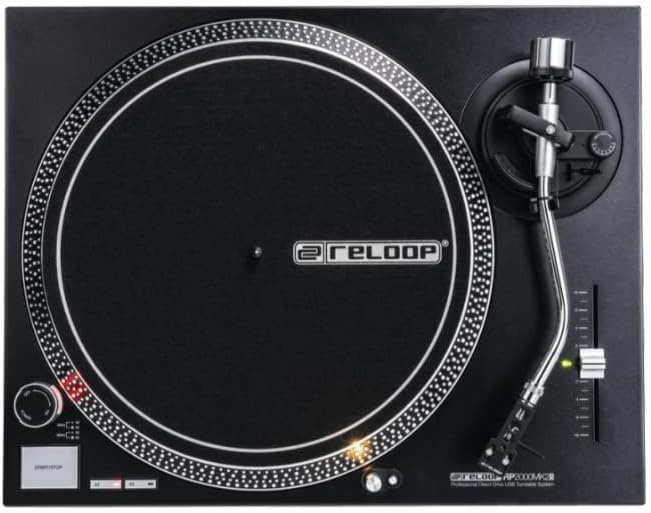
Image: A top-down perspective of the Reloop RP2000 USB Mk2 turntable, highlighting the precision-engineered platter and the layout of the controls on the top panel.
3. Tonearm and Cartridge Assembly
- Attach the provided headshell with the pre-fitted OM Black pick-up system to the tonearm. Secure it by rotating the locking ring.
- Thread the counterweight onto the rear of the tonearm.
- Adjust the counterweight to balance the tonearm horizontally. Once balanced, set the tracking force according to the cartridge manufacturer's recommendations (typically 2-4 grams for the OM Black).
- Adjust the anti-skating dial to match the tracking force setting.
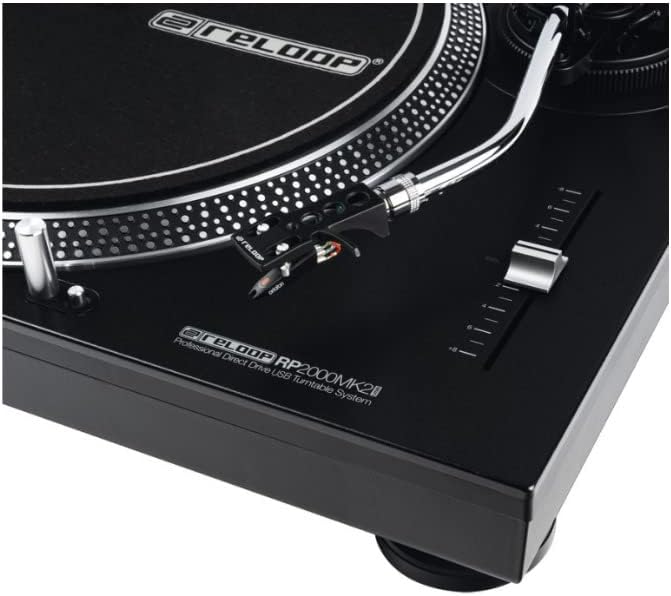
Image: A detailed close-up of the tonearm and pitch control slider on the Reloop RP2000 USB Mk2 turntable, showing the headshell and stylus assembly.
4. اتصالات الصوت
The RP-2000 USB Mk2 features a built-in phono pre-amplifier, allowing for direct connection to a line-level input on your mixer or amplifier. No separate grounding wire is required.
- Connect the RCA cables from the turntable's audio output to a line-level input (e.g., CD, AUX) on your audio system.
- For digital recording, connect the USB cable from the turntable's USB port to your computer.

الصورة: الجانب view of the Reloop RP2000 USB Mk2 turntable, clearly showing the USB output port and power input, indicating its connectivity options.
5. توصيل الطاقة
Connect the power cord to the turntable and then to a suitable electrical outlet. Ensure the power switch is in the OFF position before connecting.
تعليمات التشغيل
1. التشغيل الأساسي
- Place a vinyl record on the slipmat on the platter.
- Select the desired speed (33 1/3 or 45 RPM) using the speed selector buttons.
- اضغط على زر البدء/الإيقاف لبدء دوران القرص.
- Gently lift the tonearm using the cue lever and position the stylus over the desired groove on the record.
- Slowly lower the cue lever to place the stylus onto the record.
- To stop playback, lift the tonearm, return it to the tonearm rest, and press the START/STOP button.
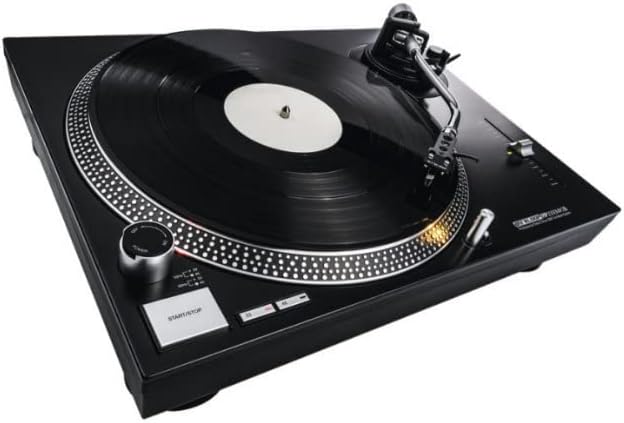
Image: The Reloop RP2000 USB Mk2 turntable with a vinyl record spinning on its platter, demonstrating its primary function for audio playback.
2. التحكم في الملعب
The pitch control slider allows for fine adjustment of the playback speed, with a range of +/- 8%. Move the slider up or down to increase or decrease the platter speed.
3. ضوء الهدف
The aluminum target light can be extended by pressing its button. This illuminates the needle position, which is particularly useful in low-light environments.
4. Digitizing Vinyl via USB
The RP-2000 USB Mk2 can be connected to a computer via USB to digitize your vinyl collection. No special drivers are required for most operating systems.
- Connect the turntable to your computer using a USB cable.
- افتح برنامج تسجيل الصوت المفضل لديك (مثل Audacity أو GarageBand).
- Select the turntable as the audio input device within your software settings.
- Begin recording in your software, then start playback on the turntable.
- Monitor audio levels to prevent clipping.
- Save your digitized audio files in your desired format.

Image: The Reloop RP2000 USB Mk2 turntable connected to a laptop, illustrating its capability for digitizing vinyl records through its USB audio output.
صيانة
1. التنظيف
- Regularly wipe the turntable's surface with a soft, dry, lint-free cloth.
- لإزالة البقع الصعبة، استخدمي القليل منamp امسح بقطعة قماش ثم جففها جيدًا. تجنب استخدام المنظفات أو المذيبات الكاشطة.
- Clean the stylus gently with a soft brush designed for stylus cleaning, moving from back to front.
2. استبدال قلم اللمس
The stylus (needle) is a consumable part and will wear out over time. A worn stylus can damage your records and degrade sound quality. Replace the stylus according to the manufacturer's recommendations or if you notice a decrease in sound quality or increased record wear.
3. غطاء الغبار
Keep the dust cover closed when the turntable is not in use to protect it from dust and debris.
استكشاف الأخطاء وإصلاحها
| مشكلة | السبب المحتمل | حل |
|---|---|---|
| لا يوجد طاقة | سلك الطاقة غير موصول؛ مأخذ الطاقة معطل | Ensure power cord is securely connected; Try a different power outlet |
| No sound or low sound output | كابلات RCA غير موصلة بشكل صحيح؛ Amplifier/mixer input incorrect; Stylus dirty or damaged | Check RCA connections; Ensure correct input is selected on amplifier/mixer; Clean or replace stylus |
| صوت مشوه | Tracking force incorrect; Stylus worn; Record dirty | Adjust tracking force; Replace stylus; Clean record |
| الطبق لا يدور | START/STOP button not pressed; Power issue | Press START/STOP button; Check power connection |
| ضجيج الطنين | Grounding issue (unlikely with built-in pre-amp); Interference from other electronics | Ensure all connections are secure; Move turntable away from other electronic devices |
تحديد
| ميزة | التفاصيل |
|---|---|
| اسم الموديل | RP-2000 USB MK2 Professional Direct Drive USB Turntable System |
| رقم موديل العنصر | AMS-RP-2000-USB-MK2 |
| نوع المحرك | الدفع المباشر |
| المحرك | Quartz-driven |
| السرعات | 33 1/3 ، 45 دورة في الدقيقة |
| السيطرة على ارض الملعب | +/- 8% |
| Tonearm | Statically balanced S-shaped tonearm with hydraulic lift and anti-skating mechanism |
| خرطوشة | Ortofon OM Black (pre-fitted) |
| مخرج الصوت | Line-level RCA (built-in phono pre-amp) |
| الإخراج الرقمي | USB Audio (no driver required) |
| الأبعاد (العرض × العمق × الارتفاع) | 17.72 × 13.86 × 5.67 بوصة (حوالي 450 × 352 × 144 مم) |
| وزن | 17.94 رطل (حوالي 8.14 كجم) |
| لون | أسود |
| مصدر الطاقة | كهربائي سلكي، 220 فولت |
| مادة | بلاستيك |
معلومات الضمان
Reloop products are covered by a limited warranty against defects in materials and workmanship. The specific terms and duration of the warranty may vary by region and retailer. Please retain your proof of purchase for warranty claims.
For detailed warranty information, please refer to the warranty card included with your product or visit the official Reloop webموقع.
يدعم
For technical assistance, troubleshooting beyond this manual, or spare parts inquiries, please contact Reloop customer support or your authorized dealer.
You can find contact information and additional resources on the official Reloop webموقع: www.reloop.com


