1. المقدمة
The Edifier W860NB are Active Noise Cancelling (ANC) Over-Ear Bluetooth aptX Headphones designed to provide an immersive audio experience by reducing external noise. Featuring smart touch controls and a comfortable over-ear design with 40mm neodymium drivers, these headphones offer extended battery life for continuous playback. This manual provides detailed instructions for setup, operation, maintenance, and troubleshooting to ensure optimal performance and longevity of your device.
2. محتويات العبوة
يرجى التأكد من وجود جميع العناصر في الحزمة:
- Edifier W860NB Headphones
- كابل الصوت
- Clamshell Travel Case

Image: Edifier W860NB headphones neatly stored inside their protective clamshell travel case, ready for transport.
3. انتهى المنتجview
Familiarize yourself with the various components and controls of your Edifier W860NB headphones.

الصورة: واجهة واضحة view of the Edifier W860NB headphones, highlighting their elegant gold finish and over-ear design.
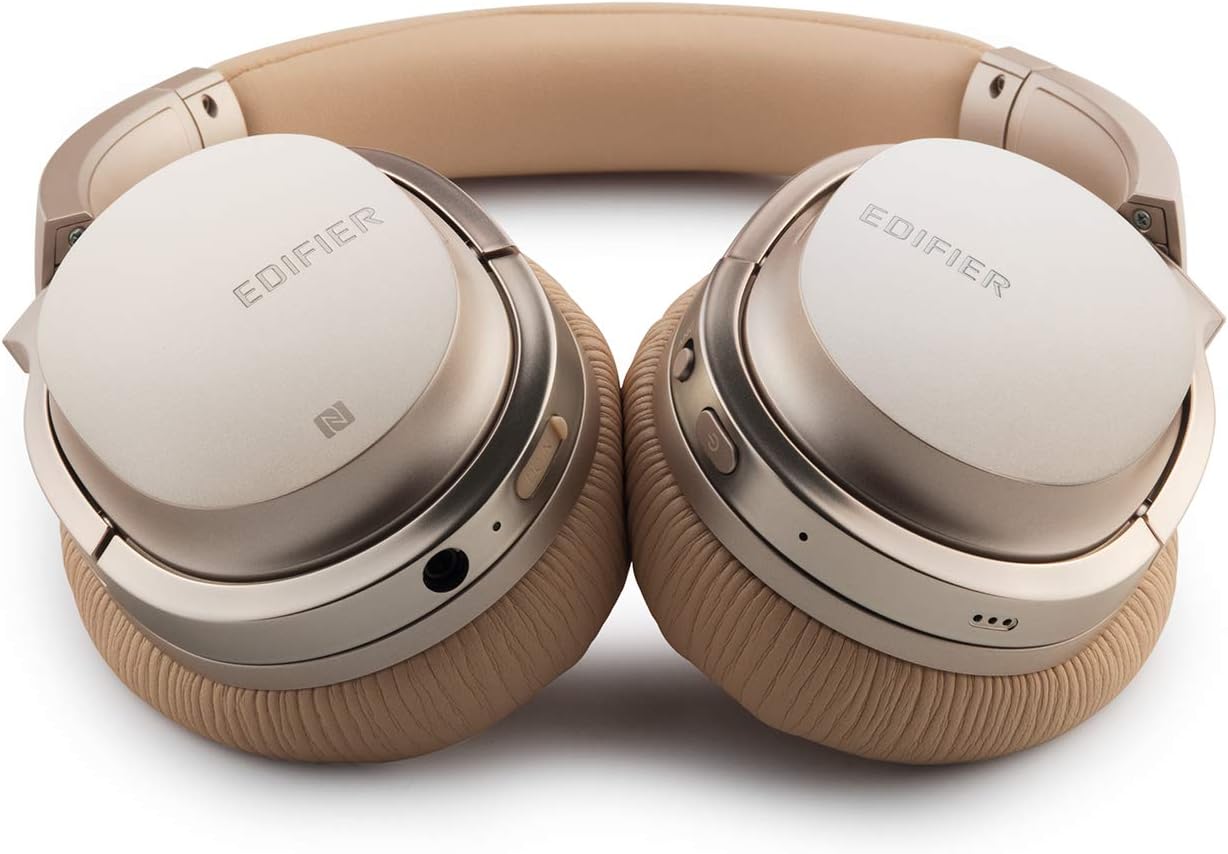
Image: A detailed shot of the right earcup, showing the power button, volume controls, and audio jack.

Image: A close-up on the plush, faux leather earcup, emphasizing the comfort-oriented design.

Image: The adjustable headband mechanism, showing the model designation 'W860NB' on the side.
4. الإعداد
4.1 شحن سماعات الرأس
Before first use, fully charge your headphones. Connect the provided USB charging cable to the charging port on the headphones and to a USB power source (e.g., computer USB port or wall adapter). The LED indicator will show charging status and turn off when fully charged. A full charge provides approximately 25 hours of playback with both Bluetooth and ANC active, or 45 hours with only wireless use.
4.2 تشغيل/إيقاف التشغيل
- لتشغيل: اضغط مع الاستمرار على زر الطاقة حتى يضيء مؤشر LED.
- لإيقاف التشغيل: اضغط مع الاستمرار على زر الطاقة حتى ينطفئ مؤشر LED.
4.3 اقتران بلوتوث
- تأكد من إيقاف تشغيل سماعات الرأس.
- Press and hold the power button for approximately 5 seconds until the LED indicator flashes blue and red alternately, indicating pairing mode.
- على جهازك (الهاتف الذكي، الجهاز اللوحي، وما إلى ذلك)، قم بتمكين البلوتوث وابحث عن الأجهزة المتاحة.
- Select "Edifier W860NB" from the list of found devices.
- بمجرد الاقتران، سيومض مؤشر LED باللون الأزرق ببطء.
اتصال بتقنية NFC: If your device supports NFC, simply tap your NFC-enabled phone against the NFC area on the left earcup to pair instantly.
4.4 اتصال سلكي
To use the headphones with a wired connection, connect one end of the included 3.5mm audio cable to the audio jack on the headphones and the other end to your audio source. The headphones can be used passively in wired mode even if the battery is depleted.
5. تعليمات التشغيل
5.1 عناصر التحكم باللمس الذكية
The right earcup features smart touch controls for convenient operation:
- رفع الصوت: Swipe up on the earcup.
- اخفض الصوت: Swipe down on the earcup.
- تشغيل/إيقاف مؤقت: Double-tap the earcup.
- المسار التالي: Swipe forward (towards the front of the earcup).
- المسار السابق: Swipe backward (towards the back of the earcup).
5.2 إلغاء الضوضاء النشط (ANC)
The W860NB headphones feature Active Noise Cancelling technology to reduce ambient noise.
- تنشيط ANC: Press the ANC button located on the earcup. The ANC indicator light will illuminate.
- تعطيل ANC: اضغط على زر إلغاء الضوضاء النشط مرة أخرى. سينطفئ ضوء مؤشر إلغاء الضوضاء النشط.
5.3 إدارة المكالمات
When connected to a smartphone, you can manage calls using the headphones:
- الرد/إنهاء المكالمة: Double-tap the earcup.
- رفض المكالمة: Press and hold the earcup for 2 seconds.
6. الصيانة
- تنظيف: استخدم قطعة قماش ناعمة وجافة لتنظيف سماعات الرأس. لا تستخدم منظفات أو مذيبات كاشطة.
- تخزين: When not in use, store the headphones in the provided clamshell case to protect them from dust and damage. Avoid storing in extreme temperatures.
- العناية بالبطارية: لإطالة عمر البطارية، تجنب تفريغها بالكامل بشكل متكرر. اشحن سماعات الرأس بانتظام، حتى لو لم تكن قيد الاستخدام لفترات طويلة.
- مقاومة الماء: هذه السماعات غير مقاومة للماء. تجنب تعريضها للسوائل.
7. استكشاف الأخطاء وإصلاحها
| مشكلة | السبب المحتمل | حل |
|---|---|---|
| لا يتم تشغيل سماعات الرأس. | البطارية منخفضة أو فارغة. | اشحن سماعات الرأس بالكامل. |
| لا يمكن الاقتران بالجهاز. | سماعات الرأس ليست في وضع الاقتران؛ البلوتوث في الجهاز معطل؛ عدد كبير جدًا من الأجهزة المقترنة. | Ensure headphones are in pairing mode (flashing blue/red). Turn device Bluetooth off/on. Clear Bluetooth list on device or headphones. |
| لا يوجد صوت. | مستوى الصوت منخفض جدًا؛ مصدر الصوت غير صحيح؛ سماعات الرأس غير موصولة. | Increase volume on headphones and device. Ensure headphones are properly paired or wired. Check audio output settings on device. |
| المؤتمر الوطني الأفريقي لا يعمل بشكل فعال. | لم يتم تفعيل خاصية إلغاء الضوضاء النشط؛ الضوضاء المحيطة مرتفعة للغاية. | Ensure ANC is activated (indicator light on). ANC is most effective for low-frequency, constant noise. |
| أدوات التحكم باللمس لا تستجيب. | Temporary software glitch; dirty earcup surface. | Power off and on the headphones. Clean the earcup surface with a soft, dry cloth. |
8. المواصفات الفنية
| ميزة | مواصفة |
|---|---|
| اسم الموديل | ed-w860nb-gold-us-fbm |
| تكنولوجيا الاتصال | لاسلكي (بلوتوث) |
| تكنولوجيا الاتصالات اللاسلكية | بلوتوث 4.0 |
| مقبس سماعات الرأس | 3.5 ملم جاك |
| التحكم في الضوضاء | إلغاء الضوضاء النشط |
| طريقة التحكم | يلمس |
| نوع برنامج تشغيل الصوت | سائق ديناميكي |
| نطاق التردد | 20 هرتز - 20,000 هرتز |
| شكل سماعة الأذن | فوق الأذن |
| عامل الشكل | فوق الأذن |
| مادة | بلاستيك |
| لون | ذهب |
| وزن العنصر | 1.76 جنيه (800 جرام) |
| أبعاد المنتج | 10 × 4 × 11 بوصة |
| البطاريات | 1 بطارية مطلوبة |
| رمز المنتج الموحد | 875674004438 |
| الشركة المصنعة | مُهَيِّئ |
| تاريخ أول توفر | 27 مارس 2019 |
9. الضمان والدعم
9.1 معلومات الضمان
The Edifier W860NB headphones come with a 1-year US and Canada Warranty. Please retain your proof of purchase for warranty claims. For specific terms and conditions, refer to the warranty card included with your product or visit the official Edifier webموقع.
9.2 دعم العملاء
For further assistance, technical support, or inquiries regarding your Edifier W860NB headphones, please visit the official Edifier support website or contact their customer service department. Contact details can typically be found on the Edifier webالموقع أو في عبوة المنتج.


