مقدمة
The HyperX Alloy Core RGB Gaming Keyboard is designed to provide a responsive and durable typing experience with dynamic RGB lighting. This manual provides detailed instructions for setting up, operating, and maintaining your keyboard, ensuring optimal performance.

Image: The HyperX Alloy Core RGB Gaming Keyboard, showcasing تخطيطها وتصميمها الكامل.
سمات
- إضاءة RGB الديناميكية: Features a distinctive light bar and dynamic RGB lighting effects with multiple customizable patterns.
- بناء متين: Built with a reinforced plastic frame for enhanced durability and stability.
- مفاتيح هادئة وسريعة الاستجابة: Equipped with soft-touch membrane keys that offer a quiet typing experience and anti-ghosting functionality for accurate input.
- تصميم مقاوم للانسكاب: Tested to withstand up to 120ml of liquid spills, providing protection against accidental damage.
- عناصر التحكم المخصصة للوسائط: Convenient buttons for audio playback, volume adjustment, and mute functions.
- أزرار الوصول السريع: Dedicated buttons for adjusting brightness, changing lighting modes, and activating game mode.
- Keyboard Lock Mode: Prevents accidental key presses during intense gaming sessions.
- التوافق: Supports Windows 7, 8, 8.1, and 10.
- أبعاد: Approximately 443.20mm (width) x 175.31mm (depth) x 35.68mm (height).
يثبت
- فك لوحة المفاتيح: قم بإزالة لوحة المفاتيح من عبوتها بعناية.
- الاتصال بجهاز الكمبيوتر: Plug the USB-A connector of the keyboard cable into an available USB port on your computer. The keyboard is a plug-and-play device and typically does not require additional drivers for basic functionality.
- ضبط أقدام لوحة المفاتيح: For ergonomic comfort, you can extend the adjustable feet located on the underside of the keyboard to tilt it to your preferred angle.
Video: This video demonstrates the physical handling of the keyboard, including adjusting the feet for optimal typing angle, and showcases the initial RGB lighting effects upon connection.

Image: A hand connecting the USB-A cable of the keyboard to a computer's USB port.
تعليمات التشغيل
رغب التحكم في الإضاءة
The HyperX Alloy Core RGB keyboard features dynamic RGB lighting. Use the dedicated quick access buttons located above the function keys to customize your lighting experience.
- ضبط السطوع: Press the sun icon button to cycle through different brightness levels.
- اختيار وضع الإضاءة: Press the color palette icon button to switch between various lighting effects (e.g., Color Cycle, Spectrum Wave, Breathing, Solid, 5 Zones, Aurora).
- سرعة التأثير: Use the FN key + Up/Down arrow keys to increase or decrease the speed of lighting effects.
- Solid Color Selection: Use the FN key + Left/Right arrow keys to switch between solid colors.
- 5-Zone Customization: For 5-zone lighting, press the FN key + F1-F5 keys multiple times to customize the color of each zone.
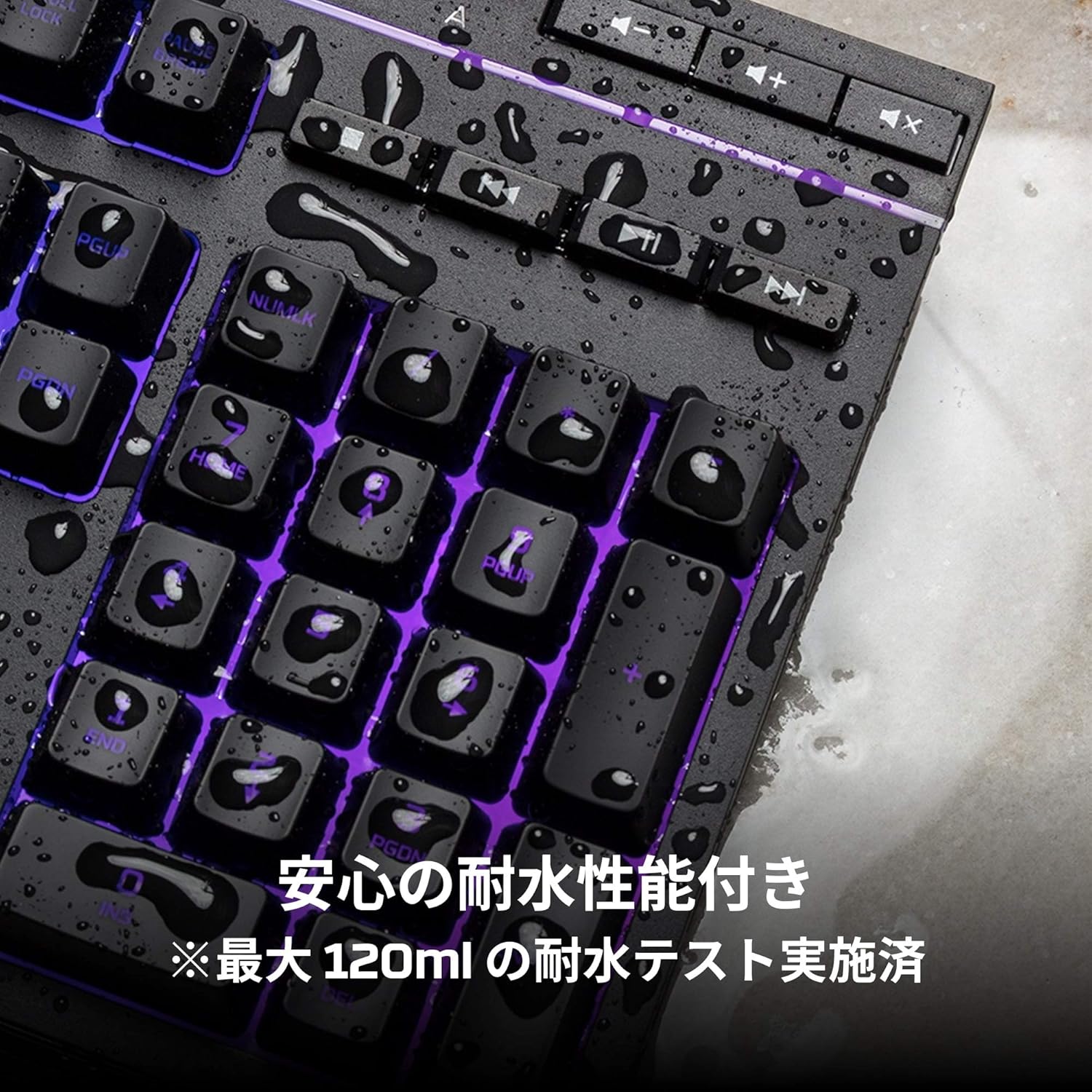
Image: Visual representation of various RGB lighting patterns and key combinations for controlling them.
عناصر التحكم في الوسائط
Dedicated media control buttons are located on the top right of the keyboard for easy access to audio functions.
- رفع/خفض الصوت: ضبط مستوى صوت النظام.
- صامت: كتم الصوت أو إلغاء كتمه.
- تشغيل/إيقاف مؤقت: التحكم في تشغيل الوسائط.
- المسار السابق / التالي: Skip to the previous or next media track.

Image: Close-up of the dedicated media control buttons on the top right of the keyboard.
Game Mode and Keyboard Lock
- وضع اللعبة: Press the game controller icon button to activate Game Mode, which disables the Windows key to prevent accidental interruptions during gameplay.
- قفل لوحة المفاتيح: Press FN + F12 to enable keyboard lock mode, which temporarily disables all key inputs.
صيانة
To ensure the longevity and optimal performance of your HyperX Alloy Core RGB keyboard, follow these maintenance guidelines:
- تنظيف: Regularly clean the keyboard with a soft, dry cloth. For stubborn dirt, a slightly damp يمكن استخدام قطعة قماش لضمان عدم دخول أي سائل إلى مفاتيح التشغيل.
- مقاومة للانسكاب: While the keyboard is spill-resistant (up to 120ml), it is not waterproof. In case of a spill, immediately disconnect the keyboard from your computer, wipe off any liquid, and allow it to air dry completely before reconnecting.
- تجنب الظروف القاسية: لا تعرض لوحة المفاتيح لدرجات حرارة شديدة أو رطوبة عالية أو لأشعة الشمس المباشرة.

Image: The keyboard with water droplets on its surface, illustrating its spill-resistant feature.
استكشاف الأخطاء وإصلاحها
If you encounter issues with your HyperX Alloy Core RGB keyboard, refer to the following common solutions:
- لوحة المفاتيح لا تستجيب:
- تأكد من توصيل كابل USB بشكل آمن بكل من لوحة المفاتيح والكمبيوتر.
- حاول توصيل لوحة المفاتيح بمنفذ USB مختلف على جهاز الكمبيوتر الخاص بك.
- أعد تشغيل الكمبيوتر الخاص بك.
- Check if Keyboard Lock Mode (FN + F12) is active.
- إضاءة RGB لا تعمل:
- Ensure the brightness is not set to the lowest level using the brightness adjustment button.
- Cycle through different lighting modes using the lighting mode selection button.
- Verify that the keyboard is properly connected and receiving power.
- المفاتيح لا تُسجّل بشكل صحيح:
- قم بتنظيف المنطقة المحيطة بالمفاتيح المتضررة لإزالة أي حطام.
- Ensure your operating system is compatible (Windows 7/8/8.1/10).
- Game Mode Issues:
- Ensure Game Mode is properly activated by pressing the game controller icon button. The indicator light should be on.
If the issue persists after trying these steps, please contact HyperX customer support for further assistance.
تحديد
| ميزة | التفاصيل |
|---|---|
| ماركة | هايبر اكس |
| رقم الموديل | HX-KB5ME2-JP |
| الاتصال | يو اس بي-ايه |
| نوع لوحة المفاتيح | لوحة مفاتيح للألعاب الغشائية |
| لون الإضاءة الخلفية | اللون الأحمر والأخضر والأزرق |
| المميزات الخاصة | Backlit, Spill-Resistant |
| الأبعاد (الطول × العرض × الارتفاع) | 44.32 × 17.53 × 3.57 سم |
| وزن | 1.1 كجم |
| نظام التشغيل المتوافق | ويندوز 7/8/8.1/10 |
الضمان والدعم
The HyperX Alloy Core RGB Gaming Keyboard comes with a ضمان لمدة 2 سنوات من تاريخ الشراء. يُرجى الاحتفاظ بإيصال الشراء للمطالبة بالضمان.
For technical support, warranty inquiries, or additional information, please visit the official HyperX support webالموقع أو الاتصال بقسم خدمة العملاء.
هايبر إكس الرسمي Webموقع: www.hyperx.com


