1. المقدمة
This manual provides essential information for the safe and effective operation, setup, and maintenance of your Sharp UA-HD50E-L Air Purifier with Humidification Function. Please read it thoroughly before using the appliance and keep it for future reference.
The Sharp UA-HD50E-L is designed to improve indoor air quality by combining a patented Plasmacluster ion generator with a 3-stage filtration system. It effectively removes airborne particles, allergens, viruses, pollen, dust mites, and odors. Additionally, it features an automatic humidification function to maintain a comfortable and healthy indoor climate. This unit is suitable for rooms up to 38 m² for air purification and 27 m² when using the humidification function.
2. معلومات السلامة
لضمان التشغيل الآمن، اتبع دائمًا هذه الاحتياطات الأساسية:
- لا تقم بتشغيل الوحدة باستخدام سلك طاقة أو قابس تالف.
- لا تقم بسد مداخل أو منافذ الهواء.
- Keep the unit away from water and moisture. Do not immerse in water.
- لا تقم بإدخال أي شيء في أي فتحات.
- افصل الوحدة عن التيار الكهربائي قبل التنظيف أو إجراء أي صيانة.
- لا يُقصد استخدام هذا الجهاز من قبل الأشخاص (بما في ذلك الأطفال) ذوي القدرات البدنية أو الحسية أو العقلية المحدودة، أو الذين يفتقرون إلى الخبرة والمعرفة، ما لم يتم الإشراف عليهم أو إعطائهم تعليمات فيما يتعلق باستخدام الجهاز من قبل شخص مسؤول عن سلامتهم.
- Use only genuine Sharp replacement filters.
3. انتهى المنتجview
Familiarize yourself with the main components of your Sharp UA-HD50E-L air purifier.
3.1 الجبهة View

Figure 3.1: The front of the Sharp UA-HD50E-L air purifier, showcasing its sleek, light grey design and the Sharp logo.
3.2 خلفي View and Air Intake

Figure 3.2: The rear of the air purifier, showing the large air intake grille and the power cord connection point. This is where air is drawn into the unit for filtration.
3.3 الوصول إلى خزان المياه
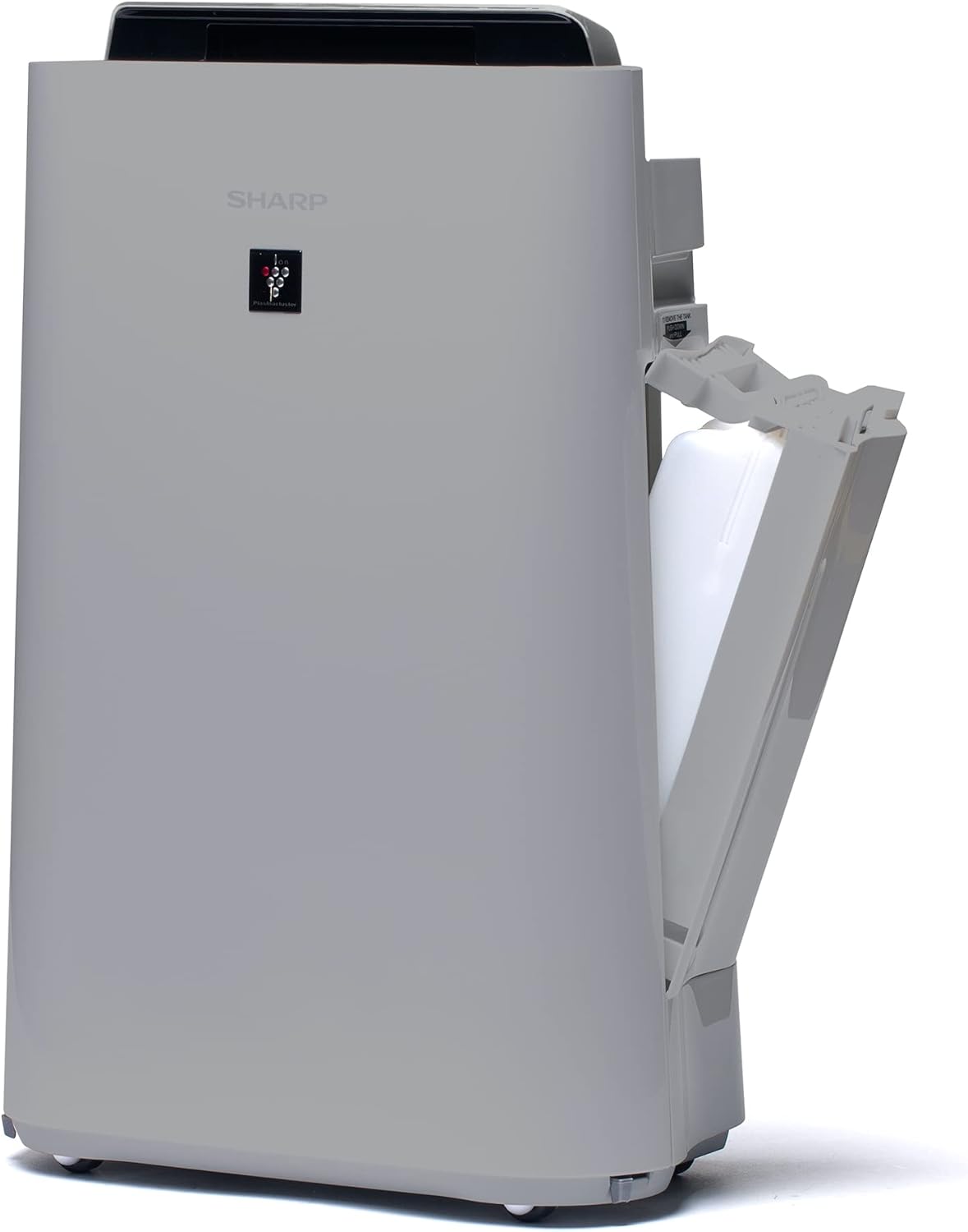
الشكل 3.3: جانب أ view of the unit with the water tank compartment door open, revealing the removable water tank for humidification.
3.4 Control Panel and Air Outlet

الشكل 3.4: من أعلى إلى أسفل view highlighting the intuitive control panel with various function buttons and the primary air outlet where purified and humidified air is released.
3.5 نظام فلتر
The Sharp UA-HD50E-L utilizes a multi-stage filtration system for comprehensive air purification:
- التصفية المسبقة: يلتقط الجزيئات الكبيرة مثل الغبار وشعر الحيوانات الأليفة.
- Deodorization Filter (UZ-HD4DF): Absorbs various odors, including cigarette smoke and household smells.
- HEPA Filter (UZ-HD4HF): Traps microscopic particles such as pollen, mold spores, and fine dust.
- Humidification Filter (UZ-HD6MF): Used for the humidification function.

الشكل 3.5: انفجار view illustrating the sequence of the pre-filter, deodorization filter, and HEPA filter within the unit's rear compartment.
4. الإعداد
اتبع الخطوات التالية لإعداد جهاز تنقية الهواء الخاص بك لأول مرة.
- فك الوحدة: Carefully remove the air purifier and all its components from the packaging. Retain packaging for future transport or storage.
- إزالة فلتر التغليف: Open the rear panel of the unit. Remove all plastic packaging from the HEPA filter, deodorization filter, and humidification filter.
- تثبيت المرشحات: Insert the filters back into the unit in the correct order: deodorization filter, then HEPA filter, followed by the pre-filter. Ensure they are securely seated. Close the rear panel.

Figure 4.1: Illustration of a filter being inserted into the side compartment of the air purifier.
- املأ خزان الماء (لترطيب الهواء): Open the water tank compartment on the side of the unit. Remove the water tank, fill it with clean tap water, and securely close the cap. Reinsert the water tank into the unit.
Figure 4.2: The water tank being removed from its compartment for refilling.
- الموقع: Place the air purifier on a flat, stable surface, ensuring adequate clearance (at least 20 cm) from walls and furniture for optimal air circulation.
- توصيل الطاقة: قم بتوصيل سلك الطاقة بمأخذ كهربائي مناسب (220 فولت).
5. تعليمات التشغيل
The control panel on the top of the unit allows you to manage all functions.

Figure 5.1: Close-up of the control panel with various buttons and indicators, including sensors for dust, odor, temperature, humidity, light, movement, and PM2.5.
5.1 تشغيل/إيقاف التشغيل
- اضغط على قوة زر لتشغيل الوحدة أو إيقاف تشغيلها.
أوضاع التشغيل 5.2
- نظام آلي: The unit automatically adjusts fan speed and humidification based on sensor readings (dust, odor, temperature, humidity, light, movement, PM2.5). This mode ensures optimal air quality and comfort.
- سرعة المروحة اليدوية: Select desired fan speed (Low, Medium, High) for continuous operation.
- وضع الترطيب: Activates the humidification function. The unit will maintain a comfortable humidity level. Ensure the water tank is filled.
- Air Purification Only: Disables the humidification function, focusing solely on air purification.
5.3 Plasmacluster Ion Function
- اضغط على بلازماكلاستر button to activate or deactivate the Plasmacluster ion generator.
- Ion Spot Mode: This mode provides a 10-fold more intensive airflow of Plasmacluster ions to target specific areas or strong odors. Activate it by pressing the dedicated button on the control panel.
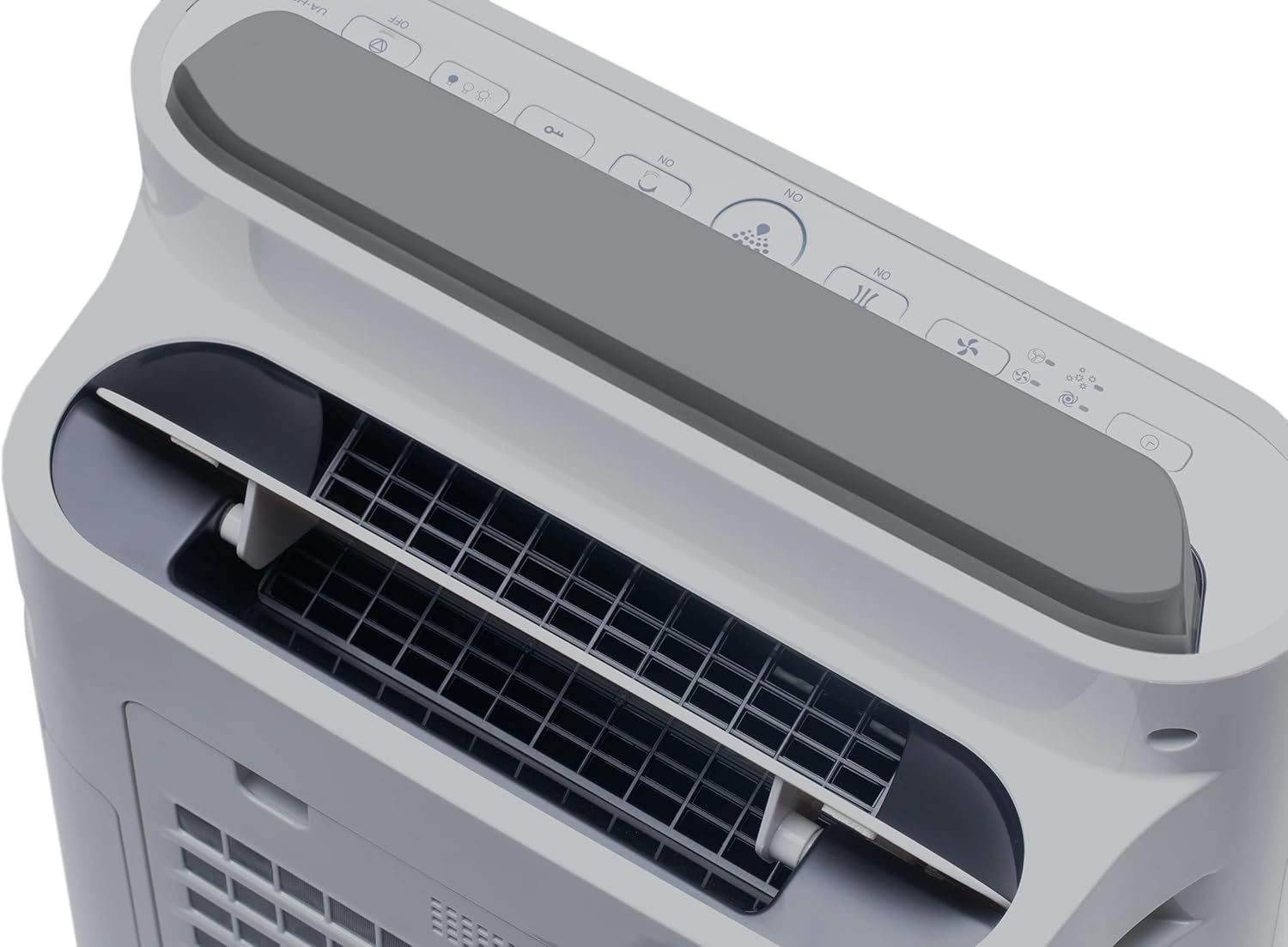
Figure 5.2: Visual representation of Plasmacluster ions being dispersed into the room, indicating the Ion Spot Mode's enhanced air circulation.
5.4 دوران الهواء
The unit features 20° back air outlets to ensure perfect air circulation throughout the room, effectively distributing purified and humidified air.
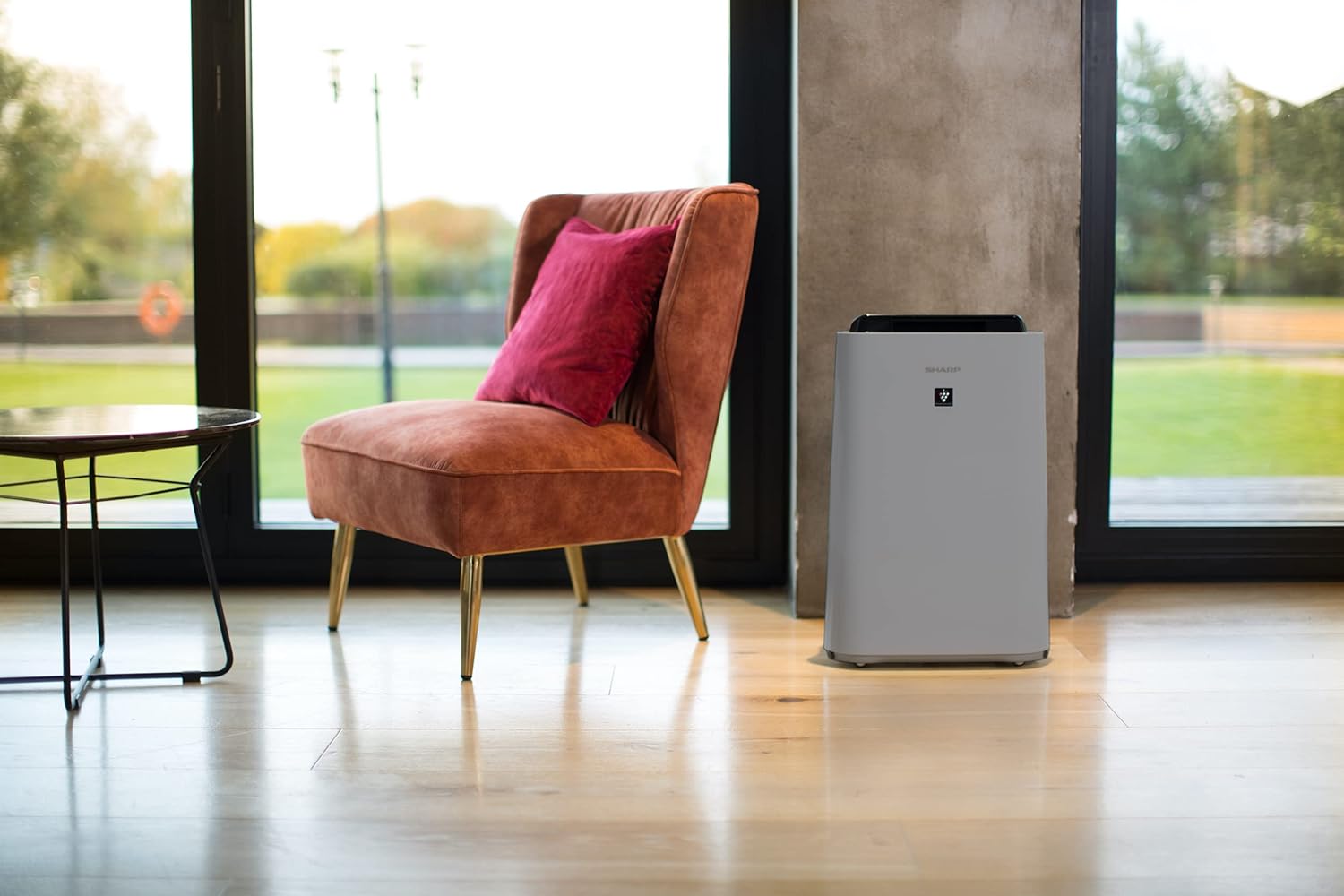
Figure 5.3: A diagram showing the optimal air circulation pattern created by the unit's design, ensuring even distribution of clean air.
6. الصيانة
تضمن الصيانة المنتظمة الأداء الأمثل وتطيل عمر جهاز تنقية الهواء الخاص بك.
6.1 تنظيف المرشح المسبق
- The pre-filter should be cleaned approximately once a month, or more frequently if used in dusty environments.
- Remove the rear panel and carefully detach the pre-filter.
- Use a vacuum cleaner to remove dust and debris. For stubborn dirt, wash with mild soap and water, then air dry completely before reinstallation.

Figure 6.1: The pre-filter being removed from the unit, with icons indicating its function against dust and pet hair.
6.2 Deodorization and HEPA Filters (UZ-HD4DF, UZ-HD4HF)
- These filters are not washable and should not be cleaned with water.
- Periodically check for excessive dust accumulation. A vacuum cleaner can be used gently on the surface of the HEPA filter to remove loose dust.
- Replace these filters approximately every 2-5 years, depending on usage and air quality. Refer to the indicator light on the control panel for replacement reminders.

Figure 6.2: The deodorization filter, designed to combat odors such as cigarette smoke and general household smells.
6.3 Humidification Filter (UZ-HD6MF) and Water Tank
- Clean the water tank daily or every few days to prevent mold and bacterial growth. Wash with mild detergent and rinse thoroughly.
- The humidification filter should be cleaned regularly (e.g., weekly) by rinsing under running water. If mineral deposits accumulate, soak the filter in a descaling solution (e.g., citric acid solution) as per product instructions.
- Replace the humidification filter approximately once a year, or when it becomes stiff or discolored.
6.4- التنظيف الخارجي
- امسح الجزء الخارجي من الوحدة بقطعة قماش ناعمة دamp القماش. لا تستخدم المنظفات أو المذيبات الكاشطة.
7. استكشاف الأخطاء وإصلاحها
If you encounter any issues, refer to the following common problems and solutions.
| مشكلة | السبب المحتمل | حل |
|---|---|---|
| الوحدة لا تعمل. | Power cord not properly connected; Power outage. | تأكد من توصيل سلك الطاقة بإحكام؛ تحقق من قاطع الدائرة الكهربائية المنزلية. |
| تدفق الهواء ضعيف. | Clogged pre-filter; Blocked air inlets/outlets. | Clean the pre-filter; Ensure nothing is obstructing air passages. |
| لا يوجد ترطيب. | Water tank empty; Humidification filter clogged or improperly installed. | Refill water tank; Clean or correctly install humidification filter. |
| Unusual odor from unit. | مرشحات متسخة؛ سtagنانت المياه في الخزان. | Clean/replace filters; Clean water tank and humidification filter. |
| ضوضاء عالية أثناء التشغيل. | Foreign object in fan; Unit not on a stable surface. | Turn off and unplug, check for obstructions; Place on a flat, stable surface. |
إذا استمرت المشكلة بعد تجربة هذه الحلول، فيرجى الاتصال بدعم العملاء.
8. المواصفات
| ماركة | حاد |
| رقم الموديل | UA-HD50E-L |
| لون | رمادي فاتح |
| الأبعاد (الطول × العرض × الارتفاع) | 39.9 × 23 × 61.5 سم |
| وزن | 7.9 كيلوغرام |
| سعة خزان المياه | 1 لتر |
| قوة | 3600 (Please refer to product label for actual wattage) |
| المجلدtage | 220 فولت |
| مادة | بلاستيك |
| وظيفة الإيقاف التلقائي | نعم |
| مستوى الضوضاء | 23 ديسيبل |
| نوع الفلتر | مرشح هواء عالي الكفاءة |
| طريقة التحكم | التحكم باللمس والأزرار |
| Room Coverage (Purification) | تصل إلى 38 متر مربع |
| Room Coverage (with Humidification) | تصل إلى 27 متر مربع |
9. الضمان والدعم
Sharp provides a warranty for this product in accordance with local regulations. Please retain your proof of purchase for warranty claims.
- توفر قطع الغيار: تتوفر قطع الغيار لهذا الطراز لمدة عامين من تاريخ الشراء.
- For technical support, service, or to purchase replacement filters, please contact your local Sharp authorized dealer or visit the official Sharp webموقع.


