1. انتهى المنتجview
The Midland T71VP3 X-TALKER Two-Way Radio provides reliable point-to-point communication. This license-free FRS/GMRS radio features 36 channels, 121 privacy codes, and a communication range of up to 38 miles in optimal conditions. It includes NOAA Weather Scan and Alert for severe weather updates and eVOX hands-free operation for convenience.
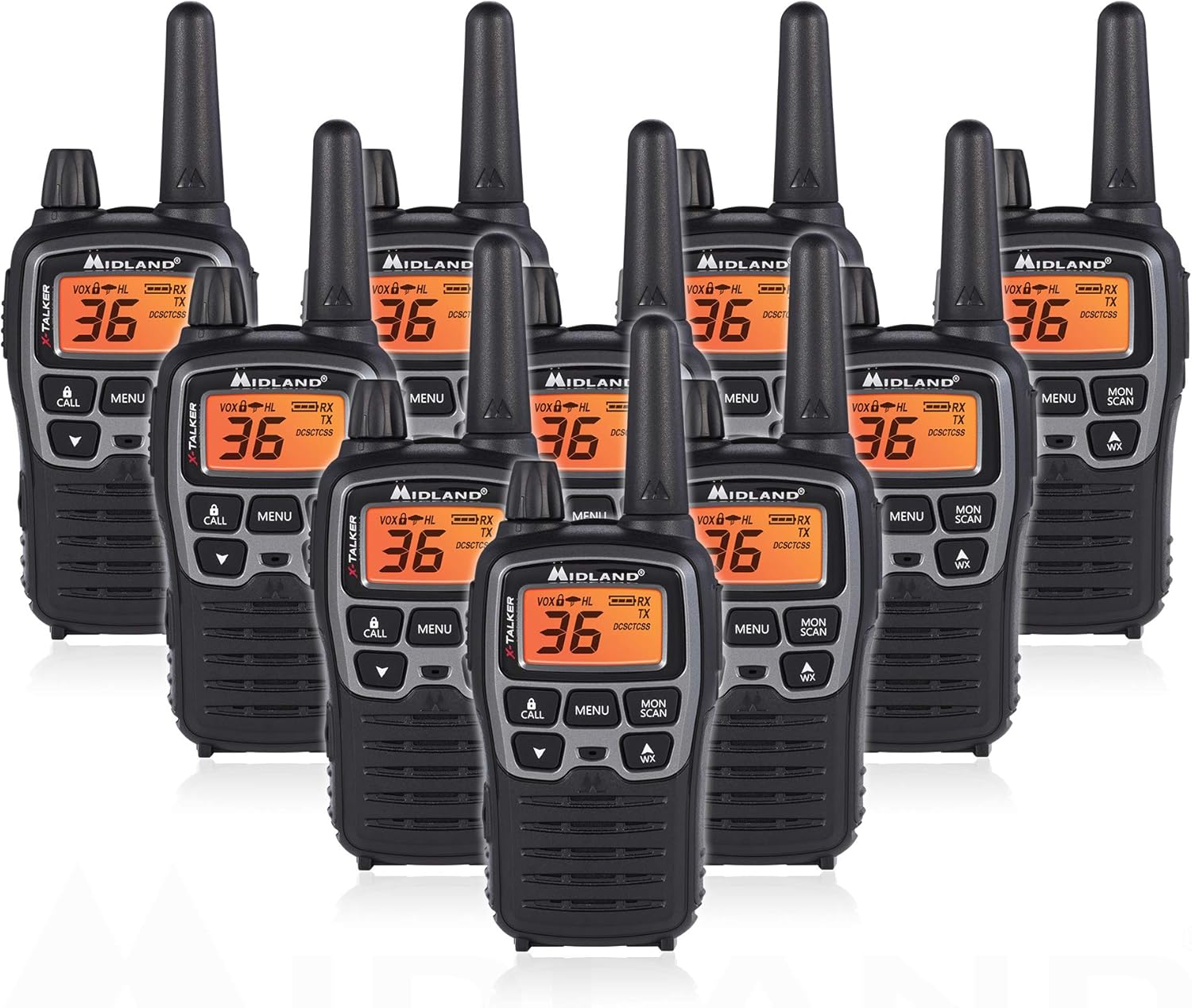
Figure 1: Midland T71VP3 Two-Way Radios (10-Pack)
2. ماذا يوجد في الصندوق
- 10 x T71VP3 Radios
- شنومكس x مقاطع الحزام
- بطاريتان قابلتان لإعادة الشحن سعة 700 مللي أمبير
- 1 x Desktop Charger (for two radios)
- 1 × كابل شحن ميكرو USB
- 1 × دليل المالك
3. مواصفات المنتج
- 36 FRS/GMRS Channels: Provides a wide selection of communication channels.
- 121 CTCSS Privacy Codes: Offers up to 2,662 channel options to minimize interference.
- Up to 38-Mile Range: Achieves long-range communication in open areas with minimal obstructions.
- مسح وتنبيهات الطقس من الإدارة الوطنية للمحيطات والغلاف الجوي (NOAA): Automatically scans 10 weather band channels and alerts to severe weather.
- eVOX Hands-Free Operation: Voice and sound activated transmission with 9 sensitivity levels.
- خيارات الطاقة المزدوجة: Operates with included 1000mAh rechargeable battery packs or 3 'AA' alkaline batteries (not included).
- عملية صامتة: Turns off all tones for discreet use.
- مقاوم للماء: Designed to withstand light exposure to water.

Figure 2: Key Features of the T71VP3
4. الإعداد
4.1 تركيب البطارية
The T71VP3 radio can be powered by either the included rechargeable battery pack or three AAA alkaline batteries (not included).
- تأكد من إيقاف تشغيل الراديو.
- حدد مكان غطاء حجرة البطارية على الجزء الخلفي من الراديو.
- اضغط لأسفل على علامة التبويب ثم حرك الغطاء إلى الأسفل لإزالته.
- Insert the rechargeable battery pack, ensuring the contacts align correctly, or insert three AAA alkaline batteries according to the polarity markings.
- قم باستبدال غطاء حجرة البطارية عن طريق تحريكه لأعلى حتى يستقر في مكانه.

Figure 3: Battery Compartment with AAA Batteries
4.2 شحن البطاريات
The rechargeable battery packs can be charged using the included desktop charger or directly via the micro USB port on the radio.
- استخدام شاحن سطح المكتب: Connect the micro USB charging cable to the desktop charger and a power source (AC wall adapter or USB car charger). Place up to two radios into the charging bays. The charging indicator light will illuminate to show charging status. Full charge typically takes 4-5 hours.
- الشحن المباشر عبر منفذ USB: Connect the micro USB charging cable directly to the micro USB charging jack on the side of the radio and a power source.
Note: Alkaline batteries are not rechargeable and should not be placed in the charger or charged via the USB port.

Figure 4: Radio Display with Battery Indicator
5. تعليمات التشغيل
5.1 Radio Controls and Display

الشكل 5: عناصر التحكم في اللوحة الأمامية

Figure 6: Top and Side Components
5.2 تشغيل/إيقاف التشغيل
لتشغيل الراديو، قم بتدوير مقبض الطاقة/الحجم clockwise until you hear a click and the display illuminates. To power off, rotate the knob counter-clockwise until you hear a click.
5.3 ضبط مستوى الصوت
تدوير مقبض الطاقة/الحجم في اتجاه عقارب الساعة لزيادة مستوى الصوت، وعكس اتجاه عقارب الساعة لتقليله.
5.4 اختيار القناة
The T71VP3 has 36 FRS/GMRS channels. To change channels:
- اضغط على قائمة طعام button once. The current channel number will flash.
- استخدم UP or تحت أزرار الأسهم لاختيار القناة المطلوبة.
- اضغط على قائمة طعام button again or wait 5 seconds for the selection to be saved.
5.5 رموز الخصوصية (CTCSS)
Privacy codes help reduce interference from other users on the same channel. The T71VP3 offers 121 CTCSS codes.
- اضغط على قائمة طعام اضغط على الزر مرتين. سيومض رمز الخصوصية الحالي.
- استخدم UP or تحت arrow buttons to select the desired privacy code.
- اضغط على قائمة طعام button again or wait 5 seconds for the selection to be saved.
5.6 الإرسال والاستقبال
للإرسال، اضغط مع الاستمرار على PTT (اضغط لتتحدث) اضغط على الزر الموجود على جانب جهاز الراديو وتحدث بوضوح في الميكروفون. ثم حرر زر الإرسال للاستقبال.
5.7 NOAA Weather Scan + Alert
This feature allows the radio to scan 10 available NOAA weather band channels and alert you to severe weather conditions.
- لتنشيط ميزة "مسح الطقس"، اضغط على WX button (located below the DOWN arrow).
- The radio will scan for active weather alerts.
- To enable Weather Alert, refer to the owner's manual for specific menu navigation.
5.8 Hands-Free Operation (eVOX)
The eVOX feature enables voice-activated transmission without pressing the PTT button. It has 9 sensitivity levels.
- اضغط على قائمة طعام button until the eVOX icon flashes.
- استخدم UP or تحت arrow buttons to select the desired sensitivity level (1-9, with 9 being most sensitive).
- اضغط على قائمة طعام button again or wait 5 seconds to save.
6. اعتبارات النطاق
The advertised range of up to 38 miles is achieved under optimal conditions (e.g., open areas with clear line of sight). Actual range can vary significantly based on terrain, weather, electromagnetic interference, and obstructions.
- الحد الأقصى للمدى: Achieved with no obstructions (e.g., over water or in open fields).
- المدى المتوسط: Achieved with partial obstructions (e.g., light foliage, rolling hills).
- مدى قصير: Experienced with major obstructions (e.g., dense urban areas, heavy forests, mountainous terrain).

Figure 7: Communication Range Scenarios
7. الصيانة
- تنظيف: استخدمي قطعة قماش ناعمةamp cloth to clean the radio's exterior. Do not use abrasive cleaners or solvents.
- العناية بالبطارية: For optimal battery life, fully charge rechargeable batteries before first use. If storing the radio for extended periods, remove alkaline batteries to prevent leakage.
- تخزين: Store the radio in a cool, dry place away from extreme temperatures.
8. استكشاف الأخطاء وإصلاحها
| مشكلة | السبب المحتمل | حل |
|---|---|---|
| لا يوجد طاقة | بطاريات ميتة؛ تركيب البطارية بشكل غير صحيح. | Replace/recharge batteries; Check battery polarity. |
| لا يمكن الإرسال أو الاستقبال | Incorrect channel/privacy code; Out of range; Low battery. | Verify channel/privacy code settings; Move closer to other radios; Recharge batteries. |
| جودة صوت ثابتة أو رديئة | Weak signal; Interference; Out of range. | Move to a clearer area; Change channel/privacy code; Move closer to other radios. |
| Weather Alert Not Functioning | Weather Alert not enabled; No NOAA signal in area. | Enable Weather Alert in menu; Check NOAA coverage for your location. |
9. المواصفات
- رقم الموديل: T71X10VP3
- عدد القنوات: 36 قناة FRS/GMRS
- رموز الخصوصية: 121 رمز CTCSS
- نطاق التردد: 400-470 ميجا هرتز
- أقصى مدى للتحدث: حتى 38 ميلاً (الظروف المثالية)
- مصدر الطاقة: 1000mAh Rechargeable Battery Pack (included) or 3 AAA Batteries (not included)
- مستوى مقاومة الماء: Not Water Resistant (designed to be water resistant, but not fully waterproof)
- وزن السلعة: 7.5 رطل (للعبوة المكونة من 10 قطع)
- أبعاد المنتج: 3.3 × 9.3 × 10.8 بوصة
10. الضمان والدعم
The Midland T71VP3 Two-Way Radio comes with a ضمان لمدة سنتين from the manufacturer, Midland Radio Corporation. For technical support, service, or warranty claims, please refer to the contact information provided in your owner's manual or visit the official Midland webموقع.


