1. المقدمة
The TOPDON AL200 OBD2 Scanner is a user-friendly diagnostic tool designed to assist vehicle owners in identifying and resolving basic engine-related issues. This manual provides detailed instructions on how to set up, operate, and troubleshoot your device, ensuring optimal performance and accurate vehicle diagnostics.
2. مواصفات المنتج
- التوافق مع المركبات على نطاق واسع: Works with most US vehicles manufactured since 1996, and European and Asian vehicles since 2000 that are OBDII/CAN compliant. Supports KWP2000, ISO9141, J1850 VPW, J1850 PWM, and CAN protocols.
- MIL Turn-Off: Clears Diagnostic Trouble Codes (DTCs) and resets monitors to turn off the Check Engine Light (MIL) after repairs.
- تجميد بيانات الإطار: Records vehicle operating parameters at the moment an emission-related fault occurs, aiding in problem identification.
- معلومات المركبة (VIN): Displays Vehicle Identification Number (VIN), Calibration ID(s), and Calibration Verification Numbers (CVNs).
- دعم متعدد اللغات: Menu available in English, French, German, Dutch, and Spanish.
- مكتبة DTC المدمجة: Provides detailed descriptions of Diagnostic Trouble Codes directly on the device.
3. ماذا يوجد في الصندوق
- TOPDON AL200 OBD2 Scanner Unit
- دليل المستخدم
4. الإعداد
4.1 توصيل الماسح الضوئي
Locate the 16-pin Data Link Connector (DLC) port in your vehicle. This port is typically found under the dashboard on the driver's side. Plug the AL200 scanner's cable directly into the vehicle's DLC port. The device is plug-and-play and does not require external batteries.

Figure 4.1: TOPDON AL200 OBD2 Scanner connected to a vehicle's OBD2 port. The scanner draws power directly from the vehicle's port.
4.2 التشغيل
Once connected to the vehicle's DLC port, turn the vehicle's ignition to the 'ON' position (engine off). The scanner will automatically power on and display the main menu.
5. تعليمات التشغيل
Navigate through the menu using the ENTER, EXIT, and arrow buttons on the device.
5.1 رموز القراءة
From the main menu, select 'Read Codes' to retrieve Diagnostic Trouble Codes (DTCs) stored in the vehicle's computer. The scanner will display generic (P0, P2, P3, U0) and manufacturer-specific (P1, P3, U1) codes, along with pending codes.
5.2 Erasinأكواد G
After performing necessary repairs, select 'Erase Codes' from the main menu. Confirm your selection to clear the DTCs and turn off the Check Engine Light (MIL). Ensure the ignition is in the 'ON' position and the engine is off before erasinأكواد G.
5.3 I / M الجاهزية
Select 'I/M Readiness' to check the status of the vehicle's emission-related monitoring systems. This function is crucial for verifying if your vehicle is ready for an emissions inspection (smog check).

Figure 5.3: The AL200 assists with Smog Check readiness and turning off the Check Engine Light.
5.4 Freeze Frame Data
Access 'View Freeze Frame' to review a snapshot of critical vehicle operating conditions (engine speed, coolant temperature, etc.) recorded by the vehicle's computer at the time a fault code was set. This data helps pinpoint the exact conditions under which the fault occurred.

Figure 5.4: The AL200 provides Freeze Frame data and Vehicle Information for comprehensive diagnostics.
5.5 Vehicle Information (VIN)
Select 'Vehicle Info' to display the vehicle's identification number (VIN), calibration identification number, and calibration verification number (CVN). This information is essential for accurate vehicle identification and diagnosis.
5.6 Multilingual Support
The AL200 supports multiple languages. Navigate to the settings menu to select your preferred language from English, French, German, Dutch, and Spanish.
6. استكشاف الأخطاء وإصلاحها
6.1 'Linking Error' Message
If you encounter a 'Linking Error' message when using the scanner, follow these steps:
- Verify that the vehicle is OBDII compliant (JOBD is not supported).
- Check if the OBDII cable is in good condition and the OBD socket on the car is functioning correctly.
- Inspect for any connection or wiring issues on the vehicle.
- Test the scanner on another OBDII compliant vehicle to confirm its functionality.
- If all steps fail, provide your car model, year, and VIN code to TOPDON customer support for further assistance.
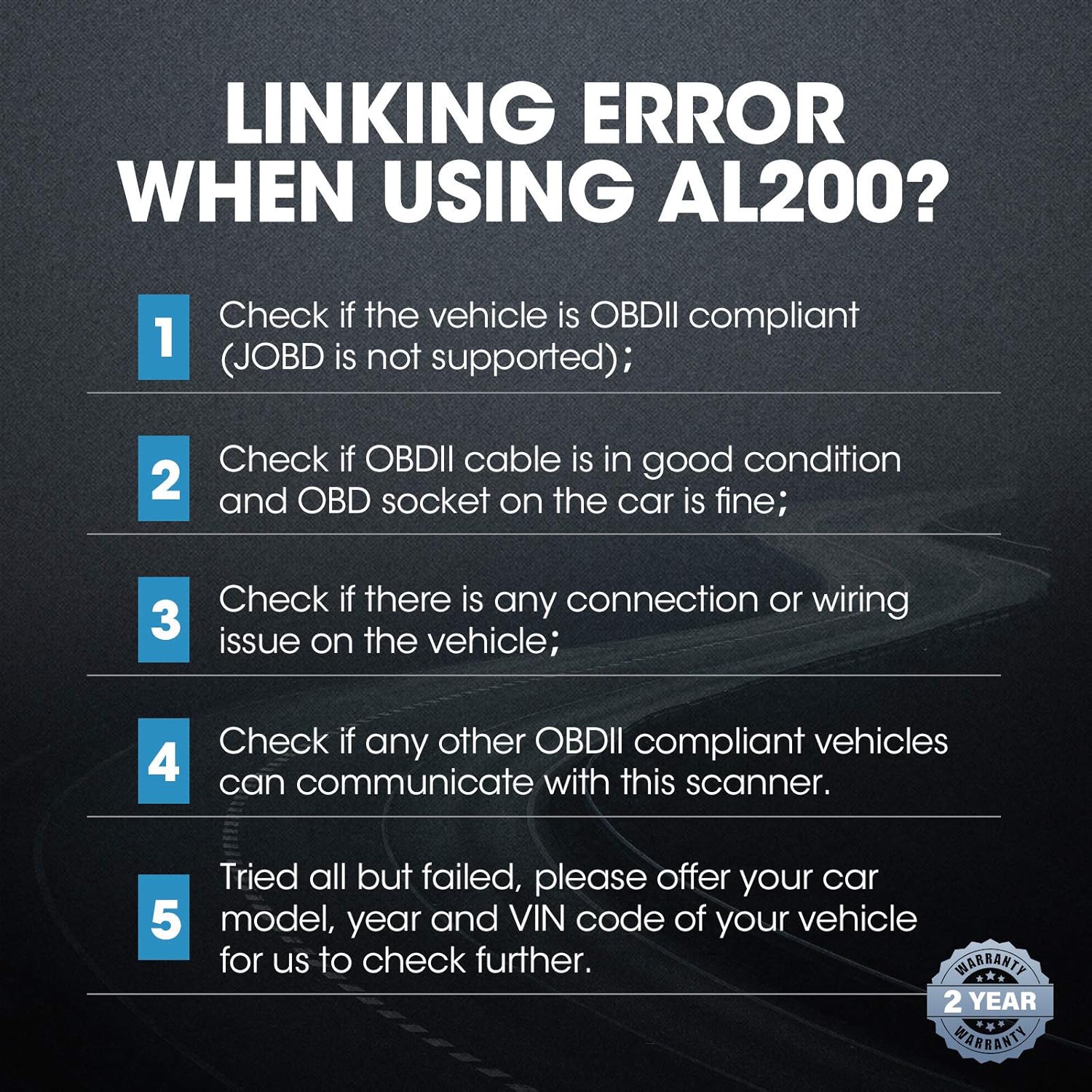
Figure 6.1: Troubleshooting guide for common 'Linking Error' messages.
7. المواصفات
| ماركة | توبدون |
| نموذج | ال200 |
| عرض | Backlight, 128 x 64 pixel |
| مادة المنتج | ABS plastic, rubber keys |
| حجم التشغيلtage | 9~16 فولت |
| استهلاك الطاقة | 0.6 واط |
| وزن العنصر | 6.3 أونصات |
| أبعاد المنتج | 10 × 1.8 × 6 بوصة |
| نوع ملاءمة السيارة | ملاءمة عالمية |
8. الضمان والدعم
The TOPDON AL200 OBD2 Scanner comes with a 1-year warranty. For any inquiries or technical assistance, please utilize the 7*24 online consulting service provided by TOPDON.
9. فيديو توضيحي للمنتج
Video 9.1: Official TOPDON AL200 demonstration showcasing OBD2 functions, MIL turn-off, and I/M readiness checks.


