1. المقدمة
This manual provides essential information for the proper installation, operation, and maintenance of your Bouncie GPS Tracker for Vehicles. Please read this manual thoroughly before using the device to ensure optimal performance and safety. The Bouncie GPS Tracker offers real-time location tracking, detailed route history, driving behavior monitoring, geo-fencing capabilities, and accident notifications.
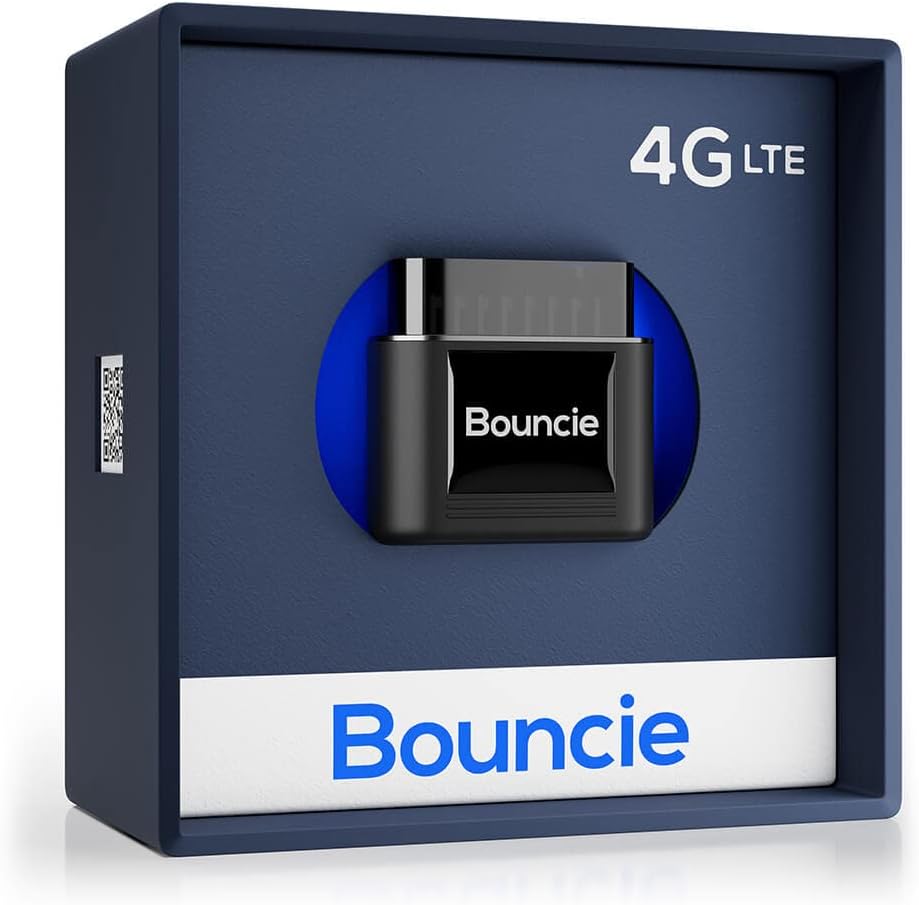
Image 1.1: Bouncie GPS Tracker device in its retail packaging.
2. الإعداد والتثبيت
The Bouncie GPS Tracker is designed for simple, tool-free installation. It connects directly to your vehicle's On-Board Diagnostics II (OBD-II) port.
2.1 التوافق
The device is compatible with most vehicles manufactured in 1996 or newer that are equipped with an OBD-II port.
2.2 خطوات التثبيت
- حدد موقع منفذ OBD-II: The OBD-II port is typically located under the dashboard on the driver's side, often near the steering column or above the foot pedals. Consult your vehicle's owner's manual if you have difficulty locating it.
- قم بتوصيل الجهاز: Firmly insert the Bouncie GPS Tracker into the OBD-II port. Ensure it is securely seated. No tools or wiring are required.
- Download the Bouncie App: Download the official Bouncie application from the Apple App Store or Google Play Store on your smartphone.
- تفعيل جهازك: Follow the in-app instructions to create an account and activate your Bouncie device. A monthly subscription is required for service activation.

Image 2.1: Plugging the Bouncie device into the vehicle's OBD-II port.
3. Operating the Bouncie GPS Tracker
Once installed and activated, the Bouncie device continuously monitors your vehicle and transmits data to the Bouncie application.
3.1 Real-Time Location Tracking
View your vehicle's current location on a detailed map within the Bouncie app. Location updates are provided in real-time, allowing you to monitor movement accurately.

Image 3.1: Bouncie app displaying real-time vehicle location and map details.
3.2 سجل المسار
Access unlimited trip history, including detailed routes, stops, and mileage for each journey. This feature allows for comprehensive review of past travel.
3.3 Driving Insights and Alerts
The device monitors various driving behaviors and provides insights and alerts for:
- مراقبة السرعة: Receive alerts for excessive speed.
- تسريع: Detects rapid acceleration events.
- Hard Braking: Identifies instances of sudden or harsh braking.
- وقت الخمول: Tracks periods when the vehicle is running but stationary.

Image 3.2: Bouncie app displaying driving event notifications.
3.4 تحديد الموقع الجغرافي
Set up custom geographical boundaries (geo-fences) within the app. You will receive notifications when your vehicle enters or exits these designated areas.
3.5 Accident Detection
Equipped with advanced sensors, the Bouncie tracker can detect significant impacts. In the event of an accident, it sends immediate SMS alerts to pre-configured emergency contacts.

Image 3.3: Bouncie app displaying an accident detection alert.
4. Vehicle Health Monitoring
The Bouncie device continuously monitors your vehicle's diagnostic engine data, providing alerts for potential maintenance issues.
4.1 Diagnostic Trouble Codes (DTC)
The tracker can decode and alert you to Diagnostic Trouble Codes (DTCs) generated by your vehicle's engine. This helps in identifying and addressing issues proactively, potentially preventing downtime.

Image 4.1: Bouncie app displaying vehicle diagnostic trouble codes.
5. المواصفات
| ميزة | التفاصيل |
|---|---|
| رقم الموديل | B07H8NS5MS |
| أبعاد المنتج | 1.75 × 1.87 × 1 بوصة |
| وزن العنصر | 1.28 أونصات |
| تكنولوجيا الاتصال | شبكة الجيل الرابع LTE الخلوية |
| التكنولوجيا اللاسلكية | 4G LTE CAT M1 |
| المميزات الخاصة | Internal SIM Card, Silent Operation, Integrated GPS, Tamper Detection, Engine DTC Decoding, 3-Axis Accelerometer, No Battery Required, No Charging Required |
| التغطية | North America (US, Canada, Mexico) |
| الاحتفاظ بالبيانات | غير محدود |
| تكنولوجيا رسم الخرائط | Google (Street & Satellite) |
| التطبيقات المدعومة | Location Tracking, Route History, Speed Monitoring, Accident Notification, GeoFence |
| استخدامات محددة | تتبع المركبات ومراقبتها |
| الشركة المصنعة | نطاط |
| متوفر أولاً | 14 يوليو 2018 |

Image 5.1: Internal components and dimensions of the Bouncie GPS Tracker.
6. استكشاف الأخطاء وإصلاحها
If you encounter any issues with your Bouncie GPS Tracker, consider the following:
- No Data/Connectivity: Ensure the device is firmly seated in the OBD-II port. Verify that your subscription is active. Check your vehicle's compatibility.
- موقع غير دقيق: Ensure your vehicle is in an area with good cellular and GPS signal reception.
- مشاكل التطبيق: Ensure your Bouncie app is updated to the latest version. Try restarting the app or your smartphone.
For further assistance, please contact Bouncie customer support.
7. الدعم والضمان
7.1 دعم العملاء
Bouncie provides US-based customer support. For technical assistance, account inquiries, or troubleshooting, please refer to the support section within the Bouncie application or visit the official Bouncie webموقع.
7.2 Subscription Information
A monthly subscription is required for the Bouncie GPS Tracker service. Subscription fees are billed monthly, with no hidden activation or return fees. You may cancel your subscription at any time.
7.3 معلومات الضمان
For detailed warranty information regarding your Bouncie GPS Tracker, please refer to the documentation provided with your purchase or visit the official Bouncie website. Warranty terms and conditions are subject to change by the manufacturer.


