مقدمة
This manual provides detailed instructions for the setup, operation, and maintenance of your VTech VT1301-3 Triple Cordless Phone system. Please read this guide thoroughly to ensure optimal performance and longevity of your device. This system features digital enhanced clarity for clear communication and includes three handsets for convenience.
1. الإعداد
1.1 فك التغليف والمكونات
قم بإخراج جميع المحتويات من الصندوق بعناية. تأكد من وجود جميع المكونات:
- الوحدة الأساسية الرئيسية
- Three cordless handsets
- Three charging cradles
- Three power adapters
- One telephone line cord
- بطاريات قابلة لإعادة الشحن (مثبتة مسبقًا أو منفصلة)

Image: The VTech VT1301-3 triple cordless phone system, showing the blue, red, and green handsets with their respective charging bases and power adapters.
1.2 توصيل الوحدة الأساسية
- قم بتوصيل أحد طرفي سلك خط الهاتف بمقبس خط الهاتف الموجود في الجزء الخلفي من الوحدة الأساسية الرئيسية.
- قم بتوصيل الطرف الآخر من سلك خط الهاتف بمقبس الهاتف الجداري.
- Plug the power adapter into the POWER jack on the main base unit.
- قم بتوصيل الطرف الآخر من محول الطاقة بمأخذ التيار الكهربائي.
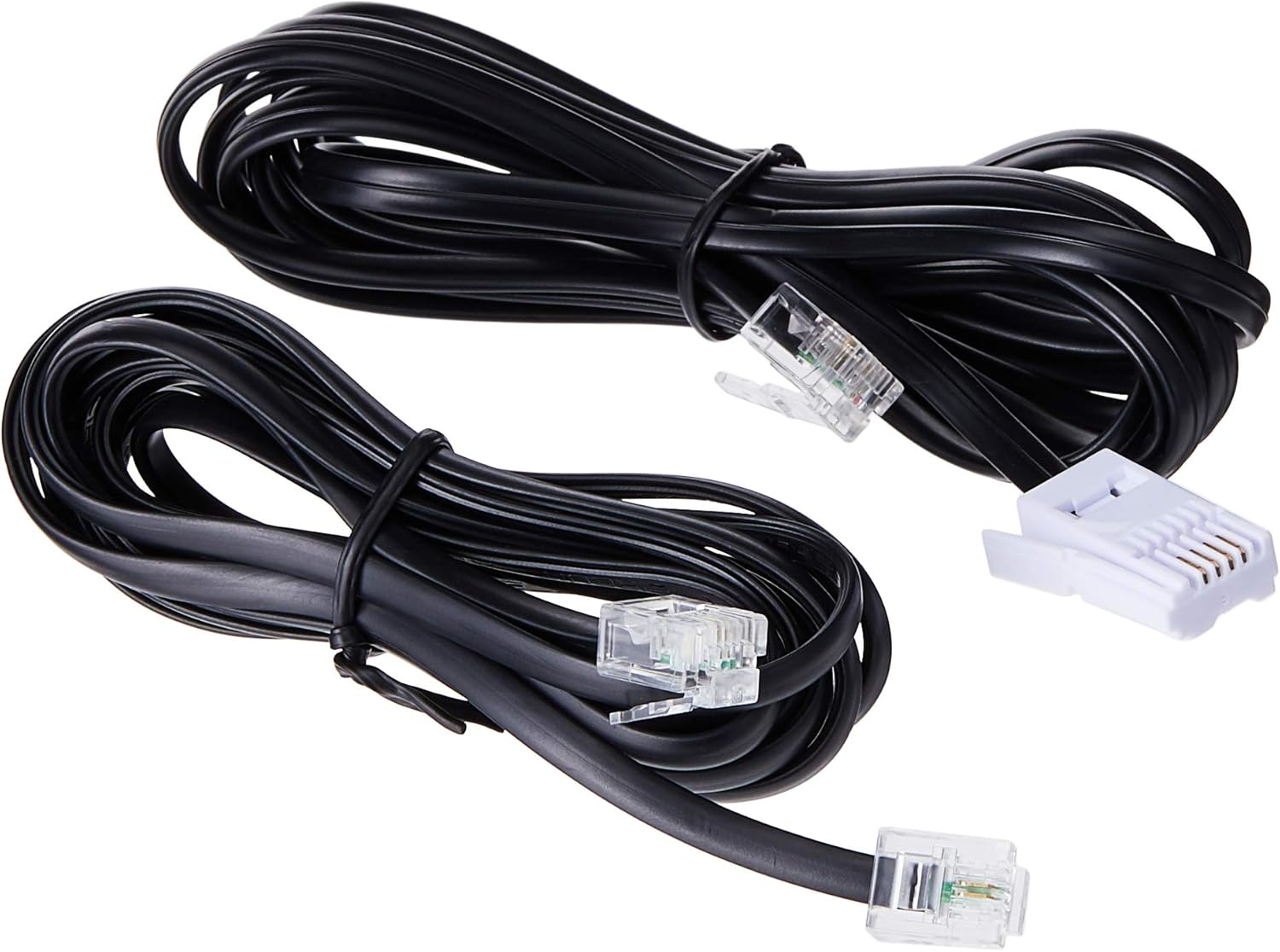
Image: Two black telephone line cords, essential for connecting the base unit to a telephone wall jack.
1.3 شحن الهواتف
Before initial use, charge each handset for at least 16 hours. Place each handset face forward in its respective charging cradle. The charge indicator on the handset or base will illuminate to confirm proper placement and charging.
- Ensure the power adapters for all charging cradles are plugged into electrical outlets.
- Place each handset securely in its cradle.
- A full charge ensures optimal battery performance.
2. تعليمات التشغيل
2.1 وظائف الاتصال الأساسية

الصورة: تفصيلية view of the VTech VT1301-3 handset, highlighting its large character blue backlit LCD display and functional keypad.
- إجراء مكالمة: يضعط يتحدثثم اطلب الرقم. أو بدلاً من ذلك، اطلب الرقم أولاً ثم اضغط يتحدث.
- الرد على مكالمة: عندما يرن الهاتف ، اضغط على يتحدث or any dialing key (0-9, #, *).
- إنهاء المكالمة: يضعط عن or place the handset back in its charging cradle.
- مكبر صوت الهاتف: أثناء المكالمة ، اضغط على مكبر الصوت button (often integrated with TALK or a separate icon) to activate or deactivate the speakerphone.
2.2 الميزات المتقدمة
- دليل دليل الهاتف: Store up to 20 names and numbers. Access via the MENU / موافق button and navigate to the Phonebook option.
- معرف المتصل: The phone displays the last 10 caller numbers. Press معرف العميل (Caller ID) to review القائمة.
- معاودة الاتصال: يضعط إعادة ل view وأعد الاتصال بآخر 5 أرقام تم الاتصال بها.
- تحويل المكالمة: أثناء إجراء مكالمة خارجية، اضغط MENU / موافق, select 'Transfer', and choose the internal handset to transfer the call to.
- المكالمات الداخلية: Make calls between handsets by pressing the انتل or MENU / موافق button and selecting the desired handset.
- مكالمة جماعية ثلاثية الأطراف: Initiate a 3-way conference call involving two internal handsets and one external line.
- محدد الصفحة/الهاتف: اضغط على صفحة button on the main base unit to locate a misplaced handset.
- ألحان الرنين: Choose from 10 ringer melodies (5 polyphonic and 5 standard) in the handset settings.
- قفل لوحة المفاتيح: اضغط مع الاستمرار على # key to lock/unlock the keypad.
- إنذار: اضبط المنبه من خلال قائمة الهاتف.
3. الصيانة
3.1 تنظيف هاتفك
للحفاظ على نظافة هاتفك، امسحه بقطعة قماش ناعمة ورطبة قليلاً.amp cloth. Do not use cleaning sprays or harsh chemicals as they may damage the finish or electrical components. Ensure the phone is disconnected from power before cleaning.
3.2 العناية بالبطارية
- Always use the VTech approved rechargeable batteries provided with your phone.
- For optimal battery life, avoid placing the phone in direct sunlight or in areas with extreme temperatures.
- إذا لم يتم استخدام الهاتف لفترة طويلة، قم بإزالة البطاريات لمنع التسرب.
4. استكشاف الأخطاء وإصلاحها
If you experience any issues with your VTech VT1301-3 phone, please refer to the following common solutions:
- No dial tone: Ensure the telephone line cord is securely connected to both the base unit and the wall jack. Check if the power adapter is properly connected to the base unit and an electrical outlet.
- لا يمكن إجراء أو استقبال المكالمات: Verify that the handset batteries are charged. Check the telephone line connection. If you have a DSL service, ensure a DSL filter is installed.
- جودة الصوت سيئة: Move closer to the base unit. Ensure there are no large metal objects or other electronic devices interfering with the signal. Check for any loose connections.
- Handset not charging: Ensure the handset is correctly seated in the charging cradle. Verify that the charging cradle's power adapter is plugged into a working electrical outlet. Clean the charging contacts on both the handset and cradle with a dry cloth.
- Handset displays "Out of Range" or "No Link": Move the handset closer to the main base unit. If the issue persists, try resetting the base unit by unplugging its power adapter for a few minutes, then plugging it back in.
5. المواصفات
| ميزة | وصف |
|---|---|
| رقم الموديل | في تي 1301-3 |
| نوع الهاتف | لاسلكي (DECT) |
| مدى الحديث | Up to 300m (outdoor)* |
| Radiation Mode | Ultra-low Radiation Mode** |
| عرض | Large character with blue backlit LCD display |
| دليل الهاتف | 20 Name and Number entries |
| عرض معرف المتصل | 10 caller number display |
| إعادة الاتصال بالرقم الأخير | 5 last number redial |
| ألحان رنين | 10 (5 polyphonic and 5 standard) |
| مؤتمر هاتفي | 3-Way conference call capability |
| مصدر الطاقة | كهرباء سلكية |
| رمز المنتج الموحد | 735078040251 |
* The actual talk range may vary depending on environmental conditions.
** Ultra-low Radiation Mode operates with the lowest radiation.
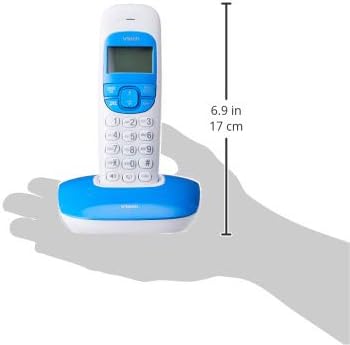
Image: Dimensions of a VTech cordless phone handset in its charging cradle, showing a height of 17 cm.
6. الضمان والدعم
For specific warranty terms and conditions, please refer to the warranty card included in your product packaging. This document outlines the coverage period and conditions for service.
For technical support, frequently asked questions, or to download the latest version of this manual, please visit the official VTech webقم بزيارة الموقع أو اتصل بقسم خدمة العملاء الخاص بهم باستخدام معلومات الاتصال المقدمة في وثائق المنتج.


