مقدمة
This manual provides essential information for the setup, operation, maintenance, and troubleshooting of your My Arcade Pocket Player Handheld Game Console. Please read this guide thoroughly before use to ensure proper functionality and to maximize your gaming experience.
مميزات المنتج
- Original Inspired Artwork: For an authentic retro look.
- 2.75 Inch Full Color Display: Provides a clear and vibrant gaming experience.
- Lightweight Compact Size: Designed for comfortable grip and portability.
- الميزات الصوتية: Includes a front-facing speaker, volume controls, and a 3.5mm headphone jack.
- خيارات الطاقة: Can be powered by Micro USB (cable not included) or 4 AAA batteries (not included).
- Pre-loaded Games: Features classic titles including Pac-Man, Pac-Mania, and Pac-Panic.
ماذا يوجد في الصندوق
Upon opening your My Arcade Pocket Player package, you should find the following items:
- My Arcade Pocket Player Handheld Game Console
- حبل العنق
- دليل المستخدم (هذا الدليل)
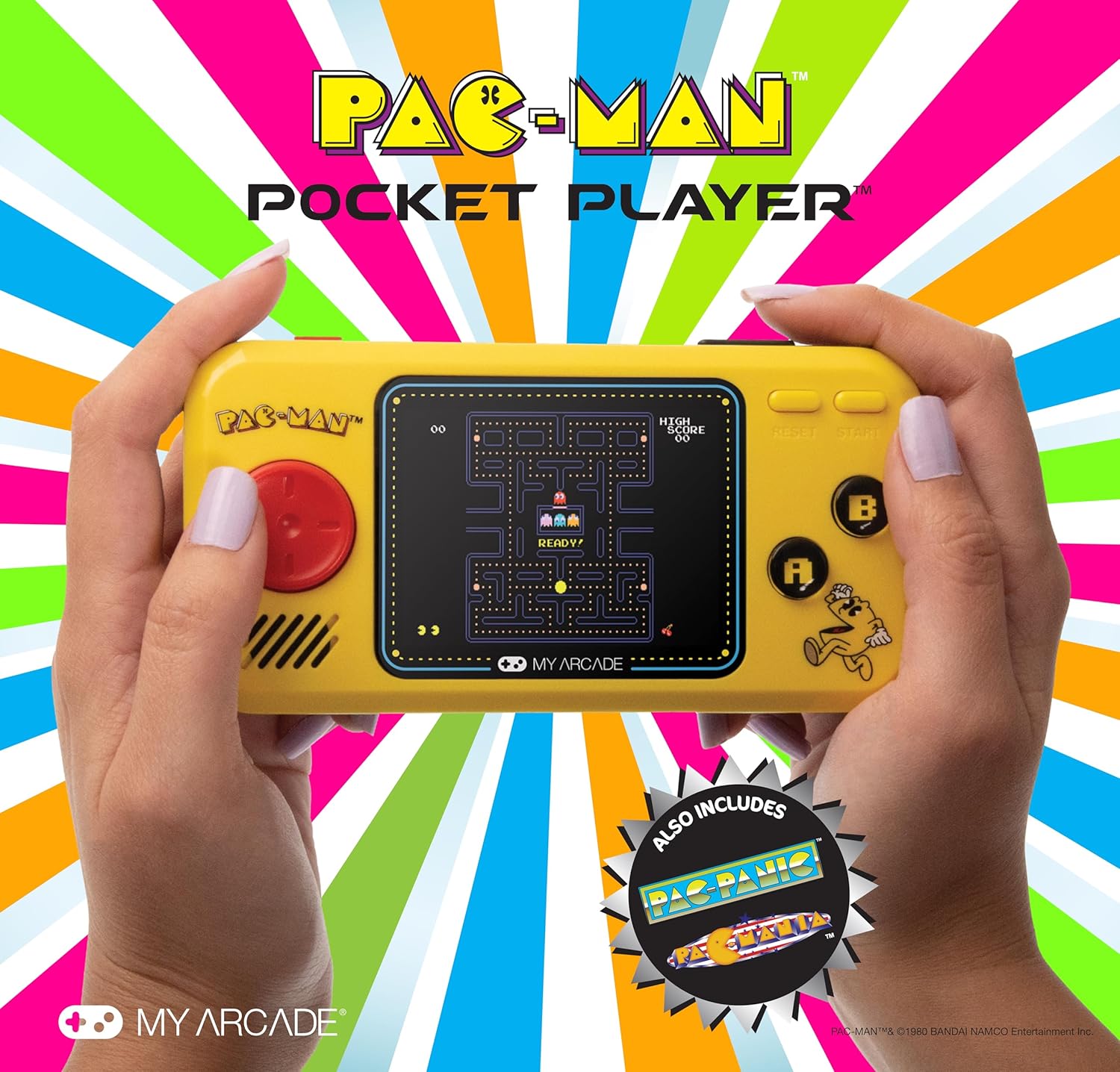
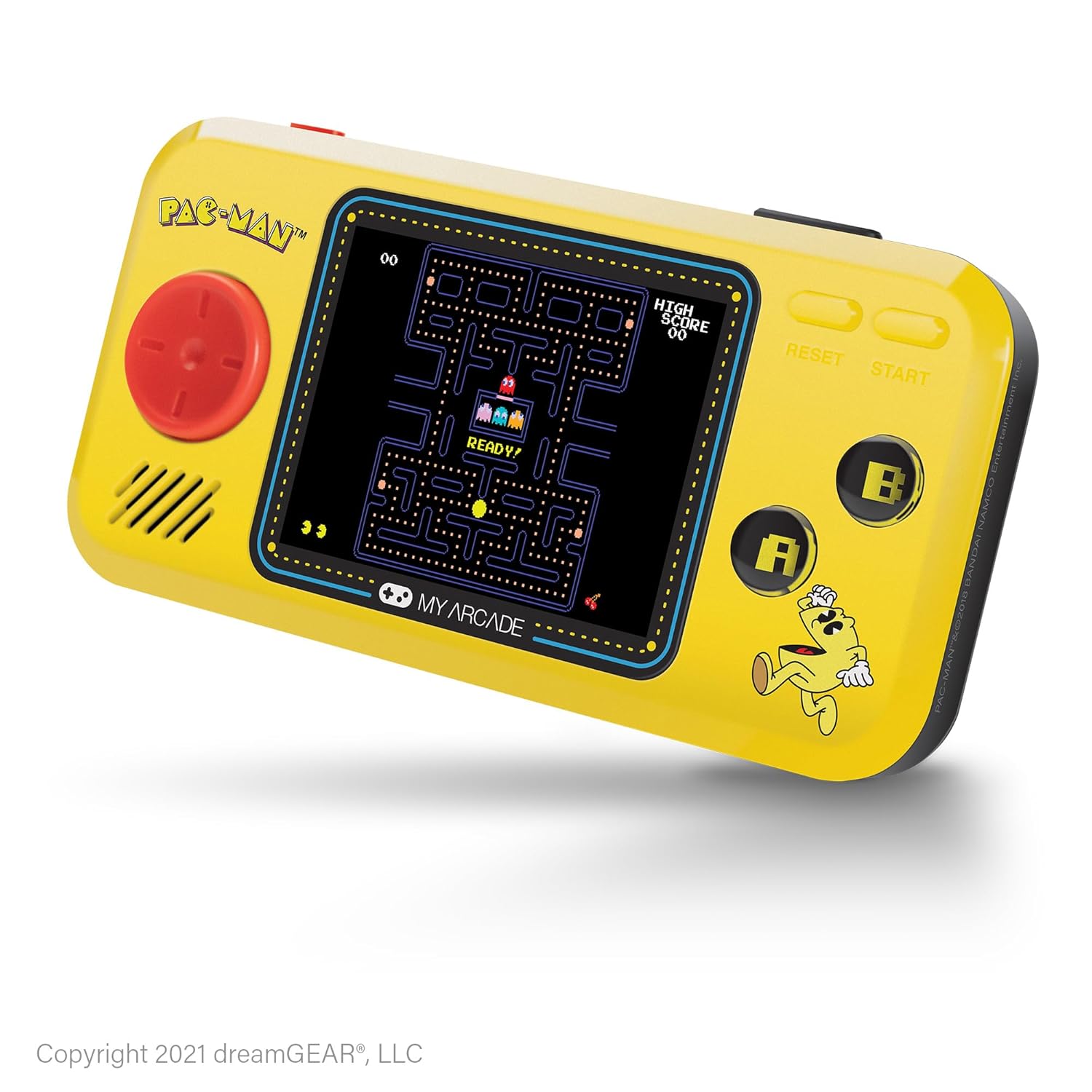
الصورة: الجبهة view of the My Arcade Pocket Player Pac-Man Edition. The console is yellow with a red directional pad on the left, a color screen in the center displaying Pac-Man gameplay, and 'A' and 'B' buttons on the right.
يثبت
1. تركيب البطارية
The My Arcade Pocket Player requires 4 AAA batteries (not included) for portable use. Follow these steps to install them:
- Locate the battery compartments on the back of the console.
- Gently slide open the battery compartment covers.
- Insert 4 new AAA batteries, ensuring correct polarity (+/-) as indicated inside the compartments.
- أغلق أغطية حجرة البطارية بشكل آمن.
الصورة: الخلفية view of the My Arcade Pocket Player, highlighting the two battery compartments on either side.
2. تشغيل / إيقاف التشغيل
To power on the console, slide the red power switch located on the top edge of the device to the 'ON' position. To power off, slide the switch to the 'OFF' position.
3. Micro USB Power
The console can also be powered via a Micro USB cable (not included). Connect one end of the Micro USB cable to the Micro USB port on the top edge of the console and the other end to a compatible USB power source (e.g., a USB wall adapter, computer USB port). The device will draw power directly from the USB connection.
تعليمات التشغيل
1. اختيار اللعبة
After powering on, the console will display a game selection menu. Use the directional pad (D-pad) on the left to navigate through the available games (Pac-Man, Pac-Mania, Pac-Panic). Press the 'START' button to select a game.
2. عناصر التحكم
- لوحة الاتجاهات (D-pad): Controls character movement in-game and menu navigation.
- 'A' Button: Typically used for action, confirmation, or adding credits in some games.
- 'B' Button: Typically used for secondary actions or canceling.
- 'START' Button: Initiates gameplay, pauses the game, or selects menu options.
- 'RESET' Button: Returns to the main game selection menu.
3. التحكم في مستوى الصوت
Use the volume buttons (+ and -) located on the top edge of the console to adjust the sound level of the built-in speaker.
4. استخدام سماعات الرأس
For private listening, plug any standard 3.5mm headphones into the headphone jack located on the top edge of the console.

Image: A person holding the My Arcade Pocket Player, demonstrating its compact size and ease of use during gameplay.
صيانة
- تنظيف: Use a soft, dry cloth to clean the console's exterior. Do not use liquid cleaners or aerosols.
- تخزين: قم بتخزين الجهاز في مكان بارد وجاف بعيدًا عن أشعة الشمس المباشرة ودرجات الحرارة القصوى.
- العناية بالبطارية: قم بإزالة البطاريات إذا لم يتم استخدام الجهاز لفترة طويلة لمنع التسرب.
- تجنب القطرات: While durable, avoid dropping the console to prevent damage to internal components or the screen.
استكشاف الأخطاء وإصلاحها
- لا يتم تشغيل الجهاز:
- تأكد من تثبيت البطاريات بشكل صحيح مع القطبية الصحيحة.
- استبدل البطاريات القديمة بأخرى جديدة.
- تأكد من أن مفتاح الطاقة في وضع التشغيل.
- If using Micro USB, ensure the cable and power source are functional.
- لا يوجد صوت:
- Check the volume level using the '+' button.
- If headphones are plugged in, sound will output through them. Disconnect headphones to use the speaker.
- Screen is blank or distorted:
- Power off and then on the console.
- تأكد من أن مستوى شحن البطاريات ليس منخفضًا.
تحديد
| رقم الموديل | دجونل-3227 |
| حجم الشاشة | 2.75 Inches (Full Color LCD) |
| أبعاد المنتج | 1.4 بوصة طول × 4.3 بوصة عرض × 7.5 بوصة ارتفاع |
| وزن العنصر | 6.4 أونصة (حوالي 0.4 رطل) |
| مصدر الطاقة | 4 AAA Batteries (not included) or Micro USB (cable not included) |
| نوع وحدة التحكم | Button Control (Directional Pad, A/B buttons, Start, Reset) |
| عدد اللاعبين | 1 |
| مادة | بلاستيك |
| رمز المنتج الموحد | 845620032273 |

Image: The My Arcade Pocket Player with an overlay indicating its dimensions: 5.38 inches in length, 2.75 inches in height, and 0.88 inches in depth, with a 2.75-inch screen size.
الضمان والدعم
For warranty information or technical support, please contact My Arcade customer service. Refer to the packaging or the official My Arcade webالموقع للحصول على تفاصيل الاتصال الحالية.
مهم: This product may contain chemicals known to the State of California to cause cancer and birth defects or other reproductive harm. For more information, please visit www.p65warnings.ca.gov.


