مقدمة
شكرا لك على الشراءasing the iTOMA White Noise Machine and Alarm Clock Model 301. This device combines a sound machine with 20 soothing sounds and a digital alarm clock with vibration and buzzer options, designed to enhance your sleep and waking experience. Please read this manual thoroughly before use to ensure proper operation and to maximize the product's features.

الشكل 1: iTOMA White Noise Machine and Alarm Clock Model 301. This image shows the front view of the device with its digital display showing "12:38" and control buttons on top.
محتويات الحزمة
تأكد من وجود جميع العناصر في العبوة:
- 1 x iTOMA White Noise Machine and Alarm Clock
- 1 × دليل المستخدم
- 1 × كابل شحن من النوع C
- 1 × محول USB إلى USB C.

الشكل 2: Package Contents. This image displays the white noise machine, user manual, Type-C charging cable, and a USB to USB-C adapter, laid out on a surface.
يثبت
تشغيل الجهاز
The iTOMA White Noise Machine and Alarm Clock is powered via a USB Type-C connection. An AC adapter is not included, but you can use any standard USB power adapter (e.g., from a smartphone) or a USB port on a computer or power bank.
- Connect the provided Type-C charging cable to the Type-C port on the back of the device.
- قم بتوصيل الطرف الآخر من الكابل بمصدر طاقة USB (على سبيل المثال، محول الحائط، أو منفذ USB في الكمبيوتر).
- The device will power on, and the display will illuminate.
Battery Installation (for backup)
The device requires 1 CR2032 battery (not included) for time and alarm settings backup during power outages. This battery does not power the main functions of the device.
- Locate the battery compartment on the bottom of the device.
- افتح غطاء الحجرة.
- أدخل بطارية CR2032 واحدة، مع التأكد من القطبية الصحيحة (+/-).
- أغلق غطاء حجرة البطارية جيدًا.
تعليمات التشغيل
ضبط الوقت
- اضغط مع الاستمرار على الوقت المحدد button located on the top of the device. The hour display will begin to flash.
- استخدم UP (▲) أو تحت (▼) الأزرار لضبط الساعة.
- اضغط على الوقت المحدد button again. The minute display will flash.
- استخدم UP (▲) أو تحت (▼) الأزرار لضبط الدقائق.
- يضعط الوقت المحدد مرة أخرى للتأكيد والخروج من وضع ضبط الوقت.
Sound Machine Operation
The device offers 20 natural soothing sounds to aid relaxation and sleep.
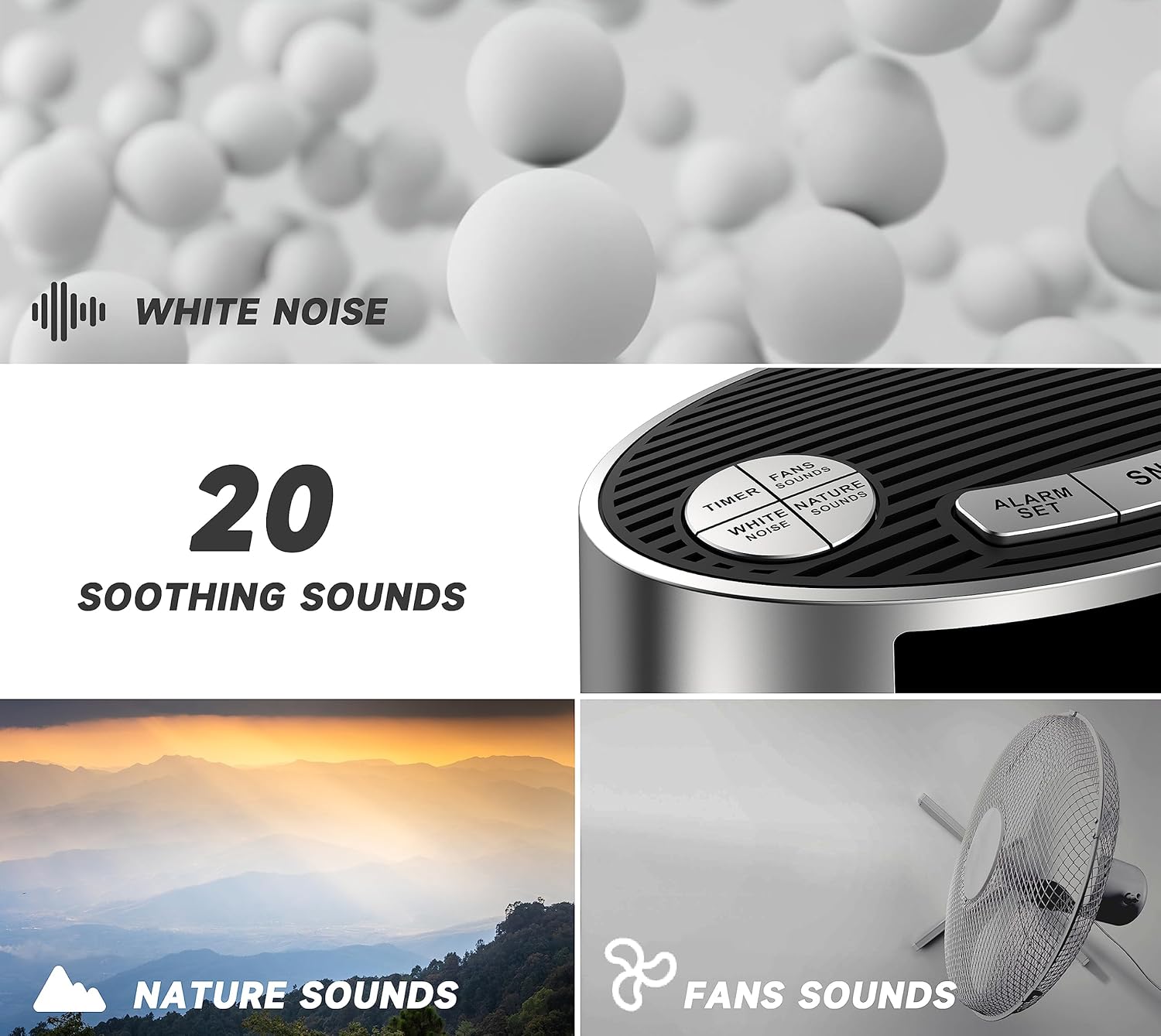
الشكل 3: Soothing Sounds Selection. This image highlights the "WHITE NOISE", "FANS SOUNDS", and "NATURE SOUNDS" buttons on the device, indicating the variety of available sounds.
- White Noise Sounds (5 types): اضغط على الضوضاء البيضاء button to cycle through 5 different white noise options.
- Fan Sounds (5 types): اضغط على FANS SOUNDS button to cycle through 5 different fan sound options.
- Nature Sounds (10 types): اضغط على أصوات الطبيعة button to cycle through 10 different nature sounds (e.g., bird, clock, forest, ocean, rain, thunder).
- التحكم في مستوى الصوت: استخدم UP (▲) أو تحت (▼) buttons to adjust the sound volume (16 levels).
- Sound Timer: اضغط على المؤقت button to set an automatic shut-off timer for the sounds. Options include 30, 60, 90, or 120 minutes, or continuous play. The device will remember your last sound and volume settings.

الشكل 4: Timer Options. This image illustrates the available timer settings: Continuous, 30 minutes, 60 minutes, 90 minutes, and 120 minutes, shown above the device on a bedside table.
وظيفة المنبه
The device features a digital alarm clock with multiple wake-up options.

الشكل 5: Digital Alarm Clock Features. This image highlights the wake-up options (buzzer or vibration), 16-level volume control, and snooze function, with the device shown on a wooden surface.
- ضبط المنبه:
- اضغط مع الاستمرار على مجموعة التنبيه button. The alarm hour will flash.
- استخدم UP (▲) أو تحت (▼) buttons to set the desired alarm hour.
- يضعط مجموعة التنبيه again. The alarm minute will flash.
- استخدم UP (▲) أو تحت (▼) buttons to set the desired alarm minutes.
- يضعط مجموعة التنبيه a third time to select the alarm mode:
- يوميًا: يصدر صوت المنبه كل يوم.
- أيام الأسبوع: يصدر صوت المنبه من الاثنين إلى الجمعة.
- عطلات نهاية الأسبوع: يصدر صوت الإنذار يومي السبت والأحد.
- يضعط مجموعة التنبيه a fourth time to select the wake-up method:
- صفارة: Standard audible alarm.
- اهتزاز: Silent vibration alarm (requires device to be placed on a surface where vibration can be felt, e.g., under a pillow).
- يضعط مجموعة التنبيه one last time to confirm and exit alarm setting mode.
- تنشيط/إلغاء تنشيط التنبيه: اضغط لفترة وجيزة على مجموعة التنبيه button to toggle the alarm on or off. An alarm icon will appear on the display when active.
- قيلولة بعد الظهر وظيفة: عندما يصدر صوت التنبيه ، اضغط على غفوة / باهتة button to activate snooze. The alarm will pause for 9 minutes and then sound again. This can be repeated up to 6 times.
- إيقاف الإنذار: لإيقاف التنبيه تمامًا، اضغط على أي زر آخر غير غفوة / باهتة. The alarm will reset for the next scheduled time.
عرض التحكم في باهتة
The display brightness can be adjusted to suit your preference, especially for nighttime use.
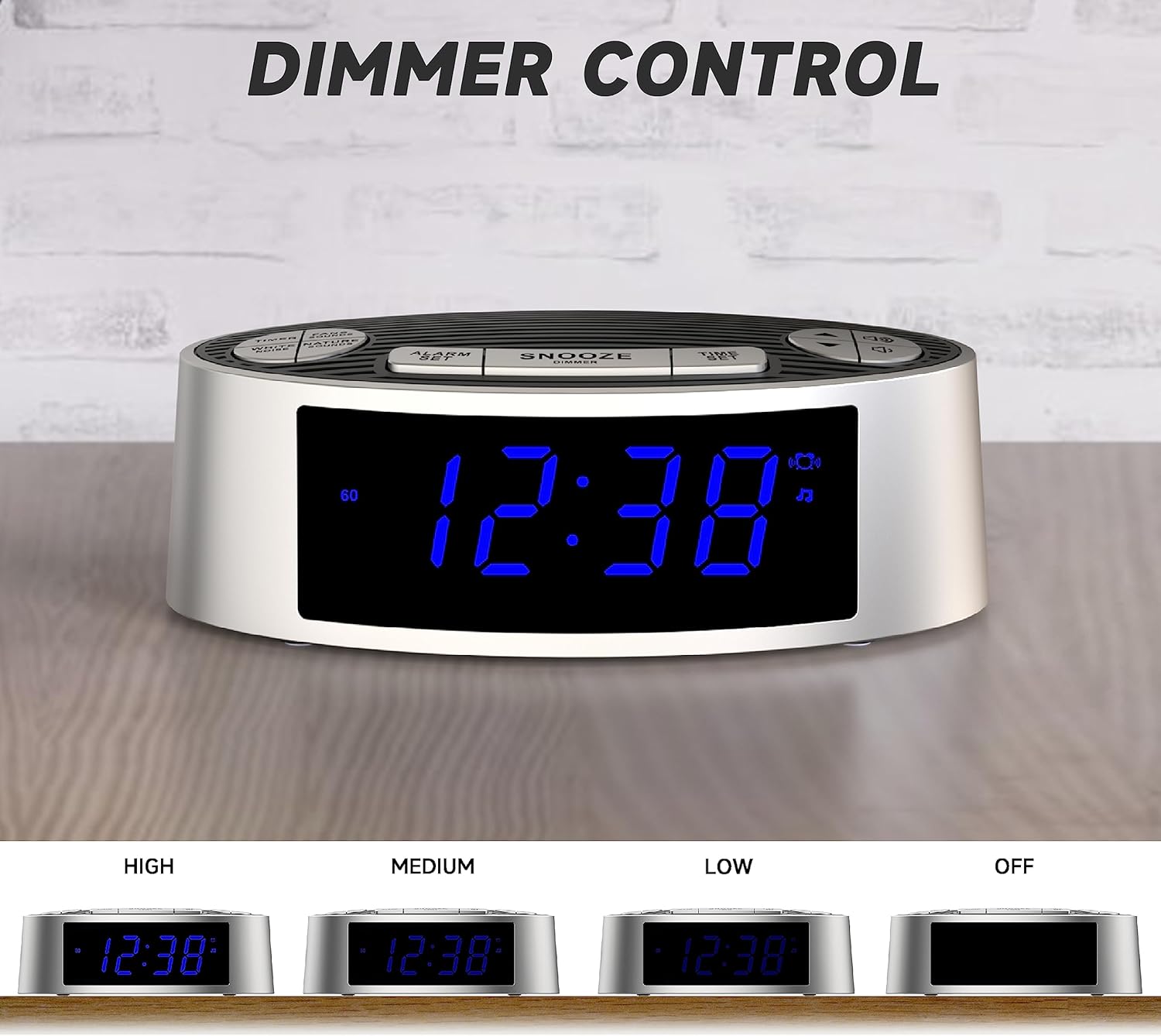
الشكل 6: Dimmer Control. This image shows the device's display at four different brightness levels: High, Medium, Low, and Off, demonstrating the adjustable dimmer function.
- اضغط لفترة وجيزة على غفوة / باهتة button (when the alarm is not sounding) to cycle through the 4 brightness levels: High, Medium, Low, and Off.
صيانة
تنظيف
- افصل الجهاز عن مصدر الطاقة قبل التنظيف.
- استخدم قطعة قماش ناعمة وجافة لمسح الجزء الخارجي من الجهاز.
- Do not use liquid cleaners, abrasive cleaners, or sprays, as these may damage the finish or internal components.
استبدال البطارية
If the time and alarm settings are lost after a power outage, the CR2032 backup battery may need to be replaced. Follow the battery installation steps in the "Setup" section.
استكشاف الأخطاء وإصلاحها
| مشكلة | السبب المحتمل | حل |
|---|---|---|
| الجهاز لا يعمل. | لا يوجد اتصال بالكهرباء أو أن الكابل/المحول معيب. | Ensure the USB-C cable is securely connected to both the device and a working USB power source. Try a different USB cable or power adapter. |
| لا يصدر جهاز الإنذار صوتاً أو يهتز. | Alarm not activated, incorrect time, or volume too low. | Verify the alarm is set and activated (alarm icon visible). Check alarm time. Increase alarm volume. Ensure vibration mode is selected if desired. |
| Time/settings reset after power loss. | بطارية النسخ الاحتياطي CR2032 معطلة أو مفقودة. | Replace the CR2032 backup battery. |
| الشاشة ساطعة/خافتة للغاية. | يحتاج إعداد جهاز التحكم في شدة الإضاءة إلى تعديل. | اضغط على غفوة / باهتة زر للتنقل بين مستويات السطوع. |
تحديد
| ميزة | التفاصيل |
|---|---|
| رقم الموديل | 301 (CKS703) |
| ماركة | اي توما |
| الأبعاد (الطول × العرض × الارتفاع) | 15 x 9 x 5.2 cm (5.9 x 3.5 x 2.0 inches) |
| وزن | 240 جرام (0.53 رطل) |
| مصدر الطاقة | USB Type-C (AC adapter not included) |
| بطارية احتياطية | 1 × CR2032 (غير مرفقة) |
| Sound Types | 20 (5 White Noise, 5 Fan, 10 Nature) |
| مستويات الصوت | 16 |
| Sound Timers | Continuous, 30, 60, 90, 120 minutes |
| Alarm Wake-up Options | Buzzer, Vibration |
| مدة الغفوة | 9 دقائق (حتى 6 مرات) |
| عرض باهتة | 4 levels (High, Medium, Low, Off) |
| مادة | أكريلونيتريل بوتادين ستايرين (ABS) |
الضمان والدعم
For warranty information or technical support, please refer to the contact details provided on the product packaging or the official iTOMA webالموقع. احتفظ بإيصال الشراء كإثبات للشراء.
For further assistance, you may visit: www.itoma.com


