1. انتهى المنتجview
The CrossBeats Air are True Wireless Bluetooth Earphones designed for audio playback and communication. They feature a compact design, Bluetooth 5.0 connectivity, and come with a portable charging dock.

Image 1.1: CrossBeats Air True Wireless Bluetooth Earphones and their charging case.
المميزات الرئيسية:
- تصميم لاسلكي حقيقي: Freedom from cables for an unhindered audio experience.
- بلوتوث شنومكس: Advanced connectivity for stable and efficient performance.
- Beryllium Drivers: Engineered for crisp and clear audio output.
- Portable Charging Dock: Provides additional charges for extended use.
- مقاوم للماء: Designed to withstand splashes and sweat (IPX5 rating).
- توافق المساعد الصوتي: يدعم Siri ومساعد Google.
- وظيفة متعددة النقاط: Connects to two mobile phones simultaneously.
2. محتويات العبوة
تأكد من وجود جميع العناصر في العبوة:
- CrossBeats Air True Wireless Earphones (Left and Right)
- حافظة شحن محمولة
- وسائد الأذن (أحجام مختلفة)
- دليل المستخدم (هذا المستند)
3. معلومات السلامة
تحذير: Permanent hearing loss may result from long-term exposure to sound at high volumes. Use the lowest possible volume and avoid prolonged use of the headsets at excessive sound pressure levels.
4. الإعداد
4.1 الشحن الأولي
Before first use, fully charge the earphones and the charging case. The earphones need to be fully charged for optimal performance.
- ضع سماعات الأذن في علبة الشحن، مع التأكد من وضعها بشكل صحيح في فتحاتها المخصصة (L لليسار، R لليمين).
- Connect the charging case to a power source using a compatible USB cable (not explicitly mentioned in components, but implied for charging).
- The indicator lights on the earphones and/or case will show charging status. Refer to the indicator light section for details (if available, otherwise general statement).
- وقت الشحن حوالي ساعتين للشحن الكامل.

Image 4.1: Earphones placed in the charging case for charging.
The charging case provides up to 3 additional full charges for the earphones, extending playback time to 3-4 hours per charge cycle.
4.2 اقتران بلوتوث
The CrossBeats Air earphones feature intelligent auto-pairing for convenience.
- تشغيل الطاقة: Remove both earphones from the charging case. They will automatically power on and enter pairing mode.
- تفعيل البلوتوث: على جهازك (الهاتف الذكي، الجهاز اللوحي، الكمبيوتر المحمول)، قم بتمكين البلوتوث.
- بحث عن الأجهزة: في إعدادات البلوتوث الخاصة بجهازك، ابحث عن الأجهزة المتوفرة.
- Select "CrossBeats Air": From the list of found devices, select "CrossBeats Air" to connect.
- تأكيد: Once connected, a voice prompt or indicator light change will confirm successful pairing.

Image 4.2: Earphones in the charging case, illustrating the intelligent auto-pairing feature.
The earphones support multi-point function, allowing connection to two mobile phones simultaneously.
5. تعليمات التشغيل
The CrossBeats Air earphones utilize a single button operation for various functions.

Image 5.1: Diagram illustrating the single button controls for music, calls, and voice interaction.
5.1 تشغيل/إيقاف التشغيل
- تشغيل الطاقة: أخرج سماعات الأذن من علبة الشحن. سيتم تشغيلها تلقائياً.
- إيقاف التشغيل: Place earphones back into the charging case. They will power off automatically.
5.2 التحكم في الموسيقى
- تشغيل/إيقاف مؤقت: Double-click the button on either the Left (L) or Right (R) earphone.
- المسار التالي: Click the button on the Right (R) earphone.
- المسار السابق: Click the button on the Left (L) earphone.
- رفع الصوت: (Specific instruction not detailed in diagram, typically long press or multiple clicks on one earbud).
- اخفض الصوت: (Specific instruction not detailed in diagram, typically long press or multiple clicks on the other earbud).
5.3 إدارة المكالمات
- الرد/إنهاء المكالمة: (Specific instruction not detailed in diagram, typically single click).
- رفض المكالمة: (Specific instruction not detailed in diagram, typically long press).
5.4 مساعد صوتي
The earphones are compatible with Siri and Google Assistant.
- تنشيط مساعد الصوت: Double-click the button on the Left (L) earphone. You can then issue commands like "Hey Siri, Play music" or "Ok Google, What's the weather?".

Image 5.2: Activating voice assistance (Siri shown) using the earphones.
6. الصيانة
Proper maintenance ensures the longevity and performance of your CrossBeats Air earphones.
- تنظيف: Gently wipe the earphones and charging case with a soft, dry cloth. Avoid using harsh chemicals or abrasive materials.
- تخزين: عندما لا تكون قيد الاستخدام، قم بتخزين سماعات الأذن في علبة الشحن الخاصة بها لحمايتها والحفاظ على شحنها.
- مقاومة الماء: The earphones are water resistant (IPX5), meaning they can withstand splashes and sweat. Do not submerge them in water. Ensure they are dry before placing them back in the charging case.
- العناية بالبطارية: To preserve battery life, avoid fully discharging the earphones and charging case frequently. Charge them regularly.
Image 6.1: The earphones are designed with IPX5 splash and dust protection.
7. استكشاف الأخطاء وإصلاحها
If you encounter issues with your CrossBeats Air earphones, refer to the following common solutions:
- سماعات الأذن غير مقترنة:
- تأكد من شحن كلتا السماعتين بالكامل.
- Place them back in the case, then remove them to re-initiate pairing mode.
- قم بإيقاف وتشغيل البلوتوث على جهازك.
- Forget "CrossBeats Air" from your device's Bluetooth list and try pairing again.
- لا يوجد صوت من سماعة واحدة:
- تأكد من شحن كلا سماعتي الأذن.
- Try resetting the earphones (refer to manufacturer's specific reset instructions if available, otherwise re-pair).
- Charging case not charging earphones:
- تأكد من شحن علبة الشحن نفسها.
- Verify the earphones are correctly seated in the case.
- قم بتنظيف نقاط الاتصال الخاصة بالشحن على كل من سماعات الأذن والعلبة باستخدام قطعة قطن جافة.
- جودة الصوت سيئة:
- Ensure the earphones are properly seated in your ears. Try different sized ear cushions.
- التحقق من جودة مصدر الصوت.
- اقترب من جهازك المتصل لتجنب التداخل.
8. المواصفات
| نموذج | CB-AIR |
| تكنولوجيا الاتصال | بلوتوث 5.0 |
| نوع برنامج تشغيل الصوت | سائق المحرك المتوازن |
| المميزات الخاصة | Apt-X Codec with Original CSR Chipset, Voice Prompt, iOS battery capacity display, Multi-point function |
| نطاق التشغيل | حتى 10 أمتار |
| وقت الشحن | حوالي ساعتين |
| وقت التشغيل | 3 to 4 hours (plus 3 additional charges from case) |
| وقت الاستعداد | 100 ساعة |
| مستوى مقاومة الماء | مقاومة الماء (IPX5) |
| وزن العنصر | 4.6 Grams (per earphone) |
| أبعاد المنتج | 4.5 × 4 × 3 سم |
| نوع البطارية | أيون الليثيوم |
| الأجهزة المتوافقة | Cellphones, Desktops, Laptops, Macbook, Smart TV, Tablets iPads, Xbox & PS4, iPhone |
| نوع التحكم | التحكم الصوتي، اللمس |
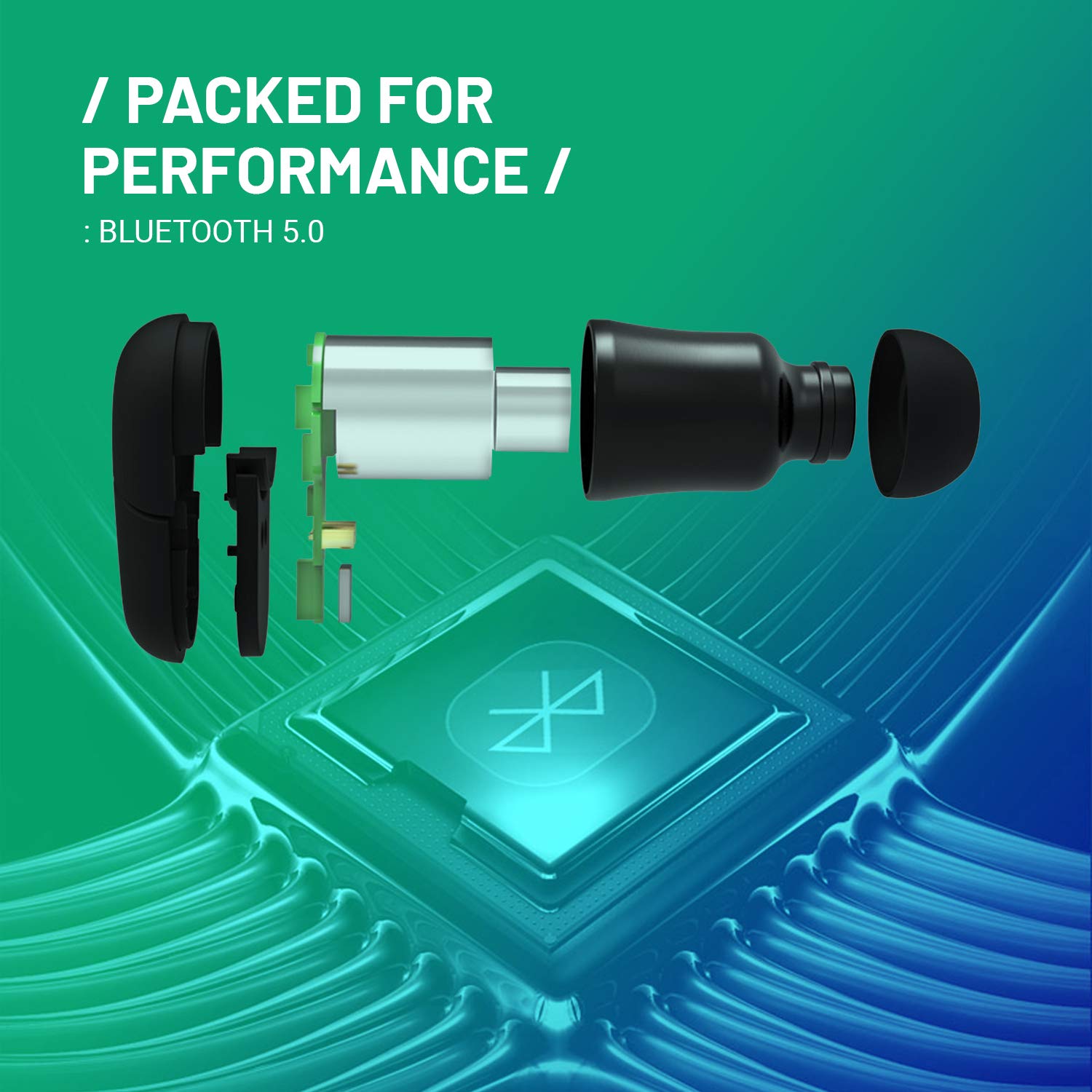
Image 8.1: Internal components of the earphone, showcasing Bluetooth 5.0 technology.
9. الضمان والدعم
9.1 معلومات الضمان
The CrossBeats Air earphones come with a ضمان استبدال لمدة 6 شهرًا on manufacturing defects. To avail of the warranty and lifetime product support, it is recommended to register your product on the official CrossBeats Website within 10 days of your purchase.
Note: Warranty terms and conditions apply. Please refer to the official CrossBeats webموقع للحصول على تفاصيل كاملة.
9.2 دعم العملاء
For any queries, technical assistance, or warranty claims, please contact CrossBeats customer care:
- رقم خدمة العملاء: 9611 293 293
- الشركة المصنعة: CrossBeats


