1. المقدمة
Thank you for choosing the EDM 00780 Remote Control. This manual provides essential information for the proper setup, operation, and maintenance of your remote control, specifically designed for use with EDM Model 07214. Please read these instructions carefully before using the product to ensure optimal performance and longevity.
معلومات هامة حول السلامة: Always handle batteries with care. Do not mix old and new batteries, or different types of batteries. Remove batteries if the remote will not be used for an extended period.
2. انتهى المنتجview
2.1 مكونات
The EDM 00780 remote control features an ergonomic design for comfortable handling and intuitive push-button operation. Key components include:
- أزرار التحكم: Various buttons for specific functions of the EDM Model 07214.
- باعث الأشعة تحت الحمراء: Located at the front, transmits signals to the device.
- حجرة البطارية: يوجد في الخلف، لتركيب البطارية.
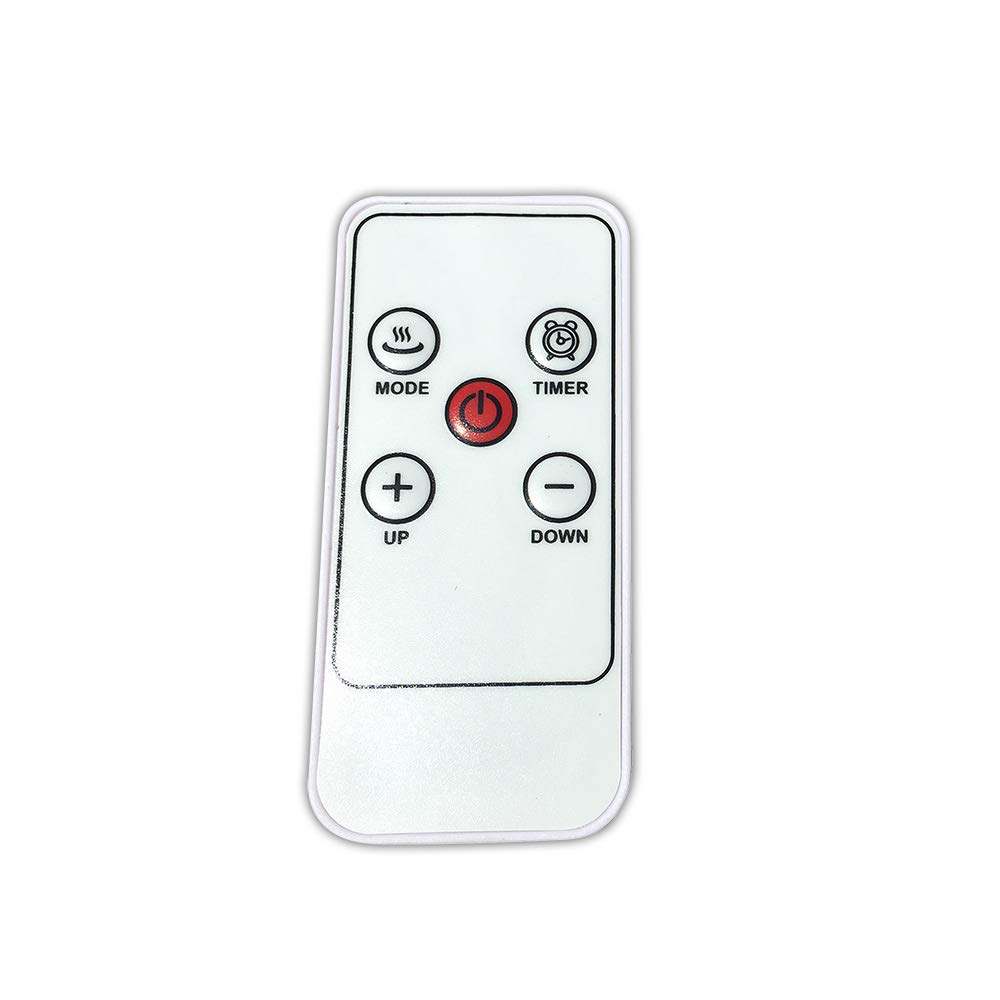
الصورة 1: الجبهة view of the EDM 00780 Remote Control, showing its ergonomic shape and button layout.
3. الإعداد
3.1 تركيب البطارية
- حدد موقع غطاء حجرة البطارية في الجزء الخلفي من جهاز التحكم عن بعد.
- Slide or gently press and lift the cover to open the compartment.
- Insert the required batteries (typically AAA, refer to the compartment for specific type and polarity) ensuring the positive (+) and negative (-) terminals align correctly with the markings inside the compartment.
- قم باستبدال غطاء حجرة البطارية، وتأكد من تثبيته بشكل آمن في مكانه.
3.2 الاستخدام الأول
After installing the batteries, the remote control is ready for use. Point the infrared emitter directly towards the EDM Model 07214 device you wish to control. Ensure there are no obstructions between the remote and the device.
4. التشغيل
4.1 الوظائف الأساسية
The EDM 00780 remote control operates via infrared technology, providing a maximum range of 10 meters under optimal conditions. To operate, simply press the desired button while pointing the remote at the EDM Model 07214.
4.2 وظائف الأزرار
Specific button functions will correspond to the features of your EDM Model 07214. Common button types include:
- زر الطاقة: لتشغيل الجهاز أو إيقاف تشغيله.
- أزرار الوظائف: For specific operations (e.g., mode selection, timer, light control).
- أزرار التنقل: If applicable, for menu navigation.
Refer to the user manual of your EDM Model 07214 for detailed descriptions of each button's function.
5. الصيانة
5.1 التنظيف
لتنظيف جهاز التحكم عن بعد، استخدم قطعة قماش ناعمة وجافة. لإزالة الأوساخ المستعصية، افركها برفق.ampen the cloth with water or a mild cleaning solution. Do not use abrasive cleaners, alcohol, or solvents, as these can damage the surface or internal components.
5.2 استبدال البطارية
Replace batteries when the remote control's response becomes sluggish or stops working. Follow the battery installation steps outlined in Section 3.1. Always replace all batteries at the same time with new ones of the same type.
5.3 التخزين
Store the remote control in a cool, dry place away from direct sunlight and extreme temperatures. If storing for an extended period, remove the batteries to prevent leakage and potential damage.
6. استكشاف الأخطاء وإصلاحها
6.1 المشكلات الشائعة
| مشكلة | السبب المحتمل | حل |
|---|---|---|
| جهاز التحكم عن بعد لا يستجيب | البطاريات الميتة أو المثبتة بشكل غير صحيح. | استبدال البطاريات، والتأكد من القطبية الصحيحة. |
| Limited range or intermittent response | Weak batteries, obstruction, or remote not pointed correctly. | Replace batteries. Ensure a clear line of sight to the device. Point directly at the device. |
| زر معين لا يعمل | Button malfunction or device not recognizing command. | Clean the remote. Test other buttons. If only one button fails, contact support. |
7. المواصفات
| ميزة | مواصفة |
|---|---|
| رقم الموديل | 00780 |
| ماركة | موسيقى إلكترونية |
| تكنولوجيا الاتصال | الأشعة تحت الحمراء |
| نوع وحدة التحكم | Push-button Control |
| الحد الأقصى للمدى | 10 مترا |
| ميزة خاصة | تصميم مريح |
| الأبعاد (الطول × العرض × الارتفاع) | 10 × 10 × 10 سم |
| وزن | 20 جرام |
| لون | متعدد الألوان |
| بلد المنشأ | إسبانيا |
8. الضمان والدعم
This product is covered by a standard manufacturer's warranty. For specific warranty terms and conditions, please refer to the documentation provided with your EDM Model 07214 device or contact EDM customer support directly. For technical assistance or further inquiries, please visit the official EDM webالموقع أو الاتصال بقسم خدمة العملاء.


