مقدمة
شكرا لك على الشراءasing the MAJORITY Histon Portable DAB/DAB+ Digital Radio. This manual provides essential information for setting up, operating, and maintaining your radio. Please read it thoroughly before use to ensure optimal performance and longevity of your device.
ماذا يوجد في الصندوق
- MAJORITY Histon Radio
- كابل التيار الكهربائي
- دليل المالك (هذه الوثيقة)

Image: The contents of the product packaging, including the Histon radio, its mains power cable, and the user manual.
المنتج انتهىview
The MAJORITY Histon radio is designed for portable and mains-powered listening, offering both DAB/DAB+ and FM radio reception. It features a clear LED display, dual alarm functionality, and a sleep timer.
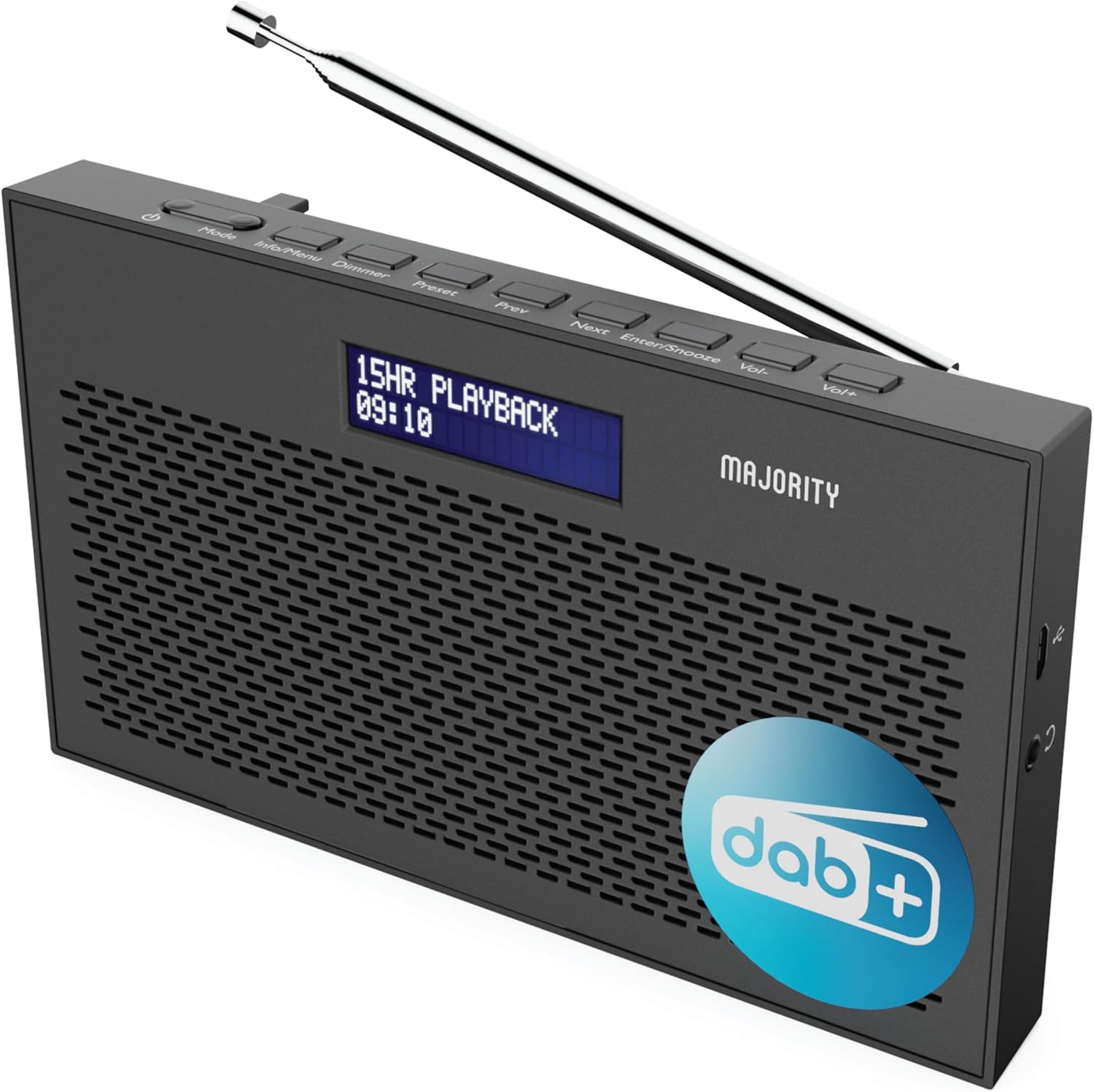
الصورة: تفصيلية view of the Majority Histon radio, highlighting its compact design and front speaker.
الضوابط والعرض
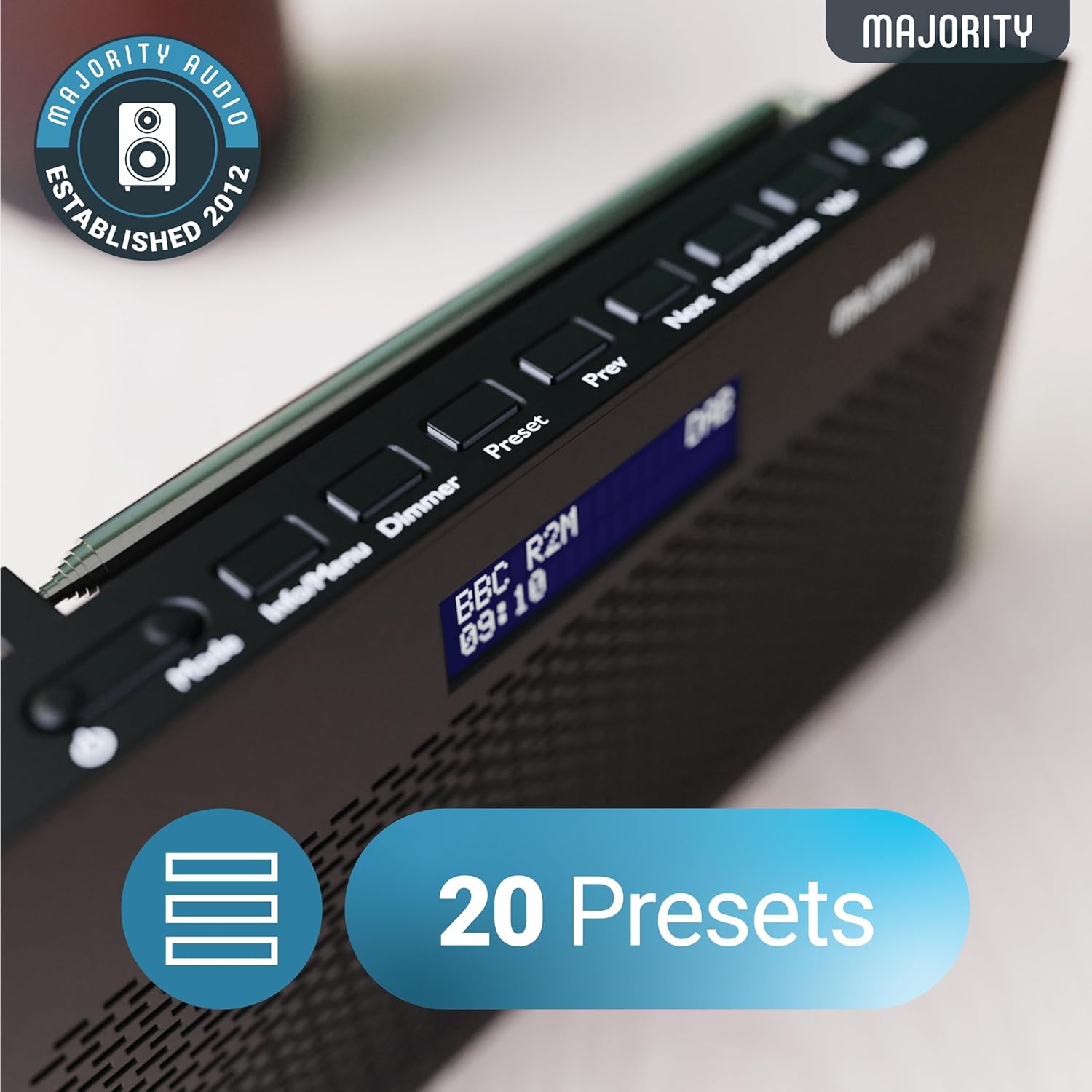
Image: A close-up of the radio's top panel, illustrating the various control buttons and the LED display showing station information.
- وضع: Switches between DAB, FM, and other modes.
- المعلومات/القائمة: Displays station information or accesses menu settings.
- باهتة: يضبط سطوع الشاشة.
- الإعداد المسبق: Accesses or saves preset stations.
- السابق/التالي: يتنقل بين المحطات أو خيارات القائمة.
- Enter/Snooze: Confirms selections or activates snooze during an alarm.
- المجلد-/المجلد+: يضبط مستوى الصوت.
المنافذ والتوصيلات
- منفذ تيار مستمر: For connecting the mains power cable.
- مقبس سماعة رأس مقاس 3.5 ملم: للاستماع الخاص.
- حجرة البطارية: Located on the rear for 4 AA batteries (not included).
- هوائي تلسكوبي: Extendable for optimal signal reception.
يثبت
تشغيل الطاقة
The Histon radio can be powered by either the included mains power cable or 4 x AA batteries (not supplied).
- التيار الكهربائي: Connect the mains power cable to the DC IN port on the radio and plug the adapter into a wall socket.
- طاقة البطارية: Open the battery compartment on the rear of the radio and insert 4 x AA batteries, ensuring correct polarity.

Image: The radio in a portable setting, emphasizing its 15-hour battery life capability.
تعديل الهوائي
Extend the telescopic antenna fully for the best possible signal reception, especially for DAB/DAB+ and FM broadcasts.
Initial Scan (DAB/DAB+)
Upon first power-on, the radio will automatically perform a full scan for DAB/DAB+ stations. This process may take a few minutes. Once complete, the radio will tune to the first available station.
- If no stations are found, ensure the antenna is fully extended and reposition the radio, then perform a manual scan (see Operating Instructions).
تعليمات التشغيل
تشغيل راديو DAB/DAB+
- Selecting DAB Mode: اضغط على وضع button until "DAB" is displayed.
- اختيار المحطة: استخدم السابق or التالي buttons to scroll through available DAB stations. Press يدخل لتحديد محطة.
- مسح كامل: To perform a full scan for new stations, press and hold the معلومات / قائمة button to enter the menu, then navigate to "Full Scan" and press يدخل.
- المحطات مسبقة الضبط:
- حفظ إعداد مسبق: While listening to a station, press and hold the الإعداد المسبق زر. يستخدم السابق / التالي لتحديد رقم محدد مسبقًا (1-20)، ثم اضغط على يدخل للحفظ.
- استدعاء الإعداد المسبق: اضغط لفترة وجيزة على الإعداد المسبق زر. يستخدم السابق / التالي to scroll through saved presets, then press يدخل to tune.
Image: The radio's control panel, highlighting the capability to store up to 20 preset radio stations.
تشغيل راديو FM
- Selecting FM Mode: اضغط على وضع اضغط على الزر حتى تظهر كلمة "FM".
- التأكد الذاتي: اضغط مع الاستمرار يدخل to automatically scan for the next available FM station.
- ضبط يدوي: اضغط لفترة وجيزة السابق or التالي to fine-tune the frequency in 0.05 MHz steps.
- المحطات مسبقة الضبط: Saving and recalling FM presets follows the same procedure as DAB presets.
ضبط المنبهات
The Histon radio features a dual alarm function.

Image: The radio displaying "DUAL ALARM" on its screen, illustrating its dual alarm capability.
- اضغط مع الاستمرار معلومات / قائمة للدخول إلى القائمة.
- يستخدم السابق / التالي to navigate to "System Settings" and press يدخل.
- Navigate to "Alarm" and press يدخل.
- Select "Alarm 1" or "Alarm 2" and press يدخل.
- Configure the alarm time, duration, source (Buzzer, DAB, FM), frequency (Daily, Once, Weekends, Weekdays), and volume using السابق / التالي و يدخل.
- To activate/deactivate an alarm, select "On" or "Off" for the chosen alarm.
- عند سماع صوت الإنذار، اضغط أدخل / غفوة to snooze for 9 minutes, or press the قوة زر لإيقاف التنبيه.
مؤقت النوم
يسمح مؤقت النوم بإيقاف تشغيل الراديو تلقائيًا بعد فترة زمنية محددة.
- اضغط مع الاستمرار معلومات / قائمة للدخول إلى القائمة.
- Navigate to "System Settings" and press يدخل.
- Navigate to "Sleep" and press يدخل.
- يستخدم السابق / التالي to select the desired sleep duration (e.g., 15, 30, 45, 60, 90, 120 minutes) or "Off". Press يدخل للتأكيد.
سطوع الشاشة
ضبط سطوع شاشة LED.
- اضغط لفترة وجيزة على باهتة زر للتنقل بين مستويات السطوع.
استخدام سماعة الرأس
For private listening, connect standard 3.5mm headphones to the headphone jack on the side of the radio. The internal speaker will automatically mute when headphones are connected.
استكشاف الأخطاء وإصلاحها
| مشكلة | السبب المحتمل / الحل |
|---|---|
| لا يوجد طاقة / الراديو لا يعمل. |
|
| Poor DAB/FM reception or no stations found. |
|
| الصوت مشوه أو متقطع. |
|
| لا يصدر صوت الإنذار. |
|
| الشاشة فارغة أو غير قابلة للقراءة. |
|
تحديد
- نموذج: Histon 2
- أبعاد المنتج: 18 × 4.5 × 11 سم (الطول × العرض × الارتفاع)
- وزن: 249 جرام
- مصدر الطاقة: Mains (via included adapter) or 4 x AA Batteries (not included)
- نطاقات الراديو المدعومة: DAB / DAB + ، FM
- المسبقة: 20 (DAB) / 20 (FM)
- الاتصال: 3.5mm Headphone Jack, DC IN Port
- المميزات الخاصة: Portable, Lightweight, Automatic and Manual Tuning, Dual Alarm Clock, Sleep Timer, LED Display, Mono/Auto Switching in FM Mode

Image: A visual representation of the radio's dimensions for reference.
صيانة
- تنظيف: استخدم قطعة قماش ناعمة وجافة لتنظيف سطح الراديو. لا تستخدم منظفات أو مذيبات كاشطة.
- تخزين: في حال تخزين الراديو لفترة طويلة، قم بإزالة البطاريات لمنع التسرب. خزّنه في مكان بارد وجاف.
- التعرض للماء: هذا الراديو غير مقاوم للماء. تجنب تعريضه للماء أو الرطوبة العالية.
- رعاية الهوائي: Handle the telescopic antenna gently to prevent bending or breaking.
الضمان والدعم
The MAJORITY Histon radio comes with a ضمان لمدة 3 سنوات. To activate your warranty and for further support, please refer to the registration instructions provided with your purchase or visit the official MAJORITY webموقع.
For technical assistance or warranty claims, please contact MAJORITY customer support through their official channels. Keep your proof of purchase for warranty validation.

Image: A graphic highlighting the 3-year warranty provided with Majority audio products.


