1. المقدمة
Thank you for choosing the ASAKUKI Smart Wi-Fi Essential Oil Diffuser. This device combines aromatherapy with smart technology, allowing you to control it via a mobile application or voice commands. It is designed to humidify and purify the air, creating a relaxing atmosphere in your home or office.
يحتوي هذا الدليل على تعليمات مفصلة للاستخدام الآمن والفعال لجهاز التوزيع الخاص بك. يرجى قراءته جيداً قبل التشغيل والاحتفاظ به للرجوع إليه مستقبلاً.

Image: The ASAKUKI Smart Wi-Fi Essential Oil Diffuser is versatile for various environments, including nurseries, family rooms, bedrooms, yoga studios, and workspaces.
2. احتياطات السلامة
لضمان التشغيل الآمن ومنع الضرر، يرجى مراعاة ما يلي:
- ضع جهاز التوزيع دائمًا على سطح مستوٍ وثابت.
- لا تتجاوز خط تعبئة الماء الأقصى (500 مل).
- Use only clean tap water or distilled water. Avoid using hot water.
- Add essential oils carefully to avoid spilling on the exterior of the unit.
- أبقِ الموزع بعيدًا عن متناول الأطفال والحيوانات الأليفة.
- Do not cover the mist outlet during operation.
- Unplug the device from the power outlet before cleaning or refilling.
- لا تغمر الوحدة في الماء أو السوائل الأخرى.
- If the unit is damaged, do not attempt to repair it yourself. Contact customer support.
- The diffuser features an automatic shut-off when water runs out, but it is recommended to monitor water levels.
3. محتويات العبوة
تأكد من وجود جميع العناصر في الحزمة الخاصة بك:
- ASAKUKI Smart Wi-Fi Essential Oil Diffuser (Model DF010)
- محول الطاقة
- دليل المستخدم
- Measuring Cup (may be included)
4. انتهى المنتجview
Familiarize yourself with the main components of your diffuser:

Image: The ASAKUKI Smart Wi-Fi Essential Oil Diffuser, showing its sleek design and the accompanying mobile app for control.
- غطاء: Top cover of the diffuser.
- منفذ الضباب: Where the mist is released.
- خزان المياه: Holds up to 500ml of water.
- Max Water Line: Indicates the maximum fill level.
- Ultrasonic Plate: Located at the bottom of the water tank, responsible for mist generation.
- مخرج الهواء: Located on the base.
- Drain Side: Indicated for proper water drainage.
- زر الضوء: يتحكم في وظائف إضاءة LED.
- Mist/Wi-Fi Button: Controls mist output and initiates Wi-Fi pairing.
- مقبس الكهرباء: لتوصيل محول الطاقة.
5. تعليمات الإعداد
اتبع هذه الخطوات للإعداد الأولي:
- ضع الموزع: Position the diffuser on a flat, stable, and water-resistant surface.
- إزالة الغطاء: Gently lift the top lid off the diffuser.
- إضافة الماء: Using a measuring cup, fill the water tank with clean tap water or distilled water up to the maximum water line (500ml). Do not overfill.
- إضافة الزيوت العطرية: أضف من 3 إلى 5 قطرات من الزيت العطري المفضل لديك مباشرة إلى خزان الماء. اضبط الكمية حسب تفضيلك الشخصي وحجم الغرفة.
- استبدال الغطاء: أعد وضع الغطاء بإحكام على جهاز التوزيع.
- توصيل الطاقة: Plug the power adapter into the power jack at the base of the diffuser, then plug the adapter into a wall outlet.
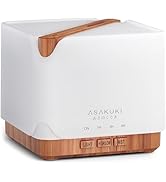
Image: Simple setup guide illustrating connecting power, app pairing, and wireless control.
6. تعليمات التشغيل
6.1 التحكم اليدوي
- مكافحة الضباب: اضغط على Mist/Wi-Fi button once for continuous mist. Press again for intermittent mist (30 seconds on, 30 seconds off). Press a third time to turn off the mist.
- التحكم في الضوء: اضغط على ضوء button once to turn on the LED light with automatic color cycling. Press again to fix the light to a specific color. Continue pressing to cycle through colors. Press and hold the Light button to turn off the light.
6.2 Smart Wi-Fi and App Control
The diffuser can be controlled remotely using the TuyaSmart app.
- تنزيل التطبيق: بحث عن "TuyaSmart" in your smartphone's app store (iOS or Android) and download it.
- التسجيل/تسجيل الدخول: افتح التطبيق وقم بتسجيل حساب جديد أو قم بتسجيل الدخول إذا كان لديك حساب بالفعل.
- الدخول في وضع الاقتران: With the diffuser plugged in, press and hold the Mist/Wi-Fi button for 5 seconds until the indicator light flashes rapidly. This indicates the diffuser is in pairing mode.
- إضافة جهاز: In the TuyaSmart app, tap "Add Device" or the "+" icon. Select "Small Home Appliance" > "Diffuser" (Wi-Fi).
- الاتصال بشبكة Wi-Fi: Follow the in-app instructions to connect the diffuser to your 2.4GHz Wi-Fi network. Ensure your phone is also connected to the same 2.4GHz network during setup.
- يتحكم: Once successfully paired, you can control the mist, light, set timers, and create schedules directly from the TuyaSmart app.

Image: The mobile app allows for convenient control of the diffuser's functions.
6.3 التحكم الصوتي مع أليكسا
The diffuser is compatible with Amazon Alexa for voice control.
- تمكين المهارة: In the Alexa app, search for and enable the "TuyaSmart" skill.
- ربط الحساب: Link your TuyaSmart account to your Alexa account.
- اكتشاف الأجهزة: Ask Alexa to "Discover devices" or manually discover them in the Alexa app.
- الأوامر الصوتية: بمجرد اكتشافها، يمكنك استخدام أوامر مثل:
- "Alexa, turn on the diffuser."
- "Alexa, turn off the diffuser."
- "Alexa, set the diffuser to red."
- "Alexa, set diffuser brightness to 50%."

Image: Voice control with Alexa allows hands-free operation of the diffuser.
7. الصيانة
يساعد التنظيف المنتظم في الحفاظ على الأداء الأمثل ويطيل عمر جهاز التوزيع الخاص بك.
7.1 التنظيف
قم بتنظيف جهاز التوزيع بعد كل 5-6 استخدامات أو كل 3-5 أيام، خاصة عند تغيير الزيوت العطرية.
- افصل: Disconnect the diffuser from the power outlet.
- الماء الفارغ: Remove the lid and carefully pour out any remaining water from the drain side of the water tank.
- مسح نظيف: Use a soft cloth or cotton swab with a small amount of mild dish soap to gently wipe the inside of the water tank and the ultrasonic plate.
- شطف: Rinse the water tank with clean water, being careful not to get water into the air outlet.
- جاف: Wipe all parts dry with a clean, soft cloth.
- Deep Clean (Optional): For stubborn residue, add a small amount of white vinegar to the water tank and let it sit for 10-15 minutes before wiping and rinsing.
7.2 التخزين
When not in use for an extended period, ensure the diffuser is clean and completely dry. Store it in a cool, dry place away from direct sunlight.
8. استكشاف الأخطاء وإصلاحها
إذا واجهت أي مشكلات، راجع المشكلات والحلول الشائعة التالية:
| مشكلة | السبب المحتمل | حل |
|---|---|---|
| لا يوجد ضباب أو إنتاج ضباب منخفض |
|
|
| Diffuser does not power on |
|
|
| لا يمكن الاتصال بشبكة Wi-Fi/التطبيق |
|
|
| تسرب المياه |
|
|
9. المواصفات
| ميزة | التفاصيل |
|---|---|
| ماركة | أساكوكي |
| رقم الموديل | DF010 |
| سعة | 500 مليلتر |
| أبعاد | 6 بوصة طول × 6 بوصة عرض × 7 بوصة ارتفاع |
| مادة | أكريلونيتريل بوتادين ستايرين (ABS)، بولي بروبيلين (PP) |
| مصدر الطاقة | كهرباء سلكية |
| واتtage | 10 واط |
| منطقة التغطية | ما يصل إلى 323 قدم مربع |
| المميزات الخاصة | App Control, Automatic Shut-Off, Multiple Light Settings, Multiple Mist Settings, Voice Control (Alexa) |
| مستوى الضوضاء | Lower than 35 dB |
| Runtime (Full Capacity) | Up to 16 hours (on weak mist setting) |
10. الضمان والدعم
The ASAKUKI Smart Wi-Fi Essential Oil Diffuser comes with a ضمان الدعم الفني لمدة عامينيغطي هذا الضمان عيوب التصنيع والمشاكل الناجمة عن الاستخدام العادي.
For technical assistance, troubleshooting, or warranty claims, please contact ASAKUKI customer support through the retailer where you purchased the product or visit the official ASAKUKI webموقع لمعلومات الاتصال.
Please have your model number (DF010) and proof of purchase ready when contacting support.


