1. المقدمة
شكرا لك على الشراءasing the Zebronics ZEB - BT9451 RUCF 5.1 Multimedia Speaker Home Theater System. This manual provides essential information for the proper installation, operation, and maintenance of your new audio system. Please read this manual thoroughly before use to ensure optimal performance and to prevent damage.
2. تعليمات السلامة
- مصدر الطاقة: تأكد من حجم امدادات الطاقةtage matches the requirements specified on the unit (230 Volts).
- تهوية: لا تسد أي فتحات تهوية. حافظ على مساحة كافية حول الوحدة لضمان تدفق الهواء بشكل صحيح.
- الماء والرطوبة: لا تعرض الجهاز للمطر أو الرطوبة أو السوائل المتساقطة أو المتناثرة. لا تضع أشياء مملوءة بالسوائل، مثل المزهريات، على الجهاز.
- حرارة: احتفظ بالوحدة بعيدًا عن مصادر الحرارة مثل المشعات أو فتحات التدفئة أو المواقد أو الأجهزة الأخرى (بما في ذلك ampالمُضخِّمات) التي تنتج الحرارة.
- تنظيف: تنظيف فقط بقطعة قماش جافة. لا تستخدم المنظفات أو منظفات يتم رشها السائل.
- الخدمة: لا تحاول خدمة هذا المنتج بنفسك. قم بإحالة جميع أعمال الصيانة إلى أفراد الخدمة المؤهلين.
- الموقع: ضع الجهاز على سطح مستوٍ وثابت. تجنب وضعه تحت أشعة الشمس المباشرة أو بالقرب من مجالات مغناطيسية قوية.
3. محتويات العبوة
يرجى التحقق من الحزمة للعناصر التالية:
- Subwoofer Unit (1)
- Satellite Speakers (5)
- جهاز التحكم عن بعد (1)
- Audio Input Cable (1)
- دليل المستخدم (هذه الوثيقة)
4. انتهى المنتجview
The Zebronics ZEB - BT9451 RUCF is a 5.1 multimedia speaker system designed to deliver immersive audio. It features a powerful subwoofer and five satellite speakers for a complete surround sound experience. The system supports multiple input options including AUX, USB, SD card, FM radio, and Bluetooth connectivity.
4.1 Main Unit and Satellite Speakers

الشكل 1: الجبهة view of the Zebronics ZEB - BT9451 RUCF 5.1 Multimedia Speaker System, showing the central subwoofer unit, five satellite speakers, and the remote control.

الشكل 2: الجانب view of the Zebronics ZEB - BT9451 RUCF 5.1 Multimedia Speaker System, providing another perspective of the speaker arrangement.
4.2 Key Features and Connectivity
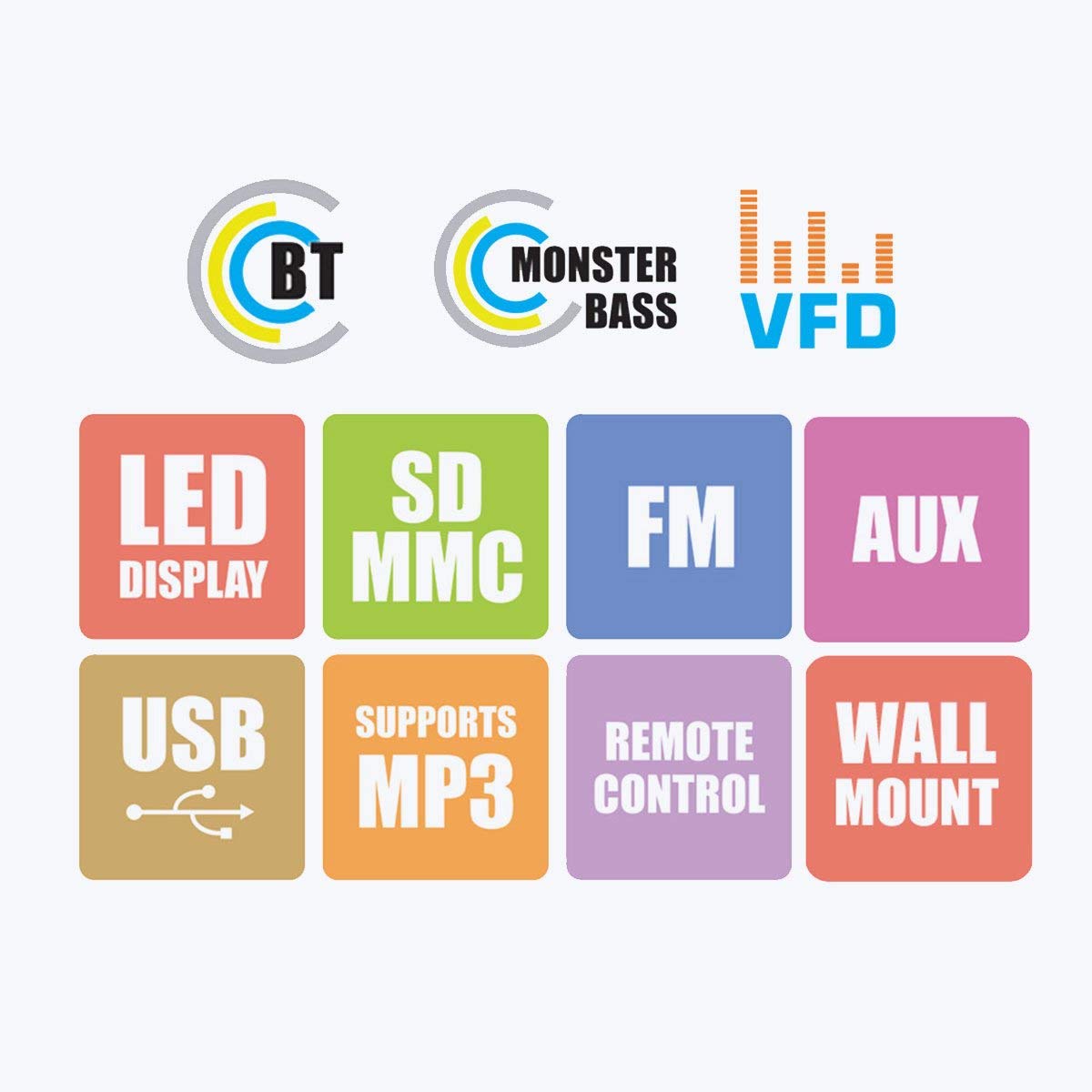
Figure 3: Visual representation of the system's main features, including Bluetooth connectivity, powerful bass, VFD display, LED display, support for SD/MMC cards, FM radio, AUX input, USB playback, MP3 support, remote control functionality, and wall-mount capability for satellite speakers.
4.3 Control Panel and Rear Connections

الشكل 4: مفصل views of the subwoofer's front panel, showing the LED display and control buttons, and the side panel with USB and SD card slots. The rear panel connections for audio input (L, R, FL, FR, CEN, SUB, SL, SR) and output are also visible, along with safety warnings.
5. تعليمات الإعداد
5.1 وضع السماعات
- مضخم الصوت: ضع مضخم الصوت على الأرض، ويفضل أن يكون في زاوية أو بالقرب من جدار، لتحسين استجابة الصوت الجهير.
- Front Speakers (FL, FR): Position these to the left and right of your viewing/listening area, facing towards you.
- Center Speaker (CEN): Place this directly above or below your display (TV/monitor).
- Surround Speakers (SL, SR): Position these to the sides or slightly behind your listening position, at ear level if possible.
5.2 توصيل مكبرات الصوت
Connect the five satellite speakers to the corresponding output ports on the rear panel of the subwoofer unit. Ensure each speaker cable is securely connected to its designated port (FL, FR, CEN, SL, SR).
Refer to Figure 4 for a visual guide to the rear panel connections.
5.3 توصيل مصادر الصوت
The system offers multiple ways to connect audio sources:
- مدخلات AUX: Use the provided audio input cable to connect your device (e.g., Desktop, Laptop, DVD Player, Projector, LED TV) to the "AUX INPUT" ports (L/R) on the subwoofer's rear panel.
- بطاقة USB / SD: Insert a USB flash drive or SD card into the respective slots on the side panel of the subwoofer for direct media playback.
- بلوتوث: For wireless audio, pair your Bluetooth-enabled device with the speaker system. (See Section 6.4 for detailed Bluetooth pairing instructions).
5.4 توصيل الطاقة
After all audio connections are made, connect the power cord to the main power outlet. Ensure the power switch on the rear of the subwoofer is in the OFF position before plugging in.
6. تعليمات التشغيل
6.1 تشغيل/إيقاف التشغيل
Flip the power switch on the rear panel of the subwoofer to the "ON" position. The LED display on the front panel will illuminate. To turn off, flip the switch back to "OFF".
6.2 اختيار المدخلات
Press the "MODE" button on the front panel or the remote control to cycle through available input modes: AUX, USB, SD, FM, and Bluetooth. The selected mode will be indicated on the LED display.
6.3 التحكم في مستوى الصوت
Adjust the master volume using the main rotary knob on the front panel of the subwoofer or the "VOL+" / "VOL-" buttons on the remote control.
6.4 تشغيل بلوتوث
- Switch the speaker system to Bluetooth mode using the "MODE" button. The display will show "BT" or similar, and an audible prompt may sound.
- Enable Bluetooth on your mobile phone or other device and search for available devices.
- Select "ZEB-BT9451" (or similar name) from the list of found devices.
- بمجرد الاقتران، يمكنك تشغيل الصوت من جهازك عبر نظام مكبرات الصوت.
6.5 تشغيل بطاقة USB/SD
أدخل ذاكرة فلاش USB أو بطاقة SD تحتوي على ملفات صوتية MP3 files into the corresponding slot. The system will automatically switch to USB/SD mode and begin playback. Use the play/pause, next/previous track buttons on the front panel or remote control to manage playback.
تشغيل راديو 6.6 FM
- Switch the speaker system to FM mode using the "MODE" button.
- Press and hold the "PLAY/PAUSE" button (or a dedicated scan button on the remote) to automatically scan and save available FM stations.
- Use the "PREV/NEXT" buttons to navigate through the saved stations.
7. الصيانة
- تنظيف: Disconnect the power before cleaning. Use a soft, dry cloth to wipe the surfaces of the speakers and subwoofer. Do not use abrasive cleaners, waxes, or solvents.
- تخزين: إذا كنت ستقوم بتخزين الوحدة لفترة طويلة، فافصلها عن مصدر الطاقة وقم بتخزينها في مكان بارد وجاف، بعيدًا عن أشعة الشمس المباشرة ودرجات الحرارة القصوى.
8. استكشاف الأخطاء وإصلاحها
| مشكلة | السبب المحتمل | حل |
|---|---|---|
| لا يوجد طاقة | Power cord not connected; Power switch off; Power outlet faulty | Ensure power cord is securely connected; Turn power switch ON; Test power outlet with another device |
| لا يوجد صوت | Incorrect input mode; Volume too low; Audio cable loose/faulty; Source device muted/volume low | Select correct input mode; Increase volume; Check audio cable connections; Check source device settings |
| صوت مشوه | Volume too high; Source audio quality poor; Speaker cables loose | Reduce volume; Try a different audio source; Check all speaker connections |
| جهاز التحكم عن بعد لا يعمل | Batteries depleted; Obstruction between remote and unit; Remote sensor blocked | Replace batteries; Remove obstructions; Ensure remote is pointed at the unit's sensor |
| فشل اقتران البلوتوث | Speaker not in BT mode; Device too far; Device already paired with another unit | Switch to BT mode; Move device closer; Disconnect from other devices and try again |
9. المواصفات
| اسم الموديل | ZEB - BT9451 |
| نوع السماعة | Desktop, Satellite, Subwoofer |
| تكوين قناة الصوت المحيطي | 5.1 قناة |
| الحد الأقصى لقوة خرج السماعة | 90 واط |
| حجم الإدخالtage | 230 فولت |
| مقاومة | 4 أوم |
| استجابة التردد | 20 كيلو هرتز |
| تكنولوجيا الاتصال | Auxiliary, USB, FM, Bluetooth |
| المميزات الخاصة | Radio, Remote Control, SD Card, Subwoofer |
| الأجهزة المتوافقة | Home Theater, Laptop, Projector, Television, Desktop, DVD Players, Music Players |
| قطر الصبووفر | 5 بوصة |
| وزن العنصر | 13 كجم 700 جرام |
| أبعاد الحزمة | 44.2 × 40.8 × 28.6 سم |
10. الضمان والدعم
For warranty information and technical support, please refer to the warranty card included with your product or visit the official Zebronics website. You may also contact Zebronics customer service for assistance with product inquiries, troubleshooting, or service requests.
رسمي Webموقع: www.zebronics.com


