1. المقدمة
Welcome to the user manual for your BH Fitness i.zk500 Elliptical Trainer. This manual provides essential information for the safe assembly, operation, and maintenance of your equipment. Please read this manual thoroughly before using the elliptical trainer to ensure proper function and to maximize your workout experience. Keep this manual for future reference.
2. معلومات السلامة
Before starting any exercise program, consult with your physician. It is crucial to follow these safety guidelines:
- تأكد من تجميع جميع الأجزاء وإحكام ربطها بشكل صحيح قبل كل استخدام.
- ضع جهاز التمارين البيضاوية على سطح مستوٍ وثابت مع وجود مساحة كافية حوله.
- أبقِ الأطفال والحيوانات الأليفة بعيدًا عن الجهاز أثناء التشغيل.
- ارتدي الأحذية والملابس الرياضية المناسبة.
- إذا شعرت بألم أو دوار أو ضيق في التنفس، فتوقف عن ممارسة الرياضة على الفور واستشر طبيباً.
- Do not attempt to service the equipment beyond the maintenance instructions provided in this manual.
3. انتهى المنتجview
The BH Fitness i.zk500 is an elliptical trainer designed for regular home use, offering a comprehensive cardiovascular workout. It features a robust magnetic braking system for smooth and quiet operation, along with advanced console functions to enhance your training.
المميزات الرئيسية:
- Regular Home Use: Designed for workouts between 3 to 7 hours per week.
- 3-in-1 Stride System: Offers three customizable stride lengths for optimal user adaptation.
- Magnetic Braking System: Provides smooth, silent, and maintenance-free pedaling with various tension levels.
- Blue Backlit LCD Monitor: Displays workout data and offers 12 different exercise profiles with 24 intensity levels.
- Heart Rate Control (HRC) Programs: Four programs allow selection of cardiovascular zones, automatically adjusting intensity.
- برو قابل للتخصيصfile (uPrg): Design your own training program profile.
- Recovery Test (RT): Helps monitor physical fitness through controlled recovery.
- i.Concept Technology: Connects with fitness apps like BH by Kinomap for personalized and motivating workouts, including virtual routes via Google Maps.
- قياس النبض: Contact sensors on the handlebars provide heart rate data for advanced training.
عناصر:

الشكل 3.1: ممتلىء view of the BH Fitness i.zk500 Elliptical Trainer. This image shows the complete assembly of the elliptical, including the console, handlebars, pedals, and base unit.
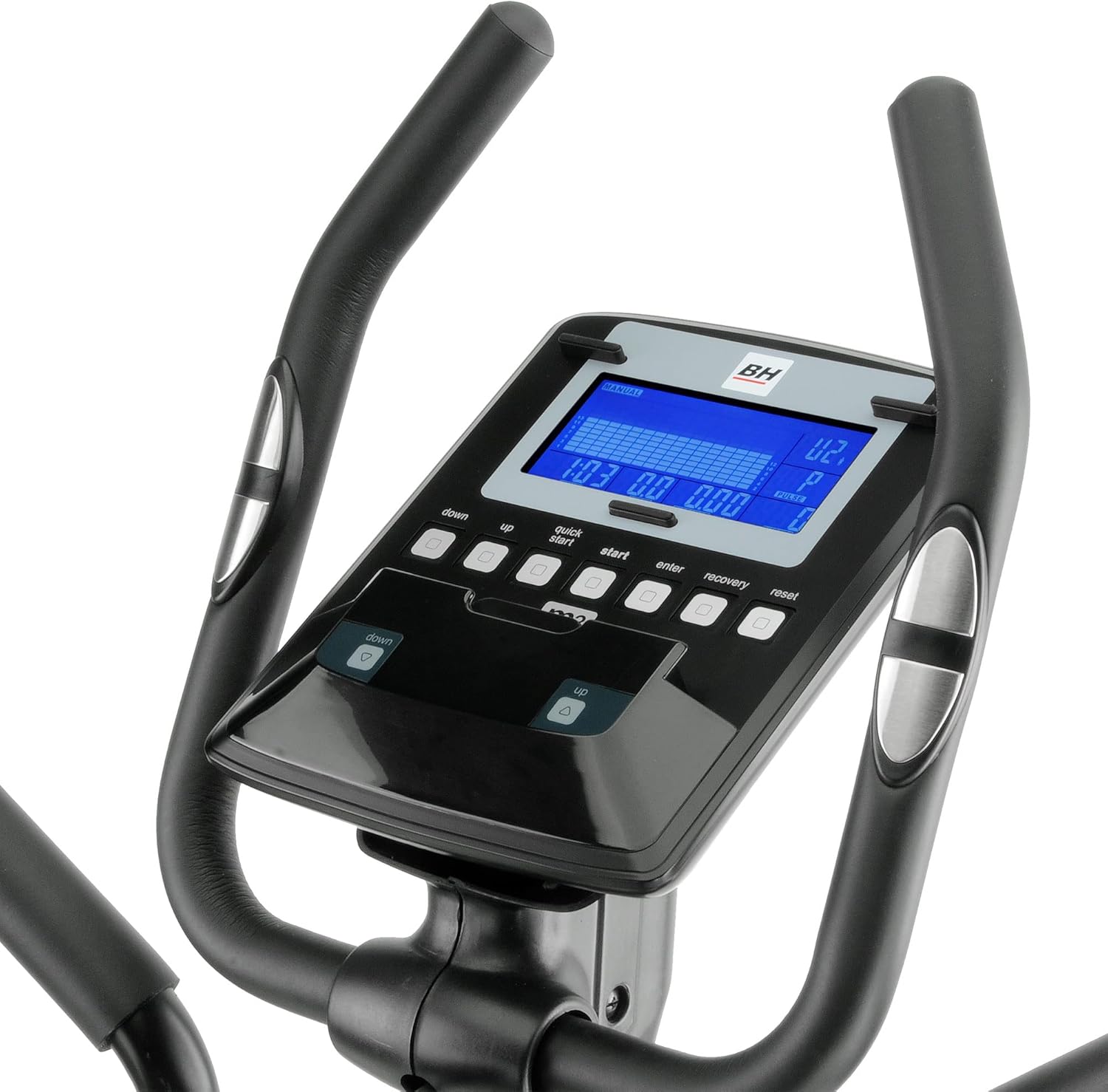
الشكل 3.2: Close-up of the elliptical trainer's console. The blue backlit LCD screen and control buttons for program selection, intensity adjustment, and recovery test are visible.

الشكل 3.3: جانب view of the elliptical trainer, highlighting the flywheel and magnetic resistance mechanism. The "XTR Reinforced Frame" branding is also visible.
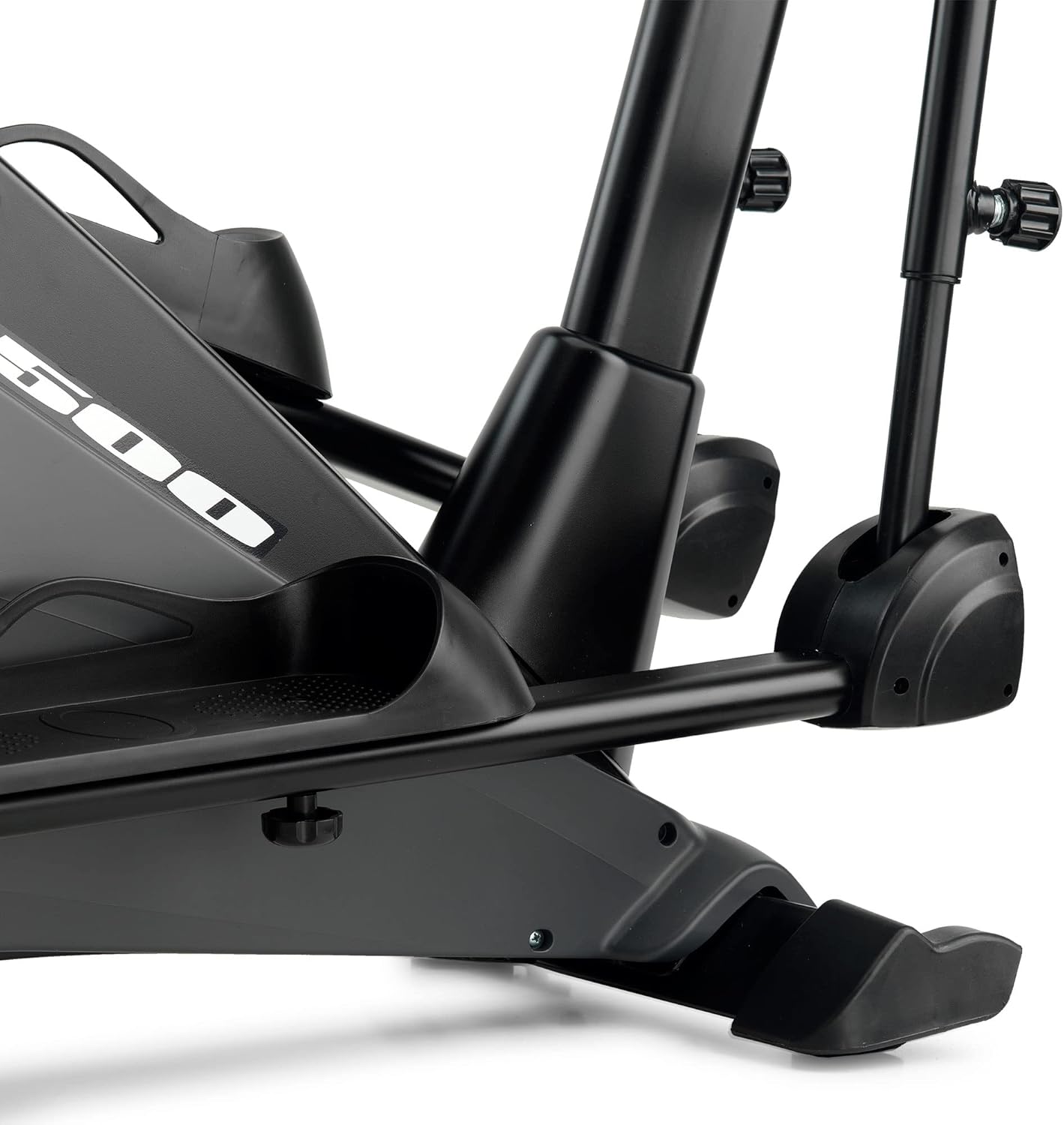
الشكل 3.4: Detail of the elliptical trainer's pedal and stable base. This view shows the robust construction and foot placement area.
4. الإعداد
The BH Fitness i.zk500 Elliptical Trainer requires assembly. Please follow the detailed instructions provided in the separate assembly guide that accompanies your product. Ensure all components are present before beginning assembly.
خطوات التجميع الرئيسية (عامة):
- قم بفك جميع المكونات وتحقق منها وفقًا لقائمة الأجزاء.
- قم بربط المثبتات الأمامية والخلفية بالإطار الرئيسي.
- Mount the upright post and secure the console wiring.
- Install the handlebars and pedal arms.
- Connect the console to the main unit.
- Perform a final check to ensure all bolts and nuts are securely tightened.
After assembly, place the elliptical trainer on a level surface. Use the adjustable feet on the stabilizers to ensure stability and prevent rocking during use.
5. التشغيل
The i.zk500 console provides various functions to customize and monitor your workout.
5.1 وظائف وحدة التحكم
The blue backlit LCD monitor displays key workout metrics such as time, distance, speed, calories burned, and heart rate. Use the buttons below the display to navigate menus and select programs.
- "UP" / "DOWN" Buttons: Adjust resistance levels or navigate menu options.
- "START" / "STOP" Button: Begin or end a workout.
- "ENTER" Button: قم بتأكيد التحديدات.
- "RECOVERY" Button: Initiate the Recovery Test (RT).
- "RESET" Button: Clear current workout data or return to the main menu.
5.2 Exercise Programs
The i.zk500 offers 12 pre-set exercise profiles, each with 24 intensity levels. To select a program:
- قم بتشغيل وحدة التحكم.
- Use the "UP" or "DOWN" buttons to browse through the available programs.
- Press "ENTER" to select a program.
- Adjust the intensity level using "UP" or "DOWN" and confirm with "ENTER".
- Press "START" to begin your workout.
5.3 Heart Rate Control (HRC) Programs
The 4 HRC programs automatically adjust the elliptical's resistance to keep your heart rate within a target zone. To use HRC programs:
- Select an HRC program from the menu.
- Input your age (if prompted) to calculate target heart rate zones.
- Hold the pulse sensors on the handlebars to allow the console to read your heart rate.
- The elliptical will adjust resistance to maintain your heart rate within the selected zone.
5.4 Pro قابل للتخصيصfile (uPrg)
Create and save your own personalized workout program:
- Select the uPrg option from the program menu.
- Follow the on-screen prompts to set resistance levels for different segments of your workout.
- Save your profile للاستخدام في المستقبل.
5.5 Recovery Test (RT)
The Recovery Test measures your heart rate recovery after exercise, providing an indication of your fitness level:
- After completing a workout, press the "RECOVERY" button.
- Hold the pulse sensors. The console will count down for 60 seconds.
- At the end of the test, a fitness score will be displayed.
5.6 i.Concept Technology
The i.Concept technology allows you to connect your smartphone or tablet to the elliptical trainer for an interactive workout experience:
- Download compatible fitness apps (e.g., BH by Kinomap) from your device's app store.
- قم بتمكين Bluetooth على هاتفك الذكي أو جهازك اللوحي.
- Open the fitness app and follow the instructions to pair it with your i.zk500 elliptical trainer.
- Enjoy personalized workouts, virtual routes via Google Maps, and challenges with other users.
6. الصيانة
Regular maintenance ensures the longevity and optimal performance of your BH Fitness i.zk500 Elliptical Trainer.
- تنظيف: امسح المعدات بالإعلانamp امسح بقطعة قماش بعد كل استخدام لإزالة العرق والغبار. تجنب المنظفات الكاشطة.
- تقتيش: افحص جميع البراغي والصواميل والأجزاء المتحركة دوريًا للتأكد من إحكامها وسلامتها. شد أي مثبتات مفكوكة.
- تشحيم: The magnetic braking system is maintenance-free. However, if any moving joints develop squeaks, apply a small amount of silicone-based lubricant.
- تخزين: قم بتخزين جهاز التمارين البيضاوية في مكان جاف وبارد بعيداً عن أشعة الشمس المباشرة ودرجات الحرارة القصوى.
7. استكشاف الأخطاء وإصلاحها
If you encounter issues with your elliptical trainer, refer to the following common problems and solutions:
| مشكلة | السبب المحتمل | حل |
|---|---|---|
| صوت صرير أو طحن أثناء التشغيل | Loose bolts, dry joints, or internal component friction. | Check and tighten all assembly bolts. Apply silicone lubricant to moving joints if necessary. If the noise persists, contact customer support. |
| شاشة وحدة التحكم لا تعمل | Loose connection, depleted batteries (if applicable), or power issue. | Ensure all console cables are securely connected. Replace batteries if the console is battery-powered. Check power adapter connection if applicable. |
| المقاومة لا تتغير | Console malfunction or internal resistance mechanism issue. | Restart the console. Check for any error codes. If the problem persists, contact customer support. |
| i.Concept app not connecting | Bluetooth not enabled, app not updated, or device compatibility issue. | Ensure Bluetooth is active on your device. Update the app to the latest version. Check app compatibility with your device's operating system. |
For issues not listed here or if solutions do not resolve the problem, please contact BH Fitness customer support.
8. المواصفات
| ميزة | التفاصيل |
|---|---|
| ماركة | BH |
| اسم الموديل | Bicicletta Ellittica I.zk500 |
| لون | أسود |
| مادة | حديد |
| أبعاد المنتج (الطول × العرض × الارتفاع) | 148 x 60 x 160 cm (58.3 x 23.6 x 63 inches) |
| آلية المقاومة | مغناطيسي |
| عدد مستويات المقاومة | 24 |
| الحد الأقصى لطول الخطوة | 148 سم (58.3 بوصة) - Note: This might refer to the overall length of the machine, not stride length itself, given the 3-in-1 system. Refer to assembly guide for specific stride length options. |
| الاستخدام المقصود | Regular home use (3-7 hours/week) |
| ASIN | ب0761Z969R |
| رمز المادة الدولي | 08431284788834 |
9. الضمان والدعم
For warranty information, please refer to the warranty card included with your product or visit the official BH Fitness website. If you require technical assistance, spare parts, or have any questions regarding your BH Fitness i.zk500 Elliptical Trainer, please contact BH Fitness customer support directly. Have your model number (i.zk500) and serial number (if applicable) ready when contacting support.
You can typically find contact information on the BH Fitness official webالموقع أو في عبوة المنتج.