1. المقدمة
Thank you for choosing the Solight LED Desk Lamp WO46. This versatile lamp combines modern design with practical features, including a dimmable LED light, an integrated display showing time, date, alarm, and temperature. This manual provides essential information for the safe and efficient use of your new desk lamp.
2. تعليمات السلامة
- اقرأ جميع التعليمات بعناية قبل الاستخدام واحتفظ بها للرجوع إليها مستقبلاً.
- تأكد من حجم امدادات الطاقةtage matches the requirements specified on the product.
- لا تعرض لamp للري أو الرطوبة الزائدة.
- Avoid disassembling or modifying the lamp. قم بإحالة جميع أعمال الصيانة إلى فنيين مؤهلين.
- ابقي على لamp بعيدا عن مصادر الحرارة وأشعة الشمس المباشرة.
- نظف لamp استخدم قطعة قماش ناعمة وجافة فقط. لا تستخدم المنظفات الكاشطة أو المذيبات.
- تم تصميم هذا المنتج للاستخدام الداخلي فقط.
3. محتويات العبوة
يرجى التحقق من الحزمة للعناصر التالية:
- مكتب سولايت LED Lamp WO46
- كابل الطاقة
- دليل المستخدم (هذا المستند)
4. انتهى المنتجview
The Solight LED Desk Lamp WO46 features a flexible arm, an integrated LED light panel, and a multi-functional display on its base. The base also houses the touch-sensitive controls.

Figure 1: Solight LED Desk Lamp WO46 in folded position, displaying time, date, and temperature on its integrated screen.

Figure 2: Solight LED Desk Lamp WO46 with its arm extended, highlighting the LED light panel and the functional display.
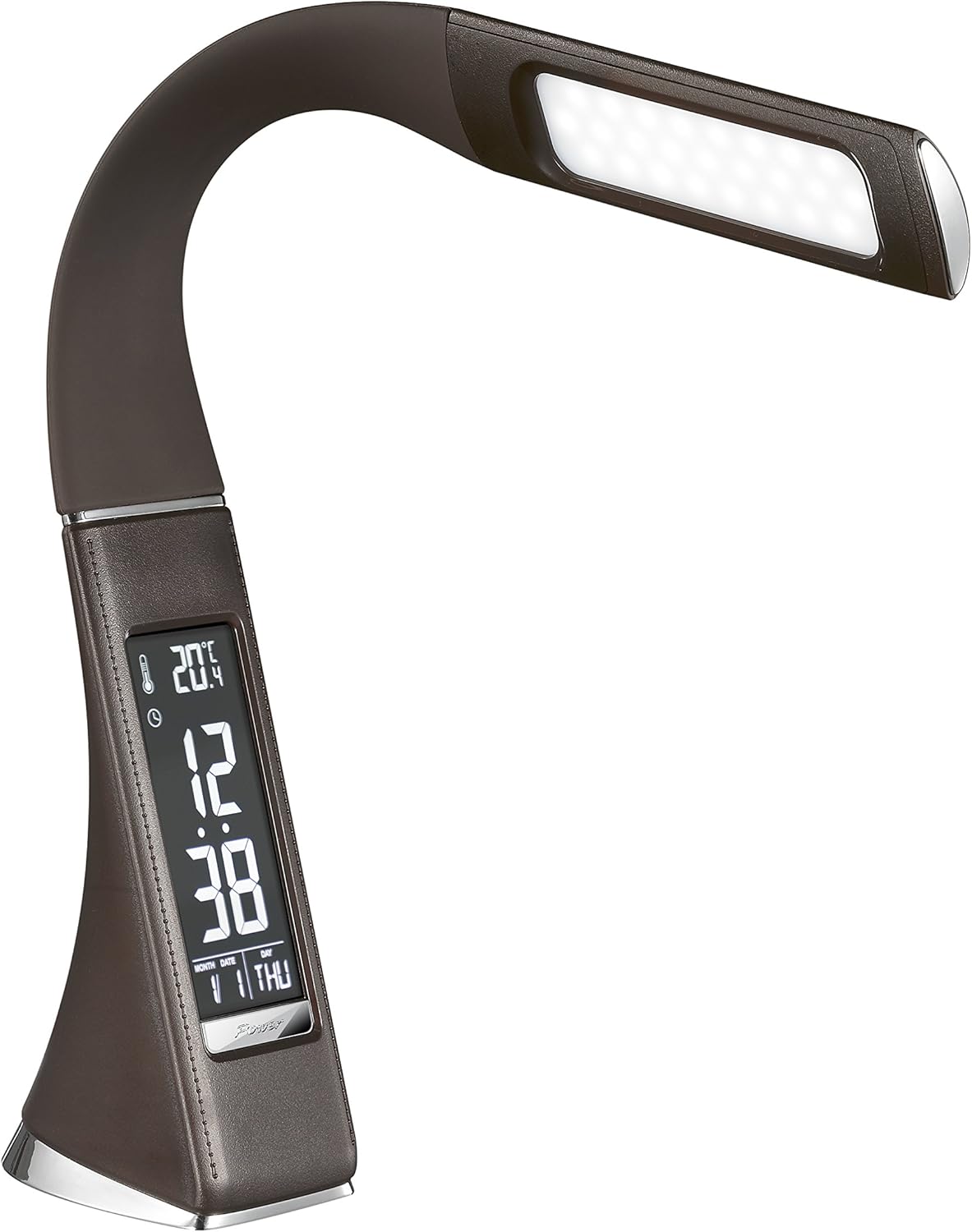
الشكل 3: بزاوية view of the Solight LED Desk Lamp WO46, extended, emphasizing its sleek design and the display panel.
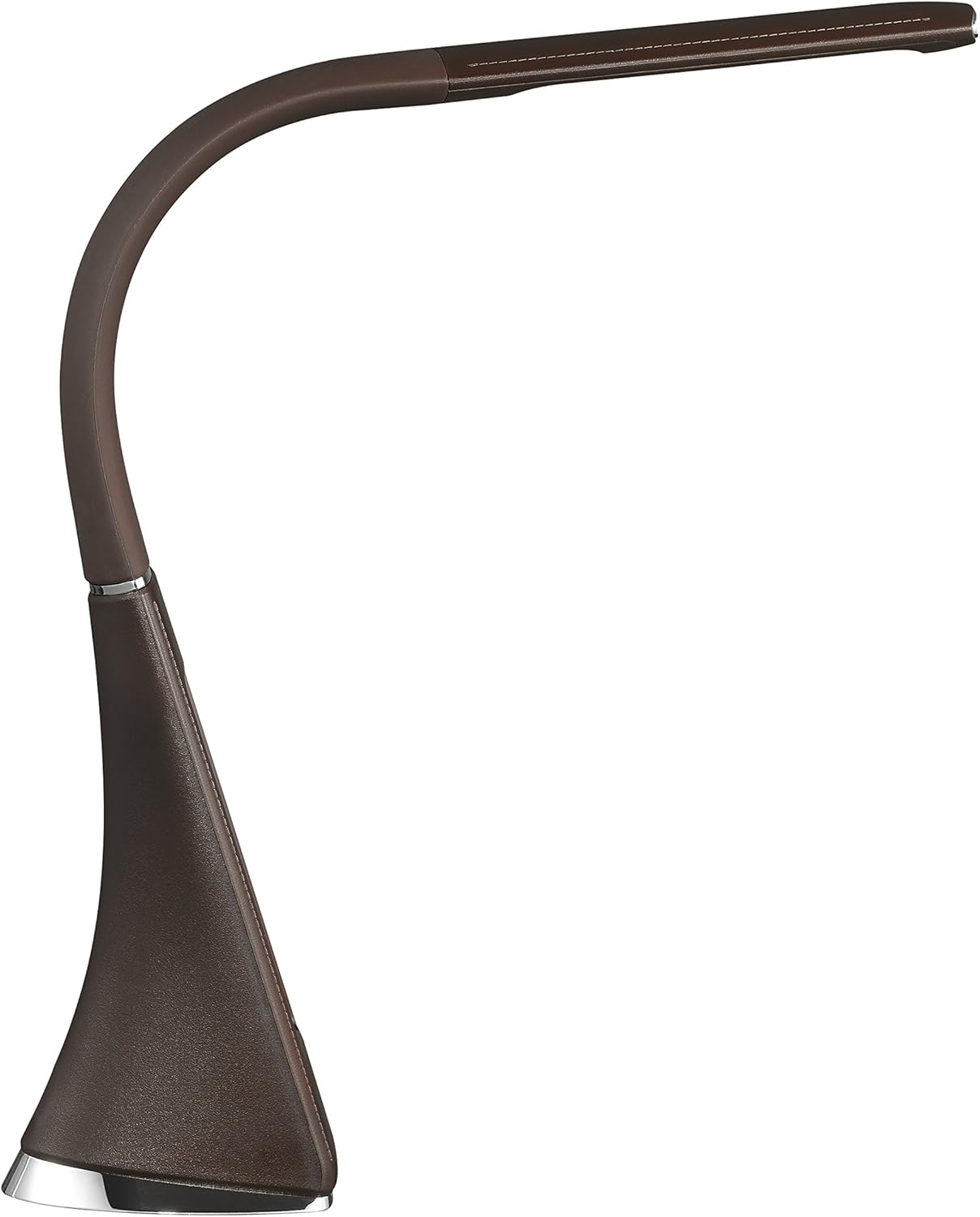
الشكل 4: الجانب الإيجابيfile of the Solight LED Desk Lamp WO46, extended, illustrating the flexibility of its arm and the slim design of the light panel.

الشكل 5: خلفي view of the Solight LED Desk Lamp WO46, extended, indicating the power input port located at the back of the lampقاعدة.
5. الإعداد
- أفرغ: قم بإزالة جميع المكونات بعناية من العبوة.
- الموقع: ضع لamp on a stable, flat surface. The non-slip base ensures stability.
- توصيل الطاقة: Insert the power cable into the DC input port at the back of the lamp's base, then plug the adapter into a standard electrical outlet.
- ضبط الموقف: Gently adjust the flexible arm to your desired lighting angle.
6. تعليمات التشغيل
6.1 التحكم في الضوء
- تشغيل/إيقاف التشغيل: Press the touch-sensitive power button on the base to turn the lamp تشغيل أو إيقاف.
- ضبط السطوع: مع لamp on, press and hold the power button to cycle through the three available brightness levels. Release the button at your desired brightness.
6.2 وظائف العرض
The integrated display shows time, date, day of the week, temperature, and alarm status. Specific buttons on the base (e.g., 'Mode', 'Set', 'Up', 'Down' - refer to physical markings on your lamp if available) are used to navigate and set these functions.
- ضبط الوقت والتاريخ:
- Press the 'Mode' button until the time display flashes.
- Use the 'Up' and 'Down' buttons to adjust the hour, then press 'Set' to confirm and move to minutes.
- كرر ذلك للدقائق والسنة والشهر واليوم.
- Press 'Mode' to exit setting mode.
- ضبط المنبه:
- Press the 'Mode' button repeatedly until the alarm icon appears and the alarm time flashes.
- Use 'Up' and 'Down' to set the alarm hour, then 'Set' to confirm and move to minutes.
- Press 'Mode' to activate/deactivate the alarm. An alarm icon will indicate if it's active.
- عرض درجة الحرارة: لamp automatically displays the ambient temperature. No user adjustment is typically required for this function.
7. الصيانة
- تنظيف: افصل الamp افصل الجهاز عن مصدر الطاقة قبل التنظيف. امسح السطح.amp's surface with a soft, dry, lint-free cloth. Do not use liquid cleaners or sprays.
- تخزين: في حالة تخزين lamp للحفاظ عليه نظيفاً وجافاً لفترة طويلة، احرص على تخزينه في مكان بارد وجاف بعيداً عن أشعة الشمس المباشرة.
8. استكشاف الأخطاء وإصلاحها
| مشكلة | السبب المحتمل | حل |
|---|---|---|
| Lamp لا تفتح. | لا يوجد مصدر للطاقة. | Check if the power cable is securely connected to the lamp والمقبس الكهربائي. تأكد من أن المقبس يعمل بشكل صحيح. |
| Display is blank or incorrect. | Power interruption or incorrect settings. | Ensure continuous power. Reset time and date settings as per Section 6.2. |
| وميض الضوء. | مصدر الطاقة غير مستقر. | حاول توصيل lamp into a different electrical outlet. |
| لا يصدر صوت الإنذار. | لم يتم تفعيل جهاز الإنذار أو تم ضبطه بشكل غير صحيح. | Verify that the alarm is set and activated (alarm icon visible) as per Section 6.2. |
9. المواصفات
| ميزة | التفاصيل |
|---|---|
| رقم الموديل | WO46-H |
| الأبعاد (الطول × العرض × الارتفاع) | 5.5 × 9 × 50 سم |
| وزن | 599 جرام (1.32 رطل) |
| مادة | PS (البوليسترين) |
| نوع التشطيب | Leather look |
| نوع مصدر الضوء | قاد |
| عدد المصابيح | 3 |
| التدفق الضوئي | 300 لومن |
| قوة | 1.5 واط |
| المجلدtage | 230 فولت |
| متوسط العمر المتوقع | 30,000 ساعة |
| تصنيف IP | IP20 |
| تبديل النمط | زر |
| ملصق الطاقة | A+ |
10. الضمان والدعم
Solight products are designed and manufactured to the highest quality standards. For information regarding warranty coverage, technical support, or spare parts availability, please refer to the documentation provided with your purchase or visit the official Solight webيرجى الاحتفاظ بإثبات الشراء الخاص بك لأي مطالبات بالضمان.


