1. المقدمة
This manual provides detailed instructions for the installation, operation, and maintenance of your Zebronics H61 Motherboard. Please read this manual thoroughly before proceeding with installation to ensure proper setup and functionality.
The Zebronics H61 Motherboard is designed to support Intel LGA 1155 socket processors (i7/i5/i3/Pentium/Celeron series) and DDR3 dual-channel memory. It features an Intel H61 chipset, providing a stable and efficient platform for your computing needs.
2. معلومات السلامة
- Always disconnect the power supply before installing or removing any components.
- Handle the motherboard by its edges to avoid electrostatic discharge (ESD) damage. Use an anti-static wrist strap if available.
- تأكد من التهوية المناسبة داخل علبة الكمبيوتر لديك لمنع ارتفاع درجة الحرارة.
- لا تعرض اللوحة الأم للرطوبة أو درجات الحرارة القصوى.
- Refer to the component manufacturer's manuals for specific installation instructions for your CPU, RAM, and other peripherals.
3. محتويات العبوة
تأكد من وجود جميع العناصر في العبوة:
- Zebronics H61 Motherboard
- I / O Shield
- كابل (كابلات) بيانات SATA
- Driver CD (for operating systems that do not automatically install drivers)
- دليل المستخدم (هذا المستند)
4. المواصفات
| ميزة | وصف |
|---|---|
| نموذج | ح61 |
| مجموعة الشرائح | إنتل H61 إكسبريس |
| مقبس وحدة المعالجة المركزية | إل جي إيه 1155 |
| المعالجات المتوافقة | Intel i7/i5/i3/Pentium/Celeron processors (2nd and 3rd Generation) |
| فتحات الذاكرة | 2 x DDR3 Dual-channel slots |
| دعم الذاكرة | DDR3 1066/1333/1600MHz, up to 16GB |
| واجهة الرسومات | 1 x PCI-Express x16 slot |
| فتحات التوسعة | 1 × فتحة PCI Express x1 |
| تخزين | 4 x SATA II ports |
| شبكة محلية | Realtek 8106E 10/100 Mbps Ethernet |
| صوتي | 6-Channel HD Audio Codec onboard (5.1 surround sound support) |
| منافذ الإدخال والإخراج الخلفية | 1 x HDMI, 1 x VGA, 6 x USB 2.0, 1 x RJ45, 1 x 3-in-1 Audio Jacks (Line-in, Line-out, Mic-in), PS/2 (Keyboard/Mouse) |
| عامل الشكل | ايه تي اكس |
| أبعاد | 25 × 20 × 3 سم |
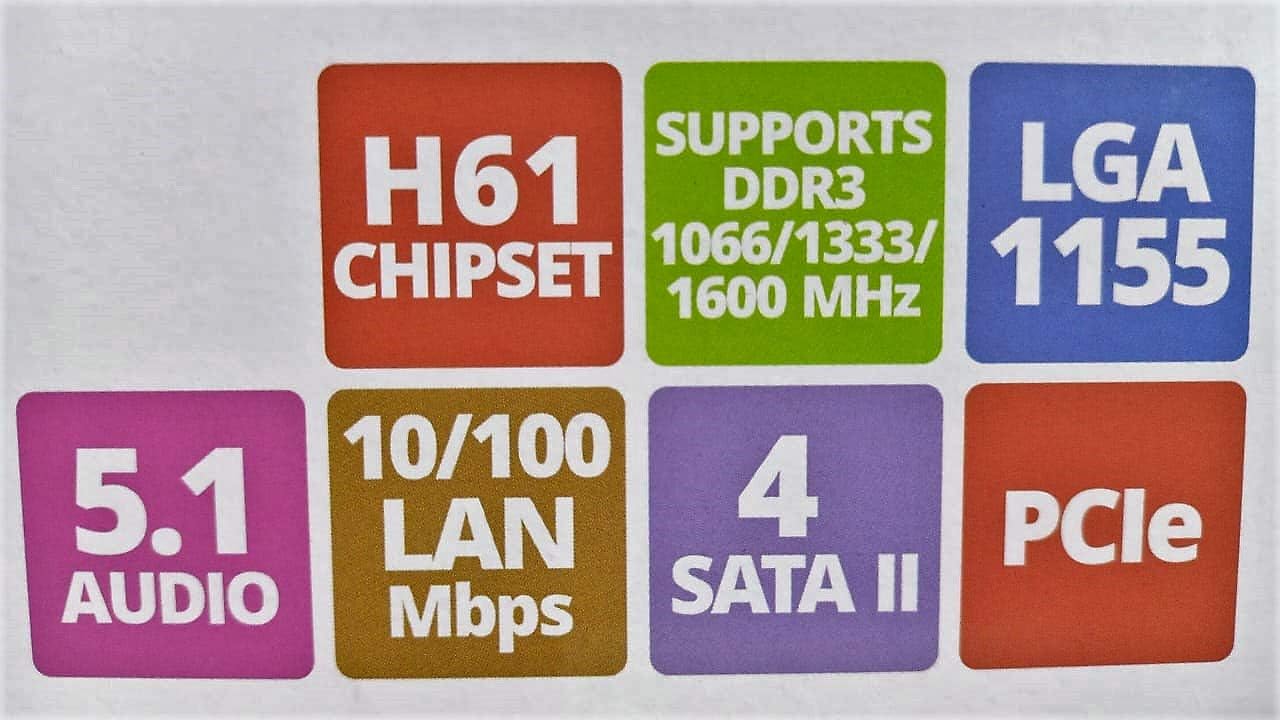
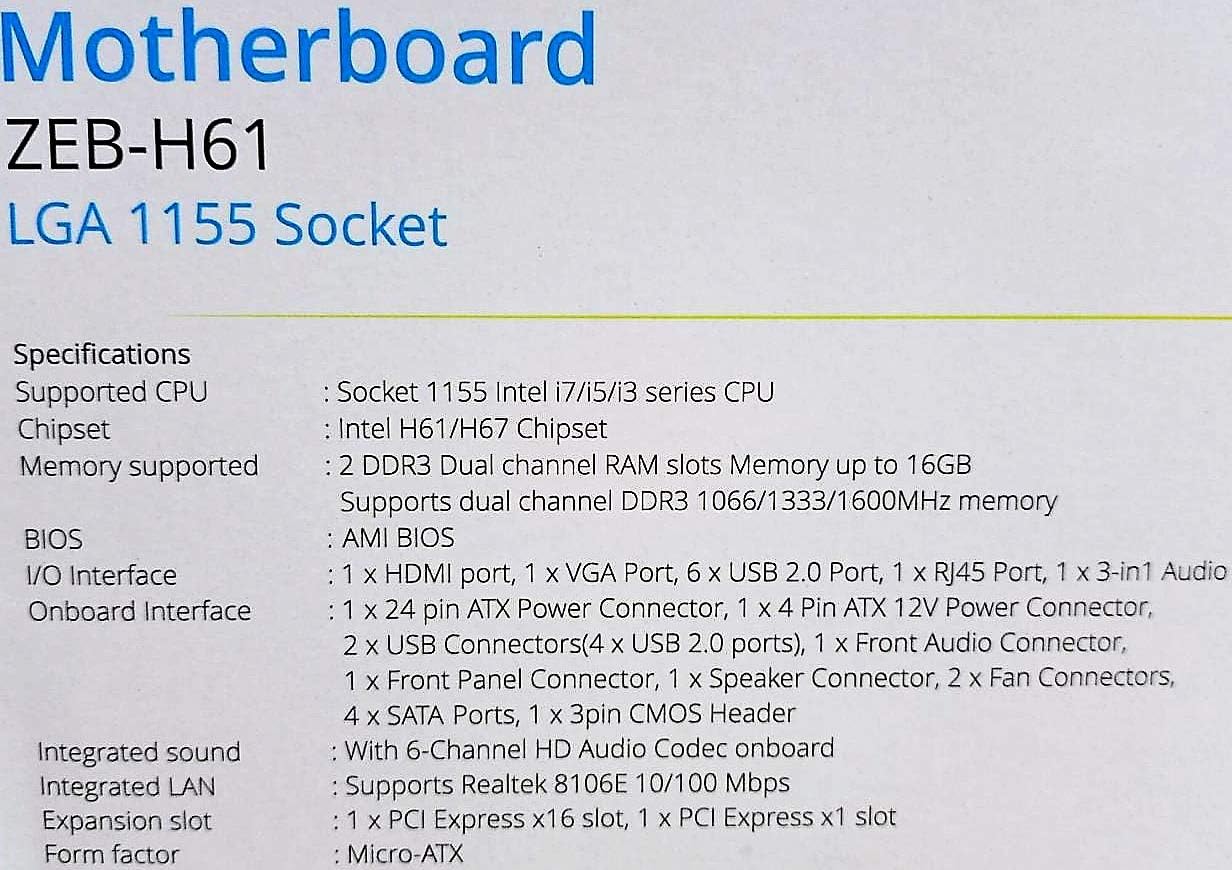
Image: Detailed specifications of the Zebronics H61 Motherboard, including chipset, CPU socket, memory support, and I/O interfaces.

Image: Visual representation of key features such as H61 Chipset, DDR3 support, LGA 1155 socket, 5.1 Audio, 10/100 LAN, 4 SATA II ports, and PCIe.
5. الإعداد والتثبيت
5.1 تخطيط اللوحة الأم
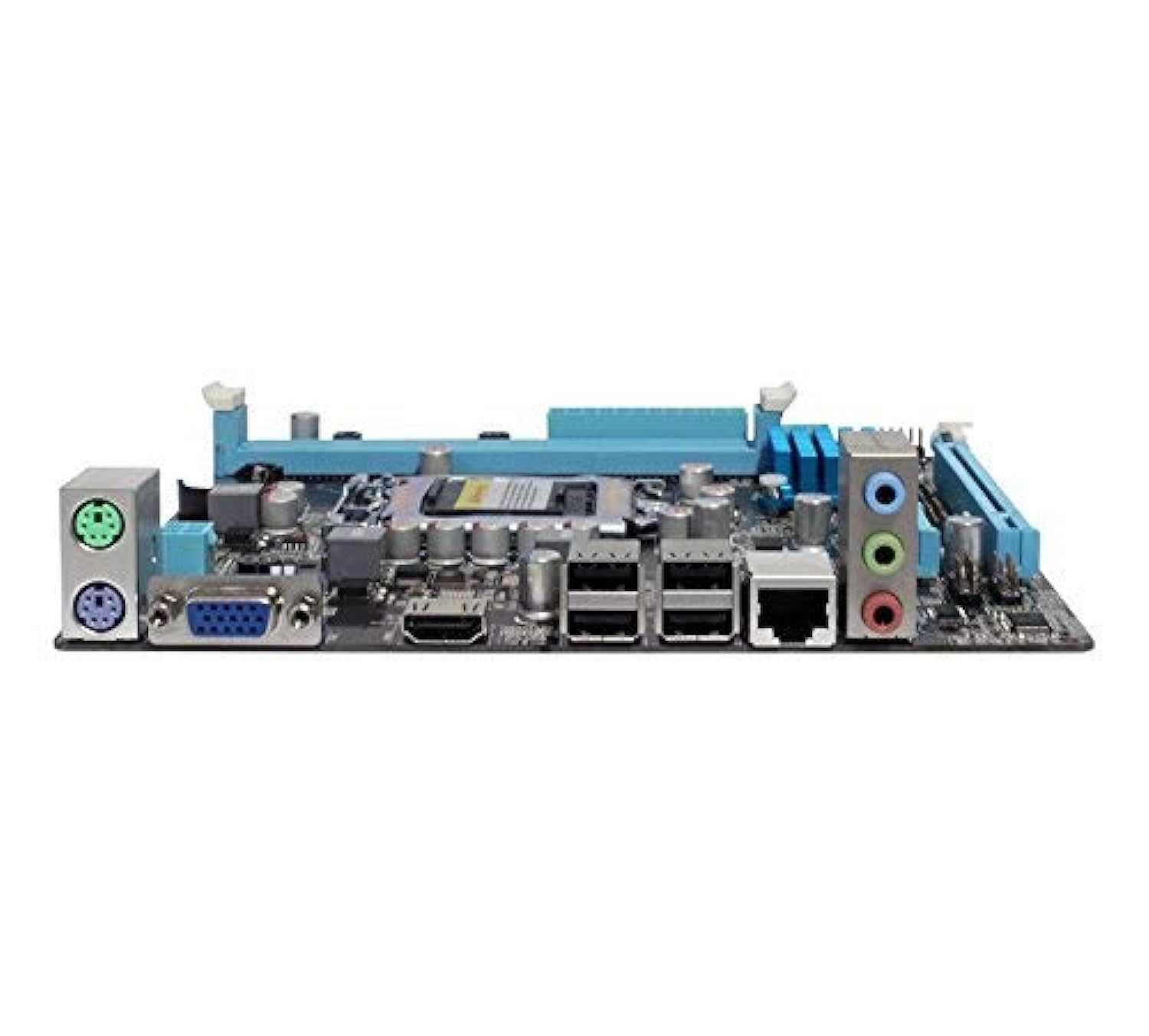
الصورة: من أعلى إلى أسفل view of the Zebronics H61 Motherboard, showing the CPU socket, RAM slots, PCIe slot, and various headers.

Image: Another top-down perspective of the Zebronics H61 Motherboard, highlighting component placement.
5.2 لوحة الإدخال/الإخراج الخلفية

Image: Rear I/O panel of the Zebronics H61 Motherboard, displaying ports for PS/2 keyboard/mouse, VGA, HDMI, USB 2.0, LAN, and audio jacks.
الصورة: أقرب view of the rear I/O ports, detailing the VGA, HDMI, USB, LAN, and audio connections.
5.3 خطوات تثبيت المكونات
- تثبيت وحدة المعالجة المركزية:
- افتح ذراع مقبس وحدة المعالجة المركزية.
- Carefully align the CPU with the socket, ensuring the golden triangle on the CPU matches the mark on the socket.
- قم بوضع وحدة المعالجة المركزية في المقبس برفق دون إجبارها.
- أغلق الرافعة لتأمين وحدة المعالجة المركزية.
- ضع المعجون الحراري وقم بتركيب مبرد وحدة المعالجة المركزية وفقًا لتعليمات الشركة المصنعة.
- تثبيت RAM:
- افتح المشابك الموجودة على طرفي فتحات ذاكرة DDR3.
- قم بمحاذاة وحدة الذاكرة مع الفتحة، مع التأكد من أن الشق الموجود على الوحدة يتطابق مع المفتاح الموجود في الفتحة.
- اضغط بقوة على كلا طرفي وحدة الذاكرة حتى تستقر المشابك في مكانها.
- تركيب بطاقة الرسومات (اختياري):
- Locate the PCI-Express x16 slot.
- قم بإزالة غطاء فتحة التوسعة المناسبة من علبة جهاز الكمبيوتر الخاص بك.
- Align the graphics card with the slot and press down firmly until it is seated correctly.
- قم بتثبيت البطاقة في علبة الكمبيوتر باستخدام برغي.
- ربط أجهزة التخزين:
- Connect SATA data cables from the motherboard's SATA ports to your hard drives or SSDs.
- Ensure power cables from the power supply are connected to these devices.
- توصيل التيار الكهربائي:
- قم بتوصيل موصل الطاقة ATX ذو 24 سنًا من وحدة التزويد بالطاقة إلى اللوحة الأم.
- Connect the 4-pin ATX 12V power connector (CPU power) to the motherboard.
- توصيل رؤوس اللوحة الأمامية:
- Connect the power switch, reset switch, HDD LED, and power LED cables from your PC case to the corresponding pins on the motherboard's front panel header. Refer to the motherboard diagram for pin assignments.
- Connect front USB and audio headers.
6. تعليمات التشغيل
6.1 بدء التشغيل الأول وإعداد BIOS
- بعد تجميع كافة المكونات، قم بتوصيل الشاشة ولوحة المفاتيح والماوس.
- قم بتشغيل جهاز الكمبيوتر الخاص بك.
- Press the designated key (usually ديل or F2) repeatedly during startup to enter the BIOS/UEFI setup utility.
- In the BIOS, verify that all installed components (CPU, RAM, storage) are detected correctly.
- Configure boot order to install your operating system from a USB drive or optical drive.
- احفظ التغييرات واخرج من نظام الإدخال والإخراج الأساسي (BIOS). سيتم إعادة تشغيل النظام.
6.2 تثبيت برنامج التشغيل
After installing your operating system, install the necessary drivers for optimal performance. Drivers can be found on the included driver CD or downloaded from the official Zebronics webموقع.
- برامج تشغيل مجموعة الشرائح
- Graphics Drivers (if using integrated graphics or a dedicated GPU)
- برامج تشغيل الشبكة المحلية
- برامج تشغيل الصوت
- USB Drivers (if applicable)
7. الصيانة
- حافظ على النظافة: Regularly clean dust from inside your PC case, especially from fans and heatsinks, to ensure proper airflow and prevent overheating. Use compressed air.
- تحديثات BIOS: Check the Zebronics website periodically for BIOS updates. BIOS updates can improve system stability, compatibility, and performance. Follow update instructions carefully.
- تحديثات برنامج التشغيل: Keep your drivers updated to ensure compatibility and optimal performance with your operating system and applications.
- بطارية CMOS: The motherboard uses a CR2032 battery to retain BIOS settings. If your system frequently loses time or BIOS settings, the battery may need replacement.
8. استكشاف الأخطاء وإصلاحها
- لا يوجد طاقة / النظام لا يعمل:
- Ensure all power cables (24-pin ATX, 4-pin ATX 12V) are securely connected to the motherboard.
- Check if the power supply unit (PSU) is switched on and functioning.
- التحقق من اتصال مفتاح الطاقة باللوحة الأمامية.
- Try reseating RAM modules and the graphics card.
- لا يوجد عرض على الشاشة:
- Ensure the monitor is connected to the correct video output (either integrated graphics on the motherboard or dedicated graphics card).
- التحقق من قوة الشاشة واختيار الإدخال.
- Reseat the graphics card (if installed) and RAM modules.
- عدم استقرار النظام / الأعطال:
- تحقق من درجة حرارة المعالج ووحدة معالجة الرسومات. قد يؤدي ارتفاع درجة الحرارة إلى عدم استقرار النظام.
- Ensure RAM modules are properly seated and compatible. Test with one RAM stick if multiple are installed.
- Update drivers and BIOS to the latest versions.
- قم بتشغيل أدوات تشخيص الذاكرة للتحقق من وجود خلل في ذاكرة الوصول العشوائي (RAM).
- CMOS Battery Issue (Loss of Time/Settings):
- If the system loses time or BIOS settings after being powered off, the CMOS battery (CR2032) may need replacement.
- To reset CMOS: Disconnect power, remove the CMOS battery, short the battery socket's positive and negative terminals for 30 seconds, then reinsert the battery.
9. الضمان والدعم
For warranty information and technical support, please refer to the official Zebronics webالموقع الإلكتروني أو تواصل مع قسم خدمة العملاء. احتفظ بإيصال الشراء كإثبات للشراء في حال وجود أي مطالبات بالضمان.
Zebronics Official Webموقع: www.zebronics.com


