1. المقدمة
This manual provides essential information for the safe and efficient operation of your AUNA Pro Streetstar 12 Portable PA System. Please read these instructions thoroughly before use and retain them for future reference.
2. معلومات هامة حول السلامة
- تأكد من أن مصدر الطاقة يطابق المجلدtagه متطلبات الجهاز.
- لا تعرض الجهاز للمطر أو الرطوبة لتجنب نشوب حريق أو التعرض لصدمة كهربائية.
- تجنب وضع الوحدة بالقرب من مصادر الحرارة أو في ضوء الشمس المباشر.
- لا تسد فتحات التهوية.
- استخدم فقط المرفقات/الملحقات المحددة من قبل الشركة المصنعة.
- افصل سلك الطاقة أثناء العواصف الرعدية أو عند عدم الاستخدام لفترات طويلة.
- قم بإحالة جميع أعمال الصيانة إلى موظفي الخدمة المؤهلين.
3. محتويات العبوة
تأكد من تضمين جميع العناصر المدرجة أدناه في الحزمة الخاصة بك:
- 1 x PA System Unit
- 1 × كابل الطاقة
- ميكروفونان لاسلكيان UHF
- 1 × جهاز التحكم عن بعد
- User Manual (English/German)
4. انتهى المنتجview والميزات
The AUNA Pro Streetstar 12 is a versatile portable PA system designed for various events, offering robust sound and convenient features.
المميزات الرئيسية:
- الاتصال: Bluetooth for wireless streaming, USB port, SD card slot, 3.5mm AUX jack, 6.3mm jack input, RCA Line input.
- قابلية النقل: Equipped with an extendable 100 cm trolley handle and robust ABS housing for easy transport.
- الميكروفونات اللاسلكية: Two UHF wireless microphones with stable radio frequency and high range (up to 100m) for clear vocal transmission.
- عمر البطارية: Powerful 7.2 Ah battery provides approximately 7 hours of continuous operation, with a charge status display. Can also be powered via mains.
- جودة الصوت: Bass reflex construction for enhanced bass, 12-inch subwoofer, and 2.5-inch tweeter for full sound spectrum.
- يتحكم: Large 4-line LED display for ID3 tags (MP3 info), full-function remote control, 2-band equalizer, mute function.
- إضافي: Exchangeable wire antenna, Line-Out for connecting another active speaker.
منتج Views:
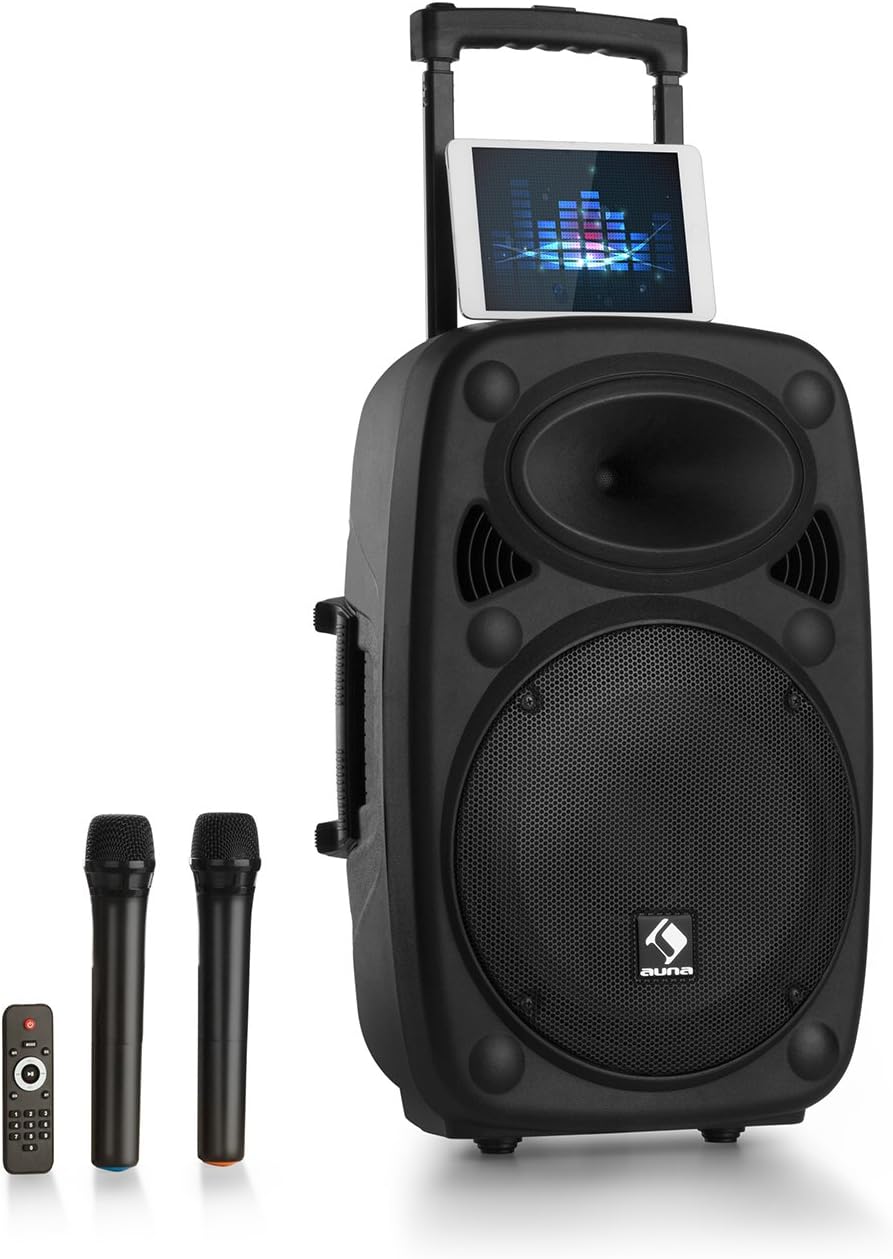
Figure 1: AUNA Pro Streetstar 12 Portable PA System with included wireless microphones and remote control.

الشكل 2: مفصل view of the control panel, showing various inputs and adjustment knobs.
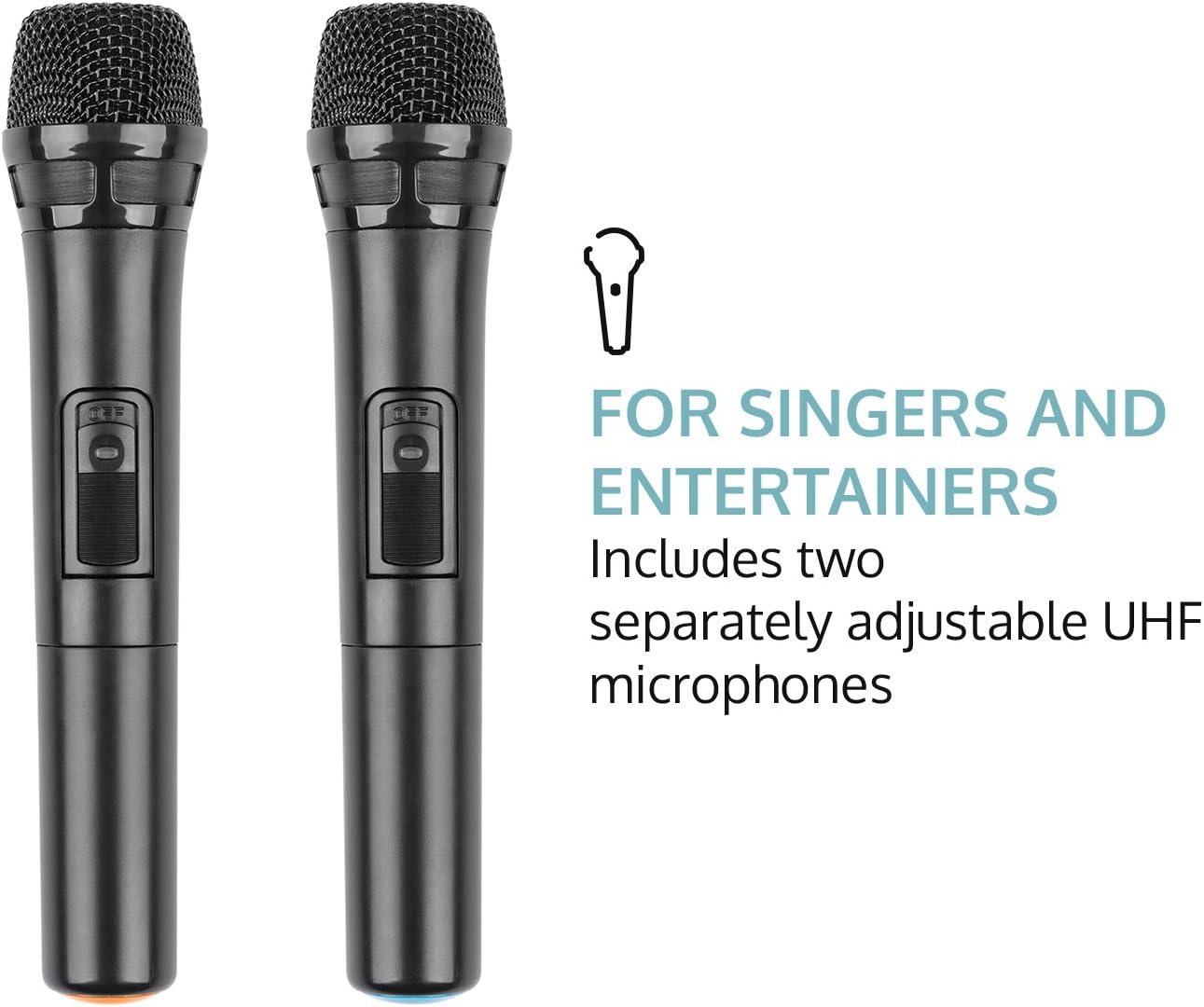
Figure 3: The two UHF wireless microphones included with the system.
5. الإعداد
- فك التعبئة: أزل جميع المكونات من العبوة بعناية. احتفظ بالعبوة للنقل أو التخزين مستقبلًا.
- توصيل الطاقة: Connect the PA system to a suitable power outlet using the provided power cable. Ensure the voltagيتوافق مع متطلبات الجهاز.
- التهمة الاولية: For optimal battery life, fully charge the unit before its first use. The battery status indicator will show charging progress.
- إعداد الميكروفون: Insert batteries into the wireless microphones (2 x AAA batteries per microphone, not included). Power on the microphones.
- الهوائي: Extend the telescopic antenna for improved wireless microphone reception.
6. تعليمات التشغيل
6.1. تشغيل/إيقاف التشغيل
Locate the power switch on the control panel. Flip the switch to the "ON" position to power on the unit. Flip to "OFF" to power down.
6.2. اتصال بلوتوث
- Power on the AUNA Pro Streetstar 12. The unit will automatically enter Bluetooth pairing mode, indicated on the LED display.
- على هاتفك الذكي أو جهازك اللوحي أو أي جهاز آخر يدعم تقنية Bluetooth، انتقل إلى إعدادات Bluetooth.
- بحث عن available devices and select "AUNA Streetstar 12" (or similar name).
- Once connected, a confirmation sound will be heard from the PA system.
- يمكنك الآن بث الصوت لاسلكيًا من جهازك.
6.3. تشغيل USB/بطاقة SD
- أدخل محرك أقراص USB أو بطاقة SD تحتوي على ملفات صوتية MP3 fileقم بإدخالها في الفتحة المخصصة لها على لوحة التحكم.
- سيقوم النظام تلقائيًا باكتشاف الوسائط وبدء التشغيل.
- Use the "PREV", "NEXT", "PLAY/PAUSE" buttons on the control panel or remote control to manage playback.
- The LED display will show ID3 tag information for compatible MP3 files.
6.4. AUX/Line Input
- Connect external audio sources (e.g., CD player, Hi-Fi system) to the 3.5mm AUX jack or RCA Line input using appropriate cables.
- Select the corresponding input mode on the PA system (usually by pressing a "MODE" button if available, or it may auto-detect).
6.5. UHF Wireless Microphones
- Ensure batteries are correctly inserted into both wireless microphones.
- Power on each microphone using its dedicated switch. They should automatically connect to the PA system.
- Adjust the microphone volume using the "MIC VOL" knob on the control panel.
- Use the "ECHO" knob to add echo effects to the microphone output.
- The system also features a 6.3mm jack input for an additional wired microphone or instrument.
6.6. ضبط الصوت
- الحجم الرئيسي: Use the large "MASTER" knob to control the overall output volume.
- التعادل: Adjust the "BASS" and "TREBLE" knobs to fine-tune the audio output to your preference.
- صامت: The remote control includes a mute function to instantly silence the audio.
6.7. تأثيرات ضوئية
The PA system features integrated LED lighting. Use the "LED" switch on the control panel to turn the lights on or off.
7. شحن البطارية
- Connect the power cable to the PA system and a mains outlet.
- The battery status indicator on the control panel will show the charging status.
- توفر الشحنة الكاملة حوالي 7 ساعات من التشغيل.
- It is recommended to fully charge the battery before each extended use.
8. الصيانة
- تنظيف: استخدم قطعة قماش ناعمة وجافة لتنظيف الجزء الخارجي من الوحدة. لا تستخدم منظفات أو مذيبات كاشطة.
- تخزين: When not in use, store the PA system in a cool, dry place, away from direct sunlight and extreme temperatures.
- العناية بالبطارية: في حالة التخزين لفترات طويلة، اشحن البطارية كل 3-6 أشهر للحفاظ على سلامتها.
9. استكشاف الأخطاء وإصلاحها
| مشكلة | السبب المحتمل | حل |
|---|---|---|
| لا يوجد طاقة | Power cable not connected; Battery depleted; Power switch off. | Check power cable connection; Charge the battery; Ensure power switch is ON. |
| لا يوجد مخرج صوت | Volume too low; Incorrect input mode selected; Device not connected via Bluetooth/AUX. | Increase master volume; Select correct input mode; Re-establish Bluetooth/AUX connection. |
| الميكروفون لا يعمل | Microphone batteries depleted; Microphone not powered on; Microphone volume too low. | Replace microphone batteries; Power on microphone; Increase MIC VOL. |
| فشل اقتران البلوتوث | Device too far; Interference; PA system not in pairing mode. | Move device closer; Reduce interference; Restart PA system to enter pairing mode. |
10. المواصفات الفنية
- ماركة: أونا
- رقم الموديل: PAS4-Streetstar 12
- قوة: 200 Watts (RMS) / 800W (Peak)
- نوع السماعة: Tweeter, 12-inch Subwoofer
- SPL: 112 ديسيبل
- تقنية الاتصال: AUX, Bluetooth, RCA, USB
- الاتصالات: 1 x USB port, 1 x SD card slot, 1 x 3.5mm AUX jack, 1 x 6.3mm jack, 1 x RCA Line input
- نوع الميكروفون: UHF Wireless (2 included)
- بطارية: 7.2 أمبير / 12 فولت
- مدة البطارية: حوالي 7 ساعات
- مزود الطاقة: 220-240 V~ | 50/60 Hz (mains) or 7.2 Ah / 12 V battery
- الأبعاد (طول × ارتفاع × عمق): تقريبا. 37.5 x 59.5 x 37 cm
- وزن: حوالي 13.5 كجم
- لون: أسود
- المميزات الخاصة: Easy to use, extendable trolley handle, robust ABS housing, bass reflex construction.
11. الضمان والدعم
For warranty information, technical support, or service inquiries, please refer to the documentation provided at the time of purchase or contact AUNA customer service directly. Keep your proof of purchase for any warranty claims.


