1. المقدمة
This manual provides detailed instructions for the installation, operation, and maintenance of the Inkbird ITC-100VH PID Temperature Controller. The ITC-100VH is designed for precise temperature control in various industrial and scientific applications, offering both PID and ON/OFF control modes with a self-adjusting function for long-term stability.
2. معلومات السلامة
- تأكد من حجم امدادات الطاقةtage matches the controller's specifications (AC 100~240V).
- يجب أن يقوم فني كهربائي مؤهل بتنفيذ جميع أعمال التوصيلات الكهربائية لمنع حدوث صدمة كهربائية أو تلف الجهاز.
- Do not operate the controller in environments with excessive humidity, dust, corrosive gases, or strong vibrations.
- افصل الطاقة قبل إجراء أي صيانة أو تغييرات في الأسلاك.
- This device is not intended for life-support systems or other applications where device malfunction could result in personal injury or property damage.
3. انتهى المنتجview
The Inkbird ITC-100VH is a compact and versatile PID temperature controller featuring a dual digital display for Process Value (PV) and Set Value (SV). It supports multiple temperature sensor types and offers an SSR output for precise control and a relay alarm output for safety or process indication.
المميزات الرئيسية:
- PID and ON/OFF Control Mode with high standard self-adjust function.
- Compatible with multiple temperature sensors like K, S, Wre, T, E, J, B, N, CU50, PT100.
- Display and control accuracy of ±0.2%FS, 0.1°C (<1000°C), 1°C (≥1000°C).
- Intelligent control ensures long-term stability.
- Suitable for devices without water circulation, such as ovens.
عناصر:
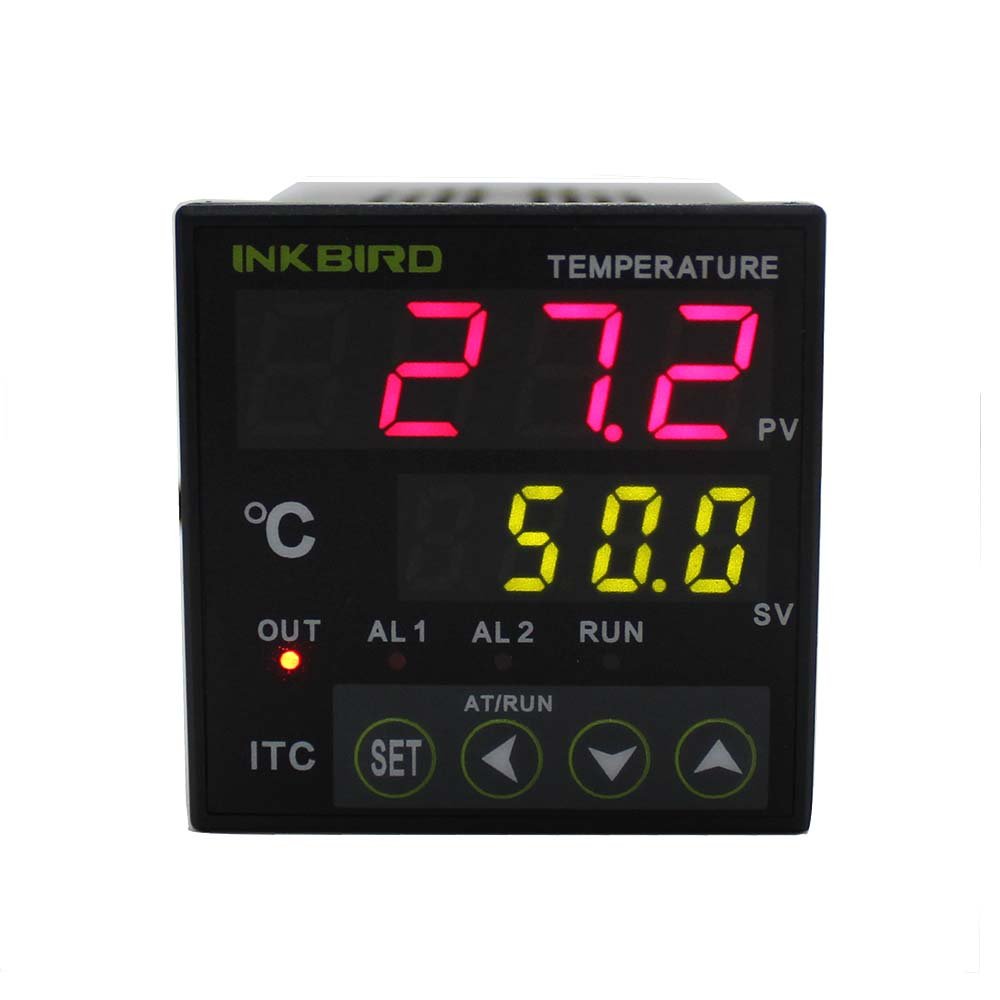
الشكل 3.1: الجبهة view of the Inkbird ITC-100VH PID Temperature Controller, showing the dual digital display for PV and SV, and control buttons.
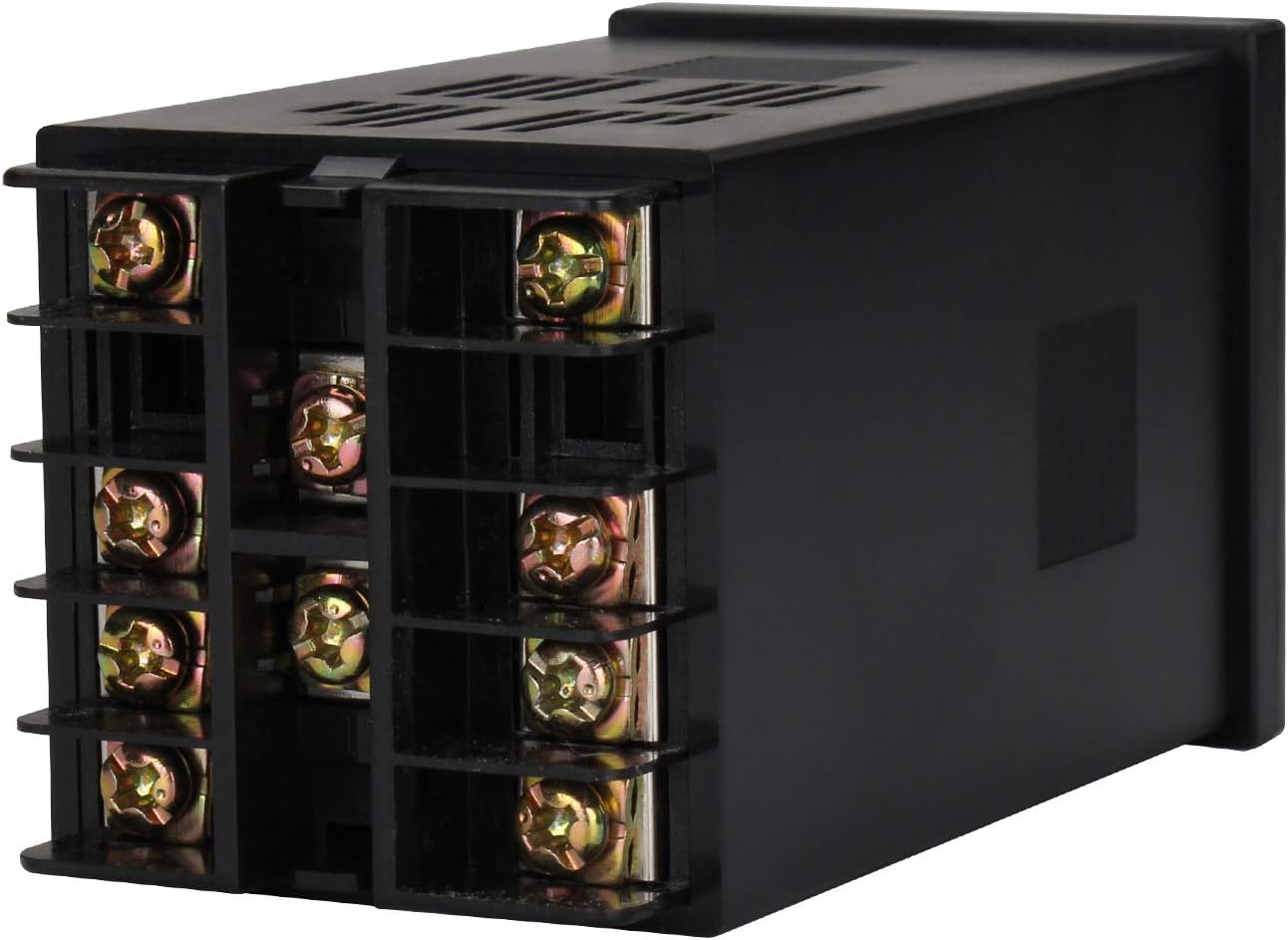
الشكل 3.2: خلفي view of the controller, illustrating the screw terminals for power, sensor input, and output connections.

Figure 3.3: Model number breakdown for the ITC-100 series, indicating power supply and output configurations. The ITC-100VH model features AC100-240V power, one SSR output, and one relay alarm output.
4. المواصفات
| مواصفة | قيمة |
|---|---|
| رقم الموديل | ITC-100VH |
| أبعاد اللوحة الأمامية | DIN 48mm(W) x 48mm(L) |
| حجم امدادات الطاقةtage | تيار متردد 100~240 فولت 50/60 هرتز |
| حجم التشغيلtage المدى | 85~110% Rated voltage |
| استهلاك الطاقة | 5VA (approx) |
| PV Character Display | 4 digital 9.9mm height Red LED Letters |
| SV Character Display | 4 digital 8mm height Green LED Letters |
| دقة العرض | ±0.2%FS, 0.1°C (<1000°C), 1°C (≥1000°C) |
| Period of Sampلينغ | 0.5 ثانية |
| تعويض درجة الحرارة | 0~50 درجة مئوية |
| المخرج الرئيسي | المجلدtage Pulses Output (DC 12V, 30mA) |
| مخرجات التنبيه | AC250V 3A (Resistive load) ON/NC |
| Life Expectancy of Relay | Mechanical ≥10,000,000 operations, Electrical ≥10,000,000 operations |
| وزن | 140g (تقريبًا) |
| الظروف البيئية | -10~55°C, RH 35~85% Humidity (no icy or condensation) |
| درجة حرارة التخزين | -25~65°C (no icy or condensation) |
| تخزين البيانات | سنتان |
| حجم القطع | 45×45 ملم |
| طريقة التركيب | Flush mounting and screw terminals |
5. الإعداد والتثبيت
The ITC-100VH is designed for flush mounting into a panel. Ensure the cutout size is 45x45mm. Connect the power supply, temperature sensor, and output devices to the appropriate screw terminals on the rear of the controller.
مخطط الأسلاك:
Refer to the diagram on the product label or in Figure 3.3 for correct wiring connections. The ITC-100VH model has an SSR output and a relay alarm output. Ensure all connections are secure and insulated.
عملية التثبيت:
- Prepare a panel cutout of 45x45mm.
- أدخل وحدة التحكم في الفتحة من الأمام.
- Secure the controller using the provided mounting brackets from the rear.
- Connect the power supply (AC 100-240V) to the designated terminals.
- Connect your chosen temperature sensor (e.g., K-type thermocouple, PT100 RTD) to the sensor input terminals. Ensure correct polarity for thermocouples.
- Connect your Solid State Relay (SSR) to the SSR output terminals (DC 12V, 30mA).
- Connect your alarm device to the relay alarm output terminals (AC250V 3A).
- تأكد من توصيل جميع التوصيلات جيدًا قبل توصيل الطاقة.
Visual Installation Guide:
Video 5.1: This video illustrates the assembly and wiring of a temperature control box utilizing a PID temperature controller, showcasing the integration of components. While it features a different model, the general principles of installation and wiring are applicable.
Video 5.2: This video demonstrates the general installation process for a PID temperature controller, including mounting and basic wiring connections. It provides a visual aid for understanding the physical setup.
6. تعليمات التشغيل
The Inkbird ITC-100VH features a user-friendly interface for setting and monitoring temperature. The upper display (PV) shows the current process temperature, while the lower display (SV) shows the set target temperature.
التشغيل الأساسي:
- تشغيل الطاقة: Once wired correctly, apply power to the controller. The displays will light up.
- Setting Temperature (SV): اضغط على تعيين button to enter the setting mode. Use the arrow keys (▲ / ▼) to adjust the Set Value (SV). Press تعيين مرة أخرى للتأكيد والخروج.
- يراقب: In normal operating mode, the PV display shows the actual temperature, and the SV display shows your target temperature.
- إشارة الإخراج: The 'OUT' indicator will illuminate when the control output is active. The 'AL1' and 'AL2' indicators will light up when the respective alarms are triggered.
Advanced Settings (Parameter Configuration):
The controller has various parameters for fine-tuning its operation, including sensor type, control mode (PID/ON-OFF), alarm settings, and self-tuning. Accessing and modifying these parameters typically involves pressing and holding the تعيين button for several seconds to enter the parameter menu. Consult the full technical manual for a complete list of parameters and their functions.
- نوع المستشعر: Ensure the controller is configured for the correct sensor type (e.g., K, PT100) to ensure accurate readings.
- PID Auto-Tuning: The self-adjust function (AT/RUN button) can automatically calculate optimal PID parameters for your specific heating/cooling system, improving control accuracy and stability.
- إعدادات التنبيه: Configure alarm thresholds and modes (e.g., high limit, low limit) for the relay alarm output.
7. الصيانة
Regular maintenance ensures the longevity and accurate operation of your Inkbird ITC-100VH PID Temperature Controller.
- تنظيف: نظّف اللوحة الأمامية دورياً بقطعة قماش ناعمة وجافة. لا تستخدم المنظفات الكاشطة أو المذيبات.
- فحوصات الاتصال: Regularly inspect all wiring connections for tightness and signs of corrosion or damage. Loose connections can lead to inaccurate readings or intermittent operation.
- الظروف البيئية: تأكد من أن بيئة التشغيل تظل ضمن نطاقات درجة الحرارة والرطوبة المحددة لمنع الضرر.
- فحص الاستشعار: Check the temperature sensor for physical damage or degradation, which can affect measurement accuracy.
8. استكشاف الأخطاء وإصلاحها
If you encounter issues with your ITC-100VH controller, refer to the following common troubleshooting steps:
| مشكلة | السبب المحتمل | حل |
|---|---|---|
| لا يوجد عرض/إيقاف التشغيل | انقطاع التيار الكهربائي؛ توصيلات كهربائية خاطئة؛ احتراق الفيوز | Check power connections; Verify wiring against diagram; Replace fuse if necessary. |
| قراءة غير دقيقة لدرجة الحرارة | Incorrect sensor type setting; Faulty sensor; Loose sensor connection; Temperature offset needed | Verify sensor type in settings; Check sensor for damage; Secure sensor wiring; Adjust temperature offset if a consistent deviation is observed. |
| وحدة التحكم لا تعمل في التدفئة/التبريد | Output wiring incorrect; Faulty SSR/relay; Set value not reached; PID parameters incorrect | Check output wiring; Test SSR/relay functionality; Adjust SV; Perform PID auto-tuning. |
| لم يتم تشغيل الإنذار | Alarm settings incorrect; Alarm wiring incorrect; Faulty alarm device | Review alarm parameters; Check alarm output wiring; Test alarm device. |
إذا استمرت المشكلة بعد تجربة هذه الحلول، فيرجى الاتصال بدعم عملاء Inkbird.
9. الضمان والدعم
ضمان:
The Inkbird ITC-100VH PID Temperature Controller comes with a ضمان لمدة 1 سنوات from the date of purchase. This warranty covers defects in materials and workmanship under normal use. It does not cover damage caused by misuse, unauthorized modification, accident, or improper installation.
دعم العملاء:
For technical assistance, troubleshooting, or warranty claims, please contact Inkbird customer support through their official website or the retailer where the product was purchased. Please have your model number (ITC-100VH) and purchase information ready when contacting support.


