1. المقدمة
The Behringer DeepMind 12 is a 12-voice analog polyphonic synthesizer designed for musicians and producers. It features a 49-key semi-weighted keyboard with velocity sensitivity and aftertouch, offering extensive sound design capabilities through its powerful synthesis engine and integrated effects. This manual provides essential information for setting up, operating, and maintaining your DeepMind 12.
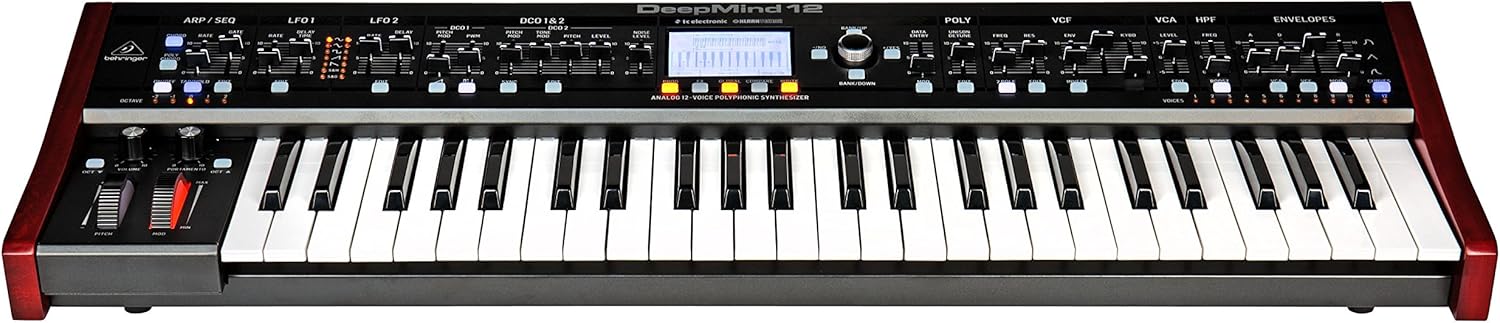
الشكل 1.1: أمام view of the Behringer DeepMind 12 synthesizer. This image displays the full keyboard, control panel with faders and knobs, and the central LCD screen.
2. تعليمات السلامة الهامة
Please read and follow these safety instructions to ensure safe operation and to prevent damage to your device:
- Do not open the device. There are no user-serviceable parts inside. Refer all servicing to qualified service personnel.
- لا تعرض هذا الجهاز للمطر أو الرطوبة.
- لا تستخدم هذا الجهاز بالقرب من الماء.
- نظف فقط بقطعة قماش جافة.
- تأكد من التهوية الجيدة. لا تسد أي فتحات تهوية.
- استخدم فقط المرفقات/الملحقات المحددة من قبل الشركة المصنعة.
- افصل هذا الجهاز أثناء العواصف الرعدية أو عند عدم استخدامه لفترات طويلة.
3. محتويات العبوة
Verify that all items are present in your DeepMind 12 package:
- Behringer DeepMind 12 Synthesizer
- كابل الطاقة
- كابل يو اس بي
- دليل البدء السريع (غير مدرج في هذا الدليل)
- Information regarding the companion app for iPad/PC/Mac/Android
4. الإعداد
4.1 توصيل الطاقة
Connect the supplied power cable to the AC input on the rear panel of the DeepMind 12 and then to a suitable power outlet. Ensure the power switch is in the OFF position before connecting.
4.2 اتصالات الصوت
Use standard 1/4-inch TS cables to connect the main audio outputs (LEFT/MONO, RIGHT) to your mixer, audio interface, or amplifier. For private monitoring, connect headphones to the dedicated headphone jack.
4.3 توصيلات MIDI و USB
The DeepMind 12 supports MIDI communication via traditional 5-pin DIN MIDI ports (IN, OUT, THRU) and USB. Connect the USB cable to your computer for MIDI over USB functionality and for remote control via the dedicated app.
4.4 إعداد شبكة الواي فاي
The DeepMind 12 features integrated WiFi for wireless remote control. Refer to the on-screen menu for WiFi client setup, allowing connection to your local network for control via the iPad/PC/Mac/Android app.

الشكل 4.1: Rear panel of the DeepMind 12, showing power input, audio outputs, MIDI ports, USB port, and pedal inputs.
5. Operating the DeepMind 12
5.1 الضوابط الأساسية
The DeepMind 12 features a 49-key semi-weighted keyboard with velocity and aftertouch for expressive playing. On the left side of the keyboard, you will find the pitch bend and modulation wheels, along with dedicated controls for volume and portamento.

الشكل 5.1: عن قرب view of the pitch bend and modulation wheels, along with volume and portamento controls, located on the left side of the DeepMind 12.
5.2 Voice Architecture
The DeepMind 12 is a 12-voice polyphonic synthesizer. Each voice includes two digitally controlled oscillators (DCOs), two LFOs, and three ADSR envelope generators. These components allow for complex sound shaping.
5.3 الفلاتر
The synthesizer features a switchable low-pass filter and a high-pass filter per voice, providing versatile tonal sculpting options. Adjust the VCF (Voltage Controlled Filter) and HPF (High Pass Filter) sections using the dedicated faders and knobs on the control panel.

الشكل 5.2: مفصل view of the VCF, VCA, and HPF sections on the DeepMind 12 control panel, showing faders and controls for filter and ampمعلمات ليفية
5.4 Effects Engines
The DeepMind 12 incorporates four effects engines with technology from TC Electronic and Klark Teknik. These engines offer a wide range of high-quality effects that can be routed and configured to enhance your sounds.
5.5 Modulation Matrix and Sequencer
An 8-channel modulation matrix allows for intricate routing of modulation sources to various destinations. The integrated 32-step control sequencer provides rhythmic and melodic sequencing capabilities.
5.6 Remote Control and Display
The DeepMind 12 can be controlled remotely via a dedicated app available for iPad, PC, Mac, and Android devices, connecting through USB, MIDI, or the built-in WiFi. The central LCD display provides visual feedback and access to parameters and settings.
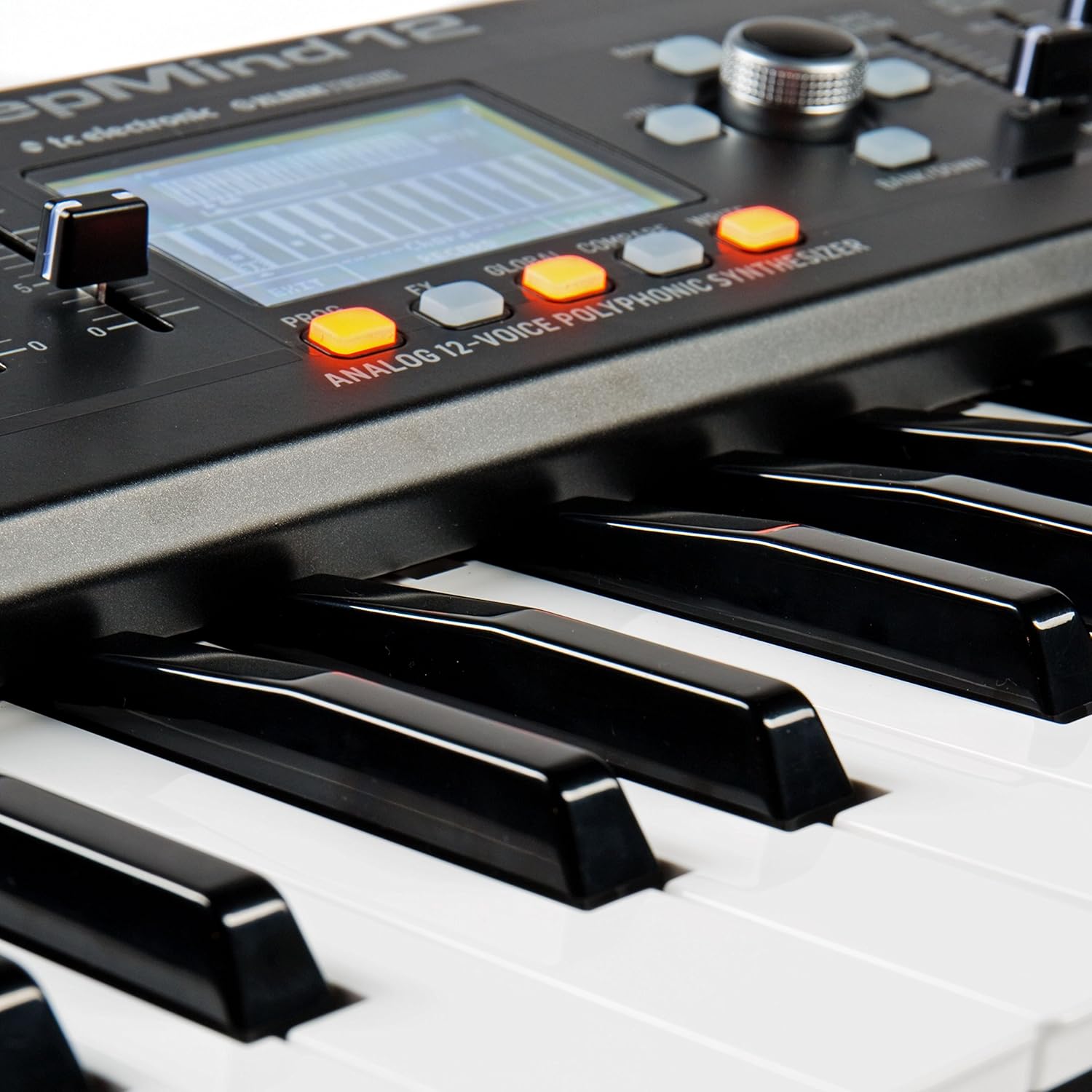
الشكل 5.3: Close-up of the DeepMind 12's LCD display and surrounding control buttons, used for navigation and parameter editing.
6. الصيانة
6.1 التنظيف
To clean your DeepMind 12, use a soft, dry cloth. Do not use abrasive cleaners, solvents, or waxes, as these can damage the finish and controls. Keep the ventilation openings clear of dust.
6.2 التخزين
When not in use, store the synthesizer in a dry, dust-free environment. Avoid extreme temperatures and humidity. If transporting the unit, use appropriate protective casing.
7. استكشاف الأخطاء وإصلاحها
- لا يوجد إخراج صوت:
- Check that the power cable is securely connected and the unit is powered on.
- Ensure audio cables are correctly connected to the outputs and to your sound system.
- Verify that the master volume knob on the DeepMind 12 is turned up.
- Check the volume levels on your mixer or audio interface.
- Ensure that a patch is selected and not muted.
- لا يستجيب نظام MIDI:
- Check MIDI cable connections (IN/OUT).
- Verify MIDI settings on both the DeepMind 12 and your external device/software.
- For USB MIDI, ensure the USB cable is connected and drivers (if required) are installed.
- مشكلات اتصال WiFi:
- تأكد من أن شبكة الواي فاي الخاصة بك نشطة وفي نطاق التغطية.
- Double-check the WiFi password and network settings on the DeepMind 12.
- Restart both the DeepMind 12 and your router.
8. المواصفات
| اسم الموديل | ديب مايند 12 |
| يكتب | Analog Polyphonic Synthesizer |
| لوحة المفاتيح | 49 semi-weighted keys with velocity and aftertouch |
| الأصوات | 12 |
| المذبذبات | 2 DCOs per voice (24 total) |
| مذبذبات منخفضة التردد | 2 LFOs per voice |
| المظاريف | 3 ADSR generators per voice |
| المرشحات | Switchable Low-Pass and High-Pass filters |
| التأثيرات | 4 integrated effects engines (TC Electronic & Klark Teknik) |
| مصفوفة التعديل | 8 قنوات |
| المنظم | 32-step control sequencer |
| الاتصال | MIDI In/Out/Thru, USB MIDI, WiFi |
| جهاز التحكم عن بعد | iPad/PC/Mac/Android App |
| الأبعاد (الطول × العرض × الارتفاع) | 91.8 x 36.1 x 20.5 cm (36.1 x 14.2 x 8.1 inches) |
| وزن | 8.4 كجم (18.5 رطل) |
| مادة | بلاستيك |
9. الضمان والدعم
للحصول على معلومات مفصلة حول الضمان والدعم الفني، يرجى الرجوع إلى موقع Behringer الرسمي. webقم بزيارة الموقع الإلكتروني أو اتصل بموزع Behringer المحلي. احتفظ بإيصال الشراء كإثبات للشراء لأي مطالبات ضمان.


