1. انتهى المنتجview
The ZOTAC GeForce GTX 1080 Mini is a high-performance graphics card designed for gaming and VR applications. It features NVIDIA Pascal architecture, 8GB GDDR5X memory, and a compact design suitable for smaller PC builds. This manual provides essential information for the installation, operation, and maintenance of your graphics card.
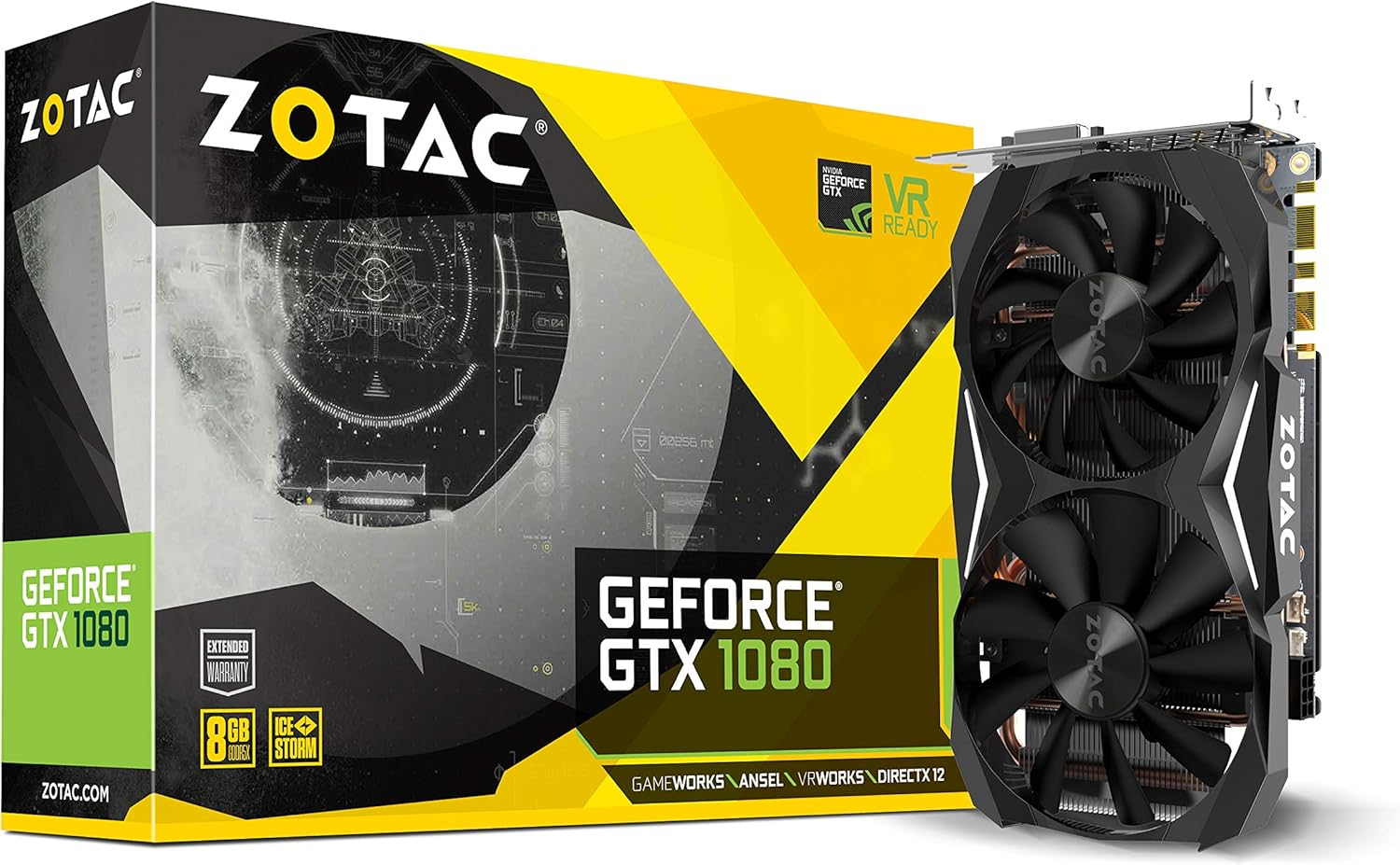
Figure 1: ZOTAC GeForce GTX 1080 Mini Graphics Card, front view with dual fans.
2. ماذا يوجد في الصندوق
تأكد من وجود كافة المكونات قبل متابعة التثبيت:
- ZOTAC GeForce GTX 1080 Mini Graphics Card
- 2 x Dual 6-pin to 8-pin power cable
- دليل المستخدم
- قرص التشغيل
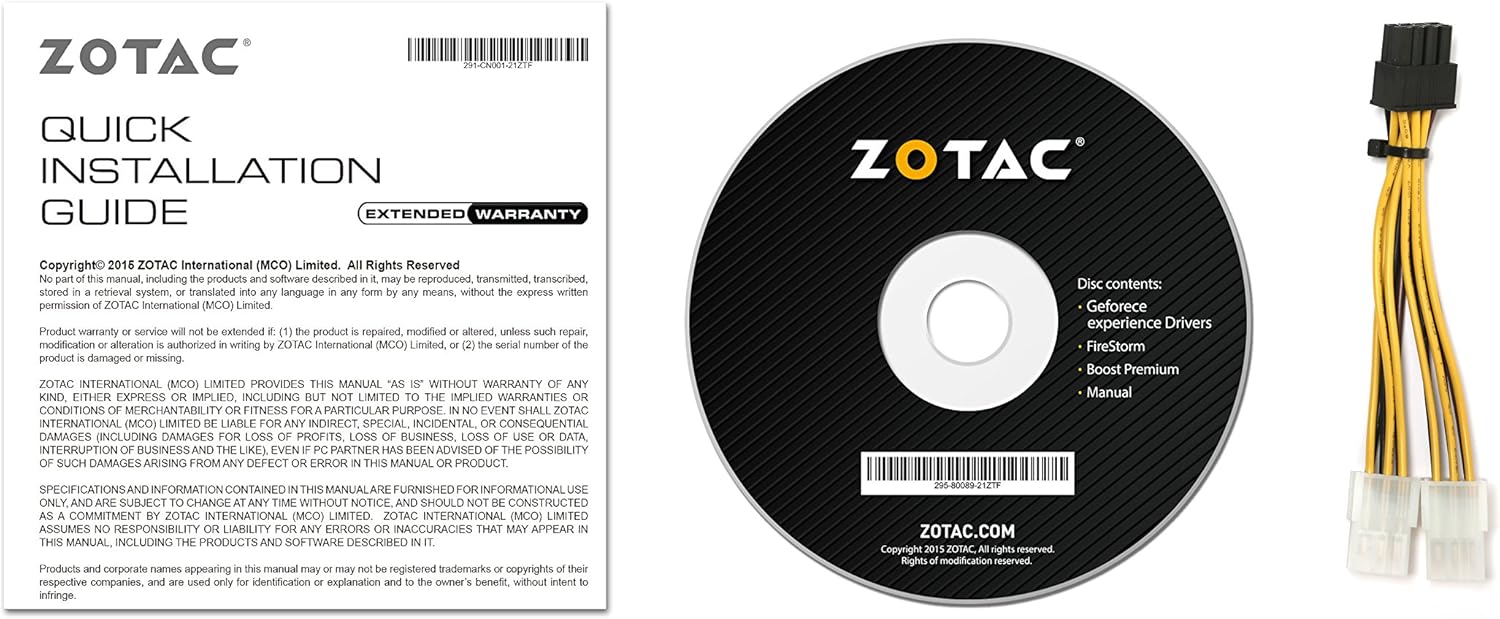
Figure 2: Included accessories and documentation.
3. الإعداد والتثبيت
Before installing the graphics card, ensure your computer is powered off and unplugged from the wall outlet. It is recommended to wear an anti-static wrist strap to prevent damage from electrostatic discharge.
3.1 متطلبات النظام
- لوحة أم متوافقة مع PCI Express مع فتحة رسومات واحدة مزدوجة العرض x16.
- Minimum 500 watt power supply recommended.
- 180 watt minimum power consumption.
- 8-pin PCI Express power connectors (use included adapter if necessary).
- Microsoft Windows 10/8/7 x86/x64.
3.2 التثبيت المادي
- افتح علبة الكمبيوتر الخاص بك.
- حدد فتحة PCI Express x16 المتوفرة على اللوحة الأم لديك.
- Remove any expansion slot covers that correspond to the graphics card's size.
- Carefully align the graphics card with the PCI Express slot and press firmly until it is securely seated.
- Secure the graphics card to the chassis with the appropriate screws.
- Connect the 8-pin PCI Express power connector(s) from your power supply to the graphics card. Use the provided dual 6-pin to 8-pin adapter if your power supply only has 6-pin connectors.
- أغلق علبة الكمبيوتر.

Figure 3: Graphics card display outputs (3x DisplayPort 1.4, 1x HDMI 2.0b, 1x Dual-Link DVI).
3.3 تثبيت برنامج التشغيل
- Connect your display to one of the graphics card's output ports.
- قم بتشغيل جهاز الكمبيوتر الخاص بك.
- Insert the included driver disc into your optical drive and follow the on-screen instructions. Alternatively, download the latest drivers from the official ZOTAC website or NVIDIA webموقع للحصول على الأداء الأمثل والتوافق.
- أعد تشغيل الكمبيوتر بعد اكتمال تثبيت برنامج التشغيل.
4. تشغيل بطاقة الرسومات الخاصة بك
The ZOTAC GeForce GTX 1080 Mini is equipped with advanced NVIDIA technologies to enhance your gaming and visual experience.
4.1 الميزات الرئيسية
- NVIDIA Pascal Architecture: Delivers superior performance and power efficiency.
- 8GB GDDR5X Memory: يوفر ample memory for high-resolution gaming and demanding applications.
- VR جاهز: Optimized for virtual reality experiences.
- NVIDIA GameWorks Technology: Delivers interactive and cinematic experiences.
- NVIDIA VRWorks Technology: Enables next-generation VR performance, low latency, and plug-and-play compatibility.
- NVIDIA G-Sync Ready: Synchronizes display refresh rates to the GPU for smooth, tear-free gaming.
- NVIDIA Ansel Technology: A revolutionary way to capture in-game screenshots.
- NVIDIA SLI Ready: Allows for multi-GPU configurations for increased performance (requires compatible motherboard and additional card).
- 4K Gaming Support: Capable of delivering high-resolution gaming experiences.
- دعم العرض المتعدد: يدعم ما يصل إلى 4 شاشات في وقت واحد.
4.2 Software Utility (FireStorm)
The ZOTAC FireStorm software utility provides an intuitive interface for monitoring and tuning your graphics card. It allows for fan speed control, clock speed adjustments, and LED lighting customization.
Video 1: Official ZOTAC overview of the GeForce GTX 1080 Mini, highlighting key features and the FireStorm software.
5. الصيانة
تضمن الصيانة المناسبة طول عمر بطاقة الرسوميات لديك وأدائها الأمثل.
- حافظ على تحديث السائقين: تحقق بانتظام من ZOTAC أو NVIDIA website for the latest graphics drivers to ensure compatibility and performance improvements.
- التنظيف بانتظام: Use compressed air to gently remove dust from the fans and heatsink fins. Ensure the computer is powered off and unplugged before cleaning.
- مراقبة درجات الحرارة: Use monitoring software (like ZOTAC FireStorm) to keep an eye on the GPU temperature, especially during heavy loads, to prevent overheating.

الشكل 4: الجزء العلوي view صورة لبطاقة الرسومات، توضح نظام التبريد بمروحتين.
6. استكشاف الأخطاء وإصلاحها
إذا واجهت مشاكل مع بطاقة الرسومات الخاصة بك، فارجع إلى خطوات استكشاف الأخطاء وإصلاحها الشائعة التالية:
- لا يوجد إخراج للعرض:
- تأكد من توصيل كابل الشاشة بشكل آمن ببطاقة الرسومات والشاشة.
- Verify the graphics card is properly seated in the PCI Express slot.
- Check that all necessary power connectors are attached to the graphics card.
- قم بإجراء الاختبار باستخدام كابل عرض أو شاشة مختلفة إذا كان ذلك ممكنًا.
- عدم استقرار النظام أو تعطلّه:
- Ensure graphics drivers are up-to-date.
- راقب درجة حرارة وحدة معالجة الرسومات للتأكد من عدم ارتفاع درجة حرارتها بشكل مفرط.
- تأكد من أن مصدر الطاقة الخاص بك يفي بالحد الأدنى من متطلبات الطاقةtagالشرط الإلكتروني.
- Poor Performance in Games:
- Ensure graphics drivers are up-to-date.
- تحقق من إعدادات الرسومات داخل اللعبة وقم بتقليلها إذا لزم الأمر.
- أغلق التطبيقات الخلفية غير الضرورية.
- Monitor GPU and CPU usage to identify potential bottlenecks.
7. المواصفات
| ميزة | التفاصيل |
|---|---|
| معالج الرسوميات المساعد | بطاقة الرسوميات NVIDIA GeForce GTX 1080 |
| نوى CUDA | 2560 |
| ذاكرة الفيديو | 8 جيجابايت GDDR5X |
| حافلة الذاكرة | 256 بت |
| Engine Clock (Base) | 1620 ميجا هرتز |
| Engine Clock (Boost) | 1759 ميجا هرتز |
| ساعة الذاكرة | 10 جيجاهرتز |
| بي سي اي اكسبريس | 3.0 |
| مخرجات العرض | 3 x DisplayPort 1.4, 1 x HDMI 2.0b, 1 x Dual-Link DVI |
| أقصى دقة للشاشة | 3840×2160 |
| دعم الشاشات المتعددة | عرض متزامن رباعي قادر |
| موصلات الطاقة | 8-pin PCI Express |
| مصدر الطاقة الموصى به | Minimum 500W |
| استهلاك الطاقة | 180W (minimum) |
| الأبعاد (الطول × العرض × الارتفاع) | 8.3 × 1.61 × 4.92 بوصة |
| وزن العنصر | 1 رطل |
8. الضمان والدعم
An extended warranty is included with every ZOTAC graphics card purchase. User registration is required on the official ZOTAC website to activate the extended warranty.
For technical support, driver downloads, or further product information, please visit the official ZOTAC webموقع: www.zotac.com


