مقدمة
This manual provides detailed instructions for the Logitech M221 Wireless Mouse. Designed for quiet operation and reliable performance, the M221 offers a comfortable, ambidextrous design with an 18-month battery life. Please read this manual thoroughly to ensure proper setup and optimal use of your device.
دليل الإعداد
اتبع هذه الخطوات لإعداد فأرة Logitech M221 اللاسلكية:
- قم بتثبيت البطارية:
Locate the battery compartment on the underside of the mouse. Slide the battery cover off. Insert the included AA battery, ensuring correct polarity. Replace the battery cover.

الصورة: الجانب السفلي view of the Logitech M221 mouse, showing the battery compartment and the location of the USB receiver.
- حدد موقع جهاز استقبال USB:
The tiny USB receiver is stored inside the battery compartment for convenience during transport. Carefully remove it from its slot.
- Connect the Receiver to Your Computer:
Plug the USB receiver into an available USB port on your computer (PC or Mac). The mouse will automatically connect to your computer.
- تشغيل الماوس:
Ensure the power switch on the underside of the mouse is in the "ON" position. The mouse is now ready for use.
تعليمات التشغيل
The Logitech M221 is designed for intuitive and comfortable use:
- النقر الصامت: The M221 features 90% reduced click sound, providing a quiet working environment without sacrificing the familiar click feel.
- تصميم بارع: Its comfortable, contoured shape is suitable for both left and right-handed users.
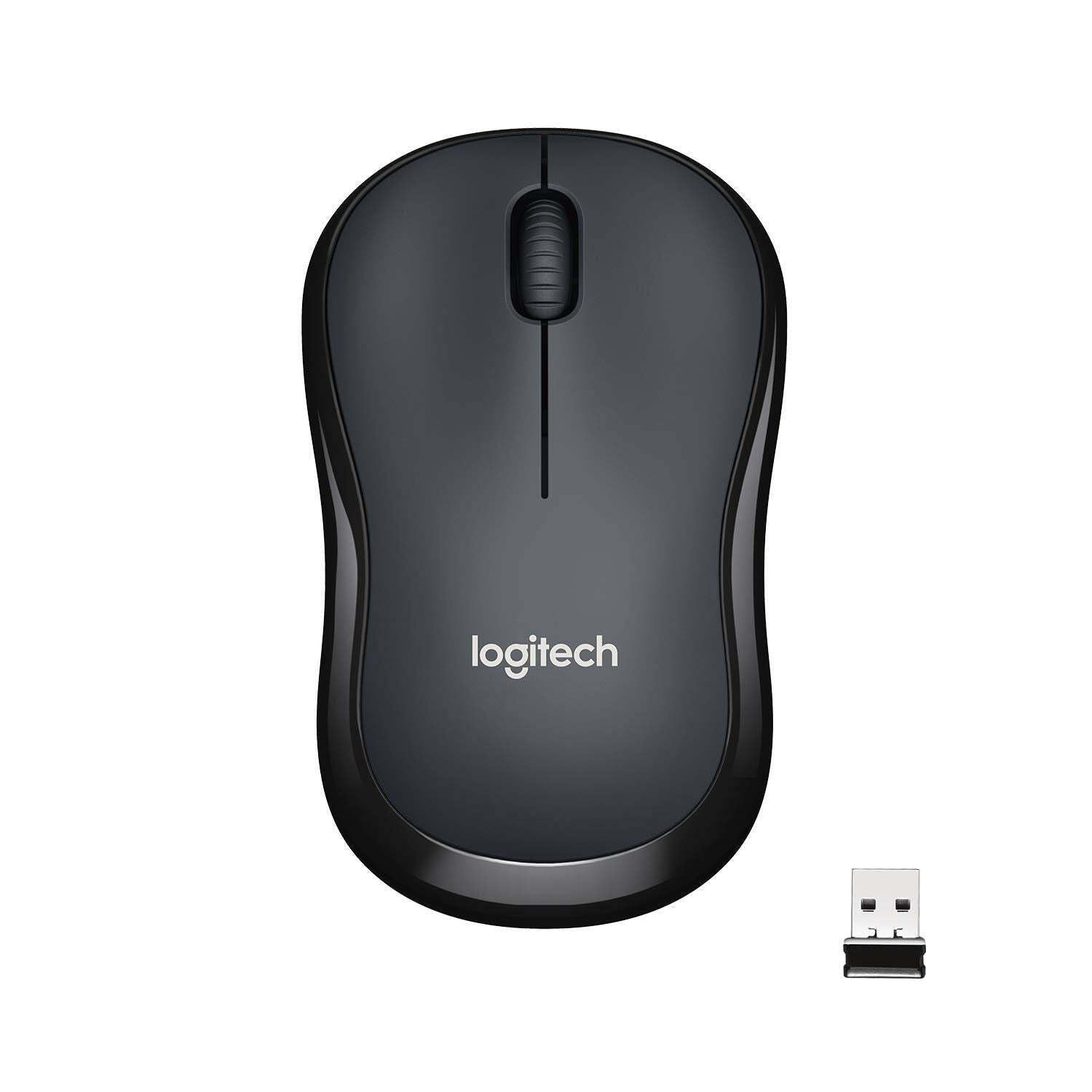
الصورة: أعلى view of the Logitech M221 Wireless Mouse in charcoal, alongside its compact USB receiver.
- التتبع البصري: The mouse uses 1000 DPI optical tracking for smooth and precise cursor control.
- النطاق اللاسلكي: Enjoy reliable wireless connectivity up to 10 meters (33 feet) from your computer. Actual range may vary based on environmental conditions.
- ميزة السكون التلقائي: To conserve battery life, the mouse automatically enters a sleep mode when not in use. Move the mouse or click a button to wake it up.
صيانة
Proper maintenance ensures the longevity and optimal performance of your M221 mouse.
- استبدال البطارية: The M221 mouse boasts an 18-month battery life. When the mouse performance degrades or the indicator light (if present) signals low battery, replace the AA battery. Refer to the "Install the Battery" step in the Setup Guide.
- تنظيف: Use a soft, dry cloth to clean the mouse. Avoid abrasive cleaners or solvents.
- تخزين: When not in use for extended periods, turn off the mouse using the power switch on the underside to further conserve battery life. Store the USB receiver inside the battery compartment to prevent loss.
استكشاف الأخطاء وإصلاحها
إذا واجهت مشاكل مع فأرة Logitech M221 الخاصة بك، فجرب الحلول التالية:
- الماوس لا يستجيب:
- تأكد من تشغيل الماوس.
- افحص البطارية. استبدلها إذا لزم الأمر.
- تأكد من توصيل جهاز استقبال USB بشكل صحيح بمنفذ USB يعمل على جهاز الكمبيوتر الخاص بك. جرب منفذ USB آخر.
- قم بتحريك الماوس أقرب إلى جهاز الاستقبال USB لتجنب مشكلات النطاق.
- حركة مؤشر الماوس غير المنتظمة:
- قم بتنظيف المستشعر البصري الموجود على الجانب السفلي للفأرة باستخدام قطعة قماش ناعمة وجافة.
- تأكد من استخدام الماوس على سطح مناسب. تجنب الأسطح العاكسة أو الشفافة للغاية.
- تحقق من عدم وجود تداخل من الأجهزة اللاسلكية الأخرى.
- الأزرار أو عجلة التمرير لا تعمل:
- أعد تشغيل الكمبيوتر الخاص بك.
- أعد إدخال جهاز استقبال USB.
- If the issue persists, the mouse may require replacement.
تحديد
| ميزة | التفاصيل |
|---|---|
| ماركة | لوجيتك |
| نموذج | M221 (Item model number: 910-004882) |
| تكنولوجيا الاتصال | 2.4 جيجاهرتز لاسلكي (مستقبل USB) |
| كشف الحركة | بصري (1000 نقطة في البوصة) |
| الأزرار الصامتة | Yes (90% reduced click sound) |
| نوع البطارية | بطارية 1 x AA (مضمنة) |
| متوسط عمر البطارية | 18 شهرًا |
| تصميم مضحكة | نعم |
| أنظمة التشغيل المتوافقة | Windows 10 or later, Windows 8, Windows RT, Windows 7, Mac OS X 10.5 or later, Chrome OS, Linux Kernel 2.6+2 |
| أبعاد المنتج | 6 × 4 × 10 سم (الطول × العرض × الارتفاع) |
| وزن العنصر | 77 جرام |
| المكونات المضمنة | Mouse, Nano Receiver, 1 AA Battery, User Documentation |

Image: Diagram showing the dimensions of the Logitech M221 Wireless Mouse: 99mm length, 60mm width, 39mm height, and 75g weight.
الضمان والدعم
للحصول على معلومات الضمان والدعم الفني، يرجى الرجوع إلى موقع لوجيتك الرسمي. website or the documentation included with your product. Logitech provides customer support for product inquiries and assistance.
You can typically find support resources, FAQs, and contact information by visiting www.logitech.com/support.


