مقدمة
This manual provides essential information for setting up, operating, maintaining, and troubleshooting your HP OMEN 870-120 Desktop. Please read these instructions carefully to ensure proper use and longevity of your device.
يثبت
1. فك التعبئة
Carefully remove the desktop and all accessories from the packaging. Ensure all components listed in the packing slip are present.
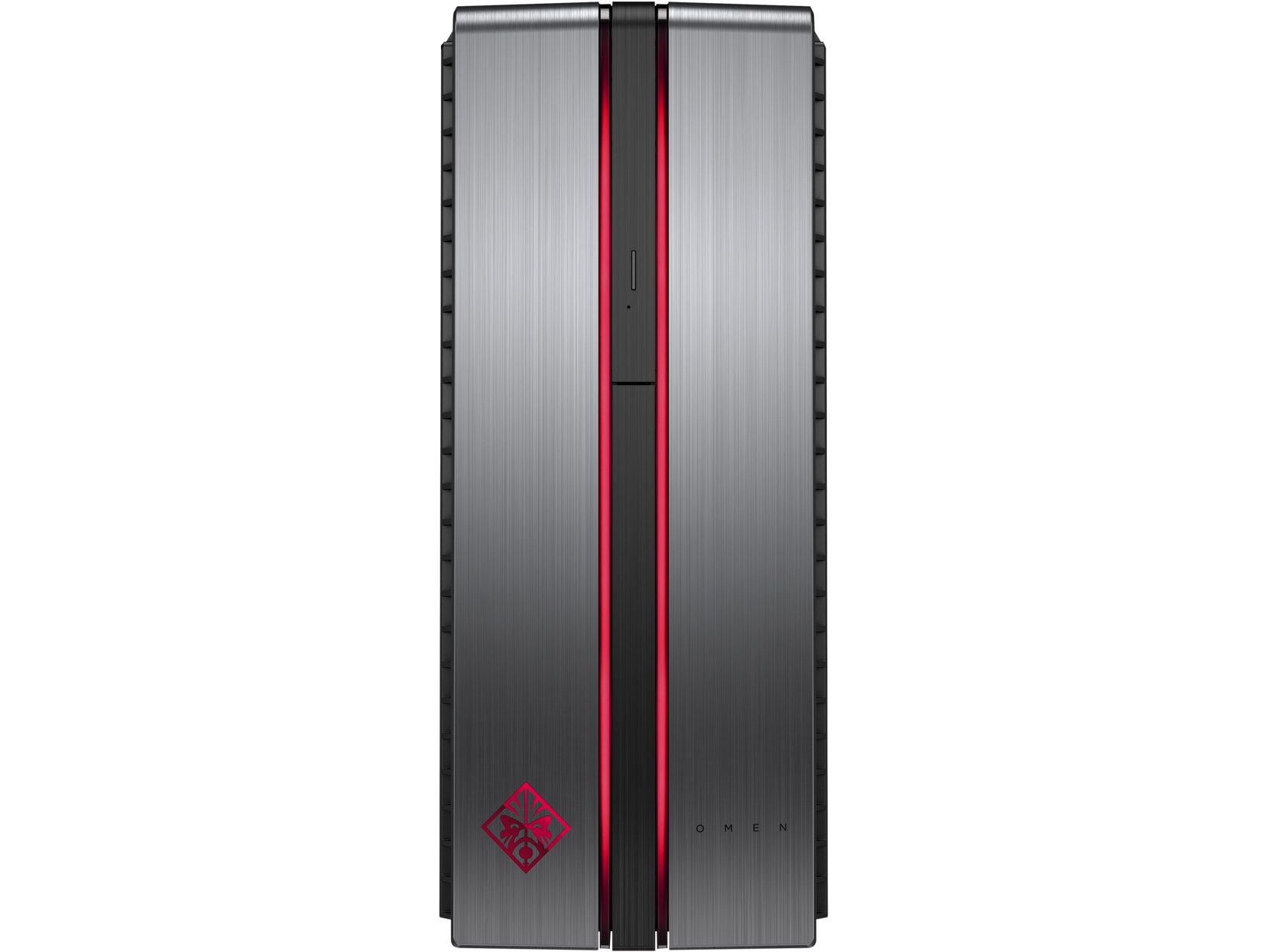
Image: The HP OMEN 870-120 Desktop tower, shown from the front-left angle.
2. توصيل الأجهزة الطرفية
- شاشة: Connect your monitor to the graphics card's display output ports (HDMI, DisplayPort, DVI) on the rear of the desktop.
- لوحة المفاتيح والفأرة: Connect the HP USB Wired Keyboard and Wired Optical Mouse to any available USB ports.
- قوة: قم بتوصيل سلك الطاقة بمدخل الطاقة الخاص بجهاز الكمبيوتر المكتبي، ثم قم بتوصيله بمأخذ كهربائي مؤرض.
- الشبكة (اختياري): For a wired connection, connect an Ethernet cable from your router or modem to the Ethernet port on the desktop. For wireless, ensure your desktop is within range of a Wi-Fi network.
3. Initial Power-On and Windows Setup
Press the power button on the front of the desktop. Follow the on-screen instructions to complete the Windows 10 operating system setup, including language selection, network configuration, and user account creation.

الصورة: عن قرب view of the HP OMEN 870-120 Desktop's front panel, highlighting the OMEN logo and red accent lighting.
تعليمات التشغيل
تشغيل/إيقاف الطاقة
- لتشغيل: اضغط على زر الطاقة الموجود في مقدمة سطح المكتب.
- للإغلاق: انقر فوق زر البدء في نظام التشغيل Windows، ثم حدد الطاقة > إيقاف التشغيل.
- لإعادة التشغيل: انقر فوق زر البدء في نظام التشغيل Windows، ثم حدد الطاقة > إعادة التشغيل.
استخدام محرك الأقراص الضوئية
The desktop includes a DVD-Writer. To use it, press the eject button on the drive bay cover to open the tray, insert a disc, and close the tray. Windows will typically prompt you for action or you can access the drive through 'This PC'.
الاتصال بالإنترنت
- الاتصال السلكي: If an Ethernet cable is connected, the system should automatically detect the network.
- الاتصال اللاسلكي: In Windows 10, click the network icon in the taskbar, select your Wi-Fi network, enter the password, and click Connect.
صيانة
تنظيف
Regularly clean the exterior of the desktop with a soft, dry cloth. Ensure ventilation grilles are free from dust to maintain optimal airflow. Do not use liquid cleaners directly on the components.
تحديثات البرامج
Keep your Windows 10 operating system and device drivers updated. Windows Update can be accessed via Settings > Update & Security > Windows Update. Regularly check the HP support website for the latest drivers for your OMEN 870-120 model.
النسخ الاحتياطية للنظام
قم بعمل نسخ احتياطية دورية لبياناتك المهمة على محرك أقراص خارجي أو تخزين سحابي لمنع فقدان البيانات.
ترقيات المكونات
The HP OMEN 870-120 Desktop supports upgrades for certain components. The system can be expanded to 64GB of DDR4 RAM. Additional storage drives can also be installed. Refer to the official HP service manual for detailed instructions on component installation to avoid voiding your warranty.
استكشاف الأخطاء وإصلاحها
لا يوجد طاقة
- Verify the power cord is securely connected to both the desktop and the electrical outlet.
- اختبر المنفذ بجهاز آخر للتأكد من أنه يعمل بشكل صحيح.
لا يوجد عرض
- Ensure the monitor is powered on and the video cable is securely connected to both the desktop's graphics card and the monitor.
- جرب كابل فيديو أو شاشة مختلفة إن أمكن.
الأداء البطيء
- أغلق التطبيقات غير الضرورية التي تعمل في الخلفية.
- قم بتشغيل تنظيف القرص وإزالة التجزئة (بالنسبة للقرص الصلب).
- تحقق من وجود أي تحديثات معلقة لنظام التشغيل Windows أو برامج التشغيل وقم بتثبيتها.
- فحص بحثًا عن البرامج الضارة أو الفيروسات.
For more complex issues or if the problem persists, contact HP customer support or visit the official HP support webالموقع للحصول على مزيد من المساعدة.
تحديد

Image: The HP OMEN 870-120 Desktop tower, showcasing its design and side ventilation.
| ميزة | التفاصيل |
|---|---|
| اسم الموديل | OMEN 870-120 |
| المعالج | Intel Core i5-6400 (2.7 GHz Quad-Core) |
| كبش | 8 GB DDR4-2133 SDRAM (1x8 GB), expandable to 64 GB |
| بطاقة الرسوميات | NVIDIA GeForce GTX 1060 with 3 GB GDDR5 dedicated memory |
| تخزين | 1 TB 7200RPM SATA Hard Drive |
| محرك بصري | دي في دي الكاتب |
| نظام التشغيل | ويندوز 10 |
| منافذ USB | 6 x USB 2.0 (additional USB 3.0/3.1 ports may be present depending on configuration) |
| الاتصال اللاسلكي | 802.11b/g/n |
| واتtage | 500 واط |
| الأبعاد (الارتفاع × العرض × العمق) | 40.11 x 16.51 x 42.01 cm (15.79 x 6.5 x 16.54 inches) |
| وزن | 10.52 كجم |
الضمان والدعم
Your HP OMEN 870-120 Desktop comes with a standard manufacturer's warranty. For detailed information regarding warranty terms, coverage, and duration, please refer to the warranty documentation included with your product or visit the official HP support webموقع.
For technical assistance, driver downloads, or service requests, please visit the HP support website or contact HP customer service directly. Have your product model number (870-120) and serial number ready when contacting support.