1. المقدمة
شكرا لك على الشراءasing the Blaupunkt BB 1000 Speaker. This portable boombox is designed to provide a versatile audio experience with multiple playback options, including Bluetooth, CD, USB, FM radio, and auxiliary input. It also features inputs for a microphone and guitar, allowing for enhanced entertainment. Please read this manual carefully before using the device to ensure proper operation and to maximize its lifespan.
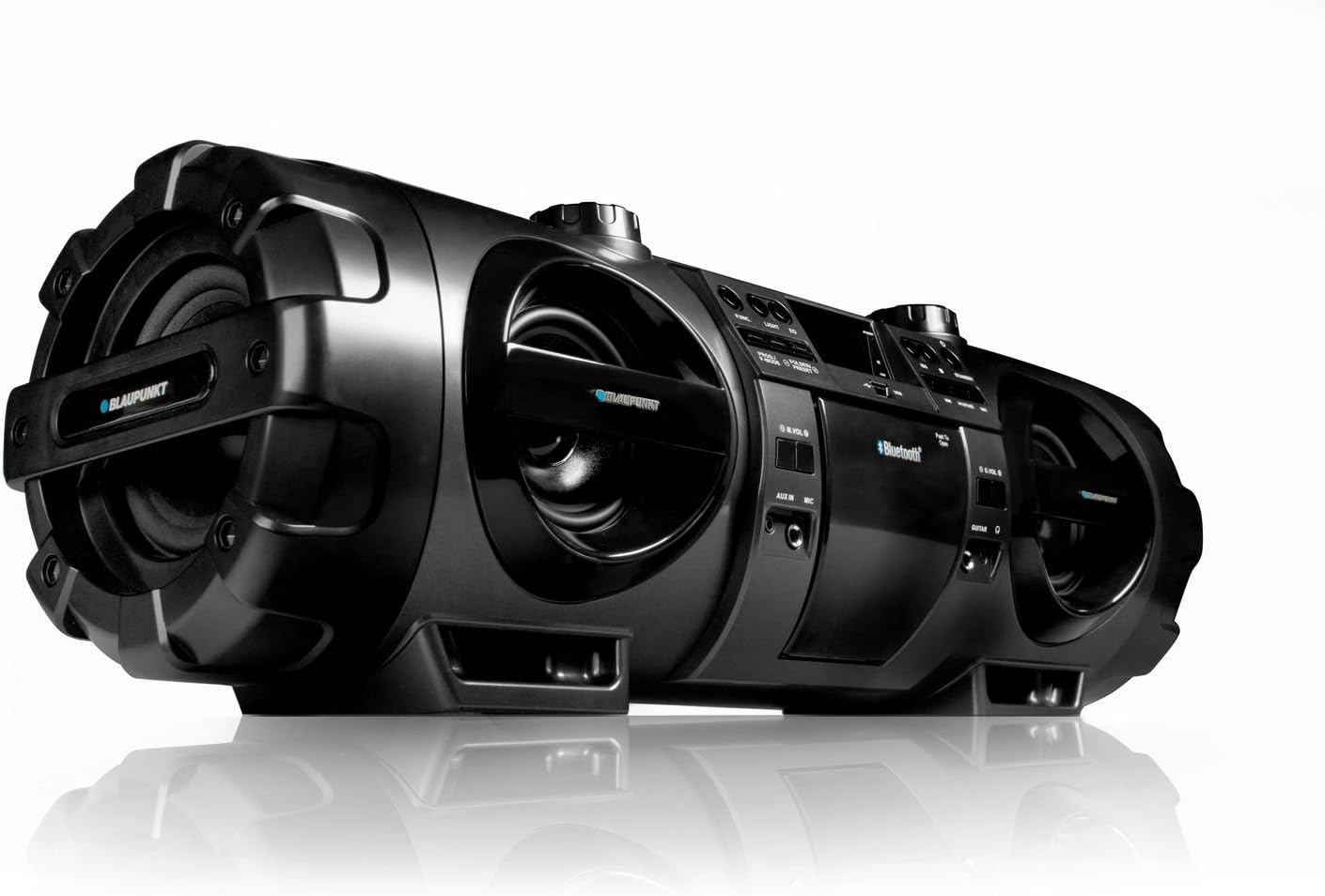
Figure 1.1: Blaupunkt BB 1000 Speaker, showcasing its robust design and speaker configuration.
2. معلومات السلامة
لضمان التشغيل الآمن ومنع التلف، يرجى مراعاة احتياطات السلامة التالية:
- لا تعرض الوحدة للمطر أو الرطوبة أو درجات الحرارة العالية.
- تجنب وضع الوحدة بالقرب من مصادر الحرارة مثل المشعات أو المواقد أو الأجهزة الأخرى المنتجة للحرارة.
- تأكد من وجود تهوية كافية حول الوحدة. لا تسد فتحات التهوية.
- Use only the power adapter supplied with the unit or one specified by the manufacturer.
- لا تفتح الصندوقasinز. إحالة جميع أعمال الصيانة إلى فنيي صيانة مؤهلين.
- When using batteries, ensure correct polarity. Do not mix old and new batteries, or different types of batteries. Remove batteries if the unit will not be used for an extended period.
- أبقِ الوحدة بعيدًا عن المجالات المغناطيسية القوية.
3. محتويات العبوة
يرجى التأكد من وجود جميع العناصر في العبوة:
- Blaupunkt BB 1000 Speaker Unit
- جهاز التحكم عن بعد
- حزام الحمل
- التيار المتردد كابل
- دليل المستخدم (هذا المستند)
4. انتهى المنتجview
The Blaupunkt BB 1000 features a comprehensive control panel and various input/output ports for versatile audio playback.
4.1 اللوحة الأمامية والعلوية

الشكل 4.1: الجزء العلوي view of the Blaupunkt BB 1000, highlighting the CD player, USB port, and main controls.
- حجرة الأقراص المضغوطة: لتشغيل الأقراص الصوتية المدمجة.
- منفذ USB: Connect USB storage devices for MP3 playback.
- عرض: Digital negative LCD for status and track information.
- أزرار التحكم: Power, Mode, Play/Pause, Skip/Search, Volume, EQ.
- المتحدثون: Two 10W speakers and a 30W subwoofer for powerful sound.
4.2 Side and Rear Panel
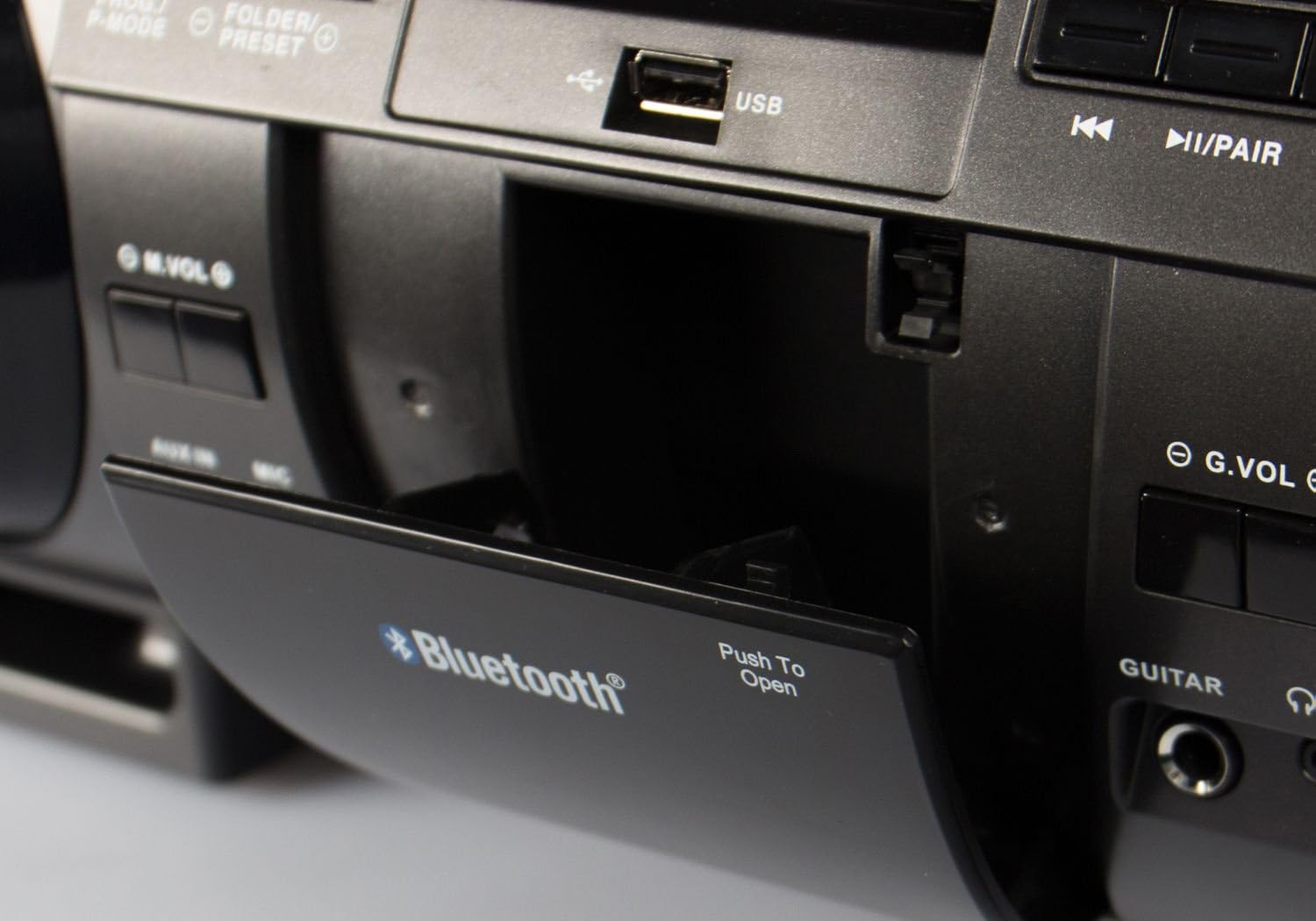
Figure 4.2: Close-up of the Blaupunkt BB 1000's USB port and Bluetooth indicator, located within a protective compartment.
- مدخل AUX: مدخل 3.5 ملم لتوصيل أجهزة الصوت الخارجية.
- مدخل الميكروفون: 6.3mm input for connecting a microphone.
- مدخلات الغيتار: 6.3mm input for connecting an electric guitar.
- مخرج سماعة الرأس: مخرج 3.5 ملم للاستماع الخاص.
- مدخلات الطاقة AC: لتوصيل كابل الطاقة.
- حجرة البطارية: Located on the underside, for 10 x D-size batteries.
5. الإعداد
5.1 تشغيل الوحدة
The Blaupunkt BB 1000 can be powered by AC mains or batteries.
طاقة التيار المتردد
- Connect the supplied AC power cable to the AC input on the unit.
- قم بتوصيل الطرف الآخر من كابل الطاقة بمقبس الحائط القياسي.
طاقة البطارية
For portable use, the unit requires 10 x D-size (mono) batteries (not included).
- Locate the battery compartment on the underside of the unit.
- افتح غطاء حجرة البطارية.
- قم بإدخال 10 بطاريات بحجم D، مع التأكد من القطبية الصحيحة (+/-) كما هو موضح داخل الحجرة.
- أغلق غطاء حجرة البطارية جيدًا.
5.2 ربط حزام الحمل
Attach the carrying strap to the designated loops on the sides of the unit for easy portability.
6. تعليمات التشغيل
6.1 الضوابط الأساسية
- زر الطاقة: اضغط لتشغيل أو إيقاف تشغيل الوحدة.
- زر الوضع: Press to cycle through input sources: CD, USB, Bluetooth, FM Radio, AUX.
- مقابض الصوت: Rotate to adjust the master volume. Separate volume controls may be available for microphone/guitar inputs.
6.2 اتصال البلوتوث
The BB 1000 can wirelessly connect to Bluetooth-enabled devices.
- Turn on the BB 1000 and press the Mode button until "Bluetooth" is selected on the display. The unit will enter pairing mode, indicated by a flashing Bluetooth icon or voice prompt.
- على جهازك المحمول (الهاتف الذكي أو الجهاز اللوحي)، قم بتمكين البلوتوث وابحث عن الأجهزة المتاحة.
- Select "BB 1000" from the list of devices.
- Once connected, the Bluetooth indicator will stop flashing, and a confirmation sound may be heard. You can now play audio from your device through the BB 1000.
- يصل مدى البلوتوث إلى 15 أمتار تقريبًا (49 قدمًا).
تشغيل أقراص مضغوطة 6.3
- Press the Mode button to select "CD" mode.
- افتح غطاء حجرة القرص المضغوط.
- Place an audio CD onto the spindle with the label side facing up.
- Close the CD compartment cover. The unit will begin reading the CD and playback will start automatically.
- Use the Play/Pause, Skip/Search buttons to control playback.
6.4 تشغيل USB
- Press the Mode button to select "USB" mode.
- Insert a USB flash drive (up to 128GB, formatted as FAT32) containing MP3 audio files في منفذ USB.
- The unit will automatically detect the USB drive and begin playing MP3 files.
- Use the Play/Pause, Skip/Search, and Folder/Preset buttons to navigate and control playback.
6.5 FM PLL Radio
- Press the Mode button to select "FM Radio" mode.
- قم بتمديد الهوائي التلسكوبي للحصول على استقبال مثالي.
- التأكد الذاتي: Press and hold the Scan button to automatically search and store available FM stations (up to 30 presets).
- ضبط يدوي: Use the Skip/Search buttons to manually tune to desired frequencies.
- استدعاء الإعدادات المسبقة: Use the Folder/Preset buttons to cycle through stored stations.
6.6 مدخل ايه يو اكس
- Press the Mode button to select "AUX" mode.
- Connect an external audio device (e.g., MP3 player, smartphone) to the AUX IN port using a 3.5mm audio cable (not included).
- Play audio from your external device. The sound will be output through the BB 1000.
6.7 مدخلات الميكروفون والجيتار
- Connect a microphone or electric guitar to the respective 6.3mm input jacks.
- Adjust the microphone/guitar volume using the dedicated volume controls (G.VOL, M.VOL) if available, or the main volume knob.
- The audio from the microphone/guitar will be mixed with the selected audio source (CD, USB, Bluetooth, AUX).
6.8 مخرج سماعة الرأس
For private listening, connect 3.5mm headphones to the Headphone Output jack. The main speakers will be muted automatically.
6.9 التحكم عن بعد
The included remote control allows for convenient operation of the BB 1000 from a distance. Ensure the remote control's battery is inserted correctly and that there are no obstructions between the remote and the unit's IR sensor.
6.10 إعدادات الصوت (المعادل)
The unit features an equalizer to adjust the sound profile. Press the EQ button to cycle through preset modes: Flat, Rock, Pop, Jazz, and 3D. The 3D mode amplifies the sound for a more immersive experience.
7. الصيانة
7.1 التنظيف
- امسح الجزء الخارجي من الوحدة بقطعة قماش ناعمة وجافة.
- لا تستخدم المنظفات الكاشطة أو الشمع أو المذيبات لأنها قد تؤدي إلى إتلاف الطبقة النهائية.
- بالنسبة لعدسة الأقراص المضغوطة، استخدم منظفًا متخصصًا لعدسة الأقراص المضغوطة إذا لزم الأمر.
7.2 استبدال البطارية
If using battery power, replace all 10 D-size batteries when the unit's performance diminishes or it fails to power on. Always replace all batteries at once with new ones of the same type.
7.3 التخزين
If storing the unit for an extended period, remove all batteries to prevent leakage and damage. Store in a cool, dry place away from direct sunlight.
8. استكشاف الأخطاء وإصلاحها
If you encounter issues with your Blaupunkt BB 1000, refer to the following table for common problems and solutions.
| مشكلة | السبب المحتمل | حل |
|---|---|---|
| الوحدة لا تعمل بالطاقة. | لا يوجد اتصال بالكهرباء أو بطاريات فارغة. | Ensure AC cable is securely plugged in or replace batteries. |
| لا يوجد صوت. | Volume too low, incorrect mode, or headphones connected. | Increase volume, select correct input mode, or disconnect headphones. |
| فشل اتصال Bluetooth. | Device not in pairing mode, out of range, or already connected to another device. | Ensure BB 1000 is in Bluetooth pairing mode, move device closer, or disconnect from other devices. |
| CD/USB not playing. | Disc dirty/scratched, incorrect file format, or USB drive unsupported. | Clean CD, ensure USB files are MP3, check USB drive compatibility (FAT32, max 128GB). |
| استقبال راديو ضعيف. | الهوائي غير ممتد أو الإشارة ضعيفة. | Fully extend the telescopic antenna and reposition the unit for better reception. |
| صوت مشوه. | Volume too high, audio source issue, or unit requires break-in. | Reduce volume, check audio source quality. Note that some units may benefit from a 'break-in' period for optimal speaker performance. |
9. المواصفات
Detailed technical specifications for the Blaupunkt BB 1000 Speaker:
| ميزة | مواصفة |
|---|---|
| نموذج | ب ب 1000 |
| ماركة | بلاوبونكت |
| تكنولوجيا الاتصال | بلوتوث |
| نوع السماعة | Stereo with Subwoofer |
| وضع إخراج الصوت | Mono (for specific outputs) |
| القدرة الخرجية الاسمية للسماعات | 2 x 10 Watts + 30 Watts (Subwoofer) |
| إجمالي الناتج واطtage | 50 واط |
| تنسيقات الصوت المدعومة | إم بي 3 |
| نوع محرك الأقراص الضوئية | مشغل أقراص ليزرية |
| منفذ يو اس بي | USB 2.0 (max. 128GB storage) |
| نطاقات الراديو المدعومة | FM, PLL (30 station memory) |
| المدخلات | AUX IN (3.5mm), Microphone (6.3mm), Electric Guitar (6.3mm) |
| الناتج | سماعة (3.5 ملم) |
| تكنولوجيا العرض | Digital Negative LCD |
| مصدر الطاقة | AC Power / Battery Powered (10 x D-size batteries) |
| الأبعاد (الطول × العرض × الارتفاع) | 66.5 × 23 × 22.5 سم |
| وزن | 6 كجم |
| يشمل جهاز التحكم عن بعد | نعم |
10. الضمان والدعم
Blaupunkt products are manufactured to high-quality standards. For information regarding warranty coverage, please refer to the warranty card included with your purchase or contact your retailer. For technical support or service inquiries, please visit the official Blaupunkt webالموقع أو الاتصال بقسم خدمة العملاء.


