1. المقدمة
The CableCreation 3.5mm Audio Cable is designed to provide high-quality audio connectivity between devices equipped with standard 3.5mm auxiliary ports. This durable and versatile cable ensures reliable sound transmission for an enhanced audio experience across various applications, from personal listening to car audio systems.

Figure 1: The CableCreation 3.5mm Aux Cable, featuring a black and white braided design and gold-plated connectors.
2. المميزات
- Step-down Design: Engineered for easy connection to your phone or device without requiring the removal of a phone case.
- جودة صوت فائقة: Equipped with 24K gold-plated connectors and a solid aluminum shell case to ensure reliable, crisp sound and corrosion resistance.
- Durable TPE Material & Tangle-Free: Features an inner enameled wire, TPE material, and nylon braiding for a 10000+ bend lifespan, ensuring the cable is soft, durable, and tangle-free. Double shielding minimizes signal loss.
- التوافق العالمي: Compatible with a wide range of devices including smartphones, headphones, iPods, iPads, car stereos, tablets, laptops, MP3 players, and speakers that have a standard 3.5mm auxiliary port.

الشكل 2: انتهىview of key features including gold-plated connectors, Hi-Fi stereo sound, and tangle-free design.

الشكل 3: مفصل view highlighting the 24K gold-plated connectors and durable aluminum alloy shell, contributing to superior sound quality and longevity.

Figure 4: The durable braided exterior of the cable, designed to prevent tangling and enhance durability.
3. الإعداد
Connecting your CableCreation 3.5mm Audio Cable is straightforward. Simply identify the 3.5mm auxiliary ports on your audio source device (e.g., smartphone, tablet, laptop) and your audio output device (e.g., headphones, car stereo, speaker).
- Locate the 3.5mm audio output jack on your source device.
- Insert one end of the CableCreation 3.5mm Audio Cable into the source device's audio output jack. The step-down design of the connector allows for connection even with most phone cases on.
- Locate the 3.5mm audio input jack on your output device.
- Insert the other end of the CableCreation 3.5mm Audio Cable into the output device's audio input jack.
Note: If you have a particularly bulky protective case on your device, it may be necessary to remove it for a secure and complete connection.
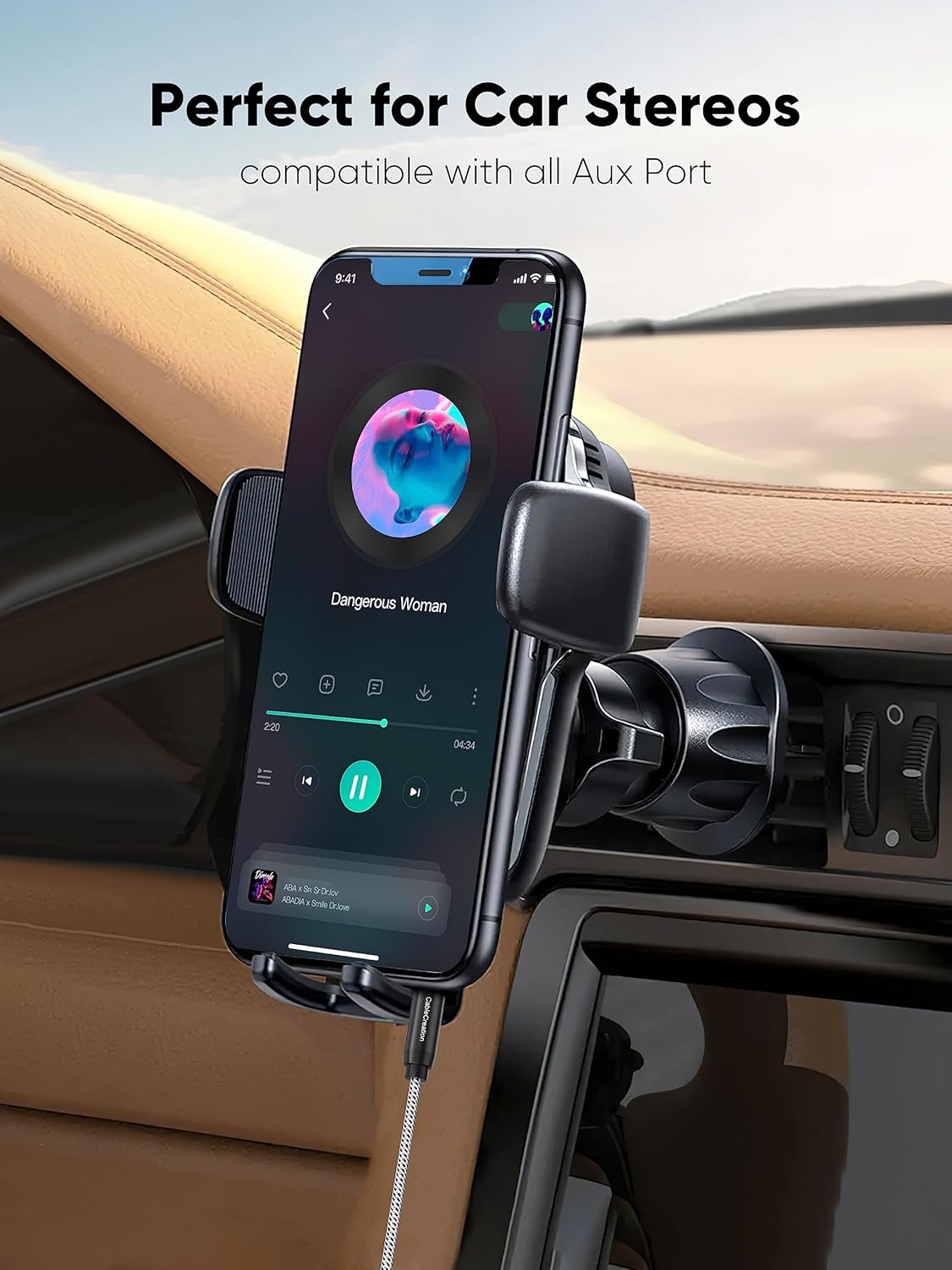
الشكل 5: مثالample of connecting the aux cable to a smartphone for use with a car stereo system.
4. التشغيل
Once connected, the CableCreation 3.5mm Audio Cable facilitates audio transmission between your devices. Ensure both devices are powered on and the volume levels are appropriately adjusted.
- For Music Playback: Connect your smartphone, MP3 player, or laptop to headphones, portable speakers, or car stereos to enjoy high-fidelity audio.
- For Headsets: Use the cable to connect headphones to audio sources for listening to music, podcasts, or other audio content.
- General Audio Transfer: The cable can be used for any scenario requiring a male-to-male 3.5mm audio connection.

Figure 6: Illustrates typical usage, connecting headphones to a laptop for personal audio enjoyment.

Figure 7: The cable provides clear audio for headphones, enhancing the listening experience.

Figure 8: The cable can connect to portable speakers, allowing shared audio experiences.
5. الصيانة
To ensure the longevity and optimal performance of your CableCreation 3.5mm Audio Cable, follow these simple maintenance guidelines:
- التخزين السليم: Avoid tightly coiling or bending the cable at sharp angles. Utilize the cable's tangle-free design by loosely coiling it when not in use.
- موصلات نظيفة: Periodically inspect the gold-plated connectors for dust or debris. Gently wipe them with a soft, dry cloth if necessary.
- تجنب القوة المفرطة: When plugging or unplugging, always grasp the connector housing, not the cable itself, to prevent strain on the connections.
- Protect from Extremes: Keep the cable away from extreme temperatures, direct sunlight, and moisture to prevent material degradation.
Figure 9: The braided design contributes to the cable's durability and resistance to tangles, simplifying maintenance.
6. استكشاف الأخطاء وإصلاحها
| مشكلة | السبب المحتمل | حل |
|---|---|---|
| No audio or intermittent sound. | Loose connection, incorrect port, device volume too low, or incompatible case. | Ensure both ends of the cable are fully inserted into their respective ports. Check that the correct audio input/output ports are being used. Increase volume on both source and output devices. If using a bulky phone case, remove it to ensure a complete connection. |
| Sound quality is poor (static, distortion). | Interference, damaged cable, or dirty connectors. | Ensure the cable is not near sources of strong electromagnetic interference. Inspect the cable for any visible damage. Clean the connectors with a soft, dry cloth. Test with another audio cable if possible to rule out device issues. |
| Microphone function not working with headset. | Cable does not support microphone function. | This CableCreation 3.5mm Audio Cable is a 3-pole TRS jack, which transmits stereo audio only and does not support microphone input. For microphone functionality, a 4-pole TRRS cable is required. |
7. المواصفات
- ماركة: كيبل كرييشن
- رقم الموديل: سي سي 0298
- أبعاد المنتج: 0.39 × 5.91 × 8.66 بوصة؛ 0.71 أونصة
- نوع الموصل: Auxiliary (3.5mm Male to Male)
- نوع الكابل: مدخل مساعد
- ميزة خاصة: Braided, Step-down Design, 24K Gold-plated Connectors, Solid Aluminium Shell
- الأجهزة المتوافقة: Smartphones, Headphones, iPod, iPad, Car Stereos, Tablet, Laptop, MP3 Player, Speaker (Fits with All Standard 3.5mm Aux Port)
- تاريخ التوفر الأول: 26 أبريل 2016
8. الضمان والدعم
CableCreation stands behind the quality of its products. This CableCreation 3.5mm Audio Cable comes with a ضمان لمدة 2 سنوات.
For any quality-related concerns, technical assistance, or general inquiries, please contact CableCreation customer services. Our team is committed to providing lifetime friendly customer support.
يمكنك زيارة الموقع الرسمي CableCreation Store لمزيد من المعلومات وموارد الدعم.


