1. المقدمة
طابعة الملصقات الصناعية Intermec PM43 متوسطة المدى، مصممة لأداء موثوق وسهولة في الاستخدام. تدعم هذه الطابعة كلاً من الطباعة الحرارية المباشرة والطباعة الحرارية بالنقل، مما يجعلها متعددة الاستخدامات لمختلف تطبيقات وضع الملصقات. تتميز بواجهة مستخدم سهلة الاستخدام، متوفرة إما بشاشة لمس ملونة أو أيقونات عامة، لتبسيط التشغيل وتقليل متطلبات التدريب. يوفر هذا الدليل معلومات أساسية لإعداد طابعة PM43 وتشغيلها وصيانتها واستكشاف أخطائها وإصلاحها.

الشكل 1: الجبهة view صورة لطابعة Intermec PM43، توضح لوحة التحكم وفتحة إخراج الوسائط.
2. الإعداد
2.1 التفريغ والتنسيب
أخرج الطابعة من عبوتها بحرص. تأكد من إزالة جميع مواد التغليف. ضع الطابعة على سطح مستوٍ وثابت مع توفير مساحة كافية حولها للتهوية والوصول إلى المنافذ وأماكن تحميل الوسائط.
2.2 توصيل الطاقة
- تأكد من أن مفتاح الطاقة الخاص بالطابعة في وضع الإيقاف (O).
- قم بتوصيل سلك الطاقة بمدخل التيار المتردد الخاص بالطابعة.
- قم بتوصيل الطرف الآخر من سلك الطاقة بمأخذ كهربائي مؤرض.
2.3 الاتصال بنظام مضيف
تدعم طابعة PM43 الاتصال عبر USB و Ethernet.
- اتصال USB: قم بتوصيل كابل USB من منفذ USB الخاص بالطابعة إلى منفذ USB متاح على جهاز الكمبيوتر الخاص بك.
- اتصال إيثرنت: قم بتوصيل كابل Ethernet من منفذ Ethernet الخاص بالطابعة بجهاز التوجيه أو المحول الشبكي لديك.

الشكل 2: اللوحة الخلفية لطابعة PM43، توضح مدخل الطاقة، ومفتاح الطاقة، ومنافذ USB، ومنفذ Ethernet.
2.4 تحميل الوسائط
يمكن لطابعة PM43 استخدام أنواع مختلفة من الوسائط، بما في ذلك الملصقات. tagsوالوسائط المتصلة. أما بالنسبة للطباعة الحرارية، فيلزم استخدام شريط طباعة.
- افتح غطاء وسائط الطابعة.
- ضع لفة الملصقات على محور تغذية الوسائط، مع التأكد من تغذية الملصقات من أسفل اللفة.
- قم بتمرير الوسائط عبر الموجهات وتحت مجموعة رأس الطباعة.
- في حالة استخدام النقل الحراري، قم بتحميل الشريط على مغزل إمداد الشريط وقم بتمريره وفقًا للرسومات التخطيطية الداخلية.
- أغلق غطاء الوسائط.

الشكل 3: داخلي view من طابعة PM43، مع تسليط الضوء على آليات تحميل الوسائط والشريط.
3. تعليمات التشغيل
3.1 تشغيل/إيقاف التشغيل
- لتشغيل الطابعة، حرك مفتاح الطاقة الموجود على اللوحة الخلفية إلى وضع التشغيل (I). ستقوم الطابعة بإجراء اختبار ذاتي.
- لإيقاف التشغيل، قم بتحريك مفتاح الطاقة إلى وضع الإيقاف (O).
3.2 الطباعة الأساسية
بمجرد توصيل الطابعة وتحميل الوسائط، يمكنك إرسال مهام الطباعة من نظامك المضيف. تأكد من تثبيت برامج تشغيل الطابعة الصحيحة على جهاز الكمبيوتر الخاص بك.
- افتح المستند أو التطبيق الذي ترغب في الطباعة منه.
- حدد طابعة Intermec PM43 من مربع حوار الطباعة.
- اضبط إعدادات الطباعة (مثل حجم الملصق، وكثافة الطباعة) حسب الحاجة.
- ابدأ عملية الطباعة.
3.3 استخدام واجهة المستخدم
يتميز جهاز PM43 بشاشة لمس ملونة أو واجهة أيقونات عالمية للتحكم المباشر والتكوين. يمكنك التنقل بين القوائم لضبط الإعدادات مثل معايرة الوسائط، وتكوين الشبكة، وحالة الطابعة.
4. الصيانة
4.1 تنظيف رأس الطباعة
يُعدّ تنظيف رأس الطباعة بانتظام أمرًا بالغ الأهمية للحفاظ على جودة الطباعة وإطالة عمر رأس الطباعة. استخدم قطعة قماش خالية من الوبر أو قلم تنظيف رأس الطباعة مع الكحول الإيزوبروبيلي.
- قم بإيقاف تشغيل الطابعة وافصل سلك الطاقة.
- افتح غطاء الوسائط.
- امسح عنصر رأس الطباعة برفق من المركز إلى الخارج.
- اترك رأس الطباعة يجف تمامًا قبل إغلاق الغطاء وتشغيل الطابعة.
4.2 استبدال الوسائط والشريط
استبدل لفائف الوسائط وأشرطة النقل الحراري عند نفادها. راجع القسم 2.4 للاطلاع على تعليمات التحميل. تأكد دائمًا من استخدام أنواع الوسائط والأشرطة الصحيحة للحصول على أفضل أداء.
5. استكشاف الأخطاء وإصلاحها
يتناول هذا القسم المشكلات الشائعة التي قد تواجهها مع طابعة PM43 الخاصة بك.
5.1 جودة الطباعة رديئة
- طباعة باهتة أو غير مكتملة: نظّف رأس الطباعة (انظر القسم 4.1). تأكد من تحميل الشريط (في حالة الطباعة الحرارية) بشكل صحيح وعدم نفاده. اضبط إعدادات كثافة الطباعة.
- طباعة مشوشة: تأكد من توافق نوع الوسائط. تأكد من ضبط ضغط رأس الطباعة بشكل صحيح.
5.2 ازدحام وسائل الإعلام
- قم بإيقاف تشغيل الطابعة.
- افتح غطاء الوسائط وأزل بعناية أي وسائط عالقة.
- تأكد من تحميل الوسائط بشكل صحيح وضبط الأدلة بشكل مناسب.
- أغلق الغطاء وشغّل الجهاز.
5.3 مشاكل الاتصال
- لم يتم اكتشاف الطابعة: تأكد من جميع توصيلات الكابلات (USB/Ethernet). أعد تشغيل الطابعة ونظام التشغيل. تحقق من تثبيت برنامج التشغيل.
- مشاكل الشبكة: تأكد من توصيل كابل الشبكة. تحقق من إعدادات الشبكة على الطابعة والنظام المضيف.
6. المواصفات
يوضح الجدول التالي المواصفات الفنية الرئيسية لطابعة Intermec PM43.
| ميزة | مواصفة |
|---|---|
| اسم الموديل | ب م 43 |
| تكنولوجيا الطباعة | نقل حراري مباشر / نقل حراري |
| طباعة اللون | أحادي اللون (أسود) |
| أقصى سرعة للطباعة | 12 بوصة في الثانية |
| دقة الطباعة القصوى | 203 نقطة في البوصة |
| أنواع الوسائط المدعومة | علامة سوداء، ملصق متواصل، مطوي بشكل مروحي، فجوة، ملصق، ملصق مبطن، بدون بطانة، شق، تغذية باللفة Tag |
| الحد الأقصى لحجم الوسائط | 4 × 6 بوصة |
| الاتصال | USB ، إيثرنت |
| ذاكرة | 128 ميجا بايت |
| طريقة التحكم | واجهة شاشة اللمس أو واجهة أيقونة عالمية |
| أبعاد المنتج | 25 × 18 × 16 بوصة |
| وزن العنصر | 1 جنيه |
| مصدر الطاقة | توريد مكيفات |
| محاكاة اللغة | شريحة SIM الرقمية، بصمة الإصبع، IPL، XML |
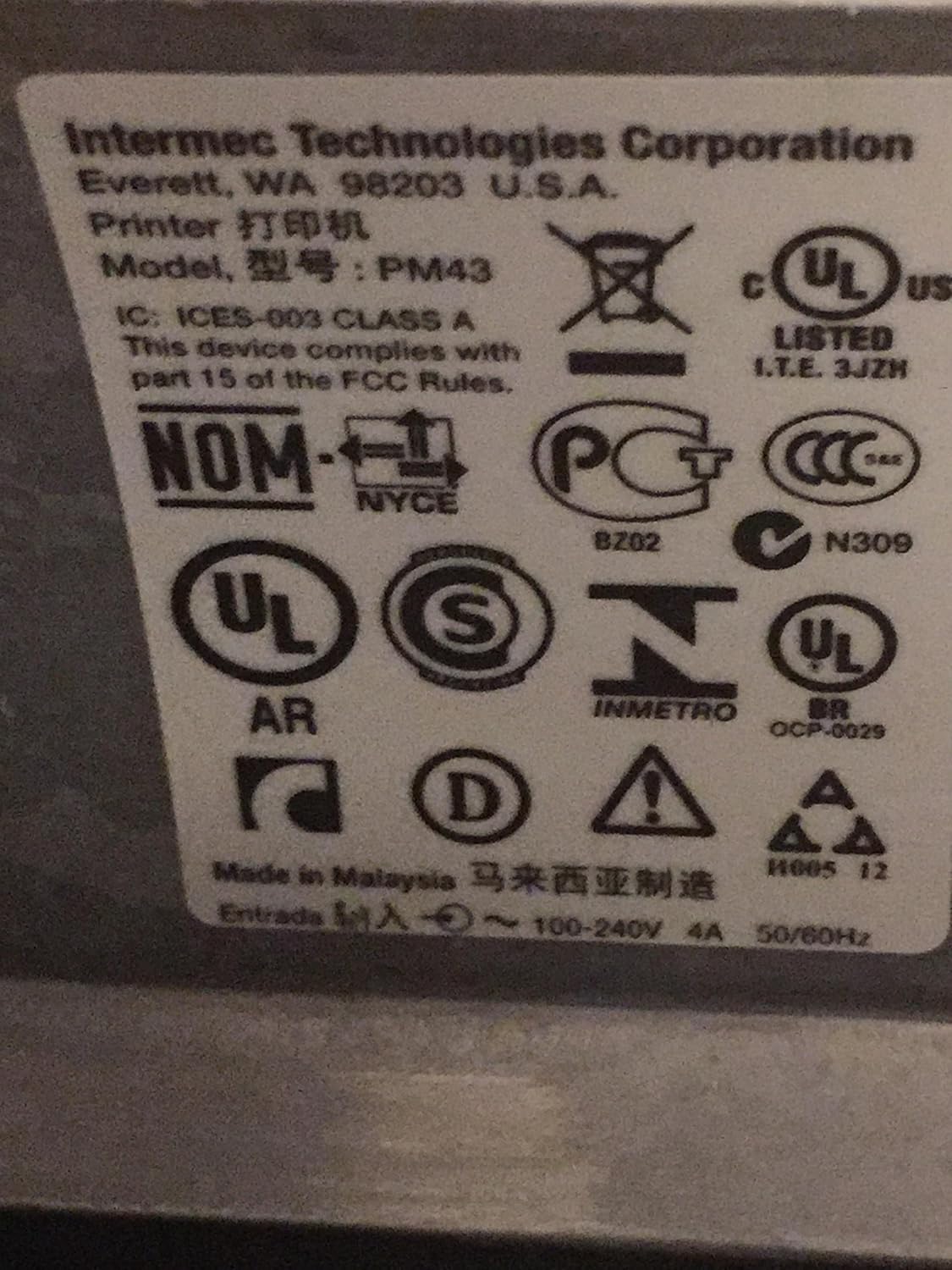
الشكل 4: ملصقات التنظيم والامتثال الموجودة على طابعة Intermec PM43.
7. معلومات الضمان
تخضع طابعة Intermec PM43 لضمان محدود. للاطلاع على الشروط والأحكام الكاملة، يُرجى الرجوع إلى وثائق الضمان المرفقة مع المنتج أو زيارة موقع دعم Intermec الرسمي. webموقع.
8. الدعم
للحصول على مزيد من المساعدة أو الدعم الفني أو لتنزيل أحدث برامج التشغيل والبرامج الثابتة، يرجى زيارة موقع دعم Intermec الرسمي webيمكنك زيارة الموقع الإلكتروني أو الاتصال بموزع Intermec المعتمد. تأكد من توفر رقم طراز الطابعة (PM43A01000000201) والرقم التسلسلي عند طلب الدعم.


