مقدمة
The Skullcandy Uproar Wireless On-Ear Headphones provide a comfortable and convenient audio experience. Designed for extended wear, these headphones feature Bluetooth connectivity and a built-in microphone for hands-free control.
المميزات الرئيسية:
- تقنية البلوتوث اللاسلكية
- عمر بطارية يصل إلى 10 ساعة
- Plush On-Ear Cushions for Comfort
- Built-in Microphone with Call, Track, and Volume Control
محتويات الحزمة
Ensure all items are present in your Skullcandy Uproar Wireless Headphone package:
- سماعات رأس لاسلكية من Skullcandy Uproar
- كابل شحن USB
- دليل المستخدم (هذا المستند)
المنتج انتهىview

الشكل 1: الجبهة view of the Skullcandy Uproar Wireless On-Ear Headphones in Royal Blue.
الضوابط والمنافذ:
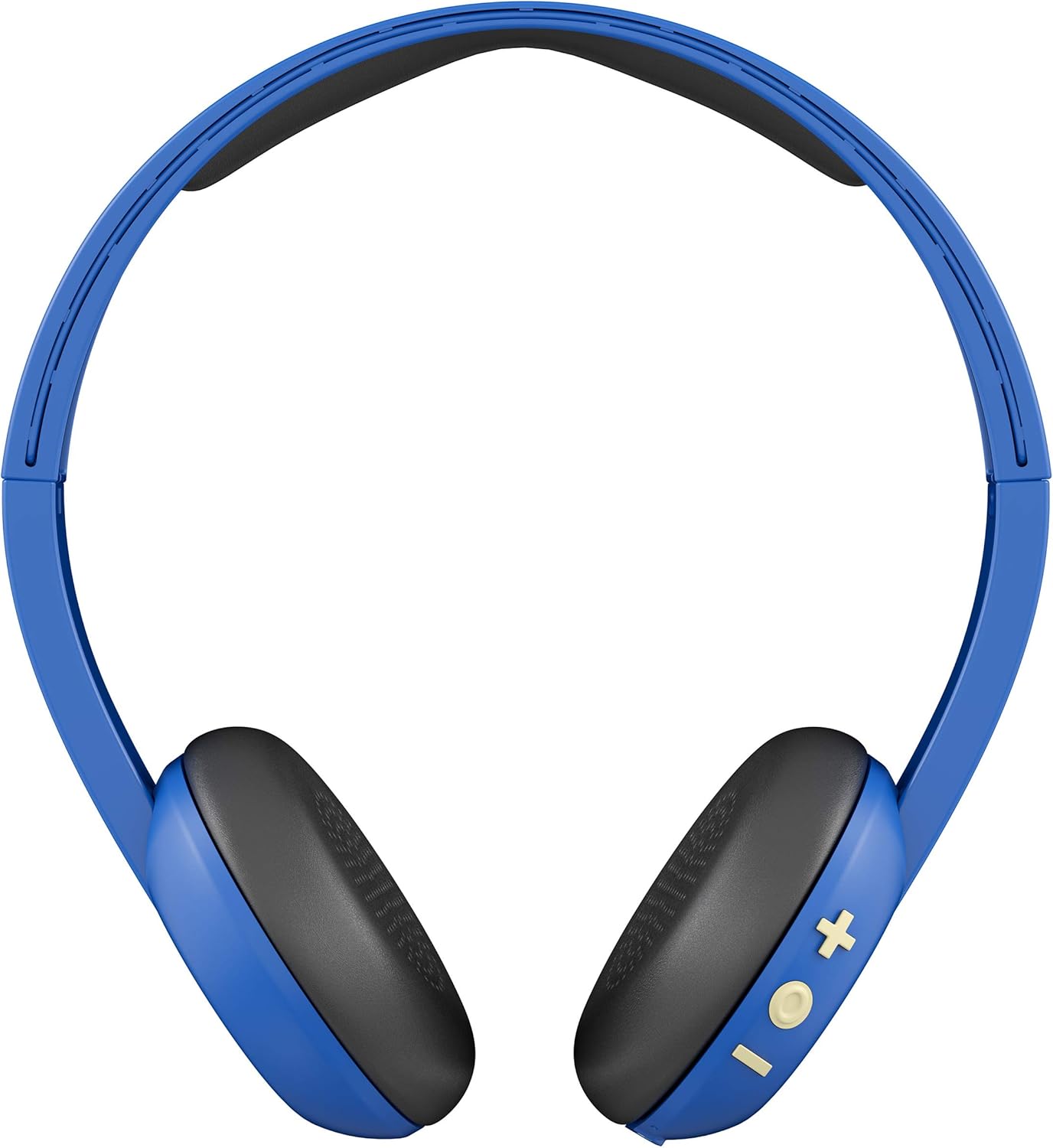
الشكل 2: العودة view showing the control buttons (+, -, and multi-function) on the right ear cup.

الشكل 3: مفصل view of the control buttons (+ for volume up/track forward, - for volume down/track backward, and multi-function button for power/play/pause/calls).

الشكل 4: الجانب الإيجابيfile of the Skullcandy Uproar Wireless On-Ear Headphones, highlighting the adjustable headband.
- زر متعدد الوظائف: تشغيل/إيقاف التشغيل، تشغيل/إيقاف مؤقت، الرد على المكالمة/إنهائها.
- زر رفع الصوت (+): Increase volume, Track forward.
- زر خفض الصوت (-): Decrease volume, Track backward.
- ميكروفون: Integrated for calls.
- منفذ شحن USB: For recharging the headphones.
يثبت
1. Charging Your Headphones:
- Locate the USB charging port on your Uproar headphones.
- Connect the provided USB charging cable to the headphone's charging port and to a USB power source (e.g., computer, wall adapter).
- سيضيء مؤشر LED أثناء الشحن وسيغير لونه أو ينطفئ عند اكتمال الشحن.
2. الاقتران بالبلوتوث:
- تأكد من إيقاف تشغيل سماعات الرأس.
- Press and hold the Multi-function Button for approximately 5 seconds until the LED indicator flashes blue and red, indicating pairing mode.
- على جهازك (الهاتف الذكي، الجهاز اللوحي، الكمبيوتر)، قم بتمكين البلوتوث وابحث عن الأجهزة المتاحة.
- Select "Uproar Wireless" from the list of available devices.
- Once connected, the LED indicator on the headphones will flash blue periodically.
Video 1: Official Skullcandy Uproar product overview and features, including a visual demonstration of the headphones.
تعليمات التشغيل
تشغيل/إيقاف التشغيل:
- تشغيل الطاقة: اضغط مع الاستمرار على الزر متعدد الوظائف لمدة ثانيتين.
- إيقاف التشغيل: اضغط مع الاستمرار على الزر متعدد الوظائف لمدة ثانيتين.
ضوابط الموسيقى:
- تشغيل/إيقاف مؤقت: اضغط على زر الوظائف المتعددة مرة واحدة.
- رفع الصوت: Press the Volume Up (+) Button.
- اخفض الصوت: Press the Volume Down (-) Button.
- المسار للأمام: Press and hold the Volume Up (+) Button for 2 seconds.
- تتبع الوراء: Press and hold the Volume Down (-) Button for 2 seconds.
ضوابط الاتصال:
- الرد/إنهاء المكالمة: اضغط على زر الوظائف المتعددة مرة واحدة.
- رفض المكالمة: اضغط مع الاستمرار على الزر متعدد الوظائف لمدة ثانيتين.
صيانة
- تنظيف: استخدم قطعة قماش ناعمة وجافة لتنظيف سماعات الرأس. تجنب استخدام المواد الكيميائية القاسية أو المواد الكاشطة.
- تخزين: قم بتخزين سماعات الرأس في مكان بارد وجاف بعيدًا عن درجات الحرارة العالية وأشعة الشمس المباشرة.
- مقاومة الماء: These headphones are not water resistant. Avoid exposure to liquids.
استكشاف الأخطاء وإصلاحها
| مشكلة | حل |
|---|---|
| سماعات الرأس لا تعمل | Ensure the headphones are fully charged. Connect them to a power source using the USB cable. |
| غير قادر على الاقتران عبر البلوتوث |
|
| لا يوجد صوت أو مستوى صوت منخفض |
|
تحديد
| ميزة | التفاصيل |
|---|---|
| اسم الموديل | ضجة |
| رقم موديل العنصر | S5URJW-546 |
| تكنولوجيا الاتصال | بلوتوث |
| تكنولوجيا الاتصالات اللاسلكية | بلوتوث |
| مدى البلوتوث | 10 مترا |
| عمر البطارية | 10 ساعة |
| نوع برنامج تشغيل الصوت | سائق ديناميكي |
| مقاومة | 32 أوم |
| نوع التحكم | التحكم في مستوى الصوت، جهاز تحكم عن بعد |
| ميكروفون | مدمج |
| التحكم في الضوضاء | None (Passive Noise Isolation from On-Ear design) |
| مستوى مقاومة الماء | غير مقاوم للماء |
| مادة | جلد صناعي |
| وزن العنصر | 9.4 أونصة (0.27 كجم) |
| أبعاد المنتج | 7.3 × 3.1 × 7.3 بوصة |
الضمان والدعم
The Skullcandy Uproar Wireless On-Ear Headphones come with a one-year manufacturer's warranty. For warranty claims or technical support, please visit the official Skullcandy webالموقع أو الاتصال بخدمة العملاء الخاصة بهم.
للحصول على مزيد من الدعم ومعلومات المنتج، يمكنك زيارة Skullcandy Store on Amazon.


