1. المقدمة
This manual provides essential information for the setup, operation, and maintenance of your Epson SureColor P400 Wireless Color Photo Printer. Please read this manual thoroughly before using the printer to ensure optimal performance and longevity.
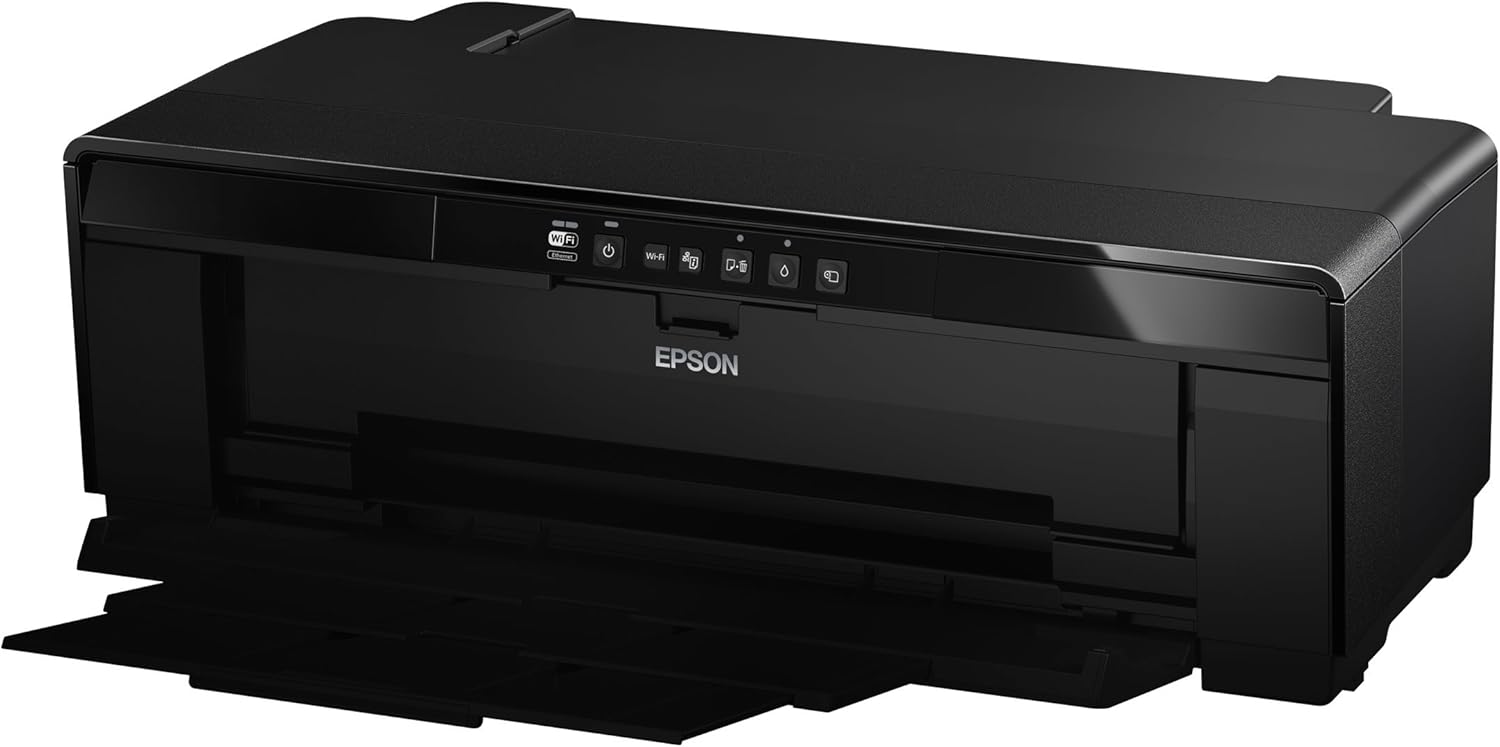
الصورة 1: الجبهة view of the Epson SureColor P400 Wireless Color Photo Printer.
2. الميزات الرئيسية
- UltraChrome HG2 Ink: Utilizes an 8-color pigment ink set, including Red and Orange inks, for vibrant, true-to-life color and deep blacks.
- Gloss Optimizer: Provides a smooth, professional finish to prints.
- التعامل مع الوسائط المتعددة: Supports 13-inch wide cut-sheet and roll paper, fine art paper, and art board up to 1.3 mm thick.
- الاتصال: Features Wireless (Wi-Fi), Ethernet, and USB 2.0 for flexible printing options.
- Individual Ink Cartridges: High-capacity 14 mL cartridges allow for replacement of only the color needed.

الصورة 2: انتهىview of the Epson SureColor P400 highlighting advanced paper handling, versatile connectivity, and the MicroPiezo printhead.
3. دليل الإعداد
3.1 التفريغ والتنسيب
- قم بإزالة الطابعة بعناية من عبوتها.
- Place the printer on a stable, flat surface with adequate space around it for operation and ventilation.
- قم بإزالة جميع الأشرطة الواقية ومواد التغليف من الطابعة.
3.2 تركيب خراطيش الحبر
- Open the printer cover to access the ink cartridge slots.
- Unpack each 14 mL ink cartridge (Cyan, Gloss Optimizer, Magenta, Matte Black, Orange, Photo Black, Red, Yellow).
- أدخل كل خرطوشة في الفتحة الملونة المقابلة لها حتى تسمع صوت طقطقة عند تثبيتها في مكانها.
- أغلق غطاء الطابعة.
Video 1: Official Epson SureColor P400 overview, demonstrating key features and ink installation. This video provides a visual guide to the printer's capabilities and how to manage ink cartridges.
3.3 توصيل الطاقة
- قم بتوصيل سلك الطاقة بالطابعة ثم بمأخذ الطاقة.
- اضغط على زر الطاقة لتشغيل الطابعة.
3.4 تثبيت البرنامج والاتصال به
- Install the printer software on your computer (PC or Mac) from the provided CD or Epson's official webموقع.
- Follow the on-screen instructions to set up your preferred connection method:
- لاسلكي (واي فاي): قم بتوصيل الطابعة بشبكتك اللاسلكية.
- إيثرنت: Connect an Ethernet cable from the printer to your router or network hub.
- يو اس بي 2.0: Connect a USB cable (not included) from the printer to your computer.

Image 3: Illustration of the Epson SureColor P400's compatibility and connectivity features, showing various devices and connection types.
4. تعليمات التشغيل
4.1 تحميل الورق
The SureColor P400 offers multiple paper loading options:
- Auto Sheet Feeder: For photo, matte, and plain papers. Load paper into the top rear slot.
- Rear Single Sheet Fine Art Paper Path: For heavier fine art papers and specialty media.
- Roll Paper Holder: For 8.3-inch or 13-inch wide roll paper, ideal for panoramas up to 129 inches long.
- Front Straight-Through Path: Handles art board up to 1.3 mm thick.

Image 4: Diagram illustrating the three media feed options available on the Epson SureColor P400, including the top-loading auto-sheet feeder, front fine-art media feed, and roll media feed.

Image 5: The Epson SureColor P400 is capable of printing on a wide range of media, including various types of Epson Legacy Papers, Velvet Fine Art, Premium Photo Paper Luster, and Exhibition Canvas Gloss.
4.2 الطباعة
- تأكد من تشغيل الطابعة وتوصيلها بالجهاز.
- افتح المستند أو الصورة التي ترغب في طباعتها على جهاز الكمبيوتر الخاص بك.
- اختر "طباعة" من قائمة التطبيق.
- Choose the Epson SureColor P400 as your printer.
- Adjust print settings such as paper type, size, and quality in the printer driver dialog box.
- انقر فوق "طباعة" لبدء عملية الطباعة.
5. الصيانة
5.1 استبدال خراطيش الحبر
- When an ink cartridge is low or empty, a notification may appear on your computer or the printer's indicator light will signal.
- Press the ink droplet button on the printer's control panel to move the print head to the replacement position.
- افتح غطاء خرطوشة الحبر.
- Press the tab on the empty cartridge to release it, then pull it straight out.
- Unpack a new genuine Epson ink cartridge and insert it firmly into the correct slot until it clicks.
- Close the ink cartridge cover and press the ink droplet button again to return the print head to its home position.
5.2 تنظيف رأس الطباعة
If print quality declines or you notice missing lines or incorrect colors, perform a print head cleaning:
- Access the printer utility software on your computer.
- Select "Head Cleaning" or "Nozzle Check" to initiate the cleaning cycle.
- Follow the on-screen prompts. Repeat if necessary.
5.3 تنظيف مسار الورق
If you experience streaks on your prints, the paper path may need cleaning. Refer to the user guide for detailed instructions on how to clean the internal components, such as the pad that collects excess ink.
6. استكشاف الأخطاء وإصلاحها
- الطابعة لا تستجيب:
- تحقق من توصيل الطاقة وتأكد من تشغيل الطابعة.
- Verify network or USB cable connection.
- أعد تشغيل الطابعة والكمبيوتر.
- جودة الطباعة رديئة (خطوط، بهتان):
- تحقق من مستويات الحبر واستبدل أي خراطيش فارغة.
- Perform a print head cleaning and nozzle check.
- تأكد من استخدام إعدادات الورق المناسبة لنوع الوسائط لديك.
- Clean the paper path if streaks persist.
- انحشار الورق:
- Turn off the printer and carefully remove any jammed paper from the input or output trays.
- Refer to the user guide for instructions on clearing internal paper jams.
7. المواصفات
| ميزة | التفاصيل |
|---|---|
| رقم الموديل | سي11سي85201 |
| أبعاد المنتج (العمق × العرض × الارتفاع) | 12.8 بوصة × 24.5 بوصة × 8.6 بوصة |
| وزن العنصر | 27.1 رطل |
| تكنولوجيا الطباعة | Inkjet (Pigment-based ink) |
| مخرجات الطابعة | لون |
| دقة الطباعة القصوى | 5760 × 1440 نقطة في البوصة |
| ألوان الحبر | Cyan, Magenta, Yellow, Photo Black, Matte Black, Red, Orange, Gloss Optimizer |
| تكنولوجيا الاتصال | USB 2.0, Wireless (Wi-Fi), Ethernet |
| أحجام الوسائط المدعومة | Up to 13" x 129" (roll paper), 13" x 19" (sheet) |
| الحد الأقصى لسعة ورقة الإدخال | 1 (single sheet feed for specialty media) |
| الطباعة على الوجهين (دوبلكس) | نعم |
| استهلاك الطاقة | Printing: Approx. 20 W; Sleep mode: Approx. 1.4 W; Power off: Approx. 0.15 W |
| الأجهزة المتوافقة | كمبيوتر شخصي، ماك |

Image 6: Contents of the Epson SureColor P400 box, including the printer, ink cartridges, power cord, and user guide. Note that the USB cable is not included.
8. معلومات الضمان
Specific warranty details for the Epson SureColor P400 are not provided in this manual. Please refer to the warranty card included with your product or visit the official Epson website for the most current and comprehensive warranty information.
9. دعم العملاء
For technical assistance, troubleshooting, or further inquiries, please visit the official Epson support website or contact Epson customer service. Support resources often include FAQs, driver downloads, and contact information for live assistance.
يمكنك زيارة متجر إبسون على أمازون لمزيد من المعلومات حول المنتج والملحقات.


