مقدمة
The TFA Dostmann Timeline Max Radio-Controlled Clock (Model 60.4512.01) features a large, exceptionally clear display, making it easily readable from a distance. This makes it ideal for various settings such as entrance areas, reception desks, waiting rooms, and offices. Its clear structure simplifies time orientation, and with the displayed day of the week and full date, it serves as a valuable daily aid, particularly for seniors and individuals with cognitive impairments.
The clock automatically receives time signals via the DCF 77 signal, ensuring precise, second-accurate time and date display without manual adjustment. It also automatically switches between summer and winter time. Its simple and clear design allows it to seamlessly integrate into any environment, whether mounted on a wall or placed on a surface.
محتويات الحزمة
يرجى التحقق من محتويات العبوة عند فتحها للتأكد من وجود جميع العناصر:
- TFA Dostmann Timeline Max Radio-Controlled Clock
- دليل التعليمات
ملحوظة: 4 x 1.5 V AA batteries are required for operation and are not included in the package.
معلومات هامة حول السلامة
- اقرأ كافة التعليمات بعناية قبل الاستخدام.
- احتفظ بهذا الدليل للرجوع إليه في المستقبل.
- لا تعرض الجهاز لدرجات حرارة عالية، أو أشعة الشمس المباشرة، أو الرطوبة العالية.
- تجنب إسقاط الجهاز أو تعريضه لصدمات قوية.
- لا تحاول تفكيك الجهاز أو إصلاحه بنفسك. قم بإحالة جميع أعمال الصيانة إلى فنيين مؤهلين.
- تخلص من البطاريات وفقًا للوائح المحلية. لا تخلط البطاريات القديمة والجديدة أو أنواعًا مختلفة من البطاريات.
- احتفظ بالبطاريات بعيدًا عن متناول الأطفال.
يثبت
1. تركيب البطارية
The clock requires 4 x 1.5 V AA batteries (not included).
- حدد مكان حجرة البطارية على الجزء الخلفي من الساعة.
- افتح غطاء حجرة البطارية.
- Insert 4 new AA batteries, ensuring correct polarity (+ and -) as indicated inside the compartment.
- أغلق غطاء حجرة البطارية جيدًا.

الشكل 1: خلفي view of the clock with battery compartment and control buttons.
2. Initial Time Synchronization (Radio-Controlled)
After inserting the batteries, the clock will automatically begin searching for the DCF 77 radio signal. This process may take several minutes. During synchronization, the radio signal icon (often a tower or wave symbol) will typically flash on the display.
- Place the clock near a window or in an open area for better signal reception.
- تجنب وضعه بالقرب من الأجهزة الإلكترونية التي قد تسبب تداخلاً.
- Once the signal is received, the time and date will automatically set, and the radio signal icon will become solid.

Figure 2: Front display showing synchronized time and date.
3. خيارات التنسيب
The Timeline Max clock is designed for both wall mounting and freestanding placement.
- للتركيب على الحائط: Use the integrated hanging hole on the back of the clock. Ensure the wall fixture is secure enough to support the clock's weight (approx. 520g).
- For Freestanding: Extend the integrated stand on the back of the clock to place it on a desk, shelf, or table.

الشكل 3: الجانب view demonstrating the clock's integrated stand.
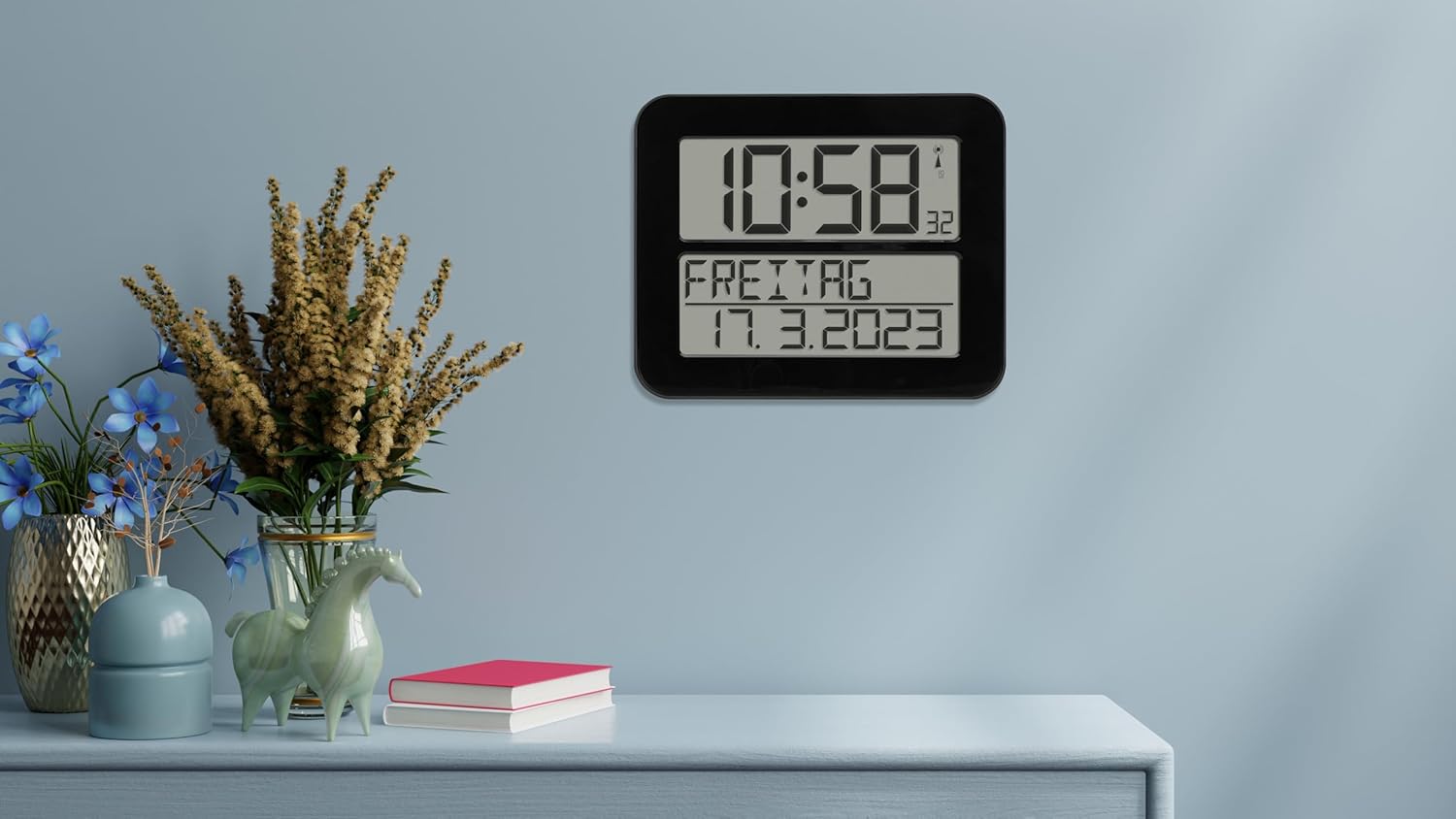
Figure 4: The clock in a typical freestanding setup.
تعليمات التشغيل
عرض المعلومات
تعرض الشاشة الكبيرة المعلومات التالية:
- الشاشة العلوية: Current time (hours and minutes), seconds (small digits), and radio signal indicator.
- شاشة العرض السفلية: Day of the week (in selected language) and full date (day, month, year).

Figure 5: Clear display of time, day, and date.
وظيفة التنبيه
The clock includes an alarm function. Refer to the buttons on the back of the clock (SET, ALARM, UP, DOWN, WAVE, SNOOZE) for setting the alarm.
- اضغط على إنذار زر للدخول إلى وضع إعداد التنبيه.
- استخدم UP و تحت أزرار لضبط وقت التنبيه.
- يضعط إنذار again to confirm and move to the next setting (e.g., alarm on/off).
- يضعط تعيين للخروج من وضع ضبط المنبه.
- عندما يصدر صوت التنبيه ، اضغط على غفوة for a temporary pause, or any other button to turn off the alarm for the day.
Manual Time Setting (If Radio Signal is Unavailable)
In areas with poor radio signal reception, you can manually set the time and date.
- اضغط مع الاستمرار على تعيين button for a few seconds until the display flashes.
- استخدم UP و تحت buttons to adjust the flashing digit (e.g., hour, minute, year, month, day).
- يضعط تعيين to confirm the current setting and move to the next.
- Continue until all settings are adjusted. The clock will exit manual setting mode automatically after a period of inactivity or by pressing تعيين repeatedly until the normal display returns.
Day of Week Language Setting
The day of the week can be displayed in 7 different languages.
- Consult the full instruction manual (included in the box) for specific steps on changing the language setting, as this often involves a combination of button presses.
صيانة
تنظيف
To clean the clock, use a soft, dry, or slightly damp cloth. Do not use abrasive cleaners, solvents, or chemical agents, as these may damage the display or casing.
استبدال البطارية
When the display dims or the clock stops functioning correctly, it's time to replace the batteries. Follow the "Battery Installation" steps in the Setup section. Always replace all 4 batteries at once with new, high-quality AA batteries.
استكشاف الأخطاء وإصلاحها
| مشكلة | السبب المحتمل | حل |
|---|---|---|
| الساعة لا تعرض أي شيء أو أن شاشتها خافتة. | البطاريات فارغة أو تم إدخالها بشكل غير صحيح. | استبدل البطاريات بأخرى جديدة، مع التأكد من القطبية الصحيحة. |
| Clock does not synchronize with radio signal. | ضعف استقبال الإشارة بسبب الموقع أو التداخل. | Move the clock to a different location, preferably near a window and away from electronic devices. Allow sufficient time for synchronization (up to 24 hours). |
| الوقت غير صحيح بعد المزامنة. | Temporary signal disruption or incorrect time zone setting (if applicable). | Initiate a manual signal search (refer to full manual) or perform a manual time setting. Ensure the clock is in the correct time zone for your region (if this feature is available, consult the full manual). |
| لا يصدر صوت الإنذار. | لم يتم تفعيل التنبيه أو تم ضبطه بشكل غير صحيح. | Verify that the alarm time is set correctly and the alarm function is enabled. |
تحديد
| نموذج | 60.4512.01 |
| نوع الساعة | Radio-Controlled (DCF 77 signal) |
| مادة | بلاستيك |
| خيارات التركيب | For hanging or standing |
| مزود الطاقة | 4 × 1.5 فولت بطاريات AA (غير مدرجة) |
| الأبعاد (الطول × العرض × الارتفاع) | 258 x 30 (120 with stand) x 212 mm |
| وزن | 520 جرام |
| نوع العرض | رقمي |
| المميزات الخاصة | Alarm, Calendar Display, Day of week in 7 languages |
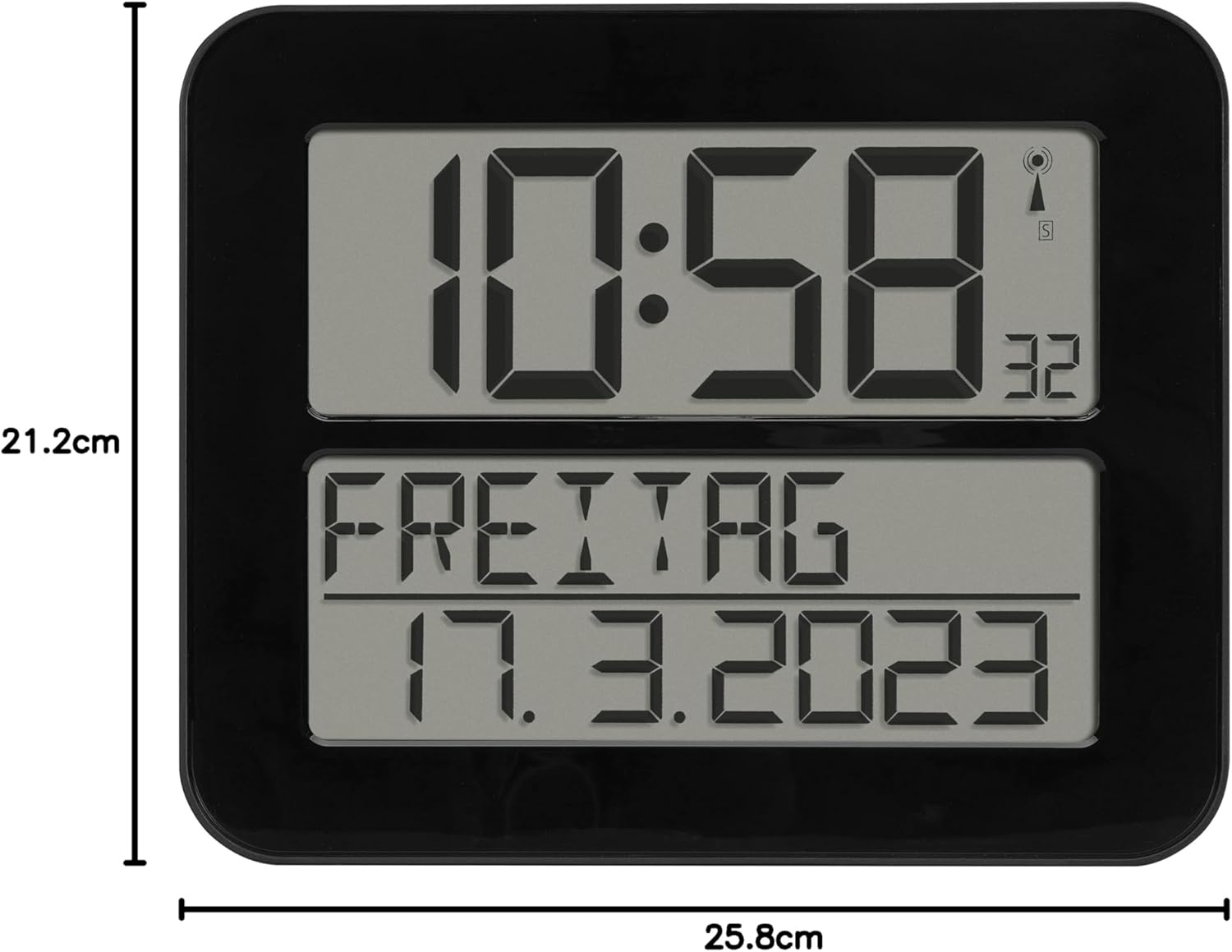
الشكل 6: أبعاد المنتج.
الضمان والدعم
TFA Dostmann products are manufactured with high quality standards. For information regarding warranty coverage, please refer to the warranty card included with your product or visit the official TFA Dostmann website. For technical support or inquiries, please contact TFA Dostmann customer service.
Manufacturer: TFA Dostmann GmbH, Zum Ottersberg 12, D-97877 Wertheim am Main, Germany.
Webموقع: www.tfa-dostmann.de


