مقدمة
Thank you for choosing the Baseus H08 3D Surround Sound Gaming Earphones. This manual provides essential information for the safe and efficient use of your new earphones. Please read it thoroughly before use and retain it for future reference.
المنتج انتهىview
The Baseus H08 earphones are designed to deliver an immersive 3D surround sound experience for gaming. They feature a wired connection, in-ear design, and an integrated microphone for clear communication.
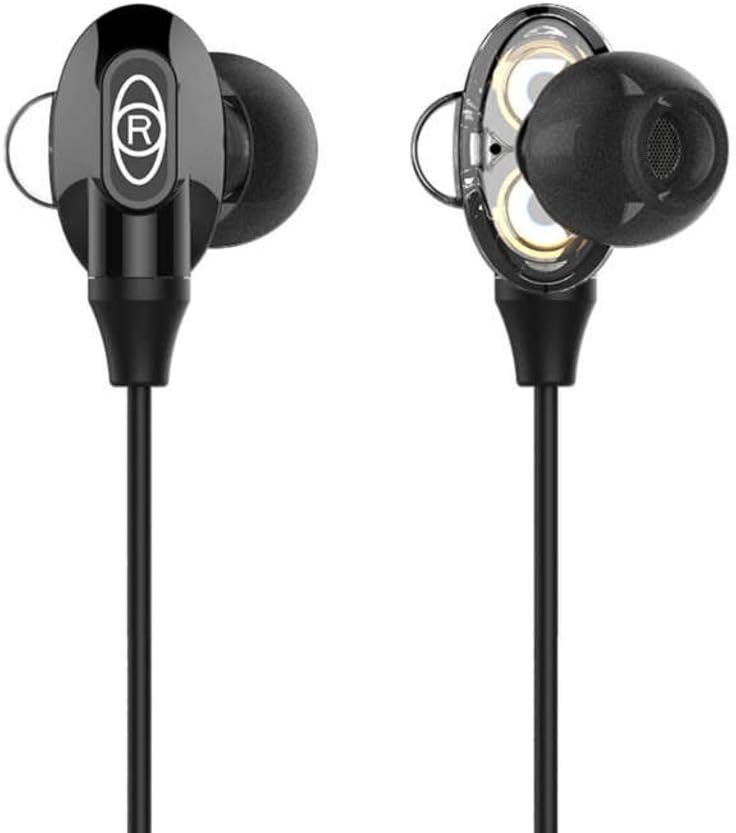
Figure 1: Baseus H08 In-Ear Gaming Earphones
This image displays the two in-ear earpieces of the Baseus H08 earphones, highlighting their sleek black design and the 'R' (right) indicator on one of the earpieces.
المميزات الرئيسية:
- صوت محيطي سداسي الأبعاد: Engineered for an immersive audio experience, enhancing spatial awareness in games.
- التوصيل السلكي: Ensures stable audio transmission with a 3.5mm jack.
- تصميم داخل الأذن: Provides a secure and comfortable fit, along with passive noise isolation.
- ميكروفون مدمج: For clear voice communication during gameplay.
- التحكم المضمن: Easy access to volume adjustments and microphone functions.
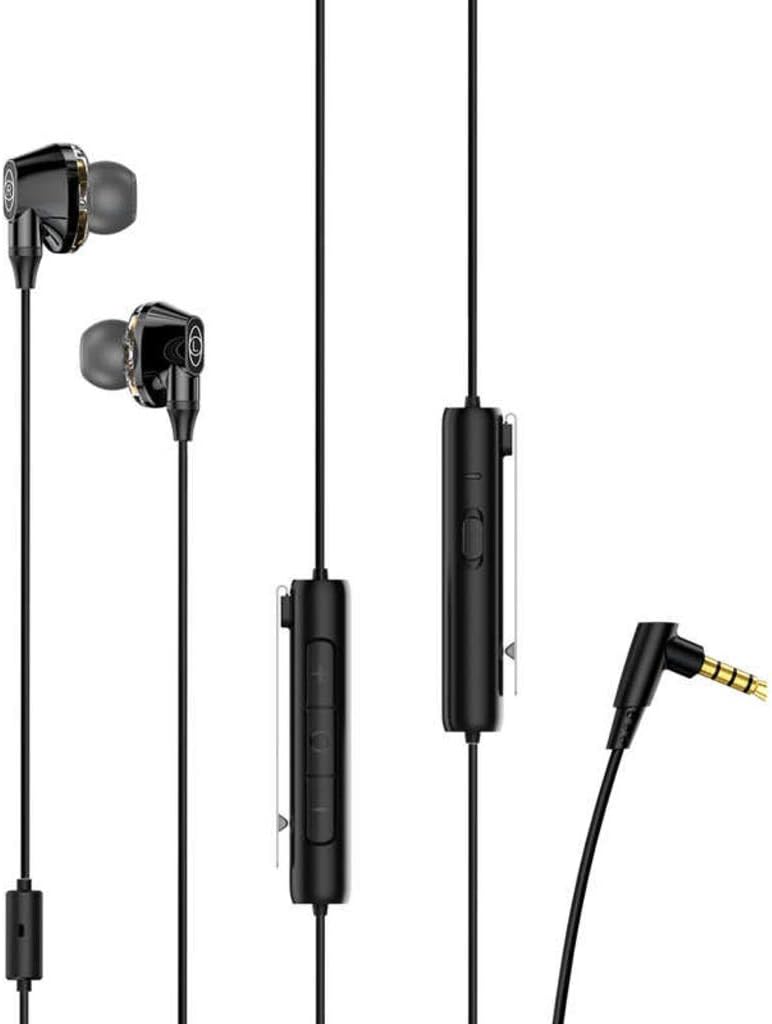
Figure 2: Earphones with Inline Control and 3.5mm Jack
This image shows the full length of the Baseus H08 earphones, including the in-ear buds, the inline control unit with buttons, and the L-shaped 3.5mm audio jack.
يثبت
- الاتصال بالجهاز: Insert the 3.5mm audio jack into the corresponding port on your gaming console, PC, or mobile device. Ensure the connection is secure.
- ارتداء السماعات: Gently insert the left (L) and right (R) earpieces into your ears. Adjust them for a comfortable and snug fit. The correct fit is crucial for optimal sound quality and noise isolation.
- تحديد موضع الميكروفون: Position the inline microphone close to your mouth for clear voice pickup.
تعليمات التشغيل
Inline Control Functions:
- التحكم في مستوى الصوت: Use the volume up (+) and volume down (-) buttons on the inline control unit to adjust the audio level.
- كتم صوت / إلغاء كتم صوت الميكروفون: The inline control may include a switch or button to mute or unmute the microphone. Refer to the specific markings on your control unit.
- إدارة المكالمات: For mobile devices, the central button on the inline control typically allows you to answer/end calls or play/pause music.
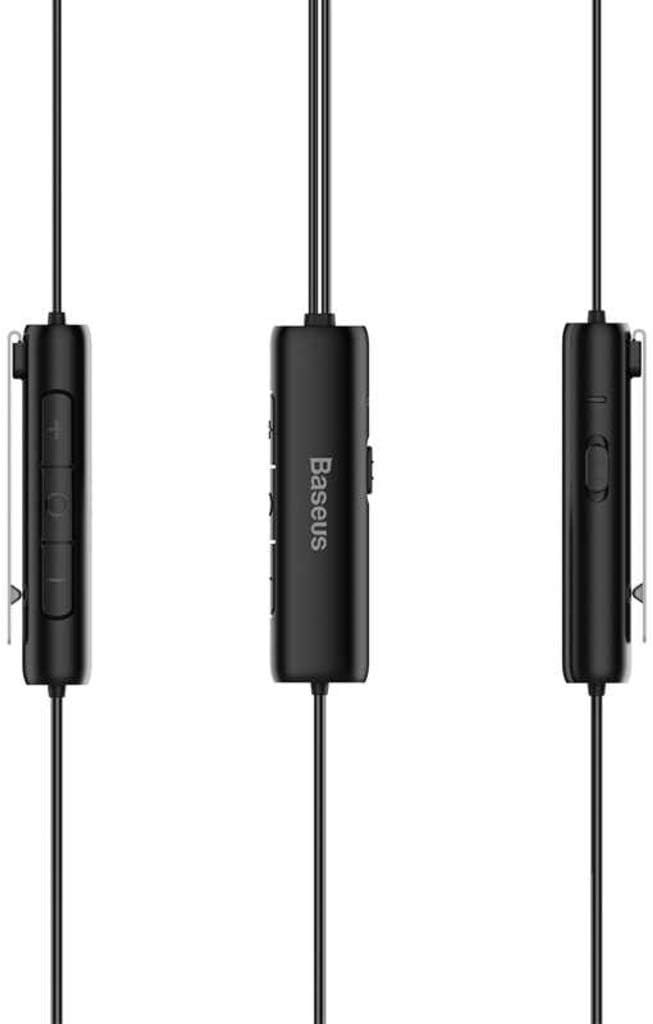
Figure 3: Inline Control Unit
توفر هذه الصورة تفصيلاً view of the inline control unit, showing the volume buttons and the Baseus branding.
صوت محيطي سداسي الأبعاد:
The Baseus H08 earphones are designed to deliver a 3D surround sound effect, enhancing directional audio cues in compatible games. This feature is automatically active when connected to a device that supports stereo audio output. No additional setup is required for the 3D sound functionality.

Figure 4: Immersive 3D Sound Experience
This image shows a person wearing the Baseus H08 earphones, with visual effects suggesting an immersive 3D sound experience, highlighting the earphones' capability to deliver rich audio details.
صيانة
- تنظيف: Regularly clean the earpieces and ear tips with a soft, dry cloth. For stubborn dirt, a slightly damp يمكن استخدام القماش، ولكن تأكد من عدم دخول أي رطوبة إلى شبكات مكبر الصوت.
- تخزين: عند عدم الاستخدام، قم بتخزين سماعات الأذن في مكان نظيف وجاف، ويفضل وضعها في جراب واقٍ، لمنع التشابك والتلف.
- تجنب الظروف القاسية: لا تعرض سماعات الأذن لدرجات الحرارة العالية أو الرطوبة أو أشعة الشمس المباشرة.
- العناية بالكابلات: Avoid sharply bending or pulling the cable, as this can damage internal wiring.
استكشاف الأخطاء وإصلاحها
| مشكلة | السبب المحتمل | حل |
|---|---|---|
| لا يوجد صوت أو مستوى صوت منخفض |
|
|
| الميكروفون لا يعمل |
|
|
| جودة الصوت سيئة |
|
|
تحديد
| ماركة | باسيس |
| رقم الموديل | NGH08-01 |
| تكنولوجيا الاتصال | سلكي |
| مقبس سماعات الرأس | 3.5 ملم جاك |
| عامل شكل سماعات الرأس | في الأذن |
| يتضمن ميكروفون | نعم |
| التحكم في الضوضاء | إلغاء الضوضاء النشط |
| نوع التحكم | التحكم في مستوى الصوت |
| لون | أسود |
| أبعاد المنتج | 5 × 3 × 10 سم |
| وزن العنصر | 200 جرام |
| الأجهزة المتوافقة | كمبيوتر شخصي، ماك |
الضمان والدعم
For warranty information or technical support, please refer to the documentation included with your purchase or visit the official Baseus webيمكنك أيضًا التواصل مباشرةً مع خدمة عملاء Baseus للحصول على المساعدة.
باسيوس الرسمي Webموقع: www.baseus.com



