مقدمة
The Coby CVR-22 Portable Cassette Recorder is designed for simple and convenient audio recording and playback. Featuring one-touch recording, a built-in microphone, and a retractable handle, this device offers excellent portability for capturing audio wherever you go. Rediscover your classic tape collection or record new content with ease.
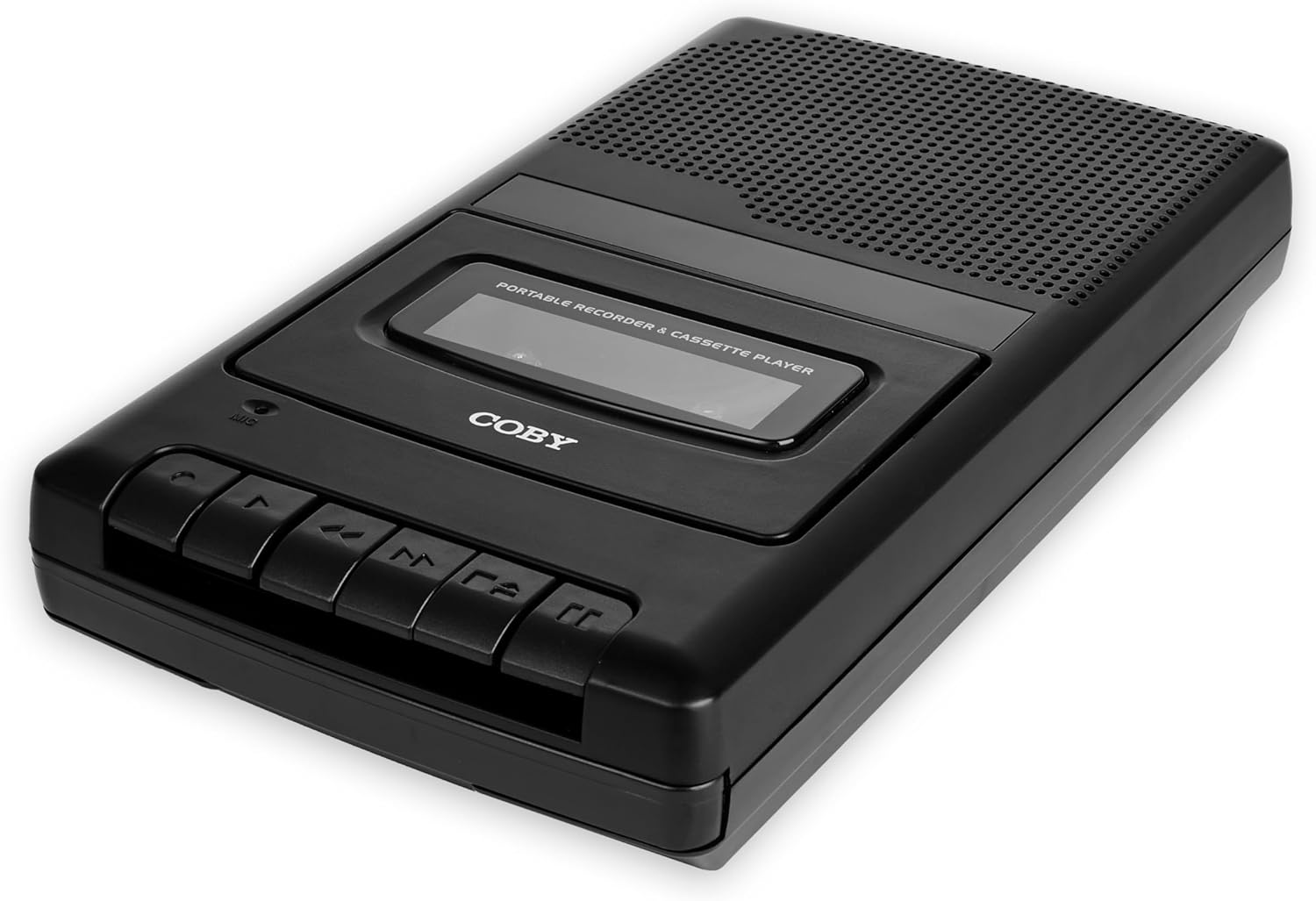
Image: The Coby CVR-22 Portable Cassette Recorder, showcasing its compact design and control buttons.
يثبت
تشغيل الجهاز
The CVR-22 operates on two (2) AA batteries. Ensure batteries are inserted correctly according to polarity markings inside the battery compartment.
- Locate the battery compartment on the underside or rear of the unit.
- افتح غطاء حجرة البطارية.
- Insert two AA batteries, matching the positive (+) and negative (-) terminals as indicated.
- أغلق غطاء حجرة البطارية جيدًا.

Image: The Coby CVR-22 showing a cassette being inserted and indicating its 2x AA battery power requirement.
تعليمات التشغيل
Inserting a Cassette Tape
- اضغط على توقف / إخراج زر لفتح باب حجرة الكاسيت.
- Insert a standard audio cassette tape with the open edge facing upwards and the tape side facing the unit.
- أغلق باب حجرة الكاسيت برفق حتى تسمع صوت إغلاقه.
التشغيل
- تأكد من إدخال شريط الكاسيت بشكل صحيح.
- اضغط على يلعب سيبدأ تشغيل الشريط.
- Adjust the volume using the volume control dial, typically located on the side of the unit.
- لإيقاف التشغيل ، اضغط على توقف / إخراج زر.
- للتقديم السريع، اضغط على FF (التقديم السريع) زر.
- للترجيع، اضغط على إعادة (ترجيع) زر.

Image: A user holding the Coby CVR-22, illustrating the joy of rediscovering a classic tape collection.
تسجيل
The CVR-22 features one-touch recording and a built-in microphone for convenient audio capture.
- Ensure a blank or recordable cassette tape is inserted.
- اضغط على سِجِلّ button (usually red). The يلعب سيتم أيضًا تنشيط الزر في نفس الوقت.
- The built-in microphone will begin recording audio. Position the recorder appropriately for optimal sound capture.
- لإيقاف التسجيل ، اضغط على توقف / إخراج زر.

Image: The Coby CVR-22 being used in a classroom setting, highlighting its utility for recording classes and lectures.

Image: The Coby CVR-22 positioned on a meeting table, demonstrating its suitability for recording meetings with its one-touch record button.
الاتصالات الخارجية
The CVR-22 includes a 3.5mm headphone jack for private listening and potentially an external microphone input (check your specific unit for microphone input if needed, as the built-in mic is standard).
- مقبس سماعة الرأس: Connect standard 3.5mm headphones for personal audio playback.
- External Microphone Input (if available): For higher quality recordings or specific recording scenarios, an external microphone can be connected to the designated input jack.

Image: The Coby CVR-22 connected to an external microphone setup, illustrating its built-in audio input/output ports for versatile use.
صيانة
تنظيف الوحدة
- امسح الجزء الخارجي من الوحدة بقطعة قماش ناعمة وجافة.
- لا تستخدم المنظفات الكاشطة أو المذيبات، لأنها قد تلحق الضرر بالطبقة النهائية.
- Periodically clean the tape head and pinch roller using a specialized cassette head cleaner or a cotton swab lightly dampened with isopropyl alcohol. This helps maintain optimal sound quality.
العناية بالبطارية
- قم بإزالة البطاريات إذا لم يتم استخدام الوحدة لفترة طويلة لمنع التسرب.
- تخلص من البطاريات المستعملة بطريقة مسؤولة وفقًا للوائح المحلية.
استكشاف الأخطاء وإصلاحها
| مشكلة | السبب المحتمل | حل |
|---|---|---|
| الوحدة لا تعمل بالطاقة. | البطاريات الميتة أو المدخلة بشكل غير صحيح. | استبدل البطاريات بأخرى جديدة، مع التأكد من القطبية الصحيحة. |
| لا يوجد صوت أثناء التشغيل. | مستوى الصوت منخفض جدًا؛ سماعات الرأس غير موصولة بشكل صحيح؛ رأس الشريط متسخ. | Increase volume; ensure headphones are fully inserted; clean tape head. |
| التسجيل مشوه أو غير واضح. | Microphone too far from sound source; tape head dirty; faulty tape. | Move closer to sound source; clean tape head; try a different tape. |
| الشريط لا يتحرك أو يتعطل. | Tape is tangled or damaged; unit mechanism issue. | Carefully remove and inspect tape; try a different tape. If issue persists, contact support. |
تحديد
| ميزة | التفاصيل |
|---|---|
| ماركة | كوبي |
| رقم الموديل | CVR-22 |
| لون | أسود |
| مصدر الطاقة | 2 x AA Batteries (Not rechargeable) |
| متوسط التسجيل | شريط كاسيت |
| ميزات التسجيل | One-Touch Recording, Built-in Microphone, Auto-Stop |
| ميزات التشغيل | إيقاف السيارة |
| مخرج الصوت | Built-in Speaker, 3.5mm Headphone Jack |
| الأبعاد (D x W x H) | 14.8 سم × 25.9 سم × 5 سم (تقريبًا) |
| مقبض | قابلة للسحب |
الضمان والدعم
Specific warranty information for the Coby CVR-22 Portable Cassette Recorder is not available in this manual. Please refer to the product packaging or the manufacturer's official webالموقع للحصول على شروط وأحكام الضمان التفصيلية.
For technical support or service inquiries, please contact Coby customer service through their official channels. Keep your purchase receipt as proof of purchase.
Manufacturer: Summit Electronics, US


