مقدمة
The Celestron ExploraScope 80AZ is a refractor telescope designed for both celestial and terrestrial observations. Its manual alt-azimuth mount provides intuitive navigation of the night sky, making it suitable for beginners. This manual provides essential information for setting up, operating, and maintaining your telescope to ensure optimal performance and longevity.
ماذا يوجد في الصندوق
عند فك العبوة، تأكد من وجود جميع المكونات:
- أنبوب التلسكوب
- Adjustable Height Tripod
- صينية ملحقات
- غطاء العدسة
- صورة معتدلة قطرية بزاوية 90 درجة
- منظار ستاربوينتر
- عدسة 20 ملم
- عدسة 4 ملم
- عدسة بارلو 3x
- TheSkyX - First Light Edition DVD-Rom (Software)
يثبت
Follow these steps to assemble your Celestron ExploraScope 80AZ telescope:
- تجميع الحامل ثلاثي القوائم: Extend the tripod legs to the desired height and secure them. Attach the accessory tray to the center brace of the tripod.
- تركيب أنبوب التلسكوب: Place the telescope tube onto the alt-azimuth mount, aligning the mounting screws with the holes on the tube. Secure the tube firmly.
- إرفاق Finderscope: Slide the StarPointer finderscope into its bracket on the telescope tube and tighten the retaining screw.
- إدخال الخط القطري: Insert the 90° erect image diagonal into the focuser. Tighten the thumbscrew on the focuser to hold it in place.
- تركيب العدسة العينية: Insert the desired eyepiece (e.g., 20mm for lower magnification) into the diagonal. Tighten the thumbscrew on the diagonal to secure it.
- Barlow Lens (Optional): For increased magnification, insert the 3x Barlow lens into the diagonal before inserting an eyepiece.

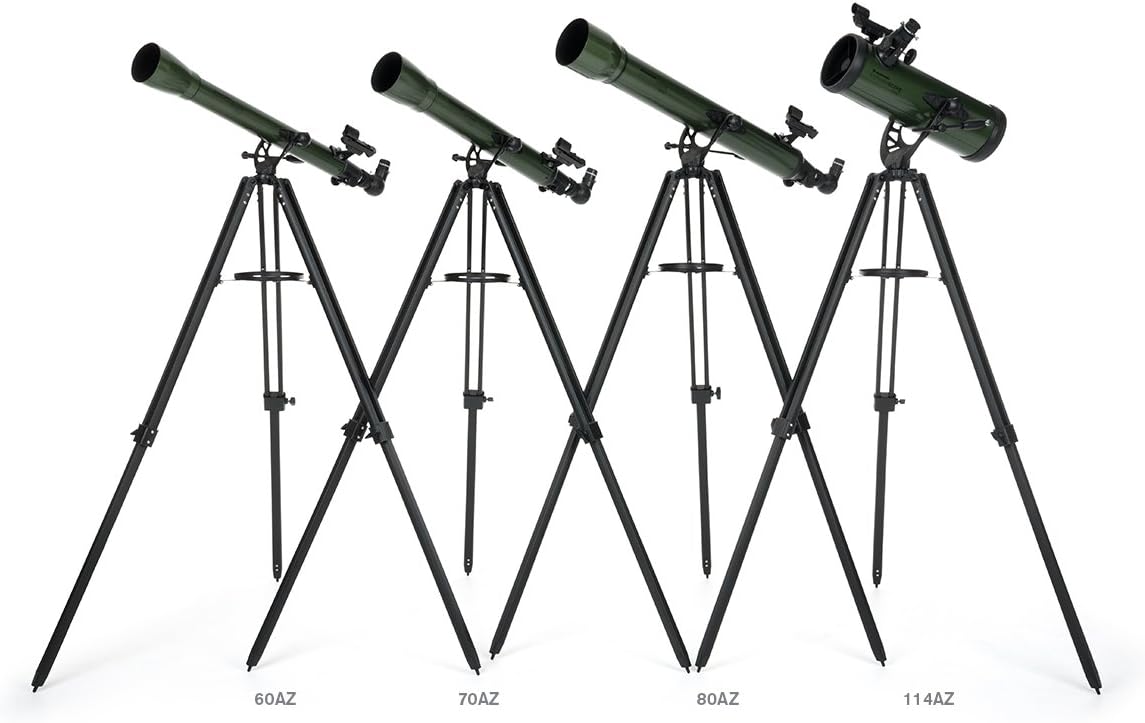
The Celestron ExploraScope 80AZ Refractor Telescope fully assembled on its adjustable tripod, ready for observation.

لقطة مقرّبة view of the focuser, where the eyepiece and diagonal are inserted, along with the StarPointer finderscope.
دليل الإعداد المرئي
This video provides a visual guide to setting up and using a Celestron ExploraScope telescope, demonstrating key features and accessories for observing celestial objects.
تشغيل التلسكوب
The ExploraScope 80AZ features a manual alt-azimuth mount with a panning handle and clutch for smooth and accurate pointing. This allows you to move the telescope up/down and left/right to track objects.
Using the StarPointer Finderscope
The StarPointer red dot finderscope helps you quickly locate objects in the sky. Look through the finderscope and align the red dot with your target. Once aligned, the object should be visible in your telescope's eyepiece.
A close-up of the StarPointer red dot finderscope, used for aiming the telescope at celestial objects.
تغيير التكبير
Your telescope comes with two eyepieces (20mm and 4mm) and a 3x Barlow lens. The 20mm eyepiece provides lower magnification and a wider field of view, ideal for locating objects. The 4mm eyepiece offers higher magnification for detailed views. The 3x Barlow lens triples the magnification of any eyepiece it's used with.

The 4mm and 20mm eyepieces, along with the 3x Barlow lens, which are included with the telescope.
Daytime Observations
Thanks to the 90° erect image diagonal, your ExploraScope 80AZ can also be used for daytime observations of birds, wildlife, and distant landscapes. The erect image diagonal ensures that images are correctly oriented (not inverted or reversed).

The Celestron ExploraScope 80AZ Refractor Telescope, suitable for both astronomical and terrestrial viewعمل.
صيانة
العناية المناسبة ستطيل عمر وأداء تلسكوبك:
- تنظيف البصريات: Use a soft, lint-free cloth and specialized optical cleaning fluid. Avoid touching optical surfaces with bare hands.
- تخزين: Store the telescope in a dry, dust-free environment. Keep lens caps on when not in use to protect the optics.
- الأجزاء الميكانيكية: Periodically check all screws and knobs for tightness. Do not overtighten.
استكشاف الأخطاء وإصلاحها
إذا واجهتك مشكلات، فكر فيما يلي:
- صور غير واضحة: Ensure the focuser is properly adjusted. Check if the eyepiece is securely seated. Atmospheric conditions can also affect image clarity.
- Cannot Find Objects: Verify that the finderscope is aligned with the main telescope. Start with the lowest magnification eyepiece (20mm) to locate objects.
- Image is Upside Down/Reversed: لعلم الفلك viewing, this is normal. For terrestrial viewing, ensure the erect image diagonal is correctly installed.
تحديد
| ميزة | التفاصيل |
|---|---|
| اسم الموديل | ExploraScope 80AZ |
| رقم موديل العنصر | 22102 |
| نوع التلسكوب | المنكسر |
| قطر العدسة الموضوعية | 80 مليمتر |
| وصف حامل التلسكوب | جبل ألتازيموت |
| نوع التركيز | التركيز اليدوي |
| finderscope | منظار تحديد المواقع ذو النقطة الحمراء StarPointer™ |
| وزن العنصر | 7 رطل |
| أبعاد المنتج | 36 × 52 × 32 بوصة |
معلومات الضمان
For detailed warranty information, please refer to the documentation included with your product or visit the official Celestron webتغطي شروط الضمان عادةً عيوب التصنيع لفترة محددة من تاريخ الشراء.
يدعم
For additional assistance, technical support, or to explore more Celestron products, please visit the official Celestron website or contact their customer service department. You can also find resources and community forums for astronomy enthusiasts.
قم بزيارة متجر سيليسترون على أمازون لمزيد من المنتجات والمعلومات.


