1. المقدمة
The NETGEAR WiFi Mesh Range Extender EX6150 is designed to boost your existing home network by increasing WiFi range and speed. It delivers AC1200 dual-band WiFi, providing speeds up to 1200Mbps. This extender is compatible with any wireless router, gateway, or cable modem with WiFi, ensuring broad usability. It helps eliminate WiFi dead zones, providing reliable connectivity for up to 20 devices across an area of up to 1200 square feet, making it ideal for HD video streaming and online gaming in remote areas of your home.
2. ماذا يوجد في الصندوق
- WiFi Mesh Extender (EX6150-100NAS)
- دليل البدء السريع
3. انتهى المنتجview
The NETGEAR EX6150 is a compact, wall-plug design WiFi range extender. It features external antennas for improved performance and a wired Ethernet port for connecting devices directly. The device utilizes dual-band technology (2.4 GHz and 5 GHz) to provide stable and fast connections.
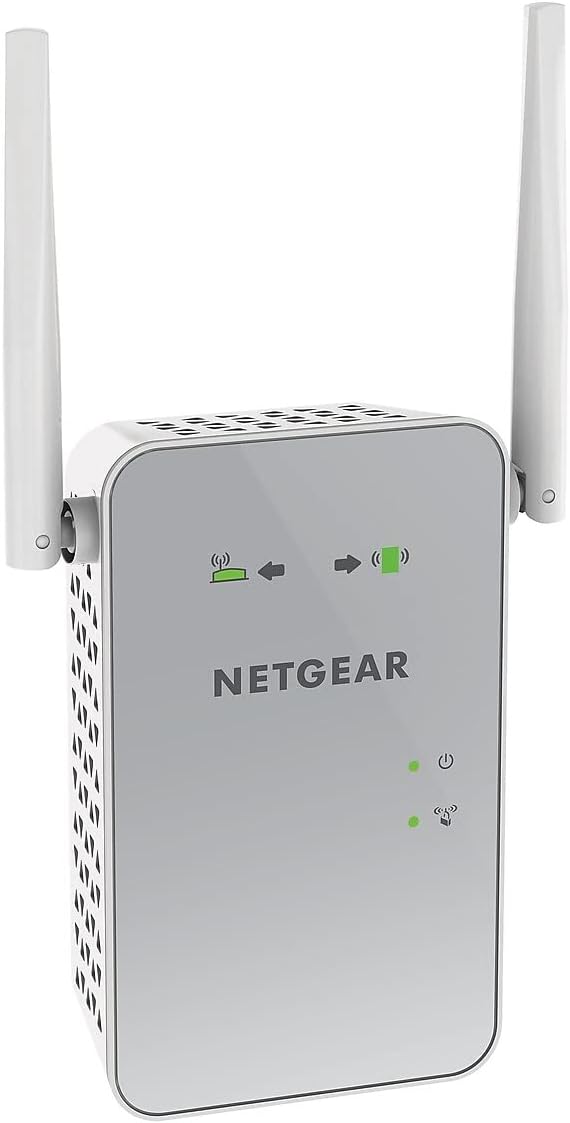
الشكل 1: أمام view of the NETGEAR EX6150 WiFi Mesh Range Extender, showing the NETGEAR logo and LED indicators.
المميزات الرئيسية:
- التغطية اللاسلكية الموسعة: Adds WiFi range coverage up to 1200 square feet.
- يربط أجهزة متعددة: Supports connection for up to 20 devices such as laptops, smartphones, speakers, IP cameras, tablets, and IoT devices.
- التجوال الذكي السلس: Uses your existing network SSID name, ensuring you remain connected as you move around your home or office.
- AC1200 WiFi Speed: Provides up to 1200Mbps performance using dual-band and patented FastLane technology for demanding HD streaming and online gaming.
- التوافق العالمي: يعمل مع أي جهاز توجيه لاسلكي أو بوابة أو مودم كابل مزود بتقنية الواي فاي.
- منفذ إيثرنت سلكي: Allows direct connection of game consoles, streaming players, or other wired devices into the one Gigabit port for maximum speed.
4. الإعداد
Setting up your NETGEAR WiFi Mesh Range Extender EX6150 is a straightforward process. Follow these steps for a quick and efficient installation.
4.1. التعيين الأولي
For the initial setup, plug the extender into an electrical outlet in the same room as your WiFi router. This ensures a strong connection during the configuration process.

الشكل 2: جانب view of the NETGEAR EX6150, highlighting the Ethernet port and WPS button.
4.2. إعداد WPS (مستحسن)
The easiest way to set up your extender is using Wi-Fi Protected Setup (WPS).
- Plug the extender into an electrical outlet near your WiFi router.
- Wait for the Power LED on the extender to light up green.
- اضغط على زر WPS الموجود على جهاز التمديد. سيبدأ مؤشر LED الخاص بـ WPS بالوميض.
- في غضون دقيقتين، اضغط على زر WPS الموجود على جهاز توجيه الواي فاي الخاص بك.
- Wait for the WPS LED on the extender to light up solid green. This indicates a successful connection.
- If your router supports 5GHz, repeat steps 3-5 to extend the 5GHz band.
4.3. الموقع الأمثل
After initial setup, unplug the extender and move it to a new location that is about halfway between your router and the area with a poor WiFi signal. The extender must be within range of your existing WiFi router network.
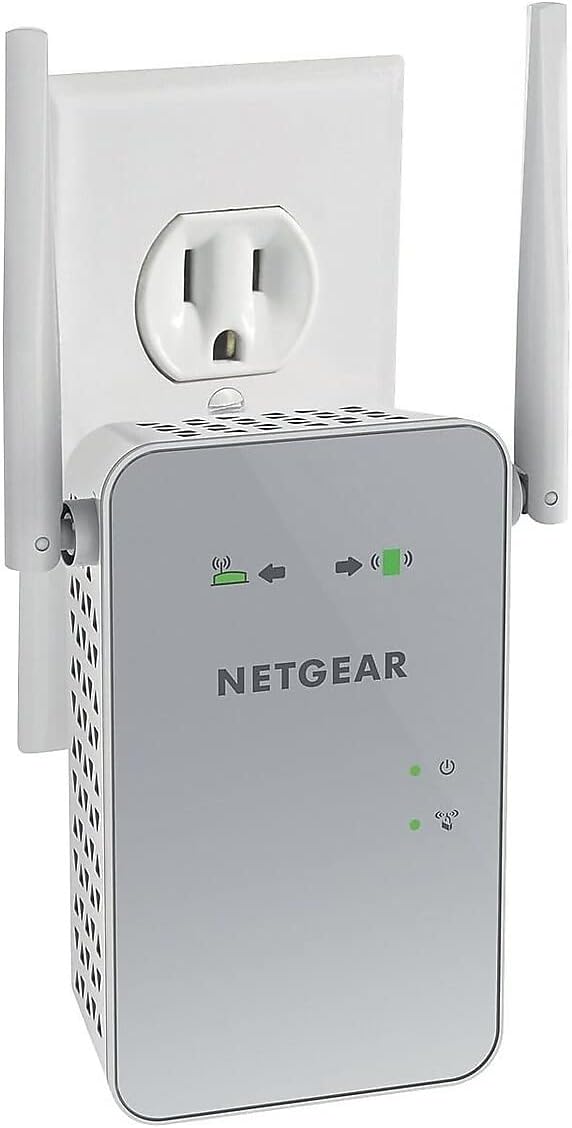
الشكل 3: The NETGEAR EX6150 plugged into a standard electrical outlet.
Plug the extender into an electrical outlet and wait for the Power LED to light up green. Use the Router Link LED on the extender to help you choose a location where the extender-to-router connection is optimal:
- أخضر/كهرماني صلب: You have found a good location for the extender.
- أحمر: Plug the extender into an outlet closer to the router and try again.

الشكل 4: خلف view of the NETGEAR EX6150, showing the product label with default login information and various ports/buttons.
4.4. توصيل أجهزتك
Once the extender is optimally placed, connect your client devices (laptops, smartphones, etc.) to the new extended WiFi network. The extender uses your existing WiFi name and adds "_2GEXT" for the 2.4GHz band or "_5GEXT" for the 5GHz band at the end. Use the same WiFi password as your main router.
فيديو 1: This video demonstrates how to set up NETGEAR Wall Plug WiFi Range Extenders, including unboxing, initial placement, WPS setup, optimal placement, and connecting client devices. (Source: NETGEAR)
5. تشغيل جهاز التمديد الخاص بك
Once set up, your extender operates automatically to provide extended WiFi coverage. You can manage advanced settings through the extender's web واجهة من خلال الانتقال إلى www.mywifiext.net في web browser while connected to the extender's network. Default login credentials are often found on the product label (see Figure 4).
الميزات المتقدمة:
- WiFi Coverage Control: Adjust the range of your WiFi.
- Access Scheduling: Set schedules for your WiFi to turn on/off.
- FastLane Technology: Optimize performance for specific tasks like streaming or gaming.
- وضع نقطة الوصول: Use the extender as a WiFi access point by connecting it to your router via an Ethernet cable.
6. الصيانة
To ensure optimal performance and longevity of your NETGEAR EX6150, consider the following maintenance tips:
- احتفظ بالجهاز في منطقة جيدة التهوية لتجنب ارتفاع درجة الحرارة.
- تجنب وضع جهاز التمديد بالقرب من الأجسام المعدنية الكبيرة، أو الجدران الخرسانية، أو الأجهزة الإلكترونية الأخرى التي قد تسبب التداخل.
- Periodically check for firmware updates through the extender's web واجهة لضمان حصولك على أحدث الميزات والتحسينات الأمنية.
- نظّف الجهاز برفق باستخدام قطعة قماش جافة وناعمة. لا تستخدم المنظفات السائلة.
7. استكشاف الأخطاء وإصلاحها
If you encounter issues with your extender, try the following common troubleshooting steps:
- لا يوجد اتصال بالإنترنت: Ensure the Router Link LED is solid green or amber. If red, move the extender closer to your main router.
- السرعات البطيئة: Verify the extender's placement. It should be roughly halfway between your router and your devices. Consider using FastLane technology if available in the settings.
- لا يمكن الاتصال بالشبكة الموسعة: Double-check the WiFi password. It should be the same as your main router's password. Ensure you are selecting the correct extended network name (e.g., MyNetworkName_2GEXT).
- اتصال متقطع: Try restarting both your main router and the extender. Ensure there are no physical obstructions or sources of interference.
- اعدادات المصنع: If all else fails, perform a factory reset by pressing and holding the reset button (usually a small pinhole) for about 7-10 seconds. You will then need to set up the extender again.
8. المواصفات
| ميزة | التفاصيل |
|---|---|
| نوع لاسلكي | 802.11a/b/g/n/ac |
| ماركة | نت جير |
| رقم موديل العنصر | EX6150-100NAS |
| توافق نظام التشغيل | كمبيوتر شخصي؛ ماك |
| وزن العنصر | 13.6 أونصات |
| أبعاد المنتج (الطول × العرض × الارتفاع) | 4.8 × 2.91 × 1.5 بوصة |
| لون | أبيض |
| المجلدtage | 100-240 Volts |
| معدل نقل البيانات | 1200 ميجابت في الثانية |
| فئة نطاق التردد | النطاق المزدوج |
9. الضمان والدعم
For warranty information, technical support, and product registration, please refer to the official NETGEAR webيمكنك الاطلاع على الموقع الإلكتروني أو الوثائق المرفقة بعبوة المنتج. كما يمكنك زيارة الموقع الإلكتروني. متجر NETGEAR على أمازون للحصول على موارد إضافية.


