مقدمة
This manual provides comprehensive instructions for the setup, operation, maintenance, and troubleshooting of your PDP Afterglow AGU.50 Wired Headset. Designed for multi-platform compatibility, this headset offers clear audio and communication for an enhanced gaming experience.

Image: The PDP Afterglow AGU.50 Wired Headset, showcasing its design with blue illuminated earcups and attached microphone.
محتويات الحزمة
- Afterglow AGU.50 Wired Headset
- ميكروفون إلغاء الضوضاء القابل للفصل
- In-line Control Unit (integrated with cable)
يثبت
Follow these steps to connect your Afterglow AGU.50 headset to your gaming system or PC.

الصورة: انفجرت view of the Afterglow AGU.50 headset components, showing the main headset, detachable microphone, and the in-line control module.
- قم بتوصيل الميكروفون: Insert the flexible microphone into the designated port on the left earcup until it clicks securely into place. Ensure the microphone is oriented correctly for optimal voice pickup.
- الاتصال بجهازك:
- For Xbox 360, PlayStation 3, and Wii U: Connect the headset's 3.5mm audio jack to the appropriate audio output port on your console or TV. For chat functionality, additional console-specific adapters (not included) may be required depending on your console model and setup.
- For PC Gaming: Connect the headset's 3.5mm audio jack to your computer's audio output (green port) and microphone input (pink port) if your PC has separate jacks. If your PC has a single combined audio jack, you may need a Y-splitter adapter (not included).
- التشغيل (إن أمكن): The headset is wired and does not require separate power. Ensure your console or PC is powered on.
عملية
Understanding the controls and features of your headset.

الصورة: الجانب المحترفfile of the Afterglow AGU.50 headset, showing the attached flexible microphone and the illuminated earcup.
- ضبط سماعة الرأس: Extend or retract the headband to fit comfortably over your head. The earcups are designed to pivot for a snug fit.
- الضوابط في الخط: The headset features an in-line control unit on the cable for easy access to audio adjustments.
- قرص التحكم الرئيسي في مستوى الصوت: Rotate the dial to increase or decrease the overall audio volume.
- Game/Chat Balance (if supported by console/PC setup): Some setups allow for separate adjustment of game audio and chat volume. Refer to your console or PC's audio settings for configuration.
- مفتاح كتم صوت الميكروفون: Use the switch to quickly mute or unmute your microphone.
- استخدام الميكروفون: Position the flexible microphone approximately 1-2 inches from your mouth for optimal voice clarity. The noise-cancelling feature helps reduce background noise.
- Afterglow Illumination: The earcups feature blue LED illumination, which activates when the headset is connected and receiving power through the audio jack.
صيانة
إن العناية المناسبة تضمن طول عمر سماعات الرأس وأدائها.
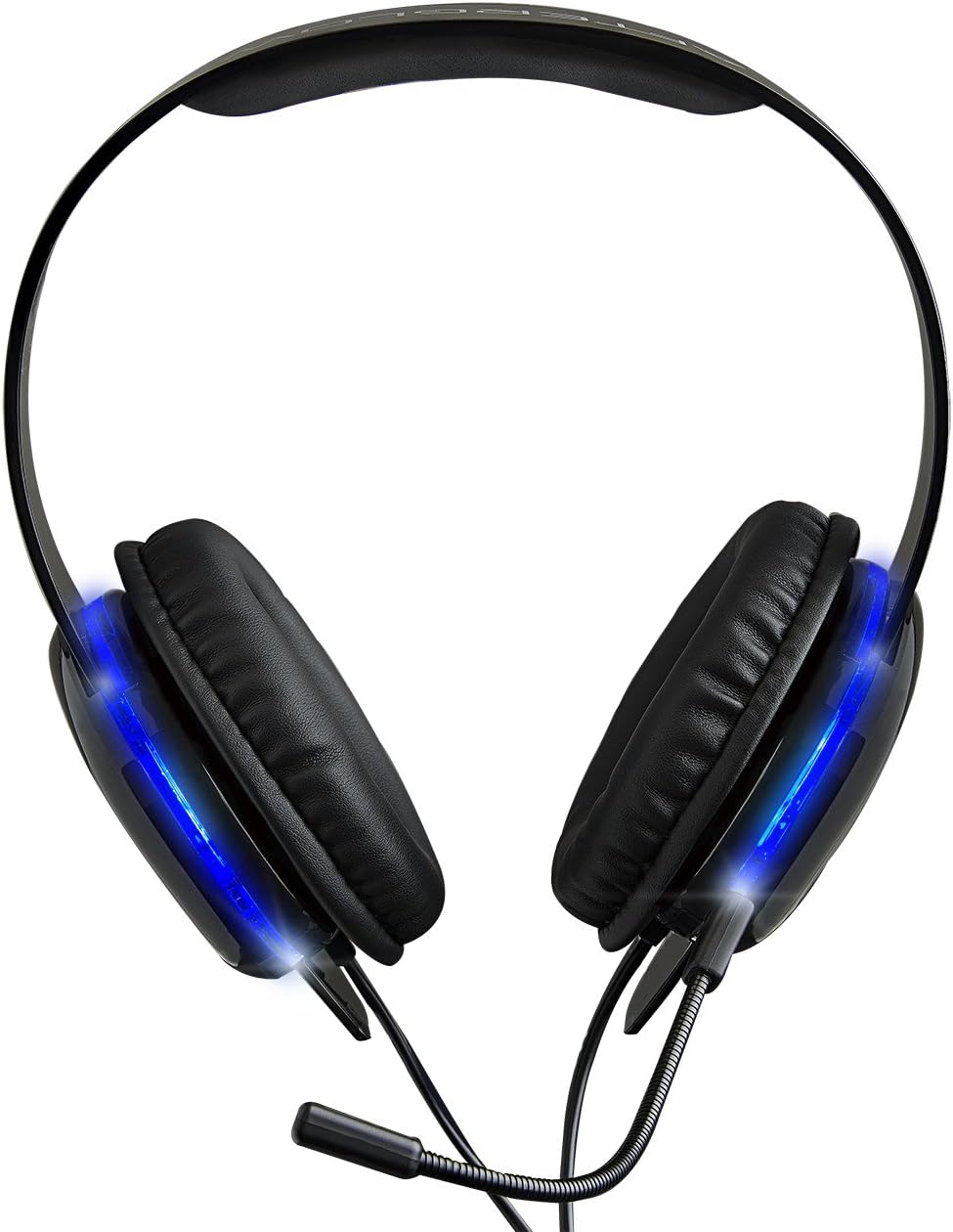
الصورة: علوية view of the Afterglow AGU.50 headset, showing the padded headband and earcups.
- تنظيف: استخدم قطعة قماش ناعمة وجافة لمسح سماعة الرأس. أما بالنسبة لأغطية الأذن، فاستخدم قطعة قماش جافة قليلاً.amp cloth with mild soap can be used, but ensure no moisture enters the speaker grilles. Do not use harsh chemicals or abrasive cleaners.
- تخزين: Store the headset in a cool, dry place away from direct sunlight and extreme temperatures. Avoid wrapping the cable too tightly to prevent damage.
- العناية بالميكروفون: When not in use, the microphone can be detached and stored separately to prevent bending or damage.
استكشاف الأخطاء وإصلاحها
إذا واجهت مشاكل مع سماعة الرأس الخاصة بك، فراجع الحلول الشائعة التالية.
| مشكلة | حل |
|---|---|
| لا يوجد صوت من سماعة الرأس. |
|
| الميكروفون لا يعمل. |
|
| Experiencing static or poor audio quality. |
|
تحديد
| ميزة | التفاصيل |
|---|---|
| رقم الموديل | 9218 |
| الاتصال | سلكي (مقبس صوت 3.5 ملم) |
| التوافق | Xbox 360, PlayStation 3, PC, Wii U |
| ميكروفون | قابل للفصل، عازل للضوضاء |
| عناصر التحكم | In-line volume control, microphone mute switch |
| إضاءة | Blue LED Afterglow earcups |
| ميزة الكابل | قابلة للسحب |
| وزن العنصر | 5.3 أونصة (0.33 رطل) |
| أبعاد المنتج | 2.88 × 7.4 × 8.74 بوصة |
| مادة | بلاستيك |
معلومات السلامة
- تجنب الاستماع لفترات طويلة بمستويات صوت عالية لمنع تلف السمع.
- لا تعرض سماعة الرأس لدرجات الحرارة العالية أو الرطوبة أو السوائل.
- Keep out of reach of small children due to small parts and cables.
- لا تحاول تفكيك سماعة الرأس أو تعديلها، لأن ذلك سيؤدي إلى إبطال الضمان وقد يتسبب في تلفها.
الضمان والدعم
للحصول على معلومات الضمان أو الدعم الفني، يرجى الرجوع إلى صفحة المنتج الرسمية. webالموقع الإلكتروني أو تواصل مع قسم خدمة العملاء. احتفظ بإثبات الشراء لطلبات الضمان.
مسؤول في حزب الشعب الديمقراطي Webموقع: www.pdp.com


