مقدمة
This user manual provides essential information for setting up, operating, maintaining, and troubleshooting your Vibox Standard 3XL Gaming PC. Please read this manual thoroughly before using your computer to ensure proper function and longevity of the product. Keep this manual for future reference.
معلومات السلامة
- Ensure the PC is placed on a stable, flat surface with adequate ventilation.
- Do not block ventilation openings. Overheating can damage components.
- Keep the PC away from direct sunlight, heat sources, and liquids.
- Use only the power supply unit provided with the PC.
- افصل كابل الطاقة قبل التنظيف أو إجراء أي صيانة.
- Do not open the PC casing unless instructed by a qualified technician.
- Avoid placing heavy objects on the PC or its cables.
محتويات الحزمة
تأكد من وجود جميع العناصر المدرجة أدناه في الحزمة الخاصة بك:
- Vibox Standard 3XL Gaming PC Tower
- 21.5-inch LED HD Monitor
- UK QWERTY Gamer Keyboard
- الفأر
- اسلاك الطاقة)
- كابل HDMI
- Windows 10 Operating System Disk/License Key
- دليل المستخدم (هذا المستند)
دليل الإعداد
1. فك التعبئة والتركيب
Carefully remove all components from their packaging. Place the PC tower on a flat, stable surface, ensuring sufficient space around it for airflow. Avoid placing it in enclosed cabinets.

الشكل 1: الجبهة view of the Vibox Standard 3XL Gaming PC tower, showcasinتصميمها ولمسات الإضاءة الزرقاء بتقنية LED.
2. توصيل الأجهزة الطرفية
- شاشة: Connect the HDMI cable from your monitor to the HDMI port on the back of the PC.
- لوحة المفاتيح والفأرة: Connect the USB cables from your keyboard and mouse to any available USB ports on the back or front of the PC.
- قوة: Connect the power cable to the power supply unit on the back of the PC, then plug the other end into a wall outlet. Connect the monitor's power cable to an outlet as well.
- الشبكة (اختياري): For a wired internet connection, connect an Ethernet cable from your router to the Ethernet port on the back of the PC. For Wi-Fi, ensure the Wi-Fi antenna (if provided) is connected.

الشكل 2: من أعلى إلى أسفل view of the PC, illustrating the location of top-mounted USB ports and ventilation.
3. Initial Power-On and Windows Setup
- Press the power button on the front of the PC tower.
- قم بتشغيل الشاشة.
- Follow the on-screen instructions to complete the Windows 10 setup process. This typically involves selecting your region, language, creating a user account, and accepting terms.
- Once Windows 10 is set up, you may need to install drivers for any additional peripherals or update existing drivers.
تعليمات التشغيل
تشغيل/إيقاف
- لتشغيل: اضغط على زر الطاقة الموجود في مقدمة جهاز الكمبيوتر.
- للإغلاق: Click the Start button in Windows 10, then select Power > Shut down. Do not force shut down by holding the power button unless absolutely necessary to prevent data loss.
- لإعادة التشغيل: انقر فوق زر ابدأ، ثم حدد الطاقة > إعادة التشغيل.
ربط أجهزة USB
Your PC is equipped with multiple USB 2.0 and USB 3.0 ports. USB 3.0 ports are typically blue and offer faster data transfer speeds. Simply plug your USB device into an available port.
استخدام قارئ البطاقة
The integrated card reader supports various memory card formats. Insert your memory card into the appropriate slot on the PC. The card will appear as a removable drive in 'This PC' (or 'My Computer').
صيانة
تنظيف
- الخارج: استخدمي قطعة قماش ناعمةamp cloth to wipe the exterior of the PC. Avoid abrasive cleaners or solvents.
- تهوية: Periodically use compressed air to clear dust from the ventilation grilles to ensure optimal airflow and prevent overheating. Ensure the PC is powered off and unplugged before doing so.
- شاشة: Use a specialized screen cleaner and a microfiber cloth for the monitor display.
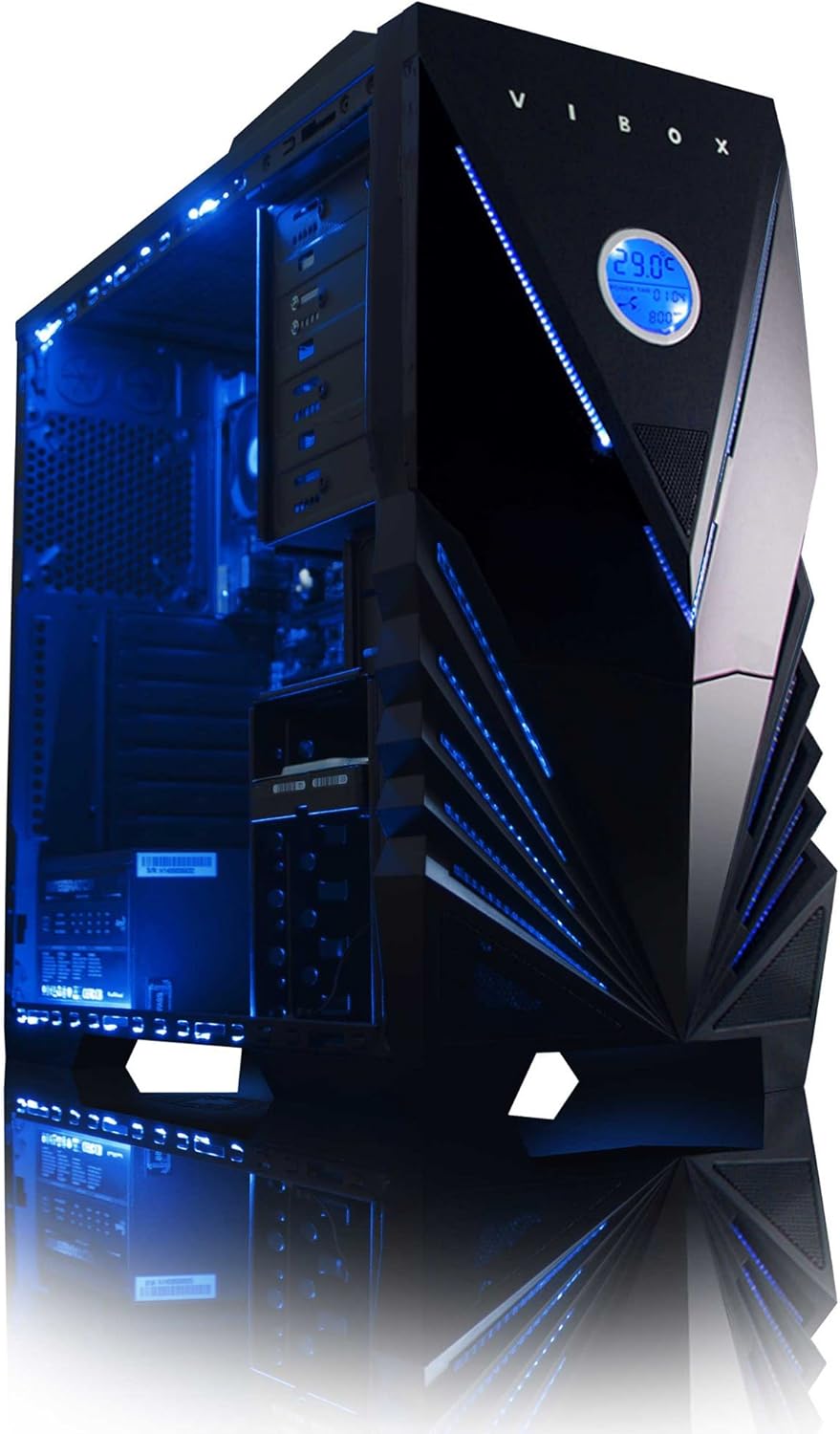
الشكل 3: داخلي view of the Vibox Standard 3XL Gaming PC, highlighting the arrangement of components and cooling system.
تحديثات البرامج
Regularly update your Windows operating system, drivers, and antivirus software to ensure system stability, security, and optimal performance.
النسخ الاحتياطي للبيانات
It is recommended to regularly back up important data to an external drive or cloud storage to prevent data loss in case of system failure.
استكشاف الأخطاء وإصلاحها
| مشكلة | السبب المحتمل | حل |
|---|---|---|
| لا يتم تشغيل الكمبيوتر. | Power cable loose, power supply issue, power button malfunction. | Check all power connections. Ensure the wall outlet is functional. Try a different power cable if available. |
| لا يوجد عرض على الشاشة. | Monitor not powered, video cable loose, incorrect input selected on monitor. | Ensure monitor is powered on and connected. Check video cable connections. Select correct input source on monitor (e.g., HDMI). |
| PC is running slow. | تشغيل عدد كبير جدًا من البرامج، ذاكرة وصول عشوائي غير كافية، امتلاء القرص الصلب، برامج ضارة. | Close unnecessary applications. Check disk space. Run antivirus scans. Consider upgrading RAM if consistently slow. |
| Peripherals (keyboard/mouse) not responding. | Loose USB connection, driver issue. | Reconnect the peripheral to a different USB port. Restart the PC. Check device manager for driver issues. |
If you encounter issues not covered here or require further assistance, please refer to the Support section.
تحديد
| ميزة | التفاصيل |
|---|---|
| ماركة | فيبوكس |
| رقم الموديل | VBX-PC-6450 |
| مسلسل | VIBOX Standard |
| نظام التشغيل | ويندوز 10 |
| ماركة المعالج | أيه إم دي |
| نوع المعالج | Athlon 64 FX (AMD A8 Quad-Core) |
| سرعة المعالج | 3.1 جيجاهرتز (3.8 جيجاهرتز تيربو) |
| عدد النوى | 4 |
| كبش | 32 جيجابايت DDR3 1600 ميجاهرتز |
| الحد الأقصى للذاكرة المدعومة | 32 جيجا بايت |
| حجم القرص الصلب | 2000 جيجابايت (2 تيرابايت) |
| تقنية القرص الصلب | HDD (7200 RPM, Serial ATA 600) |
| العلامة التجارية لشريحة الرسوميات | راديون |
| وصف بطاقة الرسوميات | AMD Radeon R7 (متكامل) |
| تكنولوجيا العرض | غير قابل للمس |
| Screen Size (Included Monitor) | 21.5 بوصة |
| Screen Resolution (Included Monitor) | 1920 × 1080 (1080 بكسل عالي الدقة بالكامل) |
| نسبة العرض إلى الارتفاع | 16:9 |
| نوع الاتصال | واي فاي (802.11bgn) |
| متوافق مع البلوتوث | لا |
| منافذ HDMI | 1 |
| منافذ USB 2.0 | 6 |
| منافذ USB 3.0 | 3 |
| منافذ إيثرنت | 1 |
| المميزات الخاصة | قارئ البطاقات |
| الأبعاد (الطول × العرض × الارتفاع) | 51.5 × 19 × 44 سم |
| وزن المنتج | 16 Grams (PC Tower only) |
معلومات الضمان
Your Vibox Standard 3XL Gaming PC comes with a ضمان مدى الحياة. This warranty covers manufacturing defects and hardware failures under normal use conditions. For specific terms and conditions, please refer to the warranty documentation included with your purchase or contact Vibox customer support.
To claim warranty service, you will typically need your proof of purchase and the product's serial number. Do not attempt to repair the product yourself, as this may void your warranty.
دعم العملاء
For technical assistance, troubleshooting beyond this manual, or warranty inquiries, please contact Vibox customer support. You can usually find contact information (phone number, email, or support webالموقع) على الموقع الرسمي للشركة المصنعة webالموقع أو على مواد التغليف.
When contacting support, please have your product model number (VBX-PC-6450) and serial number ready to expedite the service process.


