1. المقدمة
This manual provides essential instructions for the installation, operation, maintenance, and troubleshooting of your Antec TruePower Classic TP-750C 750W 80 PLUS GOLD Certified Power Supply. Please read this manual thoroughly before installation and retain it for future reference. This power supply is designed to provide stable and efficient power to your personal computer system.
2. معلومات السلامة
- تأكد من فصل مصدر الطاقة عن منفذ التيار المتردد قبل التثبيت أو التعامل معه.
- لا تفتح مصدر الطاقةasinز. حجم الصوت العاليtage components inside pose a risk of electric shock.
- قم بتثبيت مصدر الطاقة في منطقة جيدة التهوية لمنع ارتفاع درجة الحرارة.
- استخدم فقط الكابلات المرفقة مع مصدر الطاقة.
- تجنب تعريض مصدر الطاقة للرطوبة أو درجات الحرارة العالية.
- هذا المنتج مخصص للاستخدام في أنظمة الكمبيوتر الشخصي فقط.
3. محتويات العبوة
تأكد من وجود كافة العناصر في العبوة قبل المتابعة بالتثبيت.
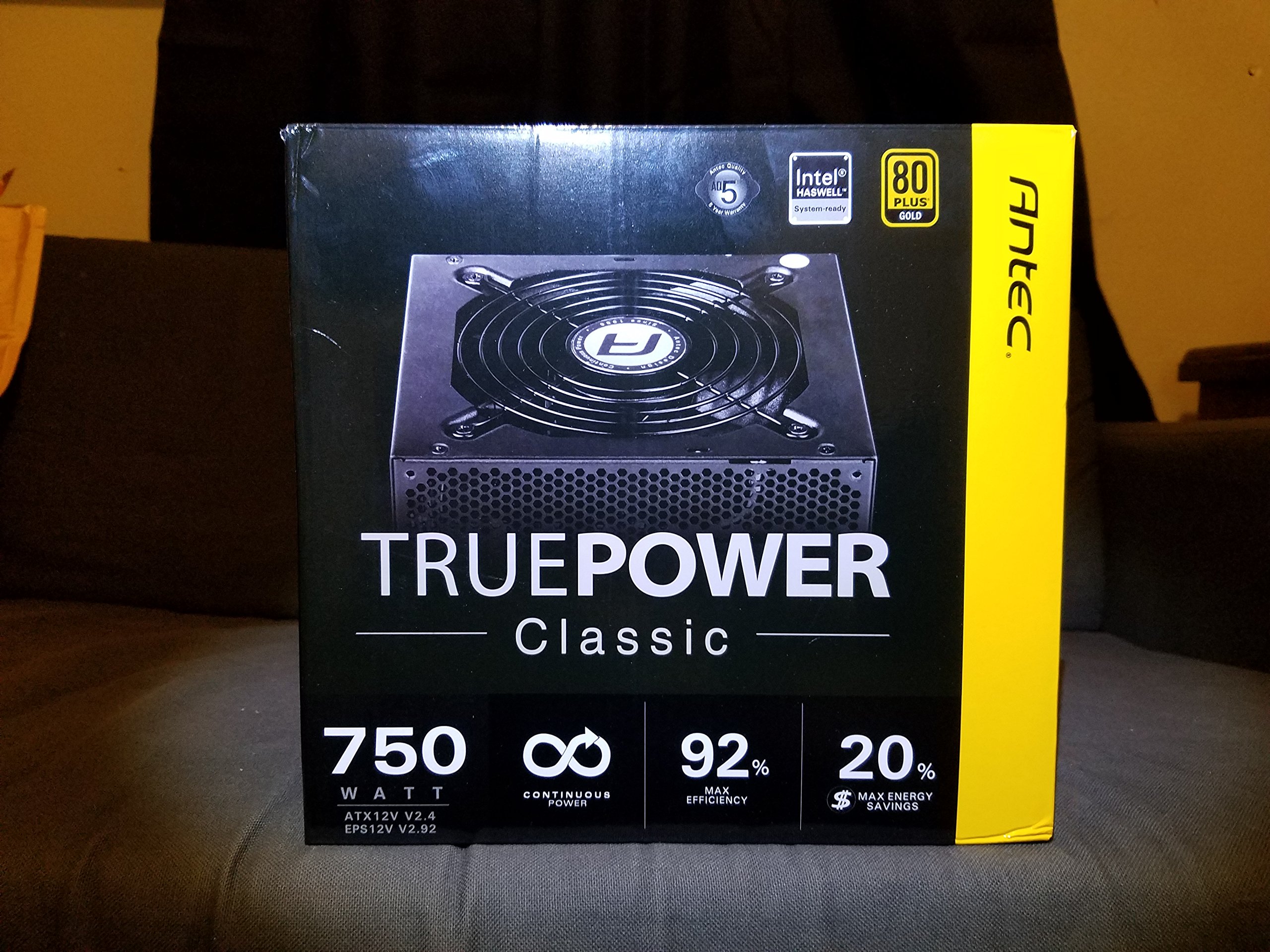
Image 1: Contents of the Antec TruePower Classic TP-750C package. The image displays the power supply unit, various power cables (including a main AC power cable), and user documentation neatly packed within a cardboard box.
- Antec TruePower Classic TP-750C Power Supply Unit
- Modular Cable Set (PCI-E, SATA, Molex, etc.)
- سلك الطاقة المتردد
- مسامير التثبيت
- دليل المستخدم / الوثائق
4. الإعداد والتثبيت
Follow these steps to properly install your power supply into your computer chassis.
- تجهيز الهيكل: Ensure your computer chassis is powered off and disconnected from all power sources. Open the side panel of your computer case.
- قم بتركيب وحدة التزويد بالطاقة: Carefully slide the Antec TP-750C power supply into the designated power supply bay in your chassis. Align the screw holes on the power supply with those on the chassis. Secure the power supply using the provided mounting screws.
- توصيل الطاقة باللوحة الأم: Connect the 24-pin ATX main power connector from the power supply to the corresponding port on your motherboard. Ensure it clicks into place.
- قم بتوصيل طاقة المعالج: Connect the 4+4-pin (or 8-pin) EPS12V CPU power connector to the CPU power socket on your motherboard.
- Connect Graphics Card Power (PCI-E): If your graphics card requires external power, connect the appropriate 6+2-pin PCI-E power cables from the power supply to your graphics card.
- Connect Peripheral Power (SATA/Molex): Connect SATA power cables to your storage drives (SSDs, HDDs) and optical drives. Use Molex connectors for other peripherals as needed.
- إدارة الكابلات: Route cables neatly to improve airflow and aesthetics within your chassis.
- الفحوصات النهائية: Double-check all connections to ensure they are secure. Close the chassis side panel.
- توصيل طاقة التيار المتردد: Connect the AC power cord to the power supply and then to a wall outlet or surge protector.
5. تعليمات التشغيل
The Antec TP-750C power supply operates automatically once correctly installed and connected to an AC power source. It provides stable DC power to all connected components.
- تشغيل الطاقة: After connecting the AC power cord, flip the power switch on the back of the power supply to the "ON" (I) position.
- تمهيد النظام: Press the power button on your computer chassis to start your system.
- إيقاف التشغيل: Shut down your computer through the operating system. For complete power disconnection, flip the power switch on the power supply to the "OFF" (O) position and unplug the AC power cord.
6. الصيانة
تضمن الصيانة المناسبة طول عمر وأداء مصدر الطاقة الخاص بك على النحو الأمثل.
- تنظيف الغبار: Periodically clean dust from the power supply's fan and ventilation grilles using compressed air. Ensure the power supply is disconnected from AC power before cleaning.
- تهوية: Ensure adequate airflow around the power supply. Do not block the intake or exhaust vents.
- سلامة الكابل: Regularly check power cables for any signs of damage or fraying. Replace damaged cables immediately.
- بيئة التشغيل: Operate the power supply within recommended temperature and humidity ranges.
7. استكشاف الأخطاء وإصلاحها
إذا واجهت مشاكل في مصدر الطاقة الخاص بك، فراجع المشاكل والحلول الشائعة التالية.
| مشكلة | السبب المحتمل | حل |
|---|---|---|
| لا يتم تشغيل النظام. | AC power cord not connected, power switch off, loose internal connections, faulty components. |
|
| يتم تشغيل النظام ولكن يتم إيقاف تشغيله على الفور. | زيادة الحمل، ارتفاع درجة الحرارة، قصر الدائرة، عطل في أحد المكونات. |
|
| Unusual noise from the power supply. | Fan obstruction, faulty fan bearing, coil whine. |
|
If troubleshooting steps do not resolve the issue, contact Antec customer support for further assistance.
8. المواصفات
| اسم الموديل | TruePower Classic TP-750C |
| ماركة | أنتيك |
| واتtage | 750 واط |
| 80 PLUS شهادة | ذهب |
| عامل الشكل | ايه تي اكس |
| نوع الموصل | ايه تي اكس |
| الحد الأدنى لحجم الإدخالtage | 100 فولت |
| الأجهزة المتوافقة | كمبيوتر شخصي |
| وزن العنصر | 6.24 رطل (2.83 كجم) |
| أبعاد الحزمة | 9.7 × 9 × 5.5 بوصة (24.6 × 22.9 × 14 سم) |
| ASIN | B00JOFALL0 |
| رمز المنتج الموحد | 132018316306 |
9. الضمان والدعم
The Antec TruePower Classic TP-750C Power Supply comes with a ضمان المصنع لمدة عاميغطي هذا الضمان عيوب المواد والصناعة في ظل الاستخدام العادي.
For technical support, warranty claims, or further inquiries, please visit the official Antec webالموقع الإلكتروني أو تواصل مع قسم خدمة العملاء. احتفظ بإيصال الشراء للتحقق من صحة الضمان.
Please note: Opening the power supply casinسيؤدي ذلك إلى إلغاء الضمان.


